
In the contemporary digital landscape, where seamless connectivity is as vital as electricity, the terms “router” and “WiFi” are often used interchangeably. However, for those looking to optimize their digital infrastructure—whether for a high-performance home office or a sprawling enterprise environment—the Wireless Access Point (WAP) is the true unsung hero of the network. Understanding what an access point is, how it differs from other networking hardware, and the technical standards that govern its performance is essential for anyone navigating the modern tech ecosystem.
The Technical Architecture of a Wireless Access Point
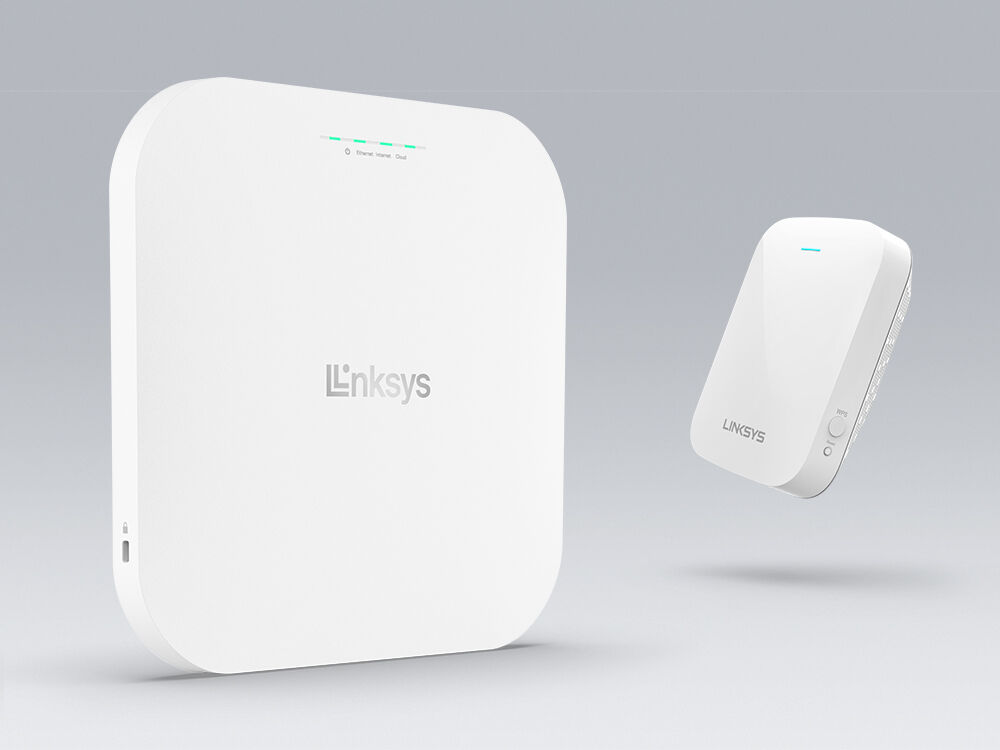
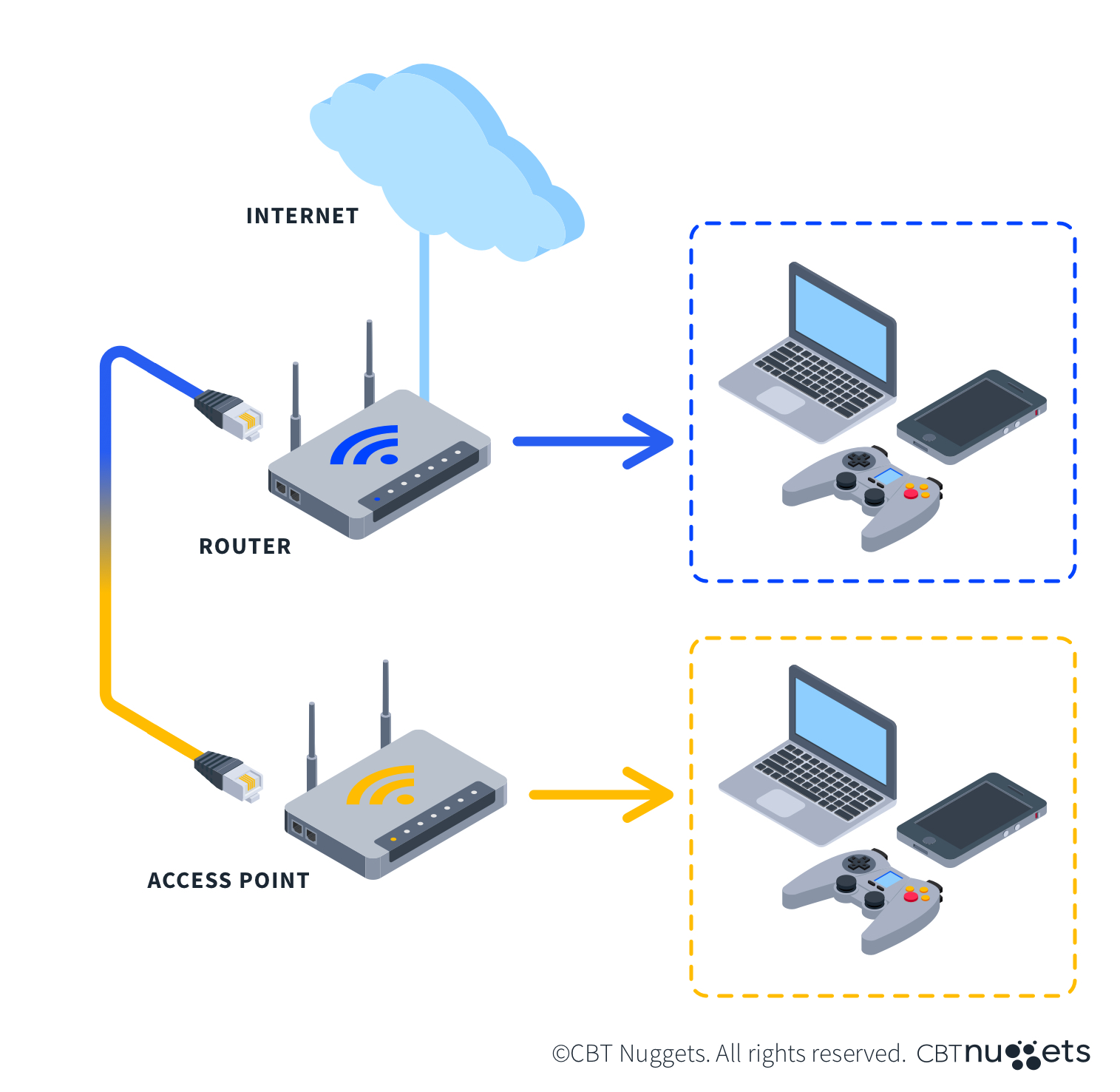
At its core, a Wireless Access Point is a hardware device that acts as a portal for devices to connect to a local area network (LAN). While a router manages the data flow between the internet and your local devices, the access point is the physical component that broadcasts the wireless signal that your laptop, smartphone, or IoT devices pick up.
The Wired-to-Wireless Bridge
The most critical function of an access point is its role as a bridge. A WAP is typically connected to a router or a network switch via an Ethernet cable. It takes the high-speed data from that wired connection and converts it into a 2.4GHz, 5GHz, or 6GHz radio frequency signal. This conversion allows wireless devices to communicate with the wired network with minimal latency and high reliability.
Power over Ethernet (PoE) Integration
In professional tech deployments, access points are rarely plugged into standard wall outlets. Instead, they utilize Power over Ethernet (PoE). This technology allows a single Category 6 (Cat6) cable to provide both the data connection and the electrical power required to run the device. This simplifies installation, allowing APs to be mounted on ceilings or high on walls—optimal positions for signal propagation—without the need for complex electrical wiring.
Frequency Bands and Channel Management
Modern access points operate across multiple frequency bands. The 2.4GHz band offers longer range but slower speeds and is prone to interference from household appliances. The 5GHz band offers significantly higher throughput but has a shorter range. The newest generation of access points, supporting WiFi 6E and WiFi 7, utilizes the 6GHz band, which provides a massive amount of “clean” spectrum, virtually eliminating the congestion found in older wireless environments.
Wireless Standards: From WiFi 5 to WiFi 7
To understand the capability of an access point, one must look at the technical standards it supports. These standards are defined by the IEEE (Institute of Electrical and Electronics Engineers) and are designated by the 802.11 nomenclature.
The Evolution of Throughput
Older access points utilizing the 802.11ac (WiFi 5) standard are still common, but they are rapidly being replaced. WiFi 6 (802.11ax) introduced significant improvements in efficiency, particularly in crowded environments. It utilizes OFDMA (Orthogonal Frequency Division Multiple Access), a technology that allows a single transmission to serve multiple clients simultaneously, rather than making them wait in a queue.
MU-MIMO and Beamforming
High-end access points leverage MU-MIMO (Multi-User, Multiple Input, Multiple Output) technology. This allows the AP to communicate with multiple devices at once using separate spatial streams. Furthermore, “Beamforming” allows the access point to identify the physical location of a connected device and “shape” the signal directly toward it, rather than broadcasting it in a uniform circle. This results in a stronger, more stable connection for the end user.
The Frontier: WiFi 7 (802.11be)
The latest frontier in access point technology is WiFi 7. With features like Multi-Link Operation (MLO), WiFi 7 access points can send and receive data across different bands and channels simultaneously. This dramatically reduces latency, making it the gold standard for latency-sensitive tech like augmented reality (AR), virtual reality (VR), and high-capacity cloud computing.
Access Points vs. Routers and Range Extenders
One of the most frequent points of confusion in networking is the difference between a standalone access point, a consumer router, and a range extender. While they all provide WiFi, their internal logic and performance capabilities differ significantly.
The Integrated Router vs. The Dedicated AP
In most residential settings, users have an “all-in-one” device. This box contains a modem, a router, a switch, and a wireless access point. While convenient, these devices are “jacks of all trades but masters of none.” A dedicated access point focuses solely on the wireless signal, possessing superior antennas, more powerful processors for handling concurrent connections, and advanced heat dissipation.

Why Access Points Outperform Range Extenders
Range extenders or “repeaters” are often marketed as a cheap way to fix dead zones. However, from a technical perspective, they are often flawed. Most extenders pick up an existing WiFi signal and rebroadcast it. Because they usually use the same radio to both receive and transmit, they can effectively cut the available bandwidth in half. In contrast, an access point is hardwired to the source, ensuring that the full speed of the network is available at the point of broadcast.
Mesh Networking: A Hybrid Approach
Mesh systems are a popular modern tech solution that sits between individual APs and extenders. A mesh network consists of a primary router and several “nodes” that communicate with each other. While sophisticated mesh systems use a dedicated “backhaul” frequency to maintain speeds, they still generally cannot match the raw throughput and stability of multiple access points connected via a dedicated Ethernet backbone (known as an Ethernet backhaul).
Deployment Strategies for High-Performance Environments
Deploying access points requires more than just plugging them in. It involves a strategic understanding of physics, radio interference, and network load balancing.
Site Surveys and Heat Mapping
In professional tech circles, deployment begins with a site survey. Using specialized software, technicians create “heat maps” of a building. These maps account for the density of walls (drywall vs. concrete), the presence of metal interference, and the expected density of users. The goal is to ensure that as a user moves through a space, their device “hands off” the connection from one access point to another seamlessly.
The “Handover” Protocols
For a network with multiple access points to feel like a single cohesive WiFi network, the APs must support specific protocols: 802.11k, 802.11v, and 802.11r. These protocols manage “Fast Roaming.” They help the mobile device identify which AP has the best signal and facilitate a rapid transition that is so fast the user doesn’t even drop a Voice-over-IP (VoIP) call or a streaming video.
High-Density Capacity
In environments like tech conferences or open-plan offices, the challenge isn’t coverage; it’s capacity. A standard consumer-grade access point might struggle with more than 30 concurrent devices. Enterprise-grade APs are designed to handle 200 to 500 simultaneous connections by utilizing advanced load-balancing algorithms that push devices to the least congested frequency bands.
Security and Network Management
As the gateway to your network, the security of an access point is paramount. Modern APs offer layers of protection that far exceed simple password entry.
WPA3 and Encryption
The current standard for wireless security is WPA3 (WiFi Protected Access 3). Access points supporting WPA3 provide more robust encryption for data moving through the air, protecting against “dictionary attacks” where hackers attempt to guess passwords. It also provides “Forward Secrecy,” meaning that even if a session is compromised, the encryption keys are changed constantly to prevent the attacker from decrypting past data.
VLAN Tagging and Guest Isolation
Professional-grade access points allow for the creation of multiple SSIDs (network names) on a single physical device. This allows for “VLAN Tagging” (Virtual Local Area Network). For example, a tech firm can have one SSID for internal employees with access to sensitive servers, another for IoT devices (like smart lights and cameras) which are notoriously insecure, and a third for guests. By isolating these networks at the access point level, a security breach on a guest’s laptop cannot spread to the company’s internal data.
Cloud Management and Software-Defined Networking (SDN)
The shift toward Software-Defined Networking has changed how access points are managed. Instead of configuring each AP individually via a local IP address, modern systems use centralized controllers or cloud-based dashboards. This allows IT managers to push firmware updates, change security settings, and monitor traffic patterns across hundreds of access points globally from a single interface.
The Future of Wireless Access Points
As we look toward the future, the access point is evolving from a simple connectivity device into an intelligent edge-computing node. Future APs will likely incorporate AI-driven radio management, automatically adjusting their channels and power output in real-time to combat interference from neighboring networks.
Moreover, as the Internet of Things continues to expand, access points are increasingly incorporating radios for non-WiFi protocols, such as Zigbee, Thread, and Bluetooth Low Energy (BLE). This positions the access point as a universal hub for all wireless communication, bridging the gap between our high-speed computing devices and the massive web of smart sensors that define the modern world.
In summary, a Wireless Access Point is much more than a “WiFi booster.” It is a sophisticated piece of networking technology that leverages advanced radio physics, complex encryption, and high-speed data protocols to provide the backbone of our digital lives. Whether for a small home lab or a massive data center, the right access point configuration is the key to unlocking the true potential of modern technology.
aViewFromTheCave is a participant in the Amazon Services LLC Associates Program, an affiliate advertising program designed to provide a means for sites to earn advertising fees by advertising and linking to Amazon.com. Amazon, the Amazon logo, AmazonSupply, and the AmazonSupply logo are trademarks of Amazon.com, Inc. or its affiliates. As an Amazon Associate we earn affiliate commissions from qualifying purchases.