
In the rapidly evolving landscape of cybersecurity, the philosophy of protection has undergone a radical transformation. For decades, the standard approach to security was reactive: wait for a threat to emerge, identify it, and then block it. However, as cyberattacks become more sophisticated, polymorphic, and frequent, this “catch-me-if-you-can” methodology—commonly known as blacklisting—is often insufficient. Enter the concept of the “white list” (increasingly referred to as an “allowlist”).
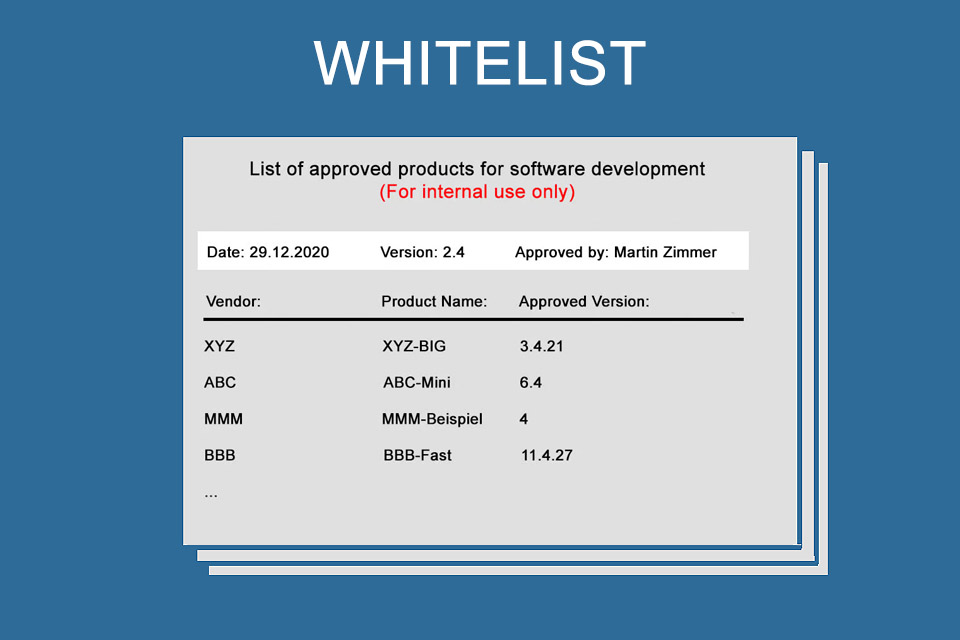
A white list is a security strategy that grants access or execution privileges only to a pre-approved list of entities, such as IP addresses, software applications, or email senders. Everything not on that list is blocked by default. This “default-deny” stance represents one of the most robust pillars of modern digital security. In this guide, we will explore the mechanics of whitelisting, its diverse applications in technology, its role in mitigating advanced threats, and the best practices for implementing it within a professional tech infrastructure.
The Mechanics of Whitelisting: Foundations of Default-Deny
To understand a white list, one must first understand the fundamental shift in logic it requires. In a standard computing environment, the system is typically “open,” meaning it can run any program or receive any data unless a specific security rule forbids it. Whitelisting flips this logic on its head.
The Logic of Default-Deny
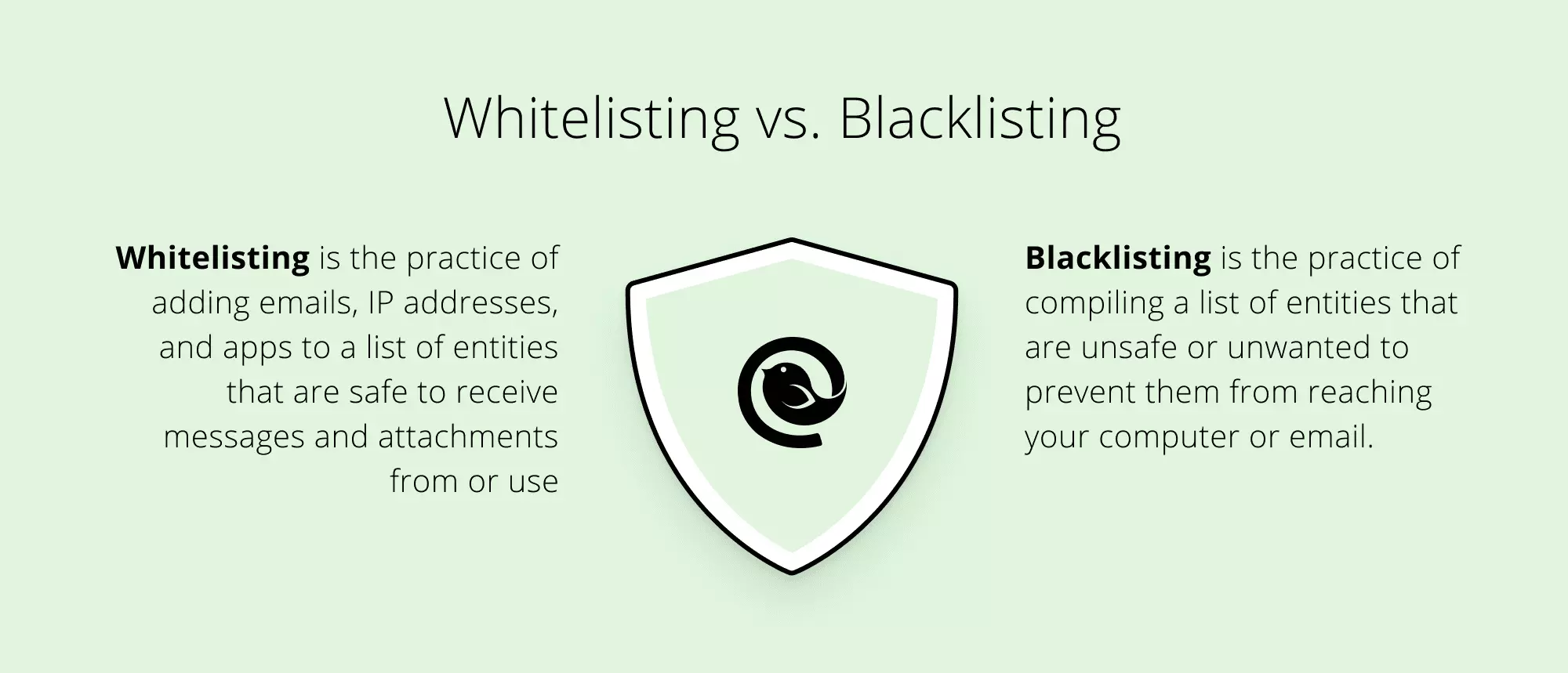
The “default-deny” approach assumes that all external inputs, software, and connections are untrusted until proven otherwise. Imagine a high-security gala: a blacklist is a list of known troublemakers who are barred from entry, but anyone else can walk in. A white list, conversely, is the guest list; if your name isn’t on it, the bouncer will not let you through the door, regardless of whether you look suspicious or not. In technical terms, this means that unless an administrator has explicitly authorized an executable file, a port, or an IP address, the system will prevent it from interacting with the protected environment.
Contrast with Blacklisting (Blocklisting)
Blacklisting is the traditional method used by most antivirus software. It relies on a database of known signatures—digital fingerprints of malware, viruses, and malicious domains. While effective against “known” threats, blacklisting fails when faced with “zero-day” exploits (attacks that leverage previously unknown vulnerabilities). Because a white list does not care if a threat is known or unknown—it only cares that the entity is unauthorized—it provides a much higher level of protection against novel attacks.
Granular Control and Permissions
Whitelisting is not a monolithic “on or off” switch. Modern tech environments allow for granular whitelisting. This can include specific file paths, digital certificates from trusted vendors (like Microsoft or Apple), or even specific cryptographic hashes of files. This level of detail ensures that even if a malicious file is renamed to look like a trusted program (e.g., renaming a virus to “chrome.exe”), the white list will recognize that the file’s internal signature does not match the authorized version and will block its execution.
Core Applications in the Modern Tech Ecosystem
Whitelisting is implemented across various layers of the technology stack, from the network perimeter to the individual workstation. Its versatility makes it a critical tool for system administrators and security engineers.
Network and Firewall Management
At the network level, whitelisting is used to control traffic flow. Instead of trying to block the millions of potentially malicious IP addresses on the internet, an organization might whitelist only the specific IP ranges of its branch offices, cloud service providers, and remote workers. This is particularly vital for protecting sensitive ports, such as those used for Remote Desktop Protocol (RDP) or Database management, which are frequent targets for brute-force attacks. By whitelisting specific IP addresses, an organization effectively makes its internal services invisible to the rest of the world.
Application Whitelisting (AWL) for Enterprise Security
Application Whitelisting is perhaps the most powerful application of this concept. In a corporate environment, users often inadvertently download unauthorized software or “shadow IT” tools that can introduce vulnerabilities. By implementing AWL, an IT department ensures that only a specific suite of productivity tools—such as the Office suite, specific browsers, and internal ERP systems—can run on company hardware. If an employee clicks a malicious link that attempts to run a hidden script or an unauthorized installer, the operating system checks the white list, finds no entry for that script, and terminates the process instantly.
Email Filtering and Trusted Senders
Email remains the primary vector for phishing and malware distribution. While spam filters work hard to identify “bad” emails, an email white list (or “Safe Senders” list) ensures that communications from critical clients, partners, and internal departments never get diverted to the junk folder. In high-security environments, organizations may even implement a strict white list policy for email, where the server rejects any message originating from a domain not explicitly pre-approved by the administration.
The Role of Whitelisting in Mitigating Advanced Threats
As the threat landscape shifts toward ransomware and complex supply chain attacks, whitelisting has evolved from a “nice-to-have” feature to a critical necessity.
Mitigating Zero-Day Vulnerabilities
A zero-day vulnerability is a flaw in software that is unknown to the vendor and for which no patch exists. When hackers exploit these, traditional antivirus software is often blind because it hasn’t seen the “signature” of the attack yet. However, a white list doesn’t need to know the signature of the attack. Since the exploit involves running unauthorized code or modifying system files in a way not previously permitted, the white list protocol identifies the action as “unauthorized” and halts it. This makes whitelisting one of the few effective defenses against the most sophisticated cyber-espionage tactics.
Fighting Ransomware and Malware
Ransomware typically operates by executing a small payload that then downloads a larger encryption engine. If a system employs application whitelisting, the initial payload is blocked because it is not a recognized application. Furthermore, many ransomware variants attempt to use legitimate system tools (like PowerShell) to carry out their tasks—a technique known as “living off the land.” Advanced whitelisting can restrict these legitimate tools to only run specific, pre-approved scripts, effectively disarming the ransomware even if it manages to get a foot in the door.
Whitelisting in the Zero Trust Model
The modern “Zero Trust” security architecture is built on the principle of “never trust, always verify.” Whitelisting is the practical execution of Zero Trust. In a Zero Trust environment, identity whitelisting ensures that only verified users on verified devices can access specific segments of the network. This prevents “lateral movement,” a common tactic where a hacker compromises one low-security computer and uses it as a jumping-off point to reach the central server. With whitelisting, the hacker finds that the compromised machine is only authorized to talk to a very small number of other assets, stopping the breach in its tracks.
Implementing and Managing a White List Strategy
While the security benefits of whitelisting are unparalleled, it is widely regarded as one of the more difficult security measures to implement. It requires a deep understanding of an organization’s digital workflow and ongoing maintenance.
Identifying and Cataloging Critical Assets
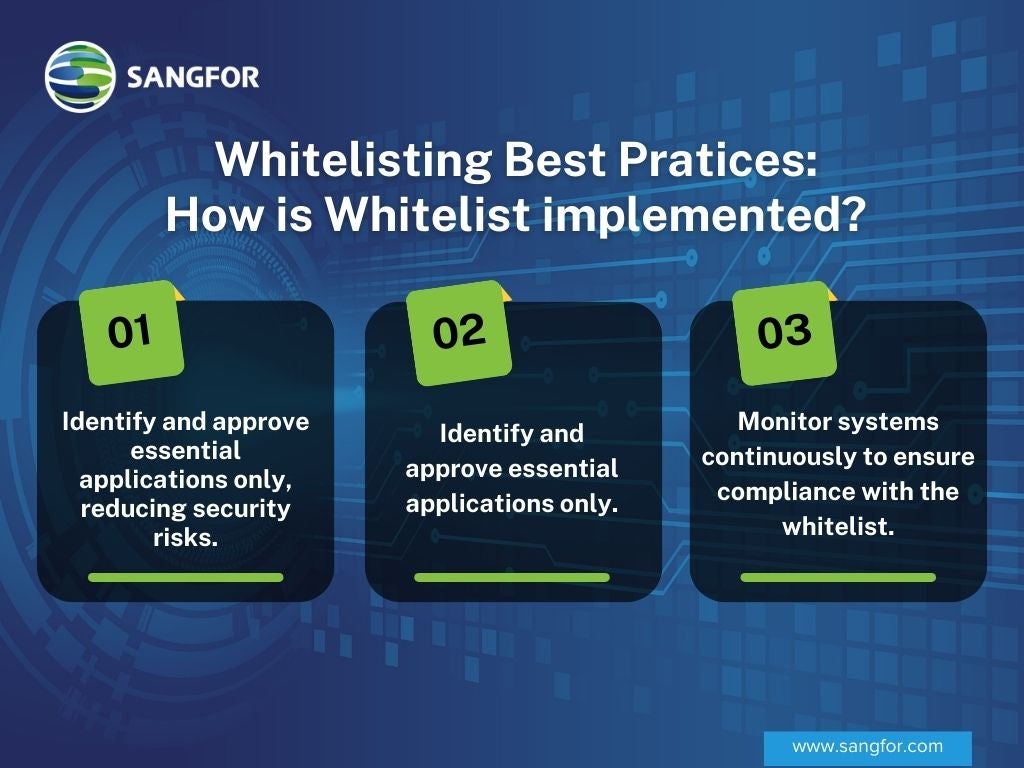
The first step in whitelisting is “discovery.” An IT team must conduct a comprehensive audit of every piece of software, every script, and every network protocol required for the business to function. This process can take weeks or months. Missing a single critical plugin for a specialized piece of accounting software could result in a department-wide work stoppage once the white list is “enforced.” Professionals often use “Audit Mode” first, where the system logs what would have been blocked without actually blocking it, allowing administrators to refine the list based on real-world usage.
Automation and Maintenance Challenges
The digital world is not static. Software updates, new browser versions, and updated drivers are released constantly. Each time a program updates, its file hash changes. If the white list is managed manually, every single update could break the system. To combat this, modern tech tools use “publisher-based whitelisting.” Instead of whitelisting a specific version of a program, the admin whitelists the “Digital Certificate” of the publisher (e.g., “Any software digitally signed by Adobe”). This allows for seamless updates while maintaining a high security bar.
Striking a Balance with Productivity
The greatest criticism of whitelisting is that it can be “too restrictive,” hindering the agility of developers and power users who need to test new tools frequently. A successful implementation requires a tiered approach. For example, a data entry clerk might have a very strict white list, while a software developer might work in a “sandbox” environment where whitelisting is relaxed, but their access to the main corporate network is tightly controlled. Balancing security with the “user experience” is essential to prevent employees from seeking workarounds that create even larger security holes.
The Evolution toward “Allowlists” and Future Trends
The technology industry is currently undergoing a shift in both the terminology and the intelligence behind whitelisting.
Terminological Shifts: From White List to Allowlist
In recent years, the tech community has moved toward more descriptive and inclusive language. The term “white list” is being replaced by “allowlist,” and “blacklist” by “blocklist.” This shift is reflected in the documentation of major tech giants like Google, Microsoft, and various Linux distributions. Beyond the social implications, “allowlist” is arguably a more accurate technical descriptor of the function: it is a list of what is allowed.
AI-Driven Dynamic Whitelisting
The future of whitelisting lies in Artificial Intelligence and Machine Learning. Traditional whitelisting is static; it requires a human to say “yes” or “no.” Next-generation security platforms are developing “Dynamic Allowlists.” These systems use AI to analyze the behavior of software and users in real-time. If a new, unauthorized tool is introduced but its behavior matches the “patterns” of trusted tools and the user’s historical activity, the AI can temporarily whitelist it or flag it for instant human review. This reduces the administrative burden and makes the system more flexible.
Conclusion
As we navigate an era of unprecedented digital threats, the white list stands as a testament to the power of simplicity in security. By focusing on what is “known good” rather than trying to catalog everything that is “bad,” organizations can create a resilient, proactive defense. While the initial setup requires significant effort and a deep understanding of one’s tech stack, the peace of mind offered by a well-maintained allowlist is invaluable. In the high-stakes world of digital security, it is always better to be the gatekeeper of a trusted few than a hunter of an infinite many.
aViewFromTheCave is a participant in the Amazon Services LLC Associates Program, an affiliate advertising program designed to provide a means for sites to earn advertising fees by advertising and linking to Amazon.com. Amazon, the Amazon logo, AmazonSupply, and the AmazonSupply logo are trademarks of Amazon.com, Inc. or its affiliates. As an Amazon Associate we earn affiliate commissions from qualifying purchases.