
In the complex architecture of modern computing, many of the protocols that allow our devices to talk to one another are hidden behind sleek user interfaces and automated configurations. One such foundational element is NetBIOS. Standing for Network Basic Input/Output System, NetBIOS has been a cornerstone of local area networking (LAN) for decades. While newer, more secure protocols have largely superseded it in high-performance environments, NetBIOS remains a critical topic for network administrators, cybersecurity professionals, and tech enthusiasts who want to understand how Windows-based networking evolved into its current state.
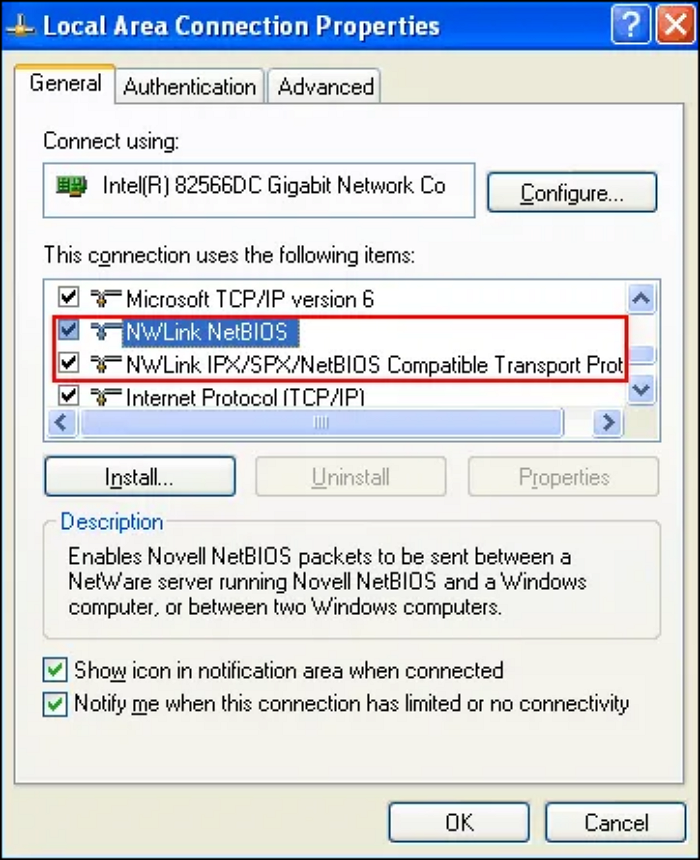
What is NetBIOS? Defining the Core Concepts
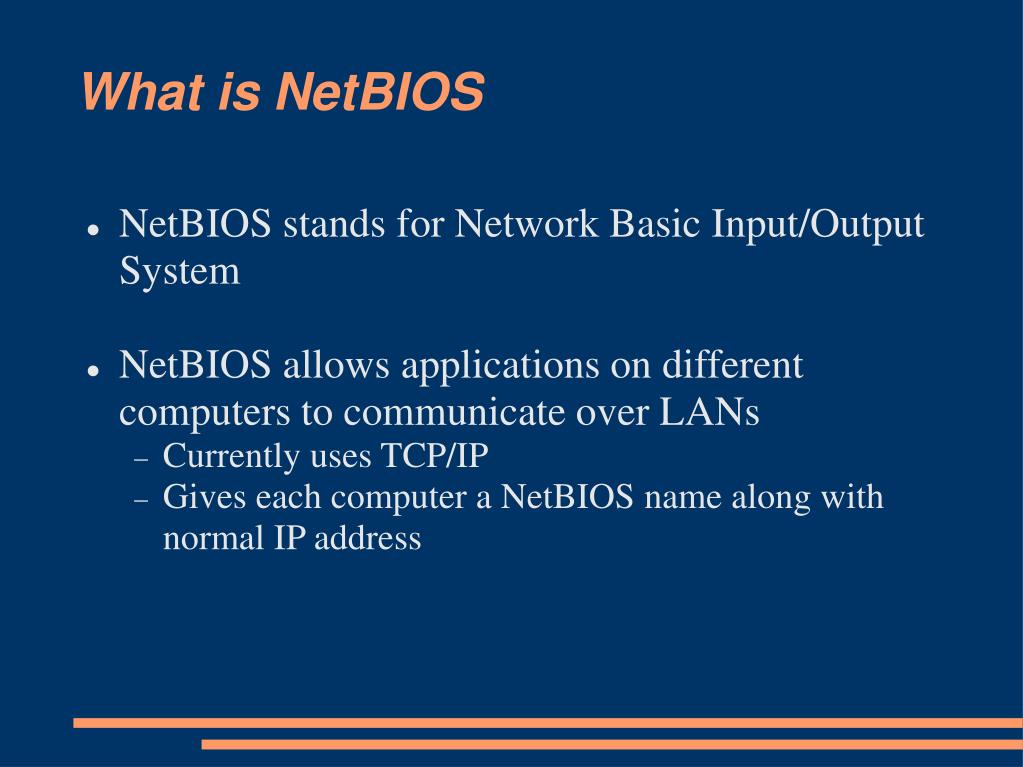
To understand NetBIOS, one must first view it not as a standalone hardware component or a modern internet protocol like HTTPS, but rather as an application programming interface (API) and a set of networking services. Originally developed in 1983 by Sytek Inc. for IBM’s early PC-Network, NetBIOS was designed to allow applications on different computers to communicate over a local network.
The Origin Story: From IBM to Modern Windows
In the early 1980s, networking was in its infancy. IBM needed a way for their PCs to share files and printers without the complexity of the burgeoning Internet Protocol (IP) suite. NetBIOS provided a simple naming convention that allowed computers to “see” each other using human-readable names rather than complex numerical addresses.
When Microsoft began developing its networking software, it adopted NetBIOS as the primary method for linking machines. This led to the creation of NetBEUI (NetBIOS Extended User Interface), a transport protocol that was extremely fast for small networks but lacked the ability to “route” data between different networks. As the internet grew, NetBIOS was adapted to run over the TCP/IP suite, a configuration known as NetBIOS over TCP/IP (NBT).
How NetBIOS Fits into the OSI Model
In technical terms, NetBIOS primarily operates at the Session layer (Layer 5) of the Open Systems Interconnection (OSI) model. It provides the mechanisms for establishing, managing, and terminating sessions between local applications. However, it also stretches down into the Transport layer (Layer 4) when it handles datagrams.
Unlike modern DNS (Domain Name System), which uses a hierarchical structure (like .com or .org), NetBIOS uses a “flat” name space. Every device on a local network must have a unique name of up to 15 characters, plus a 16th character used as a suffix to identify the specific service being offered (such as a workstation service or a browser service).
The Three Pillars of NetBIOS Services
NetBIOS is not a monolithic service; it functions through three distinct components. Each service handles a specific aspect of communication, and in modern NBT environments, each is assigned a specific port.
Name Service (NetBIOS-NS)
The Name Service is perhaps the most visible part of NetBIOS. It is responsible for name registration and resolution. When a computer boots up on a local network, it “claims” its name by broadcasting it to all other machines. If no other machine objects, that computer “owns” the name.
When you try to access a shared folder by typing \OFFICE-PC, the Name Service is what translates that name into an IP address. On modern networks, this operates on UDP port 137. Because it relies heavily on broadcasting, it is highly efficient for small offices but can create excessive “chatter” or traffic on larger networks.
Datagram Distribution Service (NetBIOS-DGM)
The Datagram service is used for connectionless communication. This means it sends data without first establishing a formal handshake or ensuring that the recipient is ready to receive it. It is primarily used for “error-tolerant” tasks such as broadcasting information about available network resources or simple messaging.
Operating on UDP port 138, the Datagram service is the mechanism behind the “Browser Service” in older versions of Windows, which allowed users to see a list of all computers currently active in their “Network Neighborhood.”
Session Service (NetBIOS-SSN)
For tasks that require reliability—such as transferring a document or printing a file—the Session service is used. Unlike the Datagram service, the Session service is connection-oriented. It establishes a formal link between two nodes, ensuring that data packets arrive in the correct order and re-requesting any data that is lost during transmission.
This service operates on TCP port 139. In the evolution of Windows networking, this was the primary port for the Server Message Block (SMB) protocol. While modern SMB now runs directly over port 445, port 139 remains an active legacy gateway for older systems.
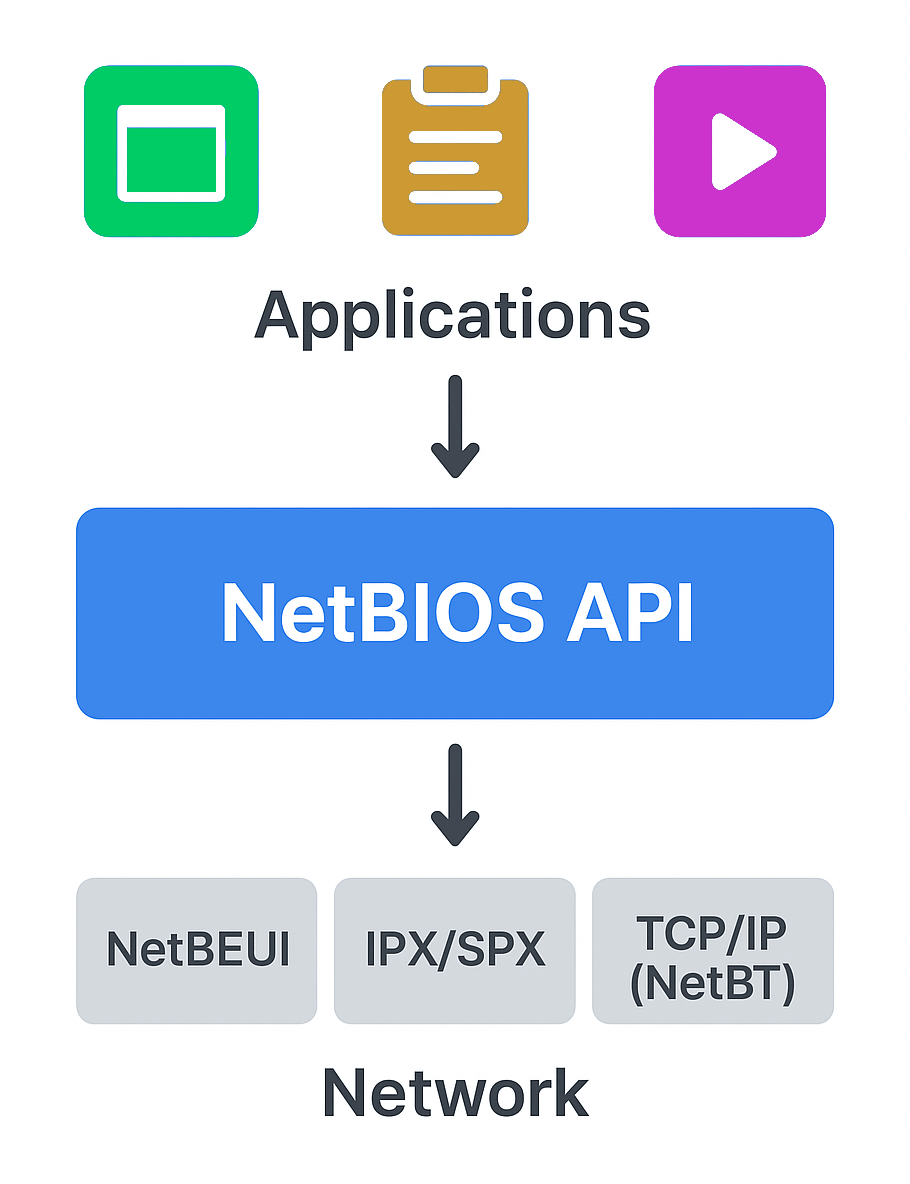
NetBIOS over TCP/IP (NBT) and Modern Networking
As the world standardized on the Internet Protocol (IP), the original NetBEUI protocol became obsolete because it could not be routed over the internet. To keep NetBIOS-dependent applications alive, developers created NBT.
The Transition from NetBEUI to NBT
The transition to NBT allowed NetBIOS names to be used on larger, routed networks. This was achieved by encapsulating NetBIOS frames within standard TCP and UDP packets. While this allowed for greater scalability, it also introduced a layer of complexity. Network administrators now had to manage WINS (Windows Internet Name Service) servers—a precursor to local DNS—to handle name resolution across different subnets where broadcasts could not reach.
How Port 139 Differs from Port 445
In modern tech environments, you will often see both Port 139 and Port 445 mentioned in relation to file sharing. It is important to distinguish between them. Port 139 is “NetBIOS over TCP/IP,” which encapsulates the SMB protocol within a NetBIOS session. Port 445, introduced with Windows 2000, is “Direct Hosted SMB.”
Direct Hosted SMB removes the NetBIOS “middleman” entirely, allowing for faster communication and simpler packet headers. Most modern networks prefer Port 445, but Port 139 is often left open for backward compatibility with legacy printers, scanners, or very old server hardware.
Security Risks and Vulnerabilities
From a digital security perspective, NetBIOS is often viewed as a liability in modern environments. Because it was designed in an era before cyber threats were prevalent, it lacks the robust authentication and encryption standards required today.
Information Leakage and Enumeration
One of the primary risks associated with NetBIOS is information leakage. Because the protocol is designed to be “helpful” and broadcast its presence, it inadvertently provides hackers with a map of the network. Using tools like nbtstat, an attacker can enumerate (list) all the machine names, logged-in users, and MAC addresses on a local segment. This information is a goldmine for the reconnaissance phase of a cyberattack.
Man-in-the-Middle Attacks and NBNS Spoofing
NetBIOS Name Service (NBNS) is particularly vulnerable to “spoofing.” When a computer broadcasts a request asking, “Who is OFFICE-SERVER?”, a malicious actor on the same network can respond faster than the real server, saying, “I am OFFICE-SERVER.”
The victim’s computer will then send its login credentials or data to the attacker. This technique, often executed with tools like Responder, is a common way for attackers to capture NTLM hashes (password representations) within a corporate network. Because NetBIOS trusts the first response it receives, it is inherently susceptible to these Man-in-the-Middle (MitM) interceptions.
The Future of NetBIOS: Why and How to Disable It
As we move toward a “Zero Trust” security model and more efficient networking standards, the role of NetBIOS is rapidly shrinking. For most modern businesses, the protocol is no longer a necessity; it is a legacy artifact.
Compatibility vs. Security
The only reason to keep NetBIOS enabled today is if your environment relies on legacy software or hardware that cannot use DNS or Direct SMB. This includes very old versions of Windows (NT or 98), certain legacy industrial control systems, or ancient networked multi-function printers.
For everyone else, the security benefits of disabling NetBIOS far outweigh the potential for minor connectivity issues. By disabling it, you effectively “silence” a significant amount of network chatter and close off several common pathways for lateral movement by attackers.
Step-by-Step Guide to Disabling NetBIOS
For tech professionals looking to harden their systems, disabling NetBIOS is a straightforward process, though it should be tested in a staging environment first.
- Via Network Adapter Settings: Navigate to the properties of your network adapter, select “Internet Protocol Version 4 (TCP/IPv4),” click “Advanced,” go to the “WINS” tab, and select “Disable NetBIOS over TCP/IP.”
- Via DHCP Server: In enterprise environments, NetBIOS can be disabled globally via DHCP Option 001. This ensures that every client that joins the network is instructed not to use the protocol.
- Via Group Policy: Windows administrators can use Group Policy Objects (GPO) to disable the NetBIOS helper service across all workstations in a domain.
In conclusion, while NetBIOS was an ingenious solution for the networking challenges of the 1980s, its “chatty” and unauthenticated nature makes it a mismatch for the modern digital landscape. Understanding its history and mechanics is essential for any IT professional, but moving toward a NetBIOS-free environment is a hallmark of a secure, modern network architecture. By transitioning fully to DNS and Direct SMB, organizations can enjoy faster speeds and a significantly reduced attack surface.
aViewFromTheCave is a participant in the Amazon Services LLC Associates Program, an affiliate advertising program designed to provide a means for sites to earn advertising fees by advertising and linking to Amazon.com. Amazon, the Amazon logo, AmazonSupply, and the AmazonSupply logo are trademarks of Amazon.com, Inc. or its affiliates. As an Amazon Associate we earn affiliate commissions from qualifying purchases.