
In the modern digital landscape, the sheer volume of data we generate daily is staggering. Between professional emails, instant messages, and collaborative platform notifications, the average user is bombarded with information that requires constant sorting. At the heart of this organizational challenge is a single, often misunderstood feature: the “Archive” button. While many users click it instinctively to clear their screens, few understand the sophisticated technical processes happening behind the UI. Archiving is not merely a “hide” function; it is a critical component of data lifecycle management, balancing the need for immediate accessibility with the necessity of long-term record-keeping.
The Technical Framework: Understanding the Archiving Mechanism
To understand what happens when you archive a message, one must first distinguish it from the more terminal action of deletion. In the architecture of most software applications, archiving moves a data object from an “active” state to a “passive” state without removing it from the database.
Archiving vs. Deleting: The Permanent Distinction
The fundamental difference between archiving and deleting lies in the preservation of the data. When a user deletes a message, the software usually moves it to a “Trash” or “Bin” folder, where a background script typically purges it permanently after 30 days. Once purged, the data is often unrecoverable for the average user.
Archiving, conversely, removes the message from the primary view—such as the Inbox—but retains the data indefinitely. It stays indexed in the system’s database. From a technical standpoint, archiving often involves changing a metadata tag or a “folder ID” associated with the message, rather than moving the file to a different physical server location. This ensures that the message remains searchable and accessible should the user ever need to retrieve it.
Storage Management and Database Indexing
Modern cloud-based services like Gmail or Microsoft Outlook utilize sophisticated indexing to manage archives. When a message is archived, it remains part of the user’s total storage quota. Because the message is still “live” on the server, the service’s search engine continues to crawl its content.
This is a crucial technical advantage. For example, if you archive a technical specification document from three years ago, a simple keyword search in your mail client will retrieve it in milliseconds. This is because the archive is part of the indexed database, unlike “Cold Storage” solutions used by large enterprises (such as Amazon S3 Glacier), where data retrieval can take hours or even days.
Implementation Across Leading Communication Platforms
The implementation of the archive function varies significantly across different software ecosystems, tailored to the specific way users interact with those platforms.
The Google Ecosystem: Gmail’s “All Mail” Philosophy
Google revolutionized the concept of archiving with Gmail. In the Gmail architecture, “Inbox” is essentially a label, not a physical location. When you archive an email, you are simply removing the “Inbox” label from that message. The email continues to exist in the “All Mail” repository.
This design philosophy encourages users to never delete anything. Because Google’s search algorithms are integrated directly into the mail client, the archive becomes a personal, searchable database of a user’s entire digital history. For tech-savvy users, this means the archive serves as a secondary brain, holding years of technical logs, registration keys, and correspondence without cluttering the daily workflow.
Instant Messaging: WhatsApp, Telegram, and Mobile UX
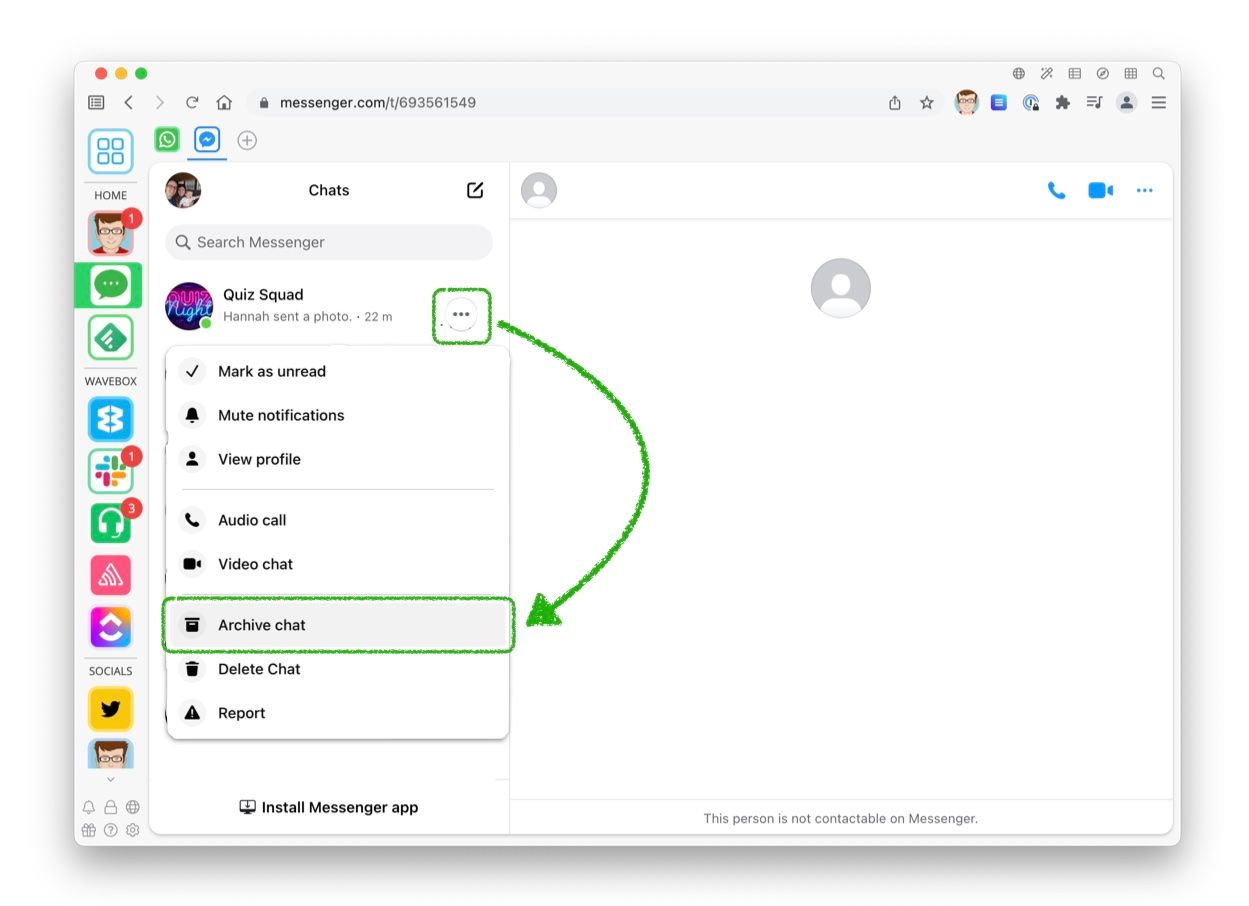
In mobile-first applications like WhatsApp or Telegram, archiving serves a different ergonomic purpose. Given the limited screen real estate of smartphones, an overcrowded chat list can hinder navigation. Archiving a chat moves the conversation into a hidden “Archived Chats” folder at the top or bottom of the interface.
Technically, these apps often treat archived messages as “muted” by default. If a new message arrives in an archived thread, some platforms (like WhatsApp) will keep it archived and silent, while others might “unarchive” it and push it back to the main screen. This reflects a shift toward “Digital Wellbeing,” allowing users to hide low-priority group chats or automated bot notifications without losing the chat history.
Corporate Communication: Slack and Microsoft Teams
In the realm of enterprise software like Slack or Microsoft Teams, archiving functions at both a message and a channel level. Archiving a channel preserves the entire history of a project’s communication, including shared files and code snippets, while making the channel “read-only.” This is vital for software development teams who may need to revisit the rationale behind a specific technical decision made months prior. It ensures that the knowledge base remains intact without active channels becoming cluttered with legacy data.
Digital Organization and the “Inbox Zero” Philosophy

Beyond the technical backend, archiving is the primary engine behind “Inbox Zero”—a productivity framework designed to keep the inbox empty, or near empty, at all times.
Reducing Cognitive Load and Digital Wellbeing
The psychological impact of a cluttered inbox is well-documented in human-computer interaction (HCI) studies. Every unread or “pending” message in an inbox represents an unfinished task, contributing to cognitive load and “choice paralysis.” Archiving allows users to clear their visual field of “noise,” leaving only the “signals”—the messages that require immediate action.
By moving resolved technical tickets or completed project updates to the archive, developers and IT professionals can maintain focus on high-priority deployments. The archive acts as a psychological safety net: the information isn’t gone; it’s just out of the way.
Searchability and Information Retrieval
A robust archive is only as good as its search functionality. Modern apps use “Elasticsearch” or similar full-text search engines to ensure that archiving doesn’t lead to information loss. For power users, the archive is a repository of “Grey Literature”—informal technical knowledge, quick fixes, and internal documentation that hasn’t yet made it into a formal wiki. The ability to query an archive using Boolean operators (e.g., from:admin "server error" after:2023/01/01) transforms a pile of old messages into a high-value technical resource.
Security, Privacy, and Compliance Implications
While archiving is often viewed through the lens of productivity, it plays a massive role in digital security and corporate compliance.
Legal Holds and E-discovery
For many organizations, archiving is not optional; it is a legal requirement. In industries like finance or healthcare, “Electronic Discovery” (e-discovery) mandates that digital communications be preserved for years. Archiving ensures that if a company is involved in a legal dispute, their IT department can produce a complete, tamper-proof record of communications. Unlike “deleted” items, archived items provide a continuous audit trail that can be vital for proving compliance with data protection regulations like GDPR or CCPA.
Protecting Sensitive Information
There is a security trade-off with archiving. Because archived messages are “active” and searchable, they are also vulnerable if an account is compromised. If a hacker gains access to a professional email account, the archive provides a goldmine of historical data, including past passwords, reset links, and sensitive project details.
As a result, modern security best practices suggest that while archiving is better than keeping everything in the inbox, sensitive data should eventually be moved from a standard archive to an encrypted vault or a dedicated password manager. From a technical perspective, users should ensure that their archived data is protected by multi-factor authentication (MFA) to prevent the archive from becoming a liability.
Best Practices for Effective Archive Management
To truly master the archive function, users should look beyond the manual “click” and consider automation and architectural best practices.
Automating the Archiving Process
Most professional-grade email and messaging tools allow for “Filter Rules” or “Automated Workflows.” For example, a DevOps engineer might set a rule that automatically archives any “System Status: Healthy” notifications after 24 hours. This keeps the inbox reserved for critical “System Down” alerts. Using tools like Zapier or IFTTT, users can even sync archives across different platforms, ensuring that a starred message in Slack is automatically archived and backed up in a cloud storage service like Dropbox.
Balancing Local and Cloud Archives
For those dealing with massive amounts of data—such as high-frequency logs or large file attachments—a “Hybrid Archive” strategy is often best. This involves keeping the last six months of messages in the cloud archive for quick access, while moving older data to a local, encrypted hard drive or “Cold Storage.” This reduces cloud storage costs (which can be significant for enterprises) while maintaining the integrity of the data.

Conclusion
What does archiving a message do? On the surface, it simply moves a line of text out of your sight. Beneath the surface, however, it triggers a complex sequence of database indexing, metadata tagging, and data preservation protocols. Archiving is the bridge between the chaotic “now” of live communication and the structured “forever” of historical records.
By understanding the technical nuances of how different platforms handle archives—from Gmail’s label system to the compliance-driven archives of the corporate world—users can better manage their digital footprints. In an age where information is the most valuable currency, the archive is your personal vault: a silent, searchable, and secure repository of your professional and personal life. Proper use of the archive function doesn’t just result in a cleaner inbox; it results in a more efficient, focused, and secure digital existence.
aViewFromTheCave is a participant in the Amazon Services LLC Associates Program, an affiliate advertising program designed to provide a means for sites to earn advertising fees by advertising and linking to Amazon.com. Amazon, the Amazon logo, AmazonSupply, and the AmazonSupply logo are trademarks of Amazon.com, Inc. or its affiliates. As an Amazon Associate we earn affiliate commissions from qualifying purchases.