
In today’s hyper-connected world, the line between our digital devices and our real-world mobility is increasingly blurred. For many, a tablet offers the perfect blend of a portable screen for entertainment, productivity, and creative pursuits. But when it comes to selecting an iPad, a crucial distinction emerges: Wi-Fi only versus Wi-Fi + Cellular. The question, “What is an iPad with Cellular?” delves into a deeper understanding of how this ubiquitous device can remain online, even when traditional Wi-Fi is out of reach, unlocking a new level of freedom and functionality.
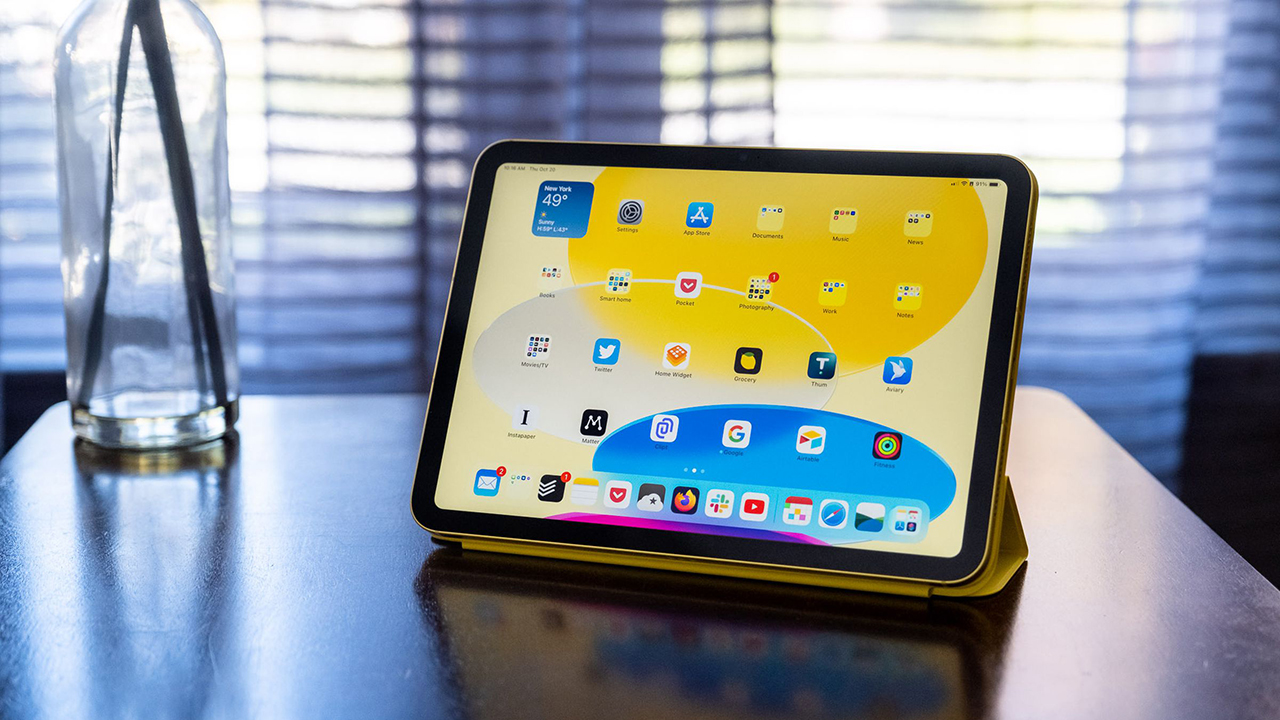
The core concept of an iPad with Cellular is elegantly simple: it’s an iPad equipped with the ability to connect to cellular data networks, just like your smartphone. This means you’re not tethered to Wi-Fi hotspots. Whether you’re on a train, in a park, at a coffee shop without Wi-Fi, or traveling abroad, your iPad can access the internet, enabling you to browse, stream, work, and communicate on the go. This added layer of connectivity transforms the iPad from a device primarily used at home or in offices into a truly mobile computing companion.
This article will explore the nuances of the iPad with Cellular, dissecting its technical capabilities, its practical implications for various user types, and how it aligns with the broader technological landscape. We will also touch upon the financial considerations and how this connectivity option might influence your purchasing decisions and overall digital strategy.
The Technical Backbone: How Cellular Connectivity Works on an iPad
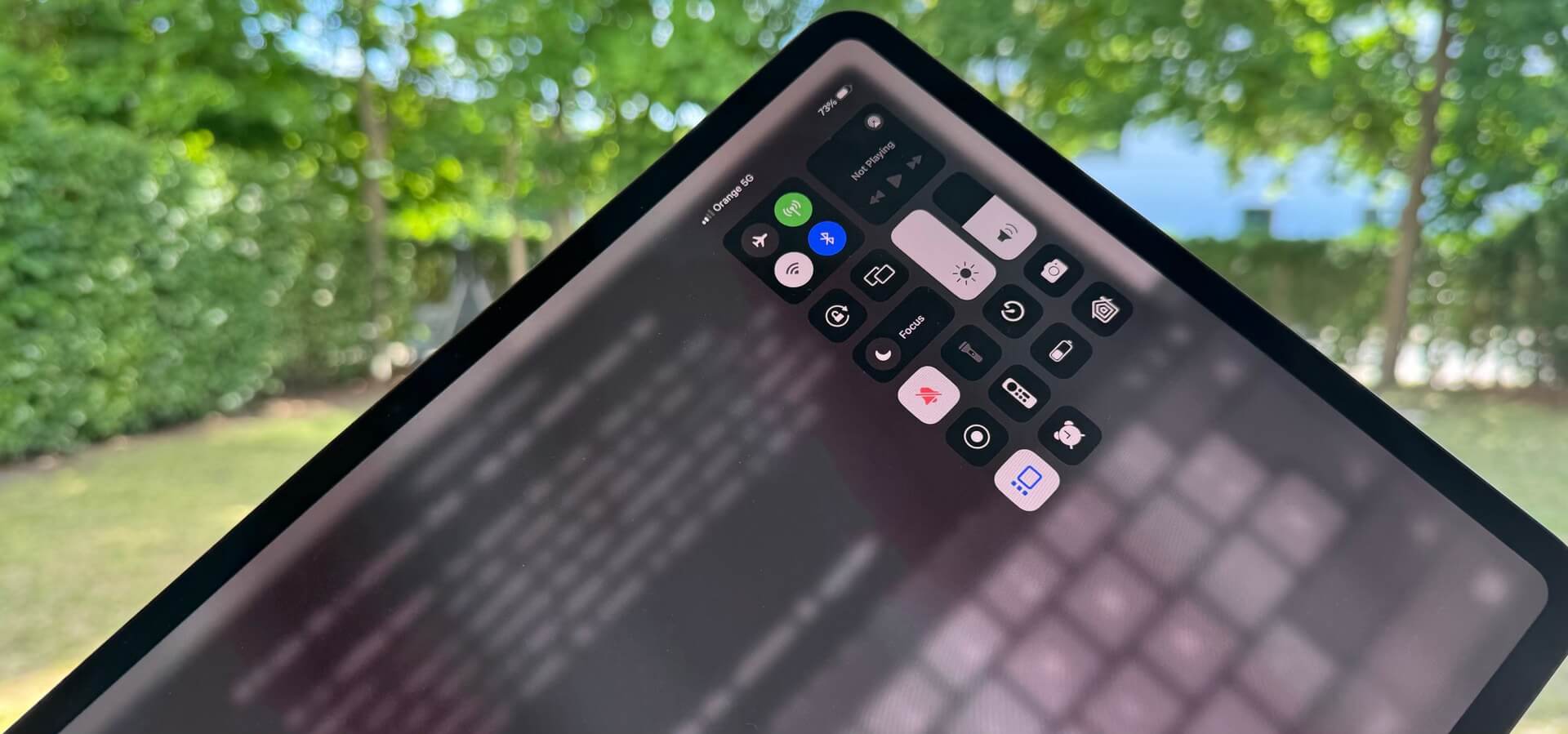
At its heart, the difference between a Wi-Fi-only iPad and a Wi-Fi + Cellular model lies in the inclusion of a cellular modem and a SIM card slot (or eSIM functionality). This hardware allows the iPad to communicate with cellular towers, leveraging the same mobile data networks that power your smartphone.
The Role of Cellular Modems and SIM Cards
The cellular modem is a small, integrated chip within the iPad that handles the complex process of connecting to and communicating with mobile networks. It’s responsible for transmitting and receiving data over radio waves. To authenticate and gain access to these networks, a Subscriber Identity Module (SIM) card is required.
- Physical SIM Cards: Historically, iPads with cellular capability came with a physical SIM card slot where you would insert a small plastic card provided by your mobile carrier. This card contains your subscription information, allowing the network to identify you and grant access.
- eSIM (Embedded SIM): Modern iPads, like many newer smartphones, often feature eSIM technology. Instead of a physical card, the SIM profile is downloaded digitally and embedded directly into the iPad’s hardware. This offers greater flexibility, allowing you to switch carriers or plans without needing to physically swap SIM cards. You can often activate an eSIM through your carrier’s app or by scanning a QR code.
Understanding Data Plans and Carriers
Crucially, cellular connectivity on an iPad is not a free service. It requires a separate data plan from a mobile carrier. This plan dictates the amount of data you can use each month, the speed of your connection, and the associated costs.
- Standalone Data Plans: You can purchase a dedicated data plan specifically for your iPad. Many carriers offer plans tailored for tablets, which can be more cost-effective than trying to use a personal mobile hotspot for extensive usage.
- Sharing Your Phone’s Hotspot: Alternatively, if your smartphone plan allows for it, you can use your phone’s “personal hotspot” feature to share its cellular data connection with your iPad. This is a convenient option for occasional use but can quickly drain your phone’s battery and data allowance if used extensively.
- International Roaming: For travelers, international roaming plans or local SIM cards/eSIMs can be essential for maintaining connectivity abroad. This is where the flexibility of a cellular iPad truly shines.
The speed of your cellular connection will depend on the network technology (e.g., 4G LTE, 5G) and the signal strength in your location. 5G connectivity, where available, offers significantly faster download and upload speeds, enabling smoother streaming of high-definition content, quicker downloads, and more responsive online gaming.
Who Benefits Most from an iPad with Cellular? Unpacking User Scenarios
The decision to opt for an iPad with Cellular isn’t just about technical specifications; it’s about how that technology integrates into your lifestyle and workflow. Certain user profiles will find the added connectivity indispensable, transforming how they use their iPad.
The Mobile Professional and Digital Nomad
For professionals who work remotely, travel frequently, or are constantly on the move, an iPad with Cellular is a game-changer.
- Uninterrupted Workflow: Imagine needing to send a critical report, join a video conference, or access cloud-based documents while on a business trip or at a client site where Wi-Fi is unreliable or unavailable. A cellular iPad ensures you can remain productive without missing a beat.
- True Flexibility: Digital nomads, in particular, thrive on the freedom to work from anywhere. With a cellular iPad, their office can be a beachside cafe, a remote mountain lodge, or a bustling train carriage. The need to constantly search for Wi-Fi hotspots is eliminated, allowing for greater focus and efficiency.
- Enhanced Communication: Staying connected for calls, emails, and messaging becomes seamless. This is vital for maintaining client relationships and collaborating with team members, regardless of location.
The Frequent Traveler and Explorer

Whether for business or pleasure, frequent travelers can significantly enhance their experience with a cellular iPad.
- Navigation and Information on the Go: Accessing maps, booking accommodations, researching local attractions, and staying updated on flight information becomes effortless, even in areas without Wi-Fi. This is especially useful when exploring new cities or hiking trails.
- Entertainment Anywhere: Long flights, train journeys, or waiting times at airports can be made more enjoyable with access to streaming services, podcasts, and downloaded content. A cellular connection ensures you can download new episodes or access live streams without pre-planning.
- Emergency Preparedness: In unfamiliar territory, having a reliable internet connection can be crucial for safety and communication in case of emergencies.
The Student and Educator in a Dynamic Learning Environment
The educational landscape is evolving, with learning extending beyond traditional classroom walls.
- Access to Online Resources: Students can access online textbooks, research papers, educational videos, and collaborate on projects with classmates from anywhere with a cellular signal. This is particularly beneficial for students who commute or attend classes across different campuses.
- Remote Learning Support: For remote or hybrid learning models, a cellular iPad ensures students remain connected to their virtual classrooms, learning management systems, and online assignments, even if their home Wi-Fi is unstable.
- Field Trips and Practical Learning: Educators can leverage cellular iPads for interactive learning experiences during field trips, allowing students to access real-time data, conduct research on-site, or use augmented reality applications to enhance their understanding.
The Everyday User Seeking Enhanced Convenience
Beyond specific professional or academic needs, many everyday users will appreciate the convenience of cellular connectivity.
- Seamless Connectivity at Home and Out: For those with unreliable home Wi-Fi or who frequently move between locations, a cellular iPad offers a consistent internet experience.
- Avoiding Public Wi-Fi Risks: While convenient, public Wi-Fi networks can pose security risks. Using a cellular connection provides a more secure and private browsing experience.
- Peace of Mind: Knowing your iPad can connect to the internet whenever you need it, without hunting for a Wi-Fi signal, offers a valuable sense of security and independence.
Financial and Strategic Considerations: Making the Right Choice
The decision to purchase an iPad with Cellular involves more than just the upfront cost of the device itself. It’s a strategic decision that impacts your ongoing expenses and how you utilize your technology budget.
The Price Premium: Device and Data Plans
- Initial Device Cost: iPads with cellular capabilities are typically more expensive than their Wi-Fi-only counterparts. This price difference reflects the added hardware (cellular modem and antenna).
- Monthly Data Plan Costs: This is the ongoing expense. You’ll need to factor in the cost of a monthly data plan from a mobile carrier. These plans vary in price based on data allowance, speed, and contract terms. It’s essential to research and compare plans to find the most cost-effective option for your usage habits.
- Data Overages and Throttling: Be mindful of data limits. Exceeding your monthly allowance can lead to expensive overage charges or significantly reduced internet speeds (throttling). Understanding your typical data consumption is key to selecting the right plan.
Evaluating Your Needs: Wi-Fi Only vs. Cellular
The most critical step in this decision-making process is a honest assessment of your actual needs.
- Do You Primarily Use Wi-Fi? If your iPad usage is confined to your home, office, or places where you consistently have access to reliable Wi-Fi, a Wi-Fi-only model might suffice and save you money in the long run.
- How Often Are You Truly “On the Go”? Consider how often you find yourself in situations where Wi-Fi is unavailable, and you need internet access on your iPad. If this is a rare occurrence, the extra cost might not be justified.
- What is Your Budget? The combined cost of a cellular iPad and a monthly data plan needs to fit within your personal or business budget.
The iPad as Part of a Broader Tech Ecosystem
The iPad with Cellular doesn’t exist in isolation. It’s part of a larger technology ecosystem that can be leveraged for enhanced productivity and financial efficiency.
- Productivity Apps and Services: Cloud-based productivity suites (like Google Workspace or Microsoft 365), project management tools, and collaborative platforms become more powerful with constant connectivity. The ability to access these services on the go, anywhere, can significantly boost your output.
- Financial Management Tools: For individuals managing personal finances or businesses tracking expenses, apps that sync in real-time are invaluable. A cellular iPad ensures you can update budgets, track investments, or monitor cash flow from any location.
- Brand and Marketing Synergy: For individuals or businesses focused on branding and marketing, a cellular iPad can be a mobile presentation tool, a platform for social media engagement on the go, or a device for capturing and sharing content from events. Consistent online presence, facilitated by cellular connectivity, can be crucial for maintaining brand visibility and reputation.
Ultimately, an iPad with Cellular offers a significant upgrade in terms of freedom and functionality for those who require it. It transforms the tablet into a truly mobile computing device, capable of keeping you connected and productive wherever your day takes you. By understanding the technical underpinnings, identifying your specific use cases, and carefully considering the financial implications, you can make an informed decision that best suits your technological needs and lifestyle.
aViewFromTheCave is a participant in the Amazon Services LLC Associates Program, an affiliate advertising program designed to provide a means for sites to earn advertising fees by advertising and linking to Amazon.com. Amazon, the Amazon logo, AmazonSupply, and the AmazonSupply logo are trademarks of Amazon.com, Inc. or its affiliates. As an Amazon Associate we earn affiliate commissions from qualifying purchases.