
The term “computer chassis” might not be the first thing that springs to mind when you think about the magic that makes your computer tick. We often focus on the flashy graphics cards, the lightning-fast processors, or the vast storage drives. However, the unsung hero, the foundational element that houses and protects all these critical components, is the computer chassis. It’s far more than just a utilitarian box; it’s a carefully engineered piece of equipment that plays a crucial role in the performance, longevity, and even the aesthetic appeal of your entire computing setup.
In the realm of technology, understanding the fundamental building blocks is essential, whether you’re a seasoned enthusiast building your own rig, a business owner looking to optimize IT infrastructure, or even just a curious user wanting to grasp the intricacies of the devices that power our digital lives. This article will delve into the essence of what a computer chassis is, its various forms, the critical functions it performs, and how its design can impact everything from cooling to acoustics, ultimately touching upon how it intersects with broader themes in the tech, brand, and even money domains.
The Anatomy of a Computer Chassis: More Than Just Metal
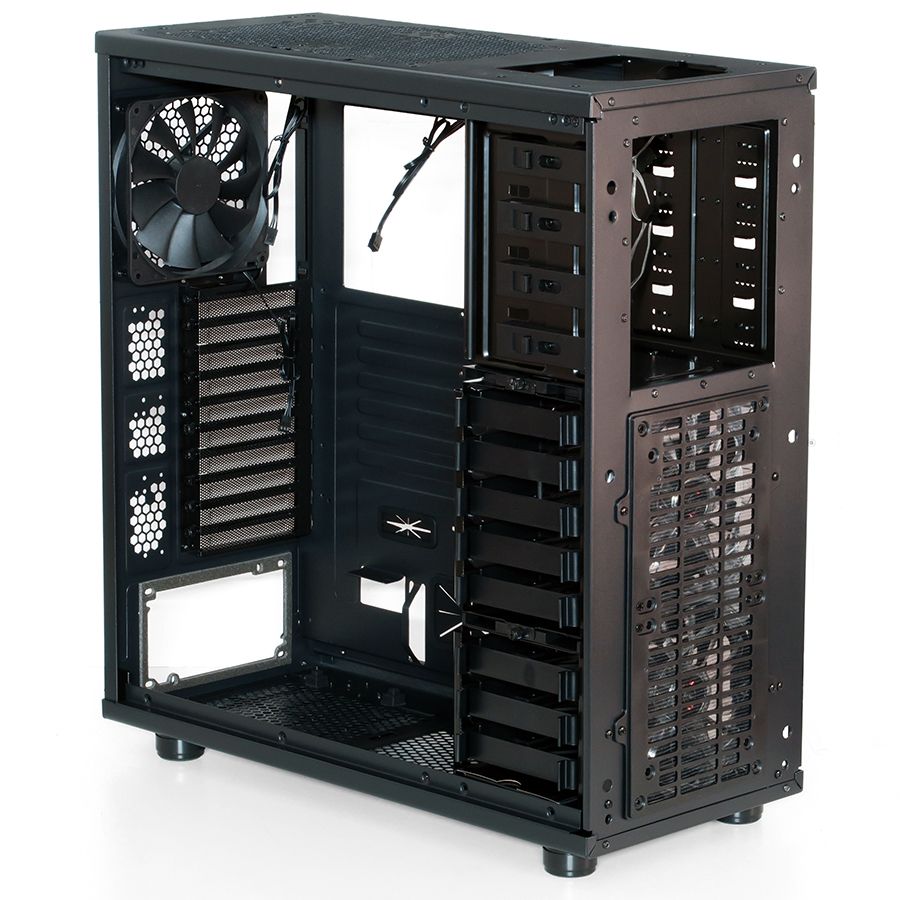
At its core, a computer chassis, also commonly referred to as a computer case or computer cabinet, is the enclosure that houses the internal components of a personal computer. Think of it as the skeleton and skin of your computer. It provides a protective shell against physical damage, dust, and electromagnetic interference, while simultaneously offering a structured framework for mounting all the essential hardware.
Essential Components Housed Within:
The chassis is designed to accommodate a multitude of components, each with its specific mounting points and considerations:
- Motherboard: This is the central hub, the nervous system of the computer, where all other components connect. The chassis has specific standoffs to secure the motherboard and prevent it from short-circuiting against the metal case.
- Power Supply Unit (PSU): This unit converts wall power into the voltages required by the computer’s components. The chassis provides a dedicated bay for the PSU, ensuring it’s securely mounted and has adequate airflow.
- Storage Devices: This includes Hard Disk Drives (HDDs) and Solid State Drives (SSDs). Chassis typically offer drive bays of various sizes (e.g., 3.5-inch for HDDs, 2.5-inch for SSDs) to accommodate these.
- Graphics Processing Unit (GPU) / Graphics Card: For gaming, video editing, and other graphics-intensive tasks, the GPU is a vital component. The chassis has expansion slots on its rear panel that align with the GPU’s output ports and provides support for its weight.
- Central Processing Unit (CPU) Cooler: The CPU generates significant heat, and its cooler (which can be an air cooler or a liquid cooler’s radiator) needs space and mounting points within the chassis.
- Other Expansion Cards: These can include sound cards, network interface cards (NICs), and capture cards, which also utilize the motherboard’s expansion slots and require clearance within the chassis.
- Cooling Fans: Beyond the CPU cooler, additional fans are crucial for circulating air within the chassis, ensuring optimal temperatures for all components. The chassis features mounting points for these intake and exhaust fans.
The Importance of Structure and Airflow:
The way a chassis is constructed is paramount. It’s not just about holding things; it’s about facilitating their operation.
- Structural Integrity: A well-built chassis provides a rigid frame that prevents vibration and flex, which can lead to component failure over time. It also offers protection from accidental bumps and drops.
- Airflow Management: This is arguably one of the most critical functions of a chassis. Efficient airflow is essential for dissipating heat generated by the components. Modern chassis are designed with specific intake and exhaust points, often incorporating dust filters to keep internal components clean and cool. Poor airflow can lead to overheating, reduced performance, and a significantly shortened lifespan for your hardware.
- Cable Management: Keeping internal cables tidy is not just about aesthetics; it’s crucial for unimpeded airflow and easier maintenance. Many chassis feature grommeted cutouts, tie-down points, and sufficient space behind the motherboard tray to facilitate clean cable routing.
Types of Computer Chassis: A Spectrum of Size and Style
The world of computer chassis is incredibly diverse, catering to a wide range of needs and preferences. The most common distinguishing factor is size, which directly influences the number of components it can house and its overall footprint.
Form Factors: The Size Matters
The industry has standardized various “form factors” that dictate the dimensions and layout of a chassis. These standards ensure compatibility between motherboards, power supplies, and the chassis itself.
- Full-Tower Chassis: These are the largest cases, offering extensive space for multiple components, numerous hard drives, and advanced cooling solutions. They are ideal for high-end gaming rigs, workstations, and servers that require maximum expandability and cooling potential.
- Mid-Tower Chassis: This is the most popular and versatile form factor, striking a balance between size and functionality. Mid-towers can accommodate most standard motherboards (ATX, Micro-ATX) and a good number of components, making them suitable for a wide array of builds, from gaming PCs to home office setups.
- Mini-ITX Chassis: These are the smallest mainstream chassis, designed for compact, space-saving builds. They typically support only Mini-ITX motherboards and have limited expansion capabilities. Mini-ITX builds are popular for HTPCs (Home Theater PCs), small form factor gaming rigs, and portable workstations.
- Other Form Factors: Beyond these, you’ll find variations like Micro-ATX towers, Cube cases, and even specialized rackmount chassis for server environments.
Design and Aesthetics: Beyond Functionality
While functionality is paramount, the aesthetic appeal of a computer chassis has become increasingly important, especially with the rise of PC customization and the growing presence of PCs in living spaces.
- Materials: Chassis are typically constructed from steel, aluminum, or a combination of both. Aluminum is lighter and offers better thermal conductivity, but steel is generally more robust and cost-effective. Some high-end chassis also incorporate tempered glass panels to showcase internal components.
- Visual Design: From minimalist and understated designs to aggressive and “gamer-centric” aesthetics with sharp angles and vibrant RGB lighting, there’s a chassis to suit every taste. The front panel design, the placement of I/O ports (USB, audio jacks), and the integration of lighting are all key design elements.
- Ergonomics and Usability: Features like tool-less drive bays, easy access to filters, and convenient cable management solutions contribute to a user-friendly experience, making assembly and maintenance a breeze.
The Role of the Chassis in Performance and Longevity: A Tech Perspective
The impact of a computer chassis extends far beyond its cosmetic attributes. Its design directly influences the performance and lifespan of your expensive hardware.
Cooling and Thermal Management: The Silent Guardian
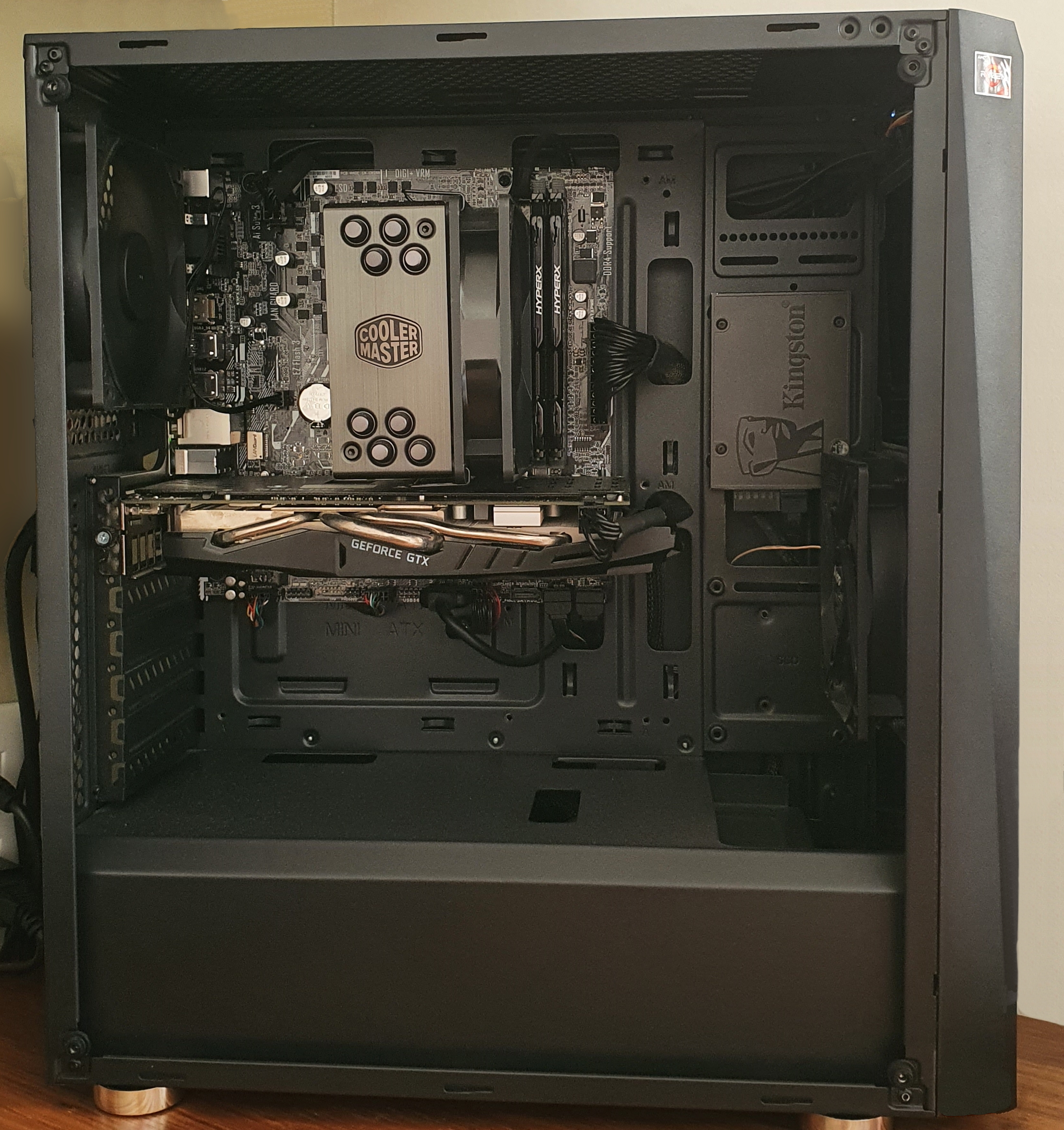
As mentioned earlier, effective cooling is the chassis’s most critical function. Overheating is a primary enemy of computer components.
- Airflow Optimization: Strategic placement of intake and exhaust fans, along with well-designed vents and filters, ensures a constant flow of cool air into the case and hot air out. This prevents components from reaching critical temperatures that can lead to thermal throttling (reduced performance) or permanent damage.
- Dust Prevention: Dust is a significant insulator and a harbinger of overheating. Good chassis design incorporates easily accessible and washable dust filters, particularly on intake points, to minimize the amount of dust that enters the system.
- Component Clearance: Sufficient space within the chassis is vital to prevent components from being crammed together, which hinders airflow. This is particularly important for large graphics cards and CPU coolers.
Noise Reduction: A Quieter Computing Experience
The whirring of fans and the vibration of hard drives can contribute to an audible hum from your computer. Chassis design plays a role in mitigating this noise.
- Sound Dampening Materials: Some chassis incorporate sound-dampening foam or other materials on their interior panels to absorb fan noise and vibrations.
- Fan Placement and Control: The number and speed of fans are crucial. Chassis with optimized fan mounts and support for fan controllers allow users to balance cooling needs with noise levels.
- Isolation Mounts: Components like HDDs can be mounted on rubber grommets or special brackets to isolate them from the chassis, reducing the transmission of vibrations and noise.
Durability and Protection: The Physical Safeguard
The chassis acts as the first line of defense against physical damage.
- Robust Construction: A sturdy chassis made from quality materials protects internal components from accidental impacts, drops, and everyday wear and tear.
- EMI Shielding: While modern components have improved shielding, a well-designed metal chassis can help to contain electromagnetic interference (EMI) generated by the internal components, preventing it from affecting other electronic devices in its vicinity.
Chassis as a Brand Statement: More Than Just Hardware
In the world of technology, the choices we make about our hardware can also be a reflection of our personal or corporate brand.
Personal Branding Through PC Builds:
For individuals, especially those in creative fields or gaming communities, their PC build can be an extension of their personal brand.
- Aesthetics and Personalization: The choice of chassis, its color, lighting, and even custom paint jobs, can convey a sense of style, personality, or allegiance to a particular aesthetic. A sleek, minimalist chassis might appeal to a designer, while a boldly lit, aggressively styled case might be favored by a gamer.
- Showcasing Expertise: For enthusiasts, a well-chosen and meticulously assembled build within a premium chassis can demonstrate technical knowledge and attention to detail. This can be a form of self-promotion within tech circles.
- Case Modding and Customization: The thriving community of PC case modders further emphasizes the chassis’s role as a canvas for personal expression. Custom modifications, from intricate paintwork to unique lighting installations, transform a standard chassis into a unique work of art, directly tied to the builder’s brand.
Corporate Identity and Professionalism:
For businesses, the choice of computer chassis can subtly influence perceptions of professionalism and brand identity.
- Workstation and Server Chassis: In corporate environments, the focus is often on functionality, reliability, and a consistent brand image. Choosing uniform, professional-looking chassis for workstations or servers can contribute to a clean and organized IT infrastructure, reinforcing a sense of order and efficiency.
- Brand Integration: While less common for the internal chassis itself, external branding can be applied to server racks or even custom-built corporate workstations. This reinforces brand visibility and consistency.
- IT Department Standards: Companies often establish standards for computer hardware, including the type of chassis used. This ensures uniformity, simplifies procurement, and facilitates maintenance and upgrades, all contributing to a streamlined operational brand.
The Economic Implications of Chassis Choice: Balancing Cost and Value
The computer chassis is a component where cost can vary dramatically, influencing the overall budget of a PC build and touching upon personal and business finance.
Budgetary Considerations:
- Entry-Level vs. Premium: Basic chassis can be very affordable, offering essential protection and functionality for budget builds. Conversely, premium chassis can command significant prices, incorporating advanced materials, innovative features, and superior build quality. The choice often boils down to balancing immediate cost with long-term value.
- Cost vs. Performance: Investing in a chassis with excellent airflow and cooling capabilities can, in the long run, save money by extending the life of components and preventing costly replacements due to overheating. This is a classic example of spending more upfront for better long-term financial outcomes.
- Resale Value: While not as significant as other components, a well-maintained and aesthetically pleasing chassis can contribute to a higher resale value for a pre-built or used computer.

The “Investment” in a Good Chassis:
- Longevity of Components: A chassis that provides superior cooling and protection directly contributes to the longevity of all the more expensive components it houses. This can be viewed as an investment in the overall lifespan and reliability of the entire system.
- Ease of Maintenance and Upgradability: Chassis with thoughtful designs that facilitate easy access and cable management can reduce the time and effort required for maintenance and future upgrades. This translates to saved time and potentially labor costs, especially in business environments.
- Reduced Risk of Damage: A sturdy chassis reduces the risk of accidental damage, which can be costly to repair or replace.
In conclusion, the computer chassis is a surprisingly multifaceted component. It’s the silent guardian, the structural backbone, and often, a subtle reflection of technological sophistication and even personal or corporate identity. Understanding its various forms, functions, and implications is key to making informed decisions when building, buying, or maintaining a computer, ensuring it not only performs optimally but also stands the test of time.
aViewFromTheCave is a participant in the Amazon Services LLC Associates Program, an affiliate advertising program designed to provide a means for sites to earn advertising fees by advertising and linking to Amazon.com. Amazon, the Amazon logo, AmazonSupply, and the AmazonSupply logo are trademarks of Amazon.com, Inc. or its affiliates. As an Amazon Associate we earn affiliate commissions from qualifying purchases.