
In our increasingly digital world, understanding the fundamental units of data storage is no longer just for tech enthusiasts; it’s a crucial aspect of navigating everything from downloading files and streaming videos to managing cloud storage and even understanding smartphone data plans. When you encounter terms like KB, MB, and GB, it can feel like a foreign language. This article will demystify these common abbreviations, explain their relationships, and clarify which unit reigns supreme in terms of size. We’ll delve into the practical implications of these units across various aspects of technology, branding, and even personal finance, ensuring you have a solid grasp of digital storage.

The Building Blocks of Digital Information: Bits and Bytes
Before we can truly understand the hierarchy of KB, MB, and GB, we need to go back to the very foundation of digital information: the bit and the byte.
The Humble Bit: The Smallest Unit
At the most fundamental level, all digital information is represented as a series of bits. A bit is the smallest unit of data in computing and can only have one of two values: 0 or 1. Think of it like a light switch: it’s either off (0) or on (1). These binary digits are the language that computers understand. While a single bit doesn’t hold much information on its own, when millions or billions of them are strung together, they can represent incredibly complex data, from text and images to music and videos.
The Mighty Byte: A Group of Bits
For practical purposes, a single bit is too small to be very useful. Therefore, bits are typically grouped together to form a more meaningful unit. The most common grouping is a byte.
- Definition: A byte is a unit of digital information that most commonly consists of eight bits.
- Significance: With eight bits, a byte can represent 256 different values (2 to the power of 8). This is enough to represent a single character of text (like a letter, number, or symbol), a small pixel in an image, or a small piece of audio data.
Think of it like this: if bits are individual letters, bytes are short words. You can’t write a sentence with just one letter, but you can with a collection of words.
The Digital Hierarchy: KB, MB, and GB Explained
Now that we understand bits and bytes, we can move on to the larger units that are commonly used to measure digital file sizes and storage capacities. These units follow a consistent pattern of increasing size.
Kilobytes (KB): The First Step Up
The first significant jump in size from a byte is the kilobyte (KB).
- Definition: Traditionally, 1 kilobyte is equal to 1024 bytes. This “1024” comes from the fact that computers work in powers of two, and 2 to the power of 10 is 1024.
- Practical Use: In everyday terms, a kilobyte is relatively small. A typical short email message might be a few KB. A very simple text document, like a brief memo, could also be in the range of a few KB. Early digital photographs, before the advent of high-resolution cameras, might have been measured in tens or hundreds of KB.
While the formal definition often uses powers of 10 (1000 bytes), in the context of computing, especially memory and file sizes, the 1024 standard has historically been more prevalent. We’ll touch on this distinction later, as it can sometimes lead to minor discrepancies.
Megabytes (MB): A Significant Leap in Size
The next major unit in our digital hierarchy is the megabyte (MB).
- Definition: Similar to the kilobyte, 1 megabyte is traditionally equal to 1024 kilobytes. This means:
- 1 MB = 1024 KB
- 1 MB = 1024 * 1024 bytes = 1,048,576 bytes
- Practical Use: Megabytes are a much more common unit for measuring the size of everyday digital files.
- Music: A single MP3 song typically ranges from 3 to 10 MB, depending on its length and quality.
- Images: A standard digital photograph from a smartphone or digital camera can range from 1 MB to several MB, again depending on resolution and compression.
- Documents: More complex documents, such as presentations with embedded images or spreadsheets with a lot of data, can easily reach several MB.
- Software: Smaller software applications or individual game levels might be measured in tens or hundreds of MB.
You’ll often see your phone’s data plan measured in MB, especially for older plans or when referring to smaller data allowances.
Gigabytes (GB): The Standard for Larger Storage
The gigabyte (GB) is where we start talking about truly substantial amounts of digital data.
- Definition: Following the same pattern, 1 gigabyte is traditionally equal to 1024 megabytes.
- 1 GB = 1024 MB
- 1 GB = 1024 * 1024 KB
- 1 GB = 1024 * 1024 * 1024 bytes = 1,073,741,824 bytes
- Practical Use: Gigabytes are now the standard for measuring storage capacity on most modern devices and for larger digital media.
- Smartphones: Internal storage for smartphones is commonly advertised in GB, with capacities ranging from 64 GB to 1 TB (Terabyte) or even more.
- Laptops and Desktops: Hard drives and Solid State Drives (SSDs) in computers are typically measured in hundreds of GB or TB.
- Movies and Videos: A standard definition (SD) movie can be a few GB, while a high-definition (HD) movie can range from 5 GB to 20 GB or more, and 4K content can be significantly larger.
- Games: Modern video games are notoriously large, often requiring tens or even hundreds of GB of storage space.
- Operating Systems: The installation files for operating systems like Windows or macOS are also measured in GB.
When you hear about cloud storage plans, like Google Drive, Dropbox, or iCloud, they are usually offered in GB or TB increments.
Comparing the Sizes: KB vs. MB vs. GB
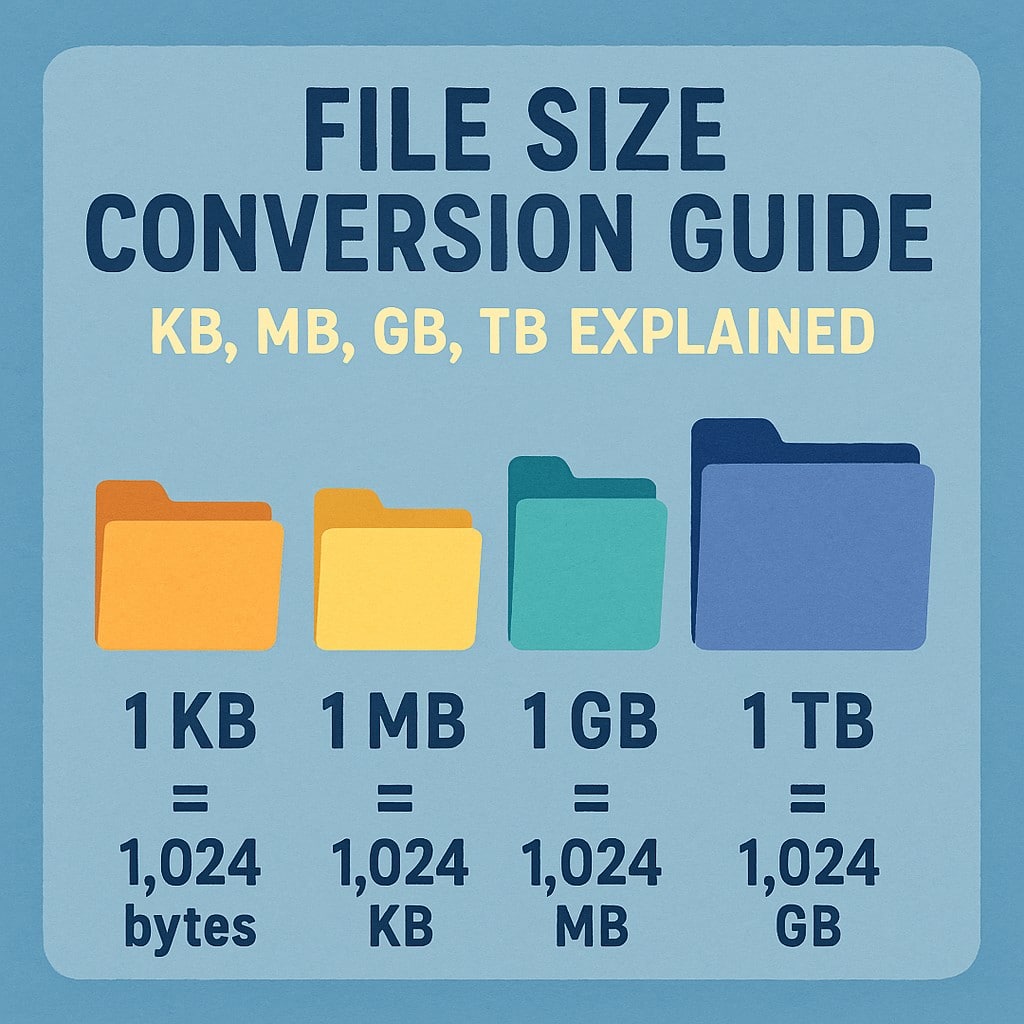
To put it simply and directly answer the question “what is bigger mb kb or gb”:
GB > MB > KB
- A Gigabyte (GB) is the largest.
- A Megabyte (MB) is smaller than a Gigabyte but larger than a Kilobyte.
- A Kilobyte (KB) is the smallest of the three.
The Hierarchy in Numbers:
- 1 KB = 1024 Bytes
- 1 MB = 1024 KB (approximately 1 million bytes)
- 1 GB = 1024 MB (approximately 1 billion bytes)
To visualize this, imagine filling containers:
- If a byte is a single grain of sand.
- A KB is a small handful of sand.
- An MB is a bucketful of sand.
- A GB is a large truckload of sand.
The sheer volume of data that a gigabyte represents compared to a kilobyte is staggering.
The Binary vs. Decimal Distinction: A Note on “About”
You might occasionally see storage capacities advertised using decimal prefixes (based on powers of 1000) rather than binary prefixes (based on powers of 1024).
- Decimal Prefixes:
- 1 Kilobyte (KB) = 1000 Bytes
- 1 Megabyte (MB) = 1000 KB = 1,000,000 Bytes
- 1 Gigabyte (GB) = 1000 MB = 1,000,000,000 Bytes
This distinction primarily arises with hard drive manufacturers, who tend to use decimal measurements. This means that a hard drive advertised as 1 TB (using decimal) will actually show up on your computer as slightly less than 1 TB when measured using the traditional binary (1024) convention. The difference is usually small enough not to be a major concern for most users, but it’s good to be aware of, especially when comparing storage specifications. For most practical purposes of understanding relative size, the 1024 multiplier is the key concept to remember.
Practical Implications Across Tech, Brand, and Money
Understanding these units of digital storage has practical implications that extend far beyond simply knowing what’s bigger.
In the Realm of Tech
- File Sizes and Downloads: When you see a software update or a game download listed as 5 GB, you immediately know it will take significantly longer to download and require substantially more space than a file listed as 50 MB. This impacts your internet bandwidth usage and the available space on your device.
- Smartphone Storage: The 64 GB, 128 GB, or 256 GB storage options on your phone directly dictate how many photos, videos, apps, and music files you can store. Running out of storage can lead to performance issues and prevent you from capturing new memories.
- Cloud Storage and Backups: Services like Google Drive, Dropbox, and iCloud offer free tiers with limited GB of storage. Understanding these limits helps you manage your digital assets and decide if you need to upgrade to a larger, paid plan. Backing up your important files is crucial, and knowing how much space your backups will take is essential.
- Streaming Quality: Streaming services often offer different quality settings (e.g., SD, HD, 4K). Higher resolutions mean larger file sizes, consuming more data (measured in MB or GB per hour). This is critical for users with limited mobile data plans.
- AI and Machine Learning: The datasets used to train AI models are often massive, measured in terabytes or even petabytes. The processing power required to handle and store these datasets underscores the ongoing need for ever-increasing storage capabilities.
Impact on Branding and Marketing
- Digital Asset Management: For businesses, managing digital assets – high-resolution images, videos, marketing materials, design files – is paramount. Understanding the GB-sized nature of these assets impacts server storage, website loading times, and the efficiency of content delivery.
- Brand Storytelling: High-quality video content, often measured in GB, is a powerful tool for brand storytelling. The ability to host and stream such content without buffering is a reflection of a brand’s technical infrastructure and commitment to user experience.
- Software and App Distribution: The size of an app or software package (often in MB or GB) can influence download rates and user adoption. Developers strive to optimize their applications to minimize file size while maintaining functionality.
- Website Performance: Large image and video files on a website can significantly increase loading times, negatively impacting user experience and SEO. Brands must consider file optimization to stay competitive.
Connecting to Personal Finance and Online Income
- Data Plans and Costs: Mobile data plans are often tiered by usage, with allowances in GB. Exceeding these limits can result in overage charges or throttled speeds, directly impacting your monthly phone bill. Understanding how much data your activities consume is key to managing these costs.
- Cloud Storage Subscriptions: As mentioned, cloud storage beyond the free tier often requires a monthly or annual subscription fee. Choosing the right GB or TB plan can save you money by avoiding unnecessary overspending or costly data overages.
- Online Income and Digital Products: If you’re selling digital products like e-books, courses, or stock photos, understanding the GB or MB size of your offerings helps in pricing, delivery, and managing storage costs for your own inventory.
- Investing in Storage Solutions: For businesses or individuals managing large amounts of data (e.g., photographers, videographers, IT professionals), investing in larger capacity hard drives, NAS (Network Attached Storage) devices, or robust cloud storage solutions becomes a business expense that needs to be factored into budgets.
- Cryptocurrency and Blockchain: While not directly file storage in the traditional sense, the blockchain technology underpinning cryptocurrencies involves vast amounts of transaction data. As these blockchains grow, the storage requirements for nodes to maintain a full copy of the ledger increase, becoming a factor in accessibility and decentralization.
Beyond GB: Looking at TB and PB
Our journey through digital storage units doesn’t end at gigabytes. The scale continues to grow rapidly:
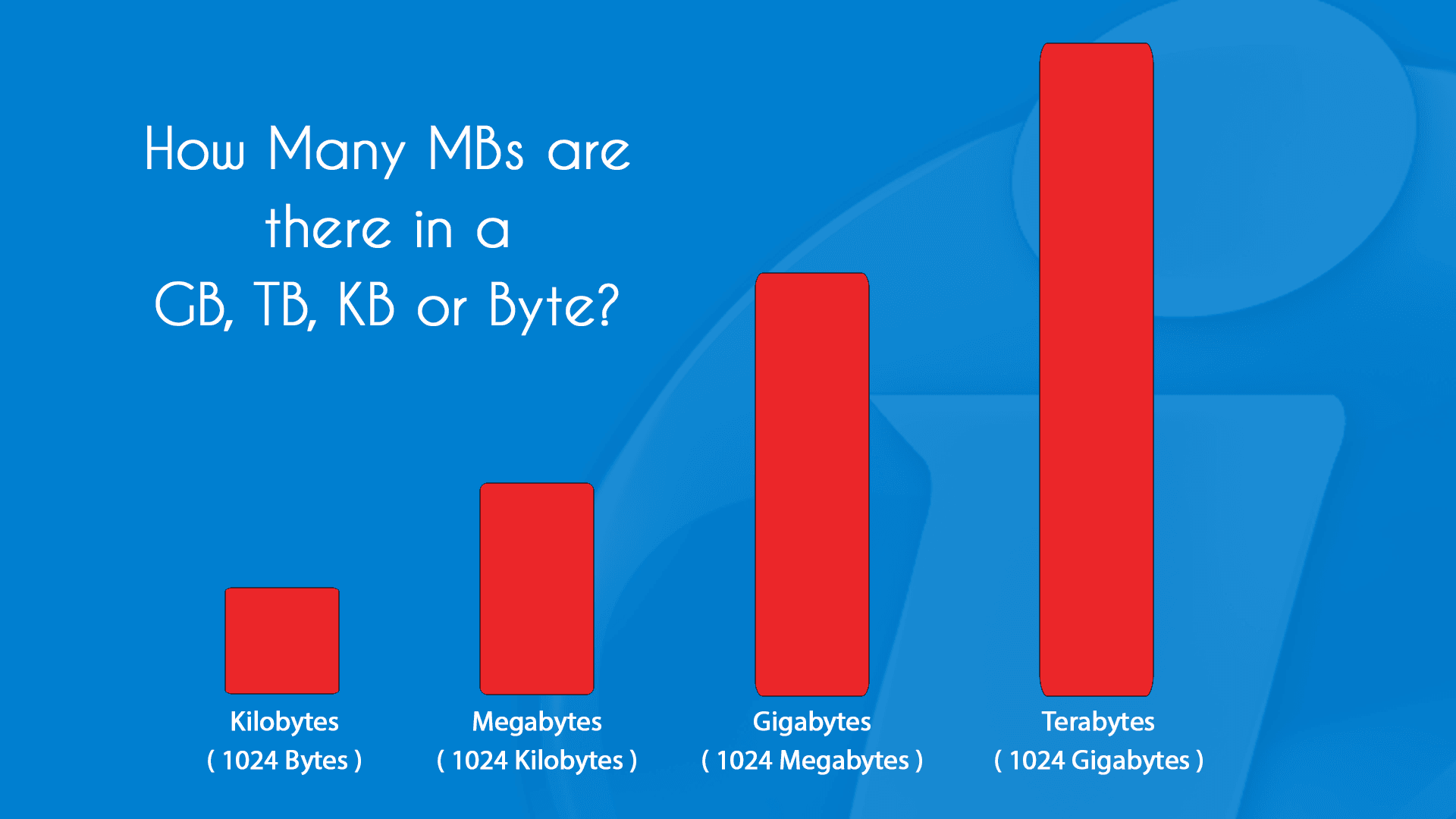
- Terabyte (TB): 1 TB = 1024 GB. This is now common for computer hard drives, large external drives, and significant cloud storage plans.
- Petabyte (PB): 1 PB = 1024 TB. This is a massive amount of data, typically used by large organizations, data centers, and for extremely large datasets in scientific research and AI.
- Exabyte (EB), Zettabyte (ZB), Yottabyte (YB): These are even larger units, representing amounts of data that are almost incomprehensible to the average person, but are increasingly relevant in the context of global data generation.
As technology advances, the capacity of our storage devices and the size of the data we generate will continue to expand, making it even more important to understand these fundamental units.
Conclusion: Navigating the Digital Landscape with Confidence
In conclusion, when asking “what is bigger mb kb or gb,” the answer is clear: GB is significantly bigger than MB, and MB is bigger than KB. This hierarchical understanding is a fundamental building block for anyone interacting with digital technology. From managing your personal files and understanding your phone’s limitations to making informed decisions about cloud storage, data plans, and even the capacity of your next computer, these units of measurement are essential. By demystifying KB, MB, and GB, you gain confidence in navigating the ever-expanding digital landscape, making smarter choices in your technological, branding, and financial endeavors.
aViewFromTheCave is a participant in the Amazon Services LLC Associates Program, an affiliate advertising program designed to provide a means for sites to earn advertising fees by advertising and linking to Amazon.com. Amazon, the Amazon logo, AmazonSupply, and the AmazonSupply logo are trademarks of Amazon.com, Inc. or its affiliates. As an Amazon Associate we earn affiliate commissions from qualifying purchases.