
In today’s digital world, email remains a cornerstone of communication for both individuals and businesses. We send, receive, and rely on emails for everything from personal correspondence to critical business transactions. But what happens to these emails once they’ve been read and archived? For many, they’re tucked away in email clients, but for others, they reside in a more portable and universal format: the MBOX file.
The term “MBOX” might sound technical, and it is, but understanding what an MBOX file is can be incredibly beneficial, especially if you deal with email management, migration, or data recovery. This versatile format has been around for decades and continues to be a popular choice for storing and transferring email data across various email clients.
This article will dive deep into the world of MBOX files, exploring their origins, structure, advantages, and the common scenarios where you’ll encounter them. Whether you’re a tech enthusiast curious about digital storage, a business owner looking for efficient email archiving solutions, or an individual trying to manage your digital footprint, understanding MBOX files will equip you with valuable knowledge.
The Origins and Evolution of MBOX Files
To truly grasp what an MBOX file is, it’s essential to understand its history. The MBOX format, which is short for “Mailbox,” emerged from the early days of email and Unix-like operating systems. Its simplicity and straightforward design are key to its longevity.
A Unix Legacy: The Birth of MBOX
The MBOX format can be traced back to the 1970s and the early implementations of email on Unix systems. In these early days, storing emails was a relatively simple affair. Instead of complex databases, emails were often stored as plain text files within a dedicated directory. Each email would be appended to this file, separated by specific delimiters.
The original MBOX format, often referred to as MBOXRD (MBOX Reduced), would store emails sequentially within a single file. A common characteristic of this format is the use of a “From ” line (with a space) at the beginning of each email message to signify the start of a new message. This simple, text-based approach made it easy for various command-line tools and early email clients to parse and manage emails.
Over time, as email systems became more sophisticated, the MBOX format evolved to accommodate new features and address limitations. Different variants of the MBOX format emerged, each with slight modifications to how messages were stored and delimited.
Key MBOX Variants and Their Characteristics
While the core concept of storing emails in a single file remains, several MBOX variants have gained prominence. Understanding these variations can be crucial when dealing with compatibility issues or specific email client requirements.
- MBOX (or MBOXO): This is the most common and widely recognized MBOX format. It’s the standard for many popular email clients like Mozilla Thunderbird, Apple Mail, and older versions of Eudora. The key characteristic of MBOXO is that each email message is separated by a line that begins with “From “. This delimiter is fundamental for email clients to correctly identify and parse individual messages.
- MBOXRD (MBOX Reduced): As mentioned earlier, this is an older variant. It’s similar to MBOXO but might have subtle differences in how certain headers or content are handled. It’s less commonly encountered in modern email clients but is important from a historical perspective.
- MBOXCL (MBOX Clustered): This variant is less prevalent and typically used by specific email systems. It involves a more complex structure where messages might be clustered together in a different manner, often for performance reasons within a particular mail server environment.
- MBOXGM (Gmail MBOX): While Gmail primarily uses its own proprietary cloud-based storage, users can export their Gmail data into MBOX format. This export process typically adheres to the standard MBOXO format, making it compatible with most MBOX-aware email clients.
The primary advantage of the MBOX format, regardless of its variant, lies in its simplicity and portability. A single MBOX file can contain hundreds or even thousands of email messages, along with their attachments. This makes it an excellent choice for archiving, backing up, or migrating email data.
The Anatomy of an MBOX File: How Emails Are Stored
At its heart, an MBOX file is a structured text file. This straightforward design is what makes it so adaptable and readable by various email clients and tools. Unlike proprietary database formats used by some email clients (like Microsoft Outlook’s PST files), MBOX files are more open and accessible.
A Plain Text Foundation
An MBOX file is essentially a concatenation of individual email messages. Each message within the file retains its original structure, including headers (like “From,” “To,” “Subject,” “Date”) and the email body. Crucially, there’s a distinct separator that signals the beginning of a new message.
The standard delimiter that separates messages in an MBOX file is a line that starts with the string “From ” (note the space after “From”). This “From ” line acts as a clear marker for email clients and parsing tools, allowing them to accurately identify where one message ends and the next begins.
Consider a simplified example:
From john.doe@example.com Tue Oct 26 10:30:00 2023
Subject: Meeting Tomorrow
To: jane.smith@example.com

Hi Jane,

Just confirming our meeting for tomorrow at 2 PM.

Best,
John
-----
From jane.smith@example.com Tue Oct 26 10:35:00 2023
Subject: Re: Meeting Tomorrow
To: john.doe@example.com

Great, John! Looking forward to it.


<p style="text-align:center;"><img class="center-image" src="https://www.cigatisolutions.com/blog/wp-content/uploads/2023/04/image6.png" alt=""></p>


Regards,
Jane
In this example, you can see two distinct email messages. The line starting with “From john.doe@example.com…” marks the beginning of the first email, and the line starting with “From jane.smith@example.com…” marks the beginning of the second.
Handling Attachments and Encoding
Attachments within MBOX files are typically encoded using MIME (Multipurpose Internet Mail Extensions) standards, most commonly Base64 encoding. This means that binary data, such as images, documents, or other files, are converted into a text-based format that can be safely embedded within the text-based email structure. When an email client opens an MBOX file, it recognizes these MIME parts and decodes them to present the attachments in their original format.
While the plain text nature is a strength, it also means that large MBOX files can become quite substantial in size, especially if they contain numerous emails with large attachments. This is a trade-off for the simplicity and portability they offer.
Why MBOX Files Matter: Advantages and Use Cases
The enduring popularity of the MBOX format is a testament to its practical advantages. Whether you’re a casual email user or managing large-scale email infrastructure, understanding these benefits can significantly improve your workflow.
Key Advantages of Using MBOX Files
- Portability and Compatibility: This is arguably the biggest advantage. MBOX files are not tied to a specific email client. You can easily transfer an MBOX file from one computer to another or import it into a different MBOX-compatible email client. This makes them ideal for migrating email data when switching providers or upgrading software.
- Simplicity and Readability: As discussed, MBOX files are plain text. This makes them relatively easy to understand and, with the right tools, to inspect or even manually edit if necessary (though this is rarely recommended for preserving integrity).
- Open Standard: MBOX is a widely adopted open standard, meaning it’s supported by a vast array of email clients, archiving tools, and forensic analysis software. This interoperability is a major plus.
- Archiving and Backup: MBOX files are excellent for creating archives of your email history. They consolidate all your messages into a single, manageable file, making it easier to back up your emails or store them for long-term compliance.
- Data Recovery: In situations where an email client’s native database might become corrupted, an MBOX file backup can be invaluable for recovering lost emails.
- Forensic Analysis: For digital forensics, MBOX files provide a structured and consistent format for examining email evidence, making them a favored format for investigators.
Common Scenarios Where You’ll Encounter MBOX Files
You’re likely to interact with MBOX files in various aspects of your digital life:
- Switching Email Clients: If you’re moving from Apple Mail to Thunderbird, or from an older client to a new one, you’ll often export your old emails as an MBOX file to import them into your new client.
- Gmail Export: When you want to back up your Gmail data or migrate it to another service, Google offers the option to export your emails in MBOX format.
- Archiving for Compliance: Businesses often use email archiving solutions that store emails in MBOX format for regulatory compliance, legal discovery, or historical record-keeping.
- Third-Party Email Tools: Many third-party email management and migration tools utilize MBOX as their primary format for processing and transferring email data.
- Troubleshooting and Recovery: If your email client is experiencing issues, you might be instructed to locate and back up your MBOX files as a precautionary measure.
Working with MBOX Files: Tools and Techniques
While MBOX files are designed for simplicity, you often need specific tools to effectively open, manage, or convert them. Directly opening an MBOX file with a standard text editor will show you the raw data, but it won’t present your emails in a user-friendly way.
Popular Email Clients Supporting MBOX
Many leading email clients natively support the MBOX format, either for importing/exporting or as their primary storage method.
- Mozilla Thunderbird: This is one of the most well-known MBOX-supporting clients. Thunderbird uses MBOX format by default for storing emails.
- Apple Mail (macOS): Apple Mail can import and export emails in MBOX format. You can also find its mailboxes stored in MBOX variants on your macOS system.
- Eudora: An older but historically significant email client that heavily utilized the MBOX format.
- Sylpheed: A lightweight and fast email client that also supports MBOX.
- Claws Mail: Another popular open-source email client that works well with MBOX files.
When these clients store emails locally, they often use a directory structure where each email account has its own folder, and within that folder, you’ll find .mbox files representing different mail folders (Inbox, Sent, etc.).
Tools for Conversion and Management
If you need to convert MBOX files to other formats (like PST for Outlook) or manage them outside of a specific email client, several dedicated tools are available:
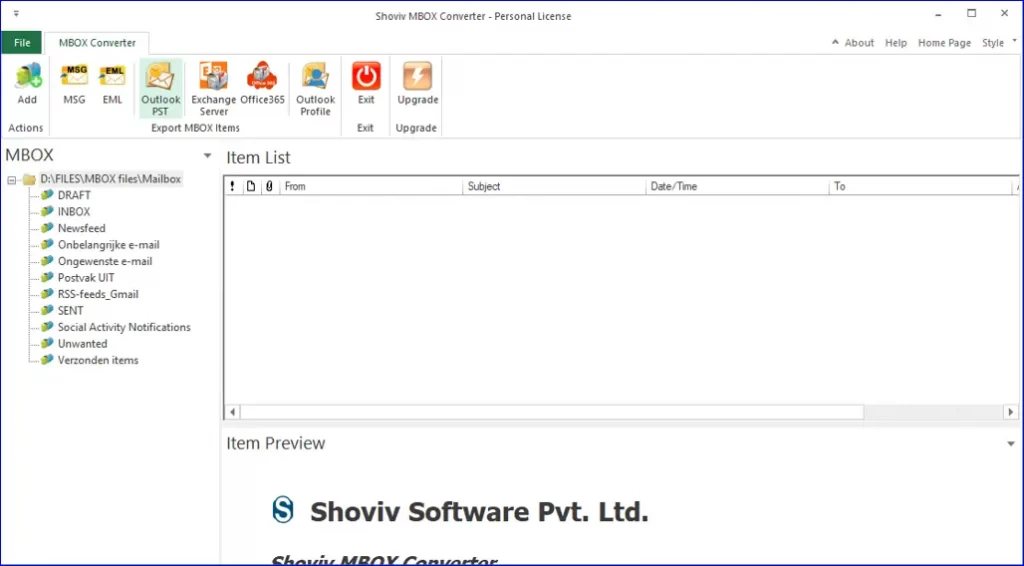
- MBOX to PST Converters: These are essential if you need to migrate emails from an MBOX-compatible client to Microsoft Outlook. Numerous commercial and free tools can perform this conversion.
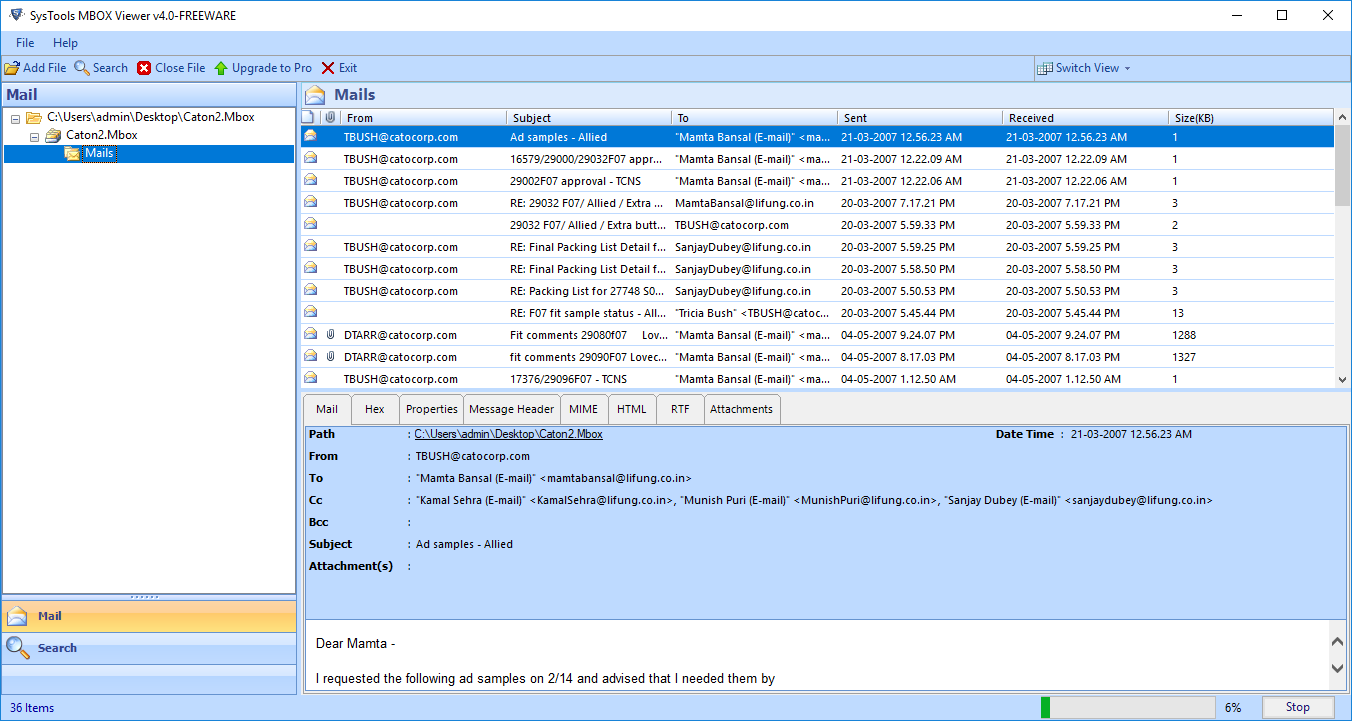
- MBOX Viewers: Standalone MBOX viewers allow you to open and browse the contents of an MBOX file without needing to import it into a full email client. This is useful for quick inspections or when dealing with archived data.
- Email Migration Software: Professional email migration suites often support MBOX as a source or target format, facilitating complex email transfers.
- Command-Line Tools (for advanced users): For those comfortable with the command line, tools like
mbxor custom scripts can be used to parse, extract, or manipulate MBOX files.
Important Note: When converting or migrating MBOX files, always ensure you are using reputable software. Malicious or poorly designed conversion tools could potentially corrupt your data or introduce security risks.
The Future of Email Archiving and the Role of MBOX
As technology continues to evolve, so do the methods of email storage and management. While cloud-based solutions and proprietary database formats are prevalent, the MBOX format continues to hold its ground due to its fundamental strengths.
The simplicity, portability, and open-standard nature of MBOX files ensure their relevance for years to come. For individuals and businesses seeking reliable, accessible, and interoperable ways to archive, back up, or migrate their email data, the MBOX file remains a robust and dependable choice. Understanding what an MBOX file is empowers you to make informed decisions about your digital communication and data management strategies.
aViewFromTheCave is a participant in the Amazon Services LLC Associates Program, an affiliate advertising program designed to provide a means for sites to earn advertising fees by advertising and linking to Amazon.com. Amazon, the Amazon logo, AmazonSupply, and the AmazonSupply logo are trademarks of Amazon.com, Inc. or its affiliates. As an Amazon Associate we earn affiliate commissions from qualifying purchases.