
Investing is frequently discussed through the lens of acquisition—finding the next high-growth stock, identifying undervalued ETFs, or entering a cryptocurrency position at the right moment. However, the realization of wealth only occurs at the point of exit. Selling is a fundamental skill in portfolio management, requiring a blend of technical proficiency with a trading platform and a strategic understanding of market mechanics.
Robinhood revolutionized the brokerage industry by introducing commission-free trades and a mobile-first user interface that demystified the stock market for millions. While the platform makes the act of selling as simple as a few taps on a screen, the underlying financial implications—ranging from tax liabilities to execution types—require a deeper dive. This guide explores the mechanics of selling assets on Robinhood, the strategic considerations for different asset classes, and the logistical steps to move your capital from the market back to your bank account.
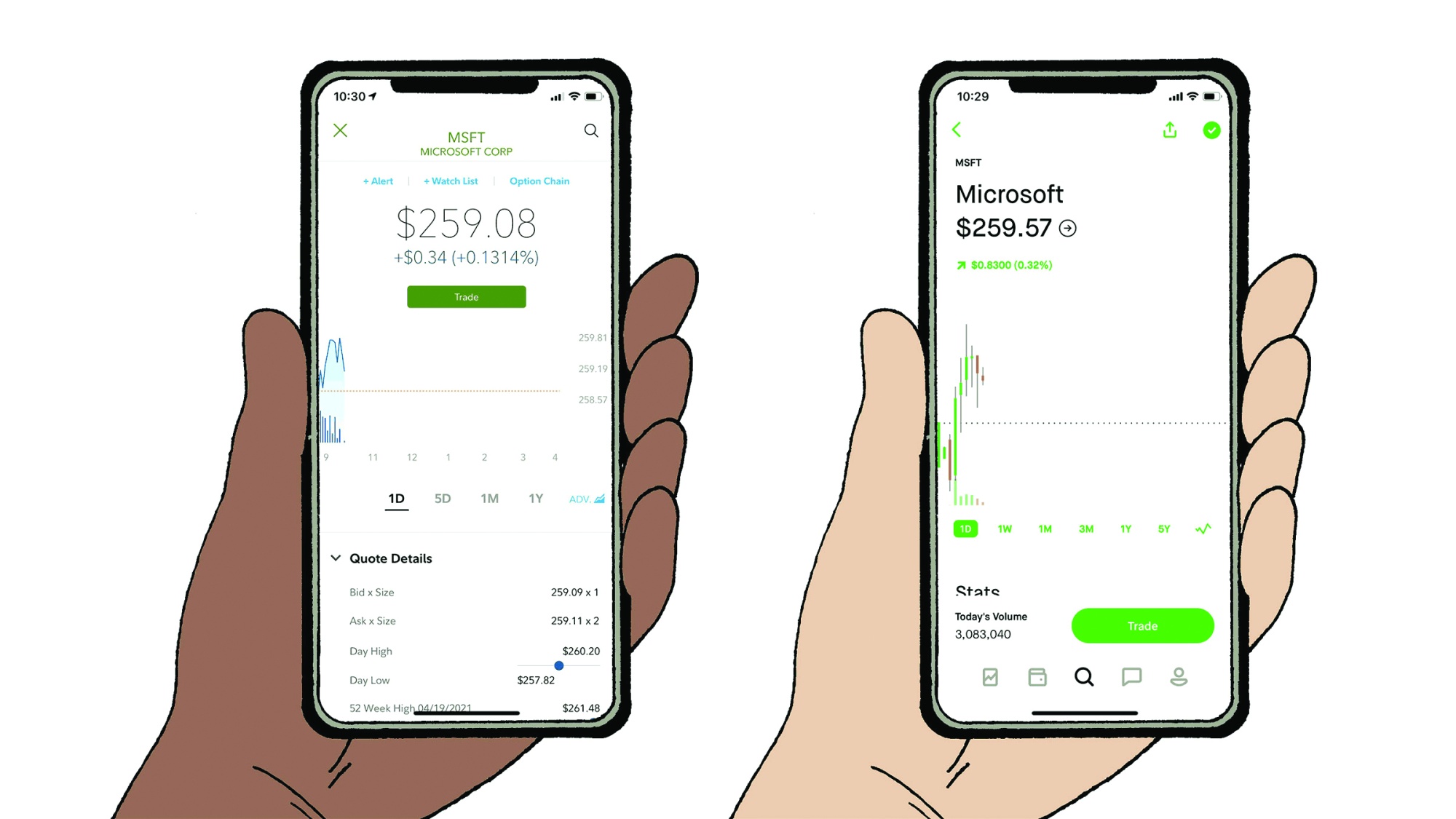
Understanding the Mechanics of Selling on Robinhood
The primary goal of any sale is to execute the trade at a price that aligns with your financial strategy. Robinhood offers several ways to liquidate a position, each serving a specific purpose depending on market volatility and the investor’s urgency.
Market Orders vs. Limit Orders
When you decide to sell a stock or ETF on Robinhood, the default setting is often a “Market Order.” A market order instructs the brokerage to sell your shares immediately at the best available current price. In highly liquid markets with high-volume stocks (like Apple or Microsoft), the difference between the last seen price and the execution price is usually negligible. However, during periods of extreme volatility or when trading low-volume assets, a market order can result in “slippage,” where the actual sale price is significantly lower than anticipated.
To gain more control, sophisticated investors utilize “Limit Orders.” A limit order allows you to set a minimum price at which you are willing to sell. If the market price does not reach your specified limit, the trade will not execute. This protects you from selling during a sudden, temporary dip, though it carries the risk that your order may remain unfilled if the price continues to drop without hitting your target.
Advanced Order Types: Protecting Your Downside
Beyond basic market and limit orders, Robinhood provides tools for automated risk management:
-
Stop Orders: Often referred to as a “stop-loss,” this order triggers a market order once the stock hits a specific price. It is designed to limit losses or lock in profits if a stock begins to trend downward.
-
Stop Limit Orders: This combines the features of a stop order and a limit order. Once a “stop” price is reached, it triggers a “limit” order rather than a market order. This ensures you don’t sell below a certain threshold, even in a crash.
-
Trailing Stop Orders: This is a dynamic tool where the “stop” price follows the stock’s price as it moves up. If the stock drops by a certain percentage or dollar amount from its peak, the sale is triggered. This is particularly useful for riding a momentum wave while ensuring you exit before a total reversal.
Strategic Considerations Before You Hit the Sell Button
Selling is rarely just about the click of a button; it is a decision that has ripple effects on your broader financial health, particularly regarding taxation and portfolio balance.
Capital Gains Tax and Holding Periods
In the eyes of the IRS, not all sales are created equal. The duration for which you held an asset before selling it on Robinhood determines your tax rate.
-
Short-Term Capital Gains: If you sell an asset held for one year or less, the profit is taxed as ordinary income. For many investors, this could be significantly higher than the long-term rate, potentially taking a large bite out of your net profits.
-
Long-Term Capital Gains: If you hold an asset for more than one year before selling, you qualify for long-term capital gains rates, which are typically 0%, 15%, or 20% depending on your taxable income.
Strategic selling often involves “Tax-Loss Harvesting.” This is the practice of selling an investment that is at a loss to offset the capital gains taxes earned from other investments. Robinhood provides basic cost-basis information, but it is incumbent upon the investor to track these positions to optimize their year-end tax bill.
Rebalancing and Objective-Based Selling
The decision to sell should ideally be dictated by your investment thesis rather than emotional reactions to market swings. Professional investors often sell for one of three reasons:
-
Goal Achievement: The asset has reached the price target set during the initial purchase.
-
Fundamental Change: The reason you bought the company no longer exists (e.g., a change in leadership, a failing business model, or a shift in the industry landscape).
-
Portfolio Rebalancing: If one stock has performed so well that it now makes up 40% of your portfolio, you may want to sell a portion of it to reinvest in other sectors, thereby maintaining your desired risk profile.
Selling Cryptocurrency on Robinhood

Robinhood has become a major player in the retail crypto space, offering a streamlined way to trade Bitcoin, Ethereum, and other digital assets. However, selling cryptocurrency involves different nuances compared to equities.
Liquidity and 24/7 Markets
Unlike the New York Stock Exchange, which has set operating hours, the cryptocurrency market never closes. This means you can sell your crypto on Robinhood at 3:00 AM on a Sunday just as easily as on a Tuesday afternoon. However, crypto markets are prone to “flash crashes” and extreme volatility. Because of this, using limit orders in the crypto space is often considered a best practice to avoid being caught in a momentary liquidity vacuum.
Instant Settlement and Spending
One of the advantages of selling crypto on Robinhood is the integration with the Robinhood Spending account. In many cases, when you sell cryptocurrency, the funds are available almost immediately for use via the Robinhood cash card or for reinvestment into stocks. However, users should be aware that while the buying power may update instantly, the actual “settled cash” required for a bank transfer may still be subject to a holding period depending on the account’s standing and the size of the transaction.
Options Trading: Closing Positions and Expiration
For users who have been approved for options trading on Robinhood, selling is a more complex affair. Options are derivatives, meaning their value is derived from an underlying stock. There are two primary ways to “sell” in the context of options:
Selling to Close
If you bought a “Call” or a “Put” option and its value has increased, you perform a “Sell to Close” transaction. This exits your position and captures the difference between what you paid (the debit) and what you received upon selling (the credit). Robinhood’s interface simplifies this by showing your “Profit/Loss” in real-time, allowing you to close the contract before it expires.
Selling to Open (Writing Options)
More advanced strategies involve “Selling to Open.” This is when you act as the seller of the option contract to collect a “premium” from another buyer. Examples include selling covered calls or cash-secured puts. In this scenario, you are essentially betting that the option will expire worthless or that you will be comfortable selling your shares at the strike price. Selling to open requires a higher level of margin approval and a deep understanding of “The Greeks”—the mathematical variables that dictate option pricing.
Post-Sale Management: Settlement and Withdrawals
Once the “Sell” button is pressed and the order is executed, the process is not yet over. The transition from “invested asset” to “withdrawable cash” involves several logistical steps.
Understanding Settlement Periods (T+1)
In the United States, the standard settlement cycle for most stock and ETF transactions has historically been T+2 (the transaction date plus two business days). However, recent regulatory shifts have pushed the industry toward T+1 settlement. This means that if you sell a stock on Monday, the cash officially becomes “settled” on Tuesday.
During this window, Robinhood may grant you “Instant Settlement” or “Instant Access” to those funds to buy other stocks. However, you generally cannot withdraw that cash to your external bank account until the settlement period is finalized. This is a common point of confusion for new investors who see their “Buying Power” increase but find their “Withdrawable Cash” remains at zero.
Transferring Funds to Your Bank
To move money from Robinhood to your bank, you must navigate to the “Transfers” section of the app. There are two primary methods:
-
Standard Transfer (ACH): This is free and typically takes 3 to 5 business days.
-
Instant Transfer: For a small fee (usually a percentage of the transfer amount), Robinhood allows you to move funds to a linked debit card almost instantly.
It is important to note that Robinhood imposes certain withdrawal limits and security holds. For example, if you recently deposited money and then sold a stock, there may be a “settlement hold” to ensure the original deposit clears before the funds are sent back out of the ecosystem.
Conclusion: The Discipline of the Exit
The ability to sell effectively is what separates a hobbyist from a disciplined investor. On a platform like Robinhood, the ease of use can sometimes lead to impulsive decisions. By understanding the different order types, the tax consequences of holding periods, and the mechanics of settlement, you can ensure that your exit from a position is as strategic and profitable as your entry. Whether you are liquidating a fractional share of a high-priced tech stock or closing out a complex options spread, clarity of intent and technical knowledge are your most valuable assets.
aViewFromTheCave is a participant in the Amazon Services LLC Associates Program, an affiliate advertising program designed to provide a means for sites to earn advertising fees by advertising and linking to Amazon.com. Amazon, the Amazon logo, AmazonSupply, and the AmazonSupply logo are trademarks of Amazon.com, Inc. or its affiliates. As an Amazon Associate we earn affiliate commissions from qualifying purchases.