
In the modern business landscape, financial clarity is the bedrock of sustainable growth. For small to medium-sized enterprises (SMEs), QuickBooks has emerged as the definitive tool for managing the complexities of business finance. However, simply owning the software is not enough; mastering QuickBooks requires a strategic approach to data entry, automation, and financial reporting. When utilized to its full potential, this platform transforms from a simple ledger into a powerful financial engine that drives informed decision-making and ensures long-term fiscal health.
Setting the Foundation: Initial Setup and Chart of Accounts
The effectiveness of your financial management is entirely dependent on the quality of your initial setup. A disorganized QuickBooks file can lead to skewed data, making it nearly impossible to gauge the true performance of your business. The setup phase is where you define how money flows into and out of your organization.
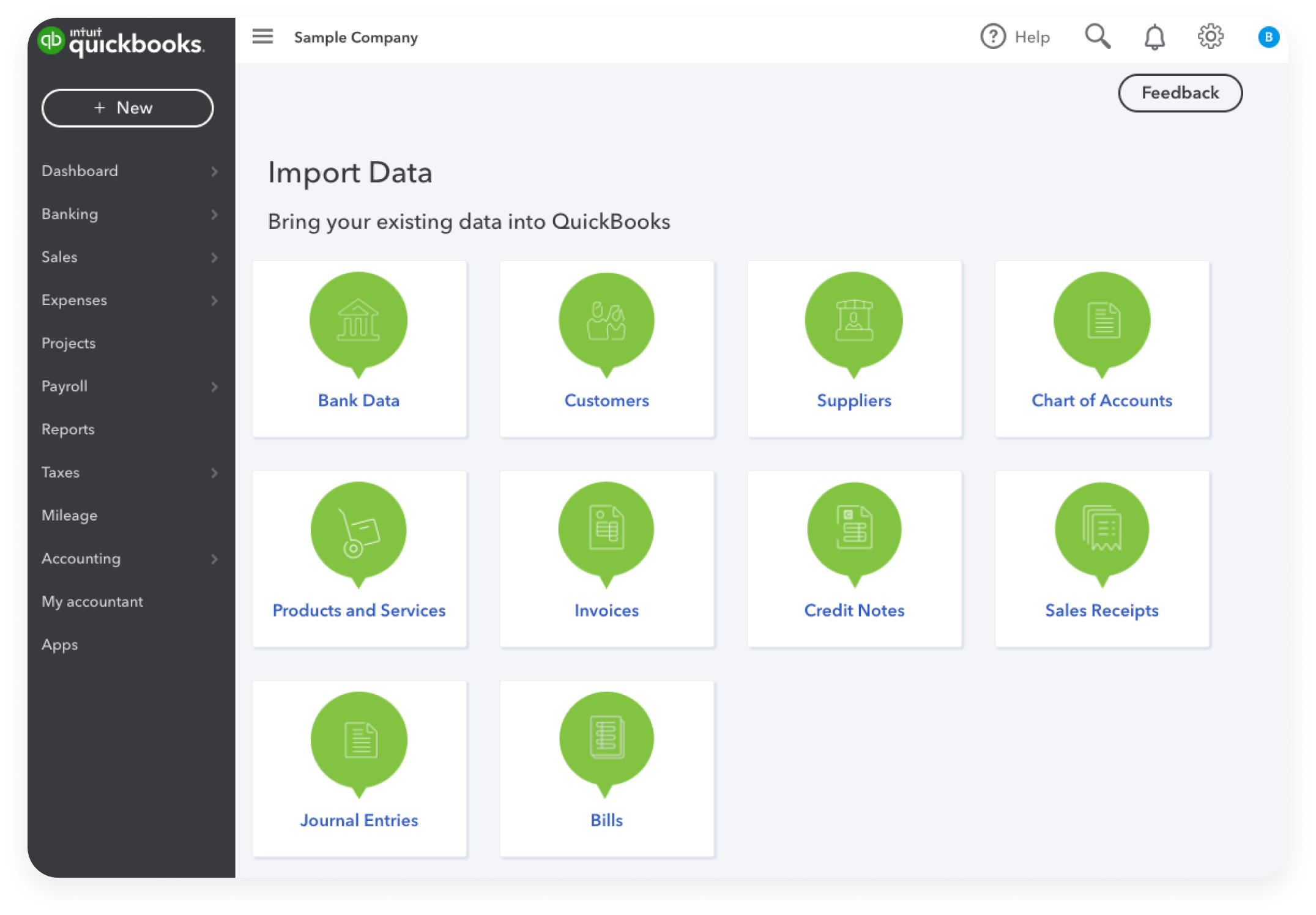
Choosing the Right Version for Your Business Model
Before entering a single transaction, you must select the platform that aligns with your operational needs. QuickBooks Online (QBO) is generally the preferred choice for modern businesses requiring cloud access, automated bank feeds, and seamless integration with third-party apps. Conversely, QuickBooks Desktop remains a robust option for specialized industries like manufacturing or construction that require advanced inventory tracking and local data control. From a financial management perspective, QBO offers the advantage of real-time collaboration with your accounting professional, ensuring that errors are caught and corrected promptly.
Architecting the Chart of Accounts
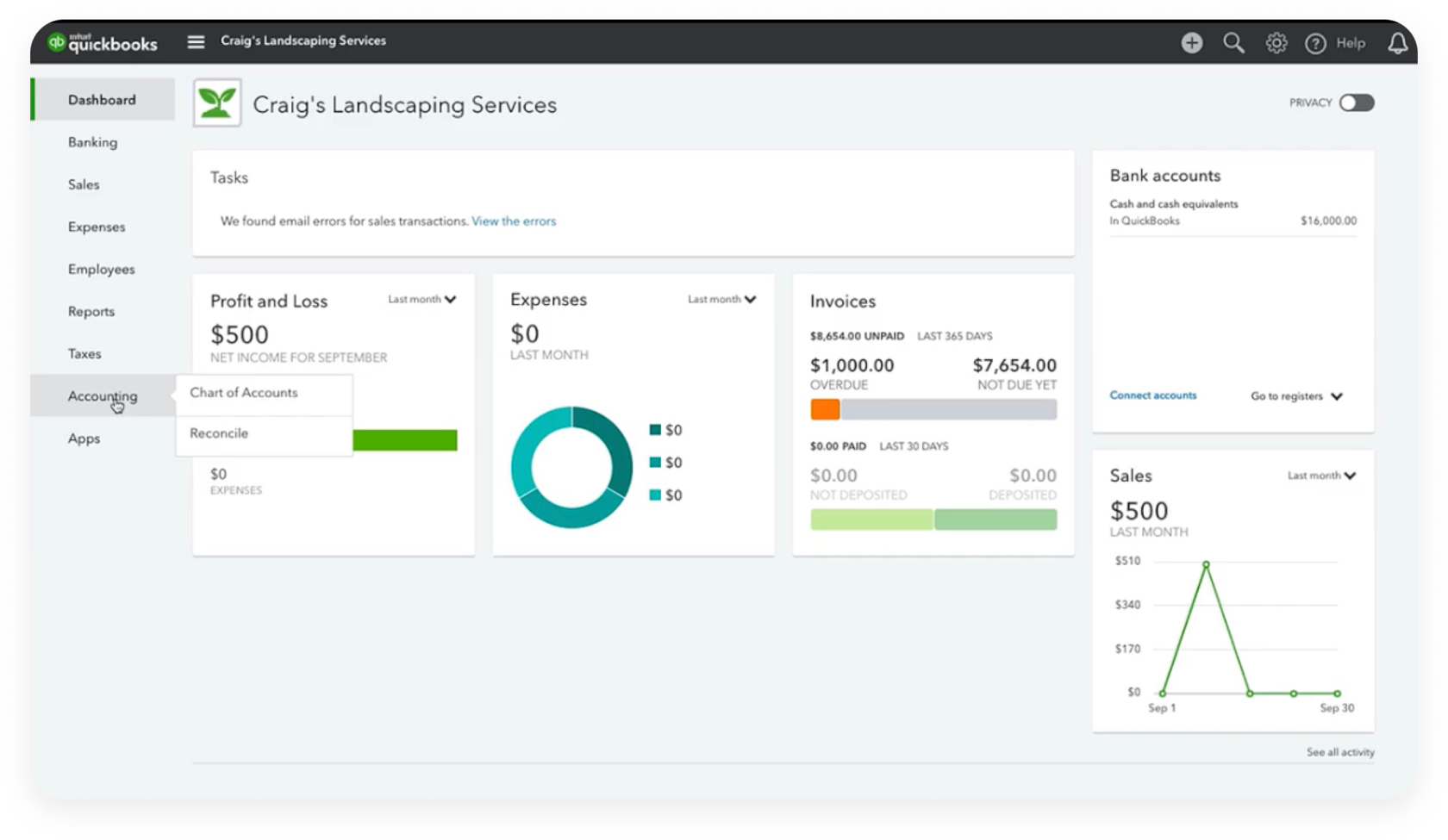
The Chart of Accounts (COA) is the organizational backbone of your financial records. It is a categorized list of every account your business uses to record transactions, grouped into Assets, Liabilities, Equity, Income, and Expenses.
To maximize the utility of your COA, avoid the common pitfall of over-complicating it. A cluttered COA with hundreds of micro-categories makes reporting cumbersome. Instead, focus on high-level categories that align with your tax return requirements while using “Sub-accounts” for more granular tracking. For example, under “Marketing,” you might have sub-accounts for “Social Media Ads” and “Print Materials.” This structure allows you to see the “big picture” on a summary report while retaining the ability to drill down into specific costs.
Connecting Bank Feeds for Real-Time Accuracy
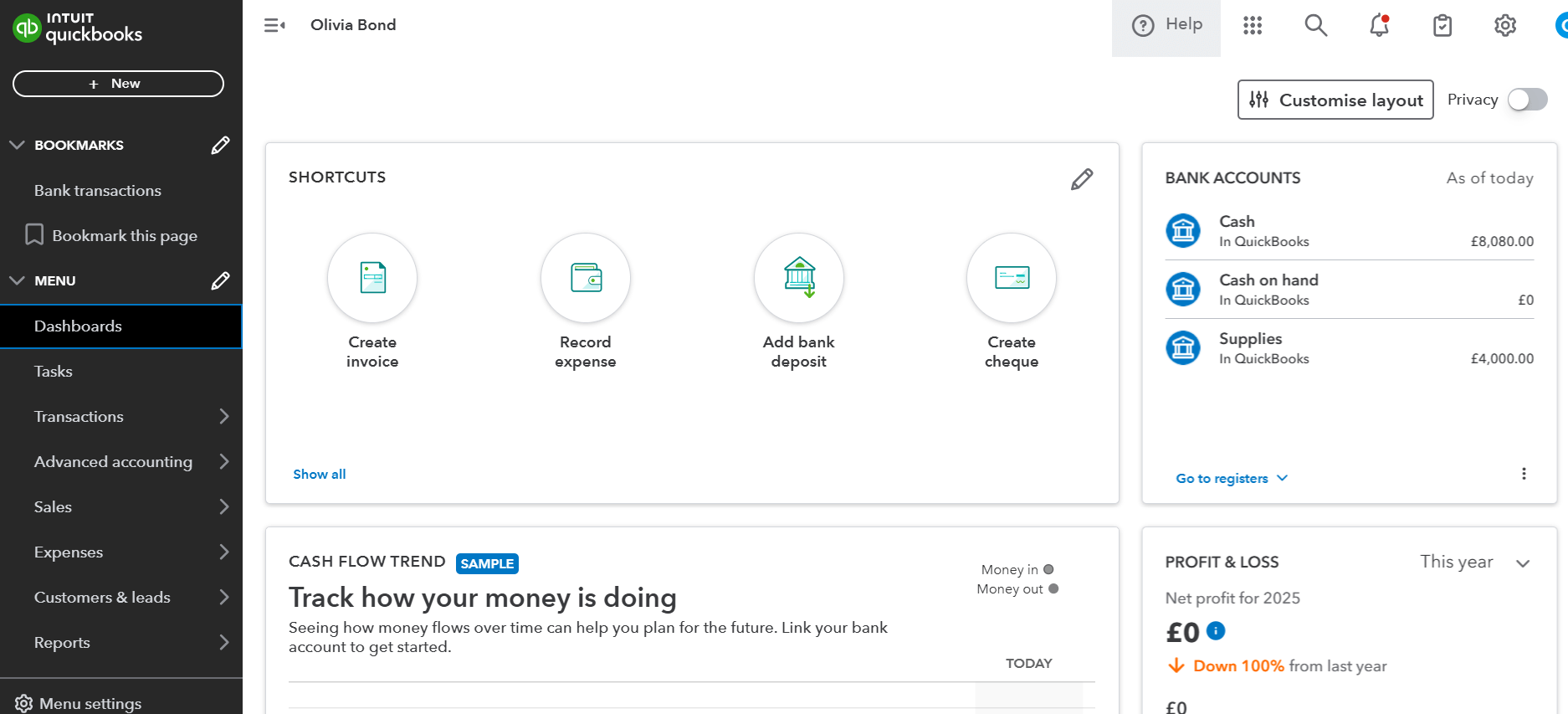
One of the most transformative features of QuickBooks is the ability to connect directly to your business bank accounts and credit cards. This creates a “live feed” of transactions, significantly reducing the need for manual data entry. However, the bank feed is not a substitute for accounting; it is a tool for reconciliation. As transactions flow in, you must assign them to the correct accounts and vendors. By establishing “Bank Rules,” you can automate the categorization of recurring expenses—such as rent or software subscriptions—ensuring your books stay updated with minimal manual intervention.
Optimizing Accounts Receivable: Invoicing and Revenue Tracking
Revenue is the lifeblood of any business, but simply making sales is not the same as managing cash flow. QuickBooks provides a suite of tools designed to streamline the “quote-to-cash” cycle, ensuring that you are not only recording sales but also collecting the funds owed to you in a timely manner.
Automating the Invoicing Workflow
The delay between delivering a service and sending an invoice is one of the primary causes of cash flow bottlenecks. QuickBooks allows you to create professional, branded invoices that can be sent via email the moment a job is completed. To further expedite the process, businesses should leverage “Recurring Invoices” for subscription-based models or long-term contracts. By setting these to send automatically, you eliminate the risk of forgetting to bill a client and ensure a predictable cadence of incoming capital.
Managing Receivables and Collections
Recording a sale is only half the battle; tracking who owes you money is where financial management becomes critical. The “Accounts Receivable (A/R) Aging Report” is an essential tool for any business owner. This report breaks down outstanding invoices by how long they have been overdue (e.g., 1–30 days, 31–60 days, etc.).
To maintain healthy cash flow, you should utilize the “Automatic Reminders” feature in QuickBooks. This system sends polite, automated follow-up emails to clients as their due dates approach or pass. By removing the manual burden of collections, you maintain professional relationships while prioritizing the firm’s liquidity.
Recording Sales and Merchant Services Integration
For businesses that accept payments via credit card or ACH, integrating QuickBooks Payments is a strategic move. When a customer pays an invoice through the link provided, QuickBooks automatically records the payment, calculates the processing fees, and marks the invoice as paid. This end-to-end automation eliminates the “human error” factor in payment recording and ensures that your bank deposits always match your internal records.
Managing Accounts Payable: Expense Tracking and Vendor Relations
While revenue management is about growth, expense management is about efficiency and profitability. QuickBooks allows businesses to move away from “shoebox accounting” toward a digital-first approach to expenditures.
Capturing Receipts and Bills via Mobile
The days of manual data entry for every coffee or office supply purchase are over. Using the QuickBooks mobile app, business owners can snap photos of receipts in real-time. The software uses Optical Character Recognition (OCR) to extract the date, vendor, and amount, automatically matching the receipt to the corresponding transaction in your bank feed. This not only saves time but provides a digital audit trail that is invaluable during tax season or a financial audit.
Categorizing Expenses for Tax Efficiency
Properly categorizing expenses is the difference between a high tax bill and a lean, tax-efficient operation. QuickBooks enables you to track “Class” and “Location,” allowing you to see which departments or physical offices are the most expensive to operate.
Furthermore, distinguish between “Expenses” (immediate costs) and “Bills” (costs to be paid later). Using the “Bills” feature allows you to manage your Accounts Payable (A/P) more effectively. By entering bills as they arrive but scheduling payments for their actual due dates, you can keep your cash in your account longer, maximizing your interest-earning potential and maintaining a stronger cash position.
Understanding the Payables Aging Report
Just as you track who owes you, you must track what you owe. The “Accounts Payable Aging Report” provides a snapshot of your upcoming obligations. Managing this report allows you to strategically time your payments. If your cash flow is tight one month, you can use this report to identify which vendors offer grace periods and which require immediate payment to avoid late fees.
Leveraging Financial Reporting for Strategic Growth
The true power of QuickBooks lies not in its ability to record data, but in its ability to synthesize that data into actionable insights. High-level financial reporting is what separates a business that is merely surviving from one that is positioned for strategic scaling.
The Profit and Loss Statement (P&L)
The P&L, or Income Statement, is the primary report used to evaluate profitability over a specific period. It summarizes your total income and subtracts your Cost of Goods Sold (COGS) and Operating Expenses.
When reviewing your P&L, focus on the “Gross Margin”—the percentage of revenue remaining after direct costs. If your revenue is increasing but your gross margin is shrinking, it may indicate that your production costs are rising too fast or your pricing strategy needs adjustment. Regular analysis of the P&L allows you to pivot your business strategy before small inefficiencies become systemic problems.
The Balance Sheet: Assessing Business Health
While the P&L shows performance over time, the Balance Sheet provides a “snapshot” of your business’s health at a specific moment. It details what you own (Assets), what you owe (Liabilities), and what is left for the owners (Equity).
A critical metric found here is the “Current Ratio,” which compares your current assets to your current liabilities. A ratio below 1.0 indicates potential liquidity issues, suggesting the business may struggle to meet its short-term obligations. Monitoring the Balance Sheet ensures that you are building equity and maintaining a stable foundation for future investment.
Cash Flow Statements and Forecasting
Profit is not cash. A business can be profitable on paper while having an empty bank account due to unpaid invoices or heavy inventory investment. The “Statement of Cash Flows” tracks the actual movement of cash in and out of the business.
QuickBooks also offers “Cash Flow Planner” tools that use historical data to project your future cash position. By looking 30, 60, or 90 days into the future, you can anticipate periods of cash scarcity and arrange for a line of credit or delay capital expenditures accordingly.
Best Practices for Long-Term Financial Health
Mastering QuickBooks is an ongoing process of maintenance and refinement. To ensure your financial data remains a reliable asset, you must implement rigorous internal controls and collaborative habits.
Monthly Reconciliation Procedures
Reconciliation is the process of ensuring that your QuickBooks records match your actual bank statements exactly. This should be performed at the end of every month for every bank account, credit card, and loan. Reconciliation is the “fail-safe” of accounting; it reveals missing transactions, duplicate entries, and potential fraudulent activity. A business that fails to reconcile its books is essentially flying blind, relying on data that may be fundamentally flawed.
Collaborating with Your Accountant
QuickBooks is designed to bridge the gap between the business owner and the accounting professional. By inviting your accountant as a “User” to your QBO file, they can perform real-time reviews, adjust journal entries, and provide high-level tax planning advice throughout the year. This proactive collaboration prevents “tax season surprises” and ensures that your books are always compliant with current financial regulations.
Data Security and Compliance
In an era of increasing digital threats, the security of your financial data is paramount. QuickBooks provides multi-factor authentication (MFA) and granular user permissions. As a business owner, you should limit employee access to only the sections of the software necessary for their roles. For example, a sales representative may need access to “Invoicing” but should not have access to “Payroll” or “Bank Records.” Regularly reviewing your “Audit Log” allows you to see exactly who made what changes to your books, providing an essential layer of internal oversight.
By treating QuickBooks as more than just a digital checkbook, and instead utilizing it as a comprehensive financial management ecosystem, business owners gain the clarity required to navigate economic shifts, optimize their tax positions, and drive sustainable profitability.
aViewFromTheCave is a participant in the Amazon Services LLC Associates Program, an affiliate advertising program designed to provide a means for sites to earn advertising fees by advertising and linking to Amazon.com. Amazon, the Amazon logo, AmazonSupply, and the AmazonSupply logo are trademarks of Amazon.com, Inc. or its affiliates. As an Amazon Associate we earn affiliate commissions from qualifying purchases.