
In the rapidly evolving landscape of digital entertainment, the transition from traditional linear broadcasting to sophisticated streaming ecosystems has created a complex web of access points for consumers. Paramount Network, the flagship brand of Paramount Global, remains a cornerstone of high-quality scripted dramas and unscripted content. However, for the modern viewer, the question of “how to subscribe” is no longer a simple matter of calling a local cable provider. Instead, it involves navigating a suite of technical interfaces, authentication protocols, and third-party digital platforms. This guide provides a deep dive into the technological infrastructure required to access Paramount Network across various devices and service models.
Understanding the Paramount Digital Ecosystem
Before initiating a subscription, it is essential to distinguish between Paramount Network and Paramount+. From a technical and content-delivery standpoint, these are two distinct entities. Paramount Network is a cable television channel that requires a “TV Everywhere” (TVE) authentication to access via mobile apps or web browsers. Paramount+, conversely, is a standalone Direct-to-Consumer (DTC) Subscription Video on Demand (SVOD) service. While there is significant overlap in the parent company’s library, subscribing to one does not always grant access to the other.
The “TV Everywhere” Authentication Model
The primary method for accessing Paramount Network content digitally is through the TV Everywhere protocol. This technology allows subscribers of traditional MVPDs (Multichannel Video Programming Distributors) like Comcast, Spectrum, or Cox to “unlock” content on the Paramount Network app or website.
Technically, this process involves a Secure Single Sign-On (SSO) handshake. When a user attempts to watch a locked episode on the Paramount Network website, the site redirects to a federated identity provider. The user enters their cable credentials, the provider verifies the active subscription status, and an encrypted token is sent back to Paramount’s servers, granting access to the stream.
Paramount+ Integration
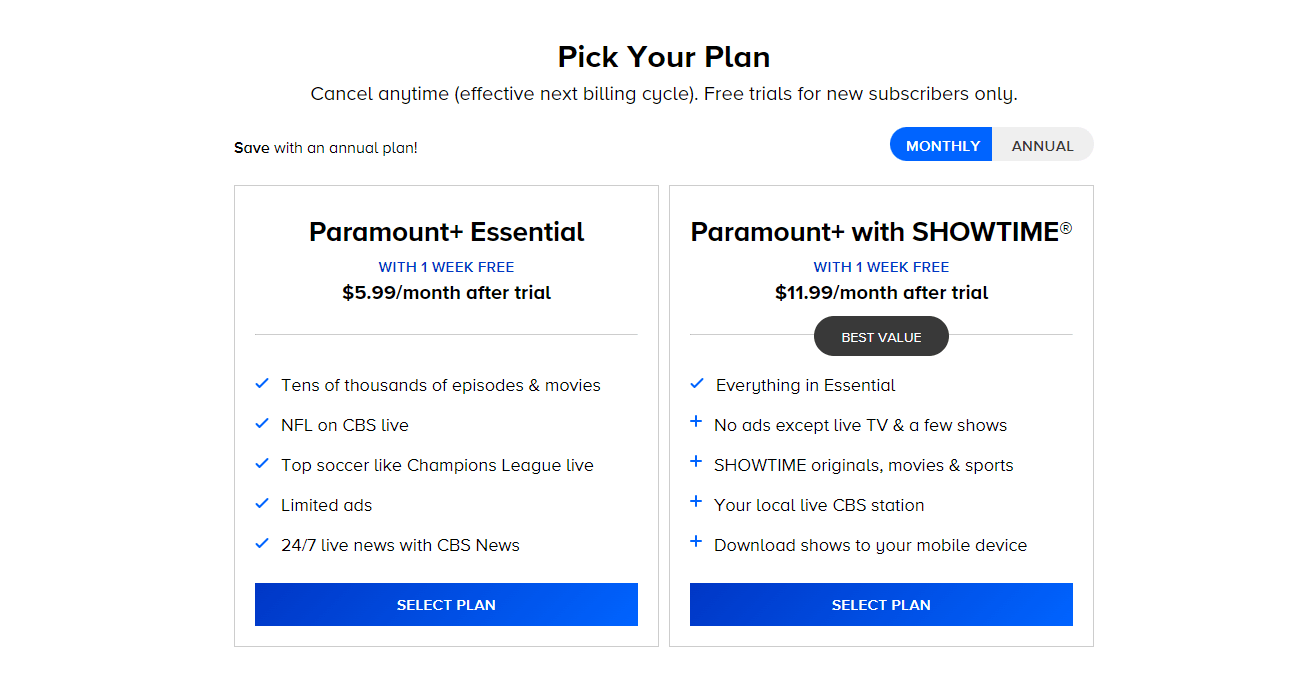
For those who prefer a purely digital subscription without a cable backend, Paramount+ serves as the primary alternative. By subscribing to the Paramount+ “with Showtime” tier, users gain access to a live feed of their local CBS affiliate and a massive library of on-demand content that includes many of Paramount Network’s hit series shortly after they air. This is managed through a native app environment available on virtually all modern smart platforms.
Cord-Cutting Alternatives and Over-the-Top (OTT) Services
As the trend of “cord-cutting” accelerates, many users seek to subscribe to Paramount Network via Over-the-Top (OTT) services. These platforms replicate the linear channel experience through a digital interface, delivering content over the open internet rather than through dedicated coaxial or fiber-optic lines.
Live TV Streaming Platforms
Several major OTT platforms include Paramount Network in their base packages. These services provide a cloud-based DVR and a sophisticated Electronic Programming Guide (EPG) to manage viewing.
-
Philo: This is often the most cost-effective entry point for viewers specifically seeking Paramount Network. Philo utilizes a streamlined tech stack that focuses on entertainment and lifestyle channels, omitting expensive sports and local news modules. Its interface is designed for high-speed discovery and easy integration with devices like the Amazon Fire TV and Roku.
-
YouTube TV: Leveraging Google’s robust server infrastructure, YouTube TV offers Paramount Network as part of its primary lineup. The technical advantage here is the integration with Google Assistant and the ability to handle high-bitrate 1080p streams with minimal buffering, provided the user has a stable broadband connection.
-
Hulu + Live TV: This service merges a massive SVOD library with live linear channels. Subscribing to Paramount Network via Hulu provides a unified user interface (UI) where live broadcasts and historical seasons are indexed together, reducing the cognitive load of switching between apps.
Third-Party “Channels” Integration
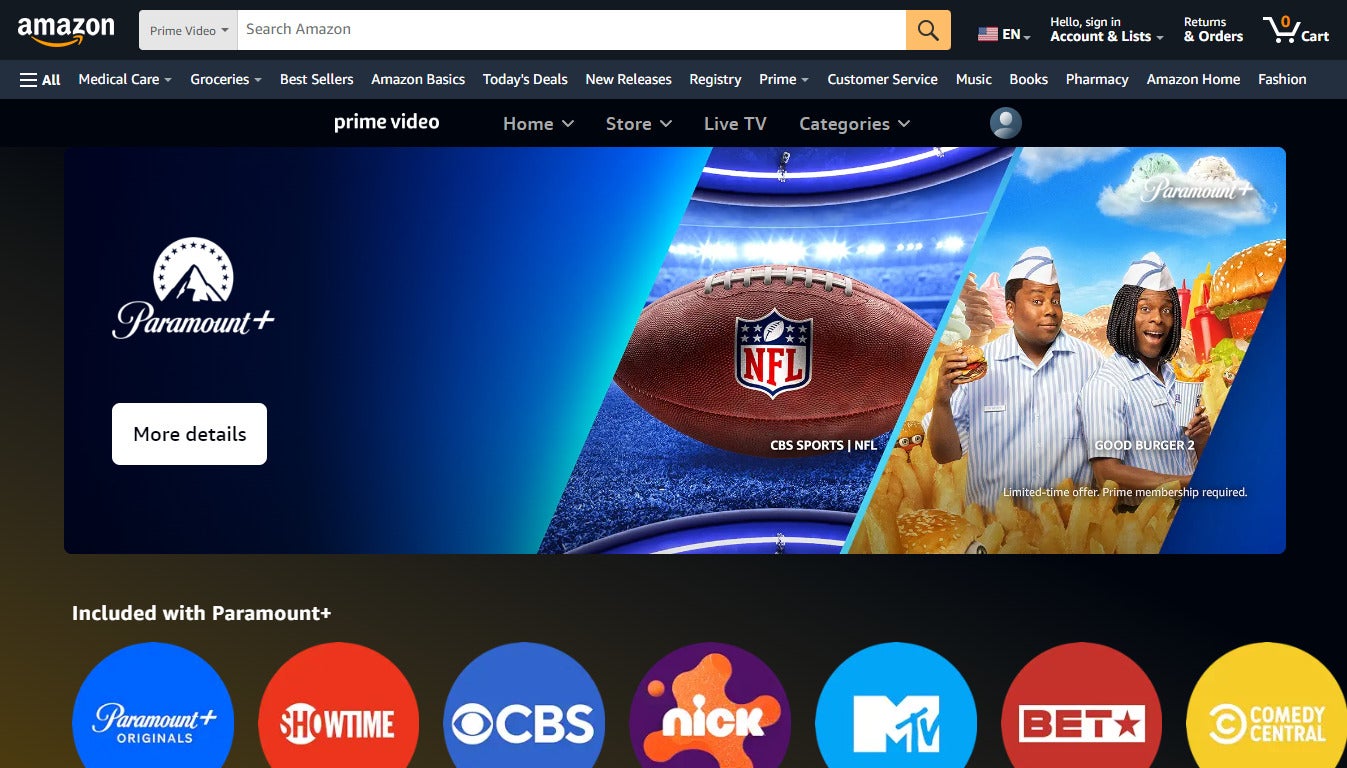
Another technical route is subscribing through “Channels” on platforms like Amazon Prime Video or Apple TV. This method uses the host platform’s billing and video player infrastructure. For example, if you subscribe to the Paramount+ channel within the Apple TV app, you are using Apple’s proprietary FairPlay Streaming (FPS) DRM and content delivery network (CDN) to view the content, rather than Paramount’s native player. This is often preferred by users who want a centralized billing system and a consistent playback UI across different networks.
Technical Setup Across Different Hardware Environments
Once a subscription method is chosen, the next step is the physical and software setup. The experience of Paramount Network varies slightly depending on the hardware architecture of the viewing device.
Smart TVs and Dedicated Streaming Sticks
Whether using a Roku Streaming Stick, an Amazon Fire TV, or a Google Chromecast with Google TV, the process follows a standardized installation flow:
-
Application Deployment: Users must navigate to the platform’s app store (e.g., the Roku Channel Store or Amazon Appstore) and download the Paramount Network app.
-
Activation via Secondary Device: Most TV apps use an activation code system. The TV displays a 7-digit code, and the user must visit a specific URL (typically
paramountnetwork.com/activate) on a smartphone or laptop. This bypasses the cumbersome process of typing long passwords using a TV remote and ensures a more secure authentication through the user’s mobile browser.
Desktop and Mobile Accessibility
For desktop viewing, Paramount Network relies on HTML5 video players. It is recommended to use browsers with robust hardware acceleration, such as Chrome or Edge, to ensure smooth frame rates. On mobile devices (iOS and Android), the app is optimized for touch interfaces and often supports features like “Picture-in-Picture” (PiP), allowing users to monitor a stream while utilizing other productivity apps.
API Integration and Personalization
Modern streaming apps utilize sophisticated APIs to track user progress. When you subscribe and sign in, the “Continue Watching” metadata is synced across the cloud. Technically, this involves small JSON packets sent to the server every few seconds of playback, ensuring that if you stop watching on your smartphone, you can resume at the exact millisecond on your Smart TV.
Optimizing Your Streaming Experience
Subscribing is only the first step; optimizing the technical delivery of the content is vital for high-fidelity viewing. Paramount Network content is often produced with high production values that benefit from optimized network settings.
Bandwidth and Bitrate Management
To stream Paramount Network in high definition without interruption, a minimum stable download speed of 5 Mbps is required for a single HD stream. For households with multiple users or those attempting to stream in 4K (where available on Paramount+), 25 Mbps is the recommended baseline.
-
Wired vs. Wireless: Whenever possible, connecting a streaming device via Ethernet (Cat5e or Cat6) is superior to Wi-Fi. It reduces latency and eliminates the interference common in the 2.4GHz and 5GHz wireless bands.
-
Quality Settings: Within the app settings, users can often toggle between “Data Saver” and “Best Quality.” On high-resolution displays, ensuring the app is set to the highest possible bitrate is crucial for avoiding macro-blocking and motion artifacts in fast-paced scenes.
Troubleshooting Authentication Loops
A common technical hurdle in the Paramount Network ecosystem is the “Authentication Loop,” where the app repeatedly asks the user to sign in despite a valid subscription. This is usually caused by corrupted cache files or mismatched tokens between the app and the provider.
-
Cache Clearance: On Android TV or Fire TV devices, navigating to Settings > Applications > Paramount Network > Clear Cache can often resolve the issue.
-
System Clock Sync: A less common but critical issue occurs when the streaming device’s internal clock is out of sync with the server. This causes the security certificates to appear invalid. Ensuring that the device is set to “Set time automatically” via NTP (Network Time Protocol) is a standard fix.
The Future of Network Access
As Paramount continues to consolidate its digital presence, the technical barriers to entry are becoming lower. The industry is moving toward a “Global ID” system where a single set of credentials will eventually bridge the gap between linear cable, OTT, and SVOD services.
For the consumer, subscribing to Paramount Network today represents a choice between traditional reliability and modern flexibility. Whether you choose the TV Everywhere route via a cable provider or the streamlined experience of an OTT service like Philo or YouTube TV, the underlying technology ensures that high-quality content is more accessible than ever. By understanding the nuances of app activation, bitrate requirements, and platform integration, viewers can ensure they are getting the maximum value and the best possible performance from their Paramount Network subscription.
aViewFromTheCave is a participant in the Amazon Services LLC Associates Program, an affiliate advertising program designed to provide a means for sites to earn advertising fees by advertising and linking to Amazon.com. Amazon, the Amazon logo, AmazonSupply, and the AmazonSupply logo are trademarks of Amazon.com, Inc. or its affiliates. As an Amazon Associate we earn affiliate commissions from qualifying purchases.