
The digital landscape is often defined by walled gardens, particularly when it comes to the rivalry between Apple’s iOS and Google’s Android. For years, users felt compelled to choose a side and stay within that ecosystem’s specialized tools. However, as the demand for cross-platform flexibility grows, these walls have become increasingly permeable. One of the most significant developments in this area is the availability of Google Wallet for iPhone users. While Apple Pay remains the native solution for iOS, Google Wallet offers a sophisticated alternative for those who live a multi-platform lifestyle, frequently switch between devices, or rely heavily on the Google Workspace ecosystem.

Understanding how to leverage Google Wallet on an iPhone requires a technical grasp of how iOS handles third-party financial applications. Unlike Android, where Google Wallet is the core system component for Near Field Communication (NFC) payments, the iPhone experience is slightly different due to Apple’s hardware restrictions. Nevertheless, Google Wallet remains a powerhouse for managing loyalty cards, transit passes, event tickets, and online payments. This guide explores the technical nuances, setup procedures, and strategic advantages of using Google Wallet within the Apple ecosystem.
Setting Up Google Wallet on iOS: The Technical Foundation
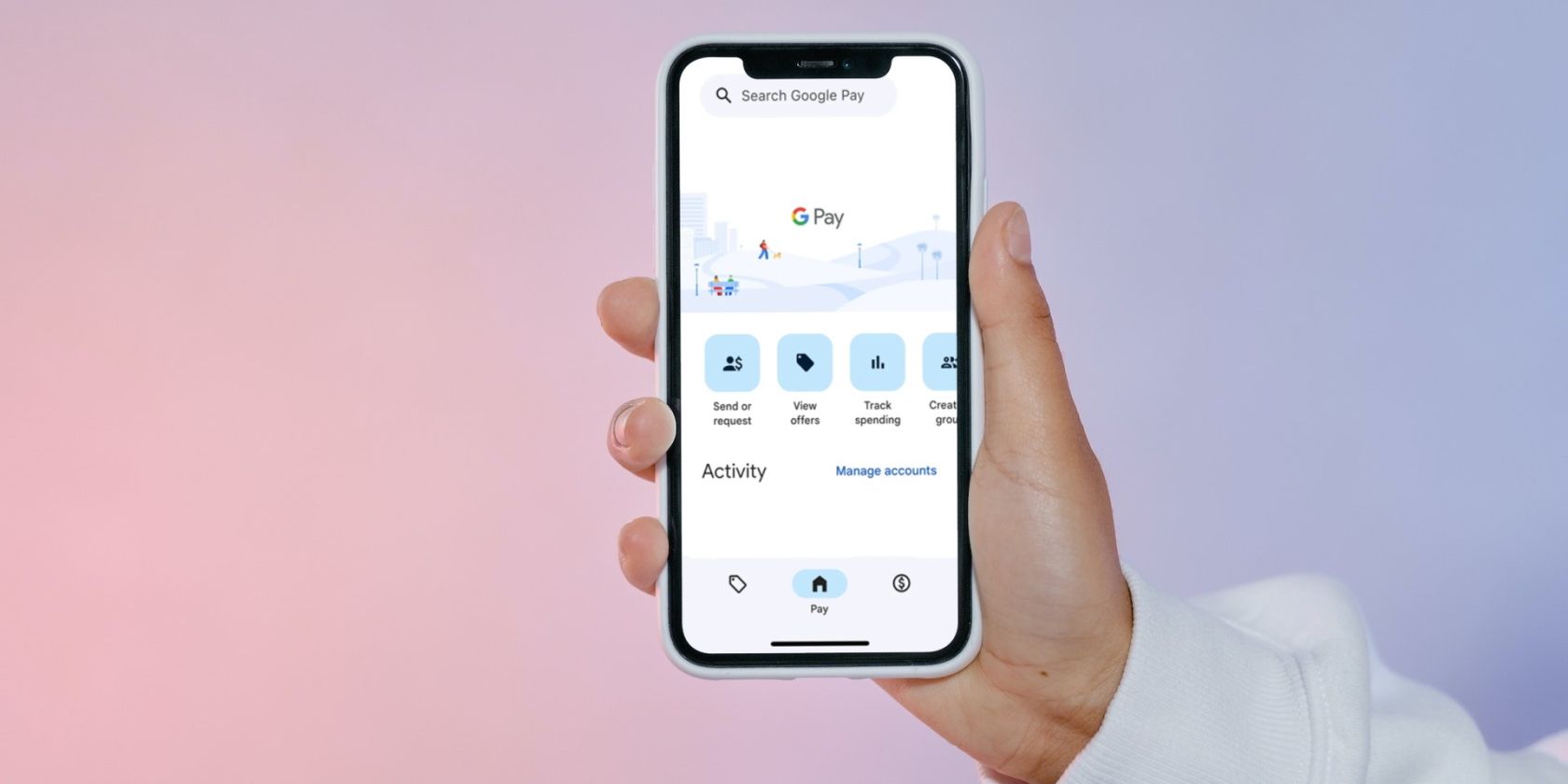
To begin using Google Wallet on an iPhone, it is essential to understand that the application serves as a centralized hub for your digital credentials. On iOS, the app is often labeled as “Google Pay” in certain regions, but it functions as the gateway to the Google Wallet infrastructure. The transition from Google Pay to Google Wallet represented a shift from a mere payment app to a comprehensive digital storage solution for everything from boarding passes to digital keys.
Installation and Authentication
The process begins with the Apple App Store. Searching for “Google Wallet” or “Google Pay” will direct you to the official application. Once downloaded, the technical setup requires a Google Account. For users who already utilize Gmail, Google Drive, or Google Photos, the integration is seamless. The app will prompt you to sign in, at which point it leverages Google’s robust security protocols.
One of the critical technical aspects of setting up Google Wallet on an iPhone is the synchronization of biometric data. Google Wallet utilizes the iPhone’s native FaceID or TouchID systems to provide a layer of security. During the initial setup, you must grant the app permission to use these sensors. This ensures that even though you are using a Google service, the hardware-level security of the iPhone remains the primary gatekeeper for your sensitive information.
Adding Payment Methods and Cards
Once authenticated, adding a card involves either manual entry or using the iPhone’s camera to scan the physical card. From a technical standpoint, when you add a credit or debit card to Google Wallet, the app does not store your actual card number on the device. Instead, it uses a process called tokenization.
Tokenization replaces your sensitive card details with a unique digital identifier—a “token.” When you make a transaction, this token is sent to the merchant instead of your actual financial data. This means that even if a merchant’s database is compromised, your real card information remains secure within Google’s encrypted servers. On the iPhone, this data is managed through Google’s secure cloud infrastructure, providing a consistent experience across any device where you sign into your Google account.
Navigating the Functional Limitations and Strengths on iOS
A common point of confusion for iPhone users is whether Google Wallet can be used for “Tap to Pay” at physical retail terminals. Due to Apple’s restrictive policy regarding the NFC (Near Field Communication) chip in the iPhone, third-party apps like Google Wallet cannot currently trigger the NFC antenna for point-of-sale transactions in the same way Apple Pay does. However, this does not render the app obsolete; rather, it shifts its utility toward different technical strengths.
Peer-to-Peer (P2P) and Online Transactions
Where Google Wallet excels on the iPhone is in the realm of digital commerce and peer-to-peer transfers. The app integrates deeply with Google’s payment API, which is a standard across millions of websites and mobile applications. When you see the “Buy with Google Pay” button on a website while browsing in Safari or Chrome on your iPhone, Google Wallet acts as the backend vault, securely auto-filling your payment and shipping information.
Furthermore, for users who need to send money to friends or family who may not be using an iPhone (and thus cannot use Apple Cash), Google Wallet provides a platform-agnostic bridge. The technical architecture allows for instant transfers from your linked bank account or debit card to any email address or phone number, regardless of the recipient’s operating system.
Managing Digital Passes and Loyalty Programs
Beyond currency, Google Wallet serves as a sophisticated repository for non-payment items. This includes:
-
Airline Boarding Passes: Many airlines now provide a “Save to Google Wallet” option alongside the Apple Wallet equivalent.
-
Event Tickets: Integration with platforms like Ticketmaster allows users to store digital tickets.
-
Loyalty Cards: Users can scan the barcodes of physical loyalty cards. The app then generates a high-fidelity digital replica that can be scanned at checkout counters directly from the iPhone screen.
-
Transit Passes: In supported cities, transit cards can be managed within the app, though the “tap” functionality may still be limited compared to the native Apple Wallet integration.
The technical advantage here is the “Google-wide” integration. For instance, if you receive a flight confirmation in your Gmail, Google Wallet can automatically extract that data and create a boarding pass entry, a feature that showcases the power of the Google ecosystem’s data-linking capabilities.
Security Architecture and Data Privacy
When using a Google product on an Apple device, users often voice concerns regarding data privacy and how their information is handled between the two tech giants. Google Wallet on iPhone is built with multiple layers of technical safeguards designed to protect the user’s financial identity and transaction history.
Encrypted Clouds and On-Device Security
Google employs industry-leading encryption standards (AES-256) to protect data both in transit and at rest. When you use Google Wallet on your iPhone, the communication between your device and Google’s servers is wrapped in Secure Sockets Layer (SSL) encryption.
Additionally, Google provides a “Find My Device” service (accessible via any browser) that allows users to remotely wipe their Google Wallet data if their iPhone is lost or stolen. This is independent of Apple’s “Find My” service, providing a redundant security measure. From a technical perspective, the ability to de-authorize a specific device’s access to your payment tokens is a critical feature for maintaining digital security in a multi-device environment.
Privacy Controls
Google has refined its privacy dashboard, allowing iPhone users to see exactly what data is being tracked. Within the app settings, users can toggle preferences regarding whether transaction history is used to personalize other Google services. For the tech-savvy user, these granular controls are essential for balancing the convenience of a “smart” wallet with the desire for data anonymity. It is important to note that while Apple emphasizes on-device processing for privacy, Google utilizes cloud-based processing to enable cross-device synchronization. This means your loyalty cards added on an iPhone will immediately appear if you log into a Google Pixel or a tablet, a technical feat that Apple’s ecosystem handles differently.
Google Wallet vs. Apple Wallet: A Technical Comparison for iPhone Users
For a dedicated iPhone user, the question isn’t necessarily which wallet is “better,” but rather which tool fits the specific technical requirement of the moment. Apple Wallet is deeply integrated into the iOS kernel, allowing for seamless NFC usage and “Express Transit” modes where a phone doesn’t even need to be unlocked to pay.
However, Google Wallet offers superior integration for users who are not exclusively “all-in” on Apple hardware. If you use a Windows PC for work, a ChromeOS device for travel, or an Android tablet for media, Apple Wallet becomes a silo—your cards and passes are trapped on your iPhone or Apple Watch. Google Wallet, by contrast, operates as a cross-platform service.
The Ecosystem Bridge
Technically, Google Wallet functions as a “Software as a Service” (SaaS) model for your pocket. Because it is tied to your Google Identity rather than a specific hardware Serial Number, the portability of your data is significantly higher. For developers and tech enthusiasts, the Google Wallet API is also notably flexible, allowing for more diverse types of “Generic Passes” that can be customized and pushed to users’ devices.
Another technical distinction lies in the searchability of the apps. Google’s strength in indexing and search is evident in how Wallet organizes information. Finding a specific loyalty card from three years ago or a past transaction is often faster in the Google Wallet interface due to its sophisticated filtering algorithms, which leverage the same tech that powers Google Search and Gmail.

The Future of Digital Wallets on iOS
The technological landscape of mobile payments is currently in a state of flux, driven by regulatory changes in regions like the European Union. New regulations, such as the Digital Markets Act (DMA), are forcing Apple to open up its NFC chip to third-party developers. This means that in the near future, the technical limitation preventing Google Wallet from performing “Tap to Pay” on an iPhone may disappear.
As these barriers fall, the decision to use Google Wallet on an iPhone will become even more compelling. We are moving toward a future where “Identity Wallets” will store digital driver’s licenses, health insurance cards, and even office keycards. Google is already piloting these features in various jurisdictions. By setting up and mastering Google Wallet on your iPhone today, you are positioning yourself at the forefront of this digital identity evolution.
In conclusion, while Apple Pay remains the primary choice for physical NFC transactions on the iPhone, Google Wallet is an indispensable secondary tool for the modern tech user. Its ability to aggregate loyalty programs, facilitate online commerce through tokenized security, and bridge the gap between different operating systems makes it a powerful addition to any iPhone’s app library. Whether you are managing travel itineraries pulled directly from your email or securing your online purchases with Google’s encryption, Google Wallet represents the pinnacle of cross-platform utility in the age of digital finance.
aViewFromTheCave is a participant in the Amazon Services LLC Associates Program, an affiliate advertising program designed to provide a means for sites to earn advertising fees by advertising and linking to Amazon.com. Amazon, the Amazon logo, AmazonSupply, and the AmazonSupply logo are trademarks of Amazon.com, Inc. or its affiliates. As an Amazon Associate we earn affiliate commissions from qualifying purchases.