
In the contemporary financial landscape, the boundary between traditional banking and digital commerce has effectively dissolved. As we move toward an increasingly cashless society, the ability to move capital across borders, pay for services instantly, and manage freelance income has become a cornerstone of personal and professional financial health. PayPal stands as the veteran architect of this digital shift, offering a robust ecosystem that bridges the gap between your local bank account and the global marketplace.
Opening a PayPal account is more than a technical formality; it is a strategic move to streamline your financial operations. Whether you are an individual looking to secure your online purchases or an entrepreneur aiming to scale a business, understanding the nuances of setting up and optimizing your account is essential. This guide provides an in-depth analysis of the process, the financial implications of your choices, and the best practices for leveraging PayPal as a comprehensive financial tool.
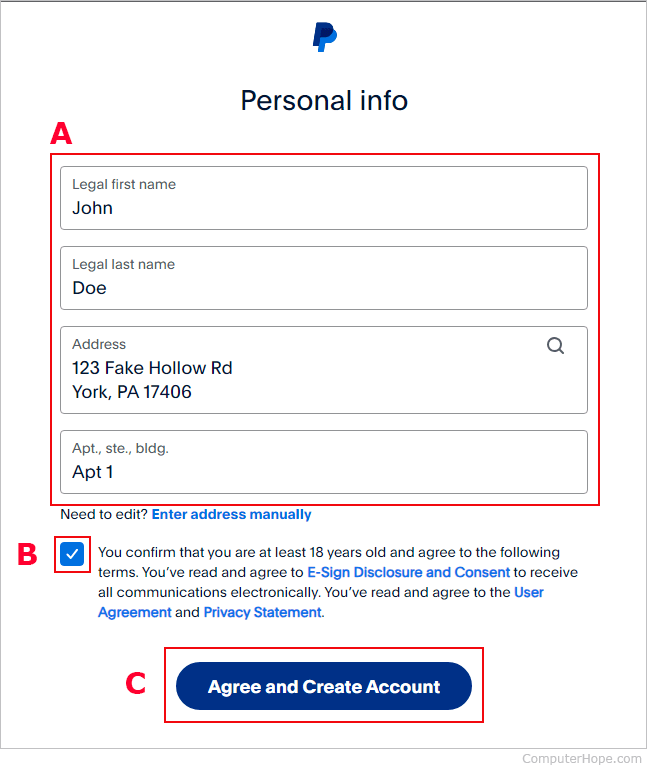
Choosing the Right Foundation: Personal vs. Business Accounts
Before you begin the registration process, you must make a fundamental decision regarding the structure of your account. PayPal offers two primary categories, each tailored to specific financial behaviors and tax obligations. Choosing the wrong one can lead to unnecessary fees or a lack of essential features.
The Personal Account: For Consumers and Casual Users
A Personal Account is designed for the modern consumer. It is optimized for individuals who primary use the platform to shop online, send money to friends and family, or receive occasional payments for casual sales (such as selling an old laptop on a secondary market).
From a financial management perspective, the Personal Account is low-maintenance. There are generally no monthly maintenance fees, and sending money to friends or family within the same country via a linked bank account is typically free. This account type provides access to PayPal’s “Buy Now, Pay Later” features and the ability to hold a balance in multiple currencies, making it an excellent tool for personal budgeting and international travel planning.
The Business Account: For Entrepreneurs and Freelancers
If your intent is to generate a steady stream of income, the Business Account is the superior choice. This account type functions as a digital storefront and a financial management suite. It allows you to operate under a company name, providing a layer of professional branding that a personal account lacks.
Financially, the Business Account unlocks advanced features such as professional invoicing, subscription management, and the ability to accept credit card payments from customers who do not even have a PayPal account. While transaction fees apply to incoming commercial payments, the access to detailed financial reporting and the ability to grant limited account access to up to 200 employees make it an indispensable tool for growing a side hustle into a legitimate enterprise. Furthermore, for those concerned with tax compliance, the Business Account simplifies the process of tracking gross monthly sales and generating necessary tax documentation.
The Step-by-Step Onboarding Process
Setting up your account requires a balance of speed and precision. Because PayPal is a regulated financial service provider, the information you provide must be accurate to ensure compliance with “Know Your Customer” (KYC) and Anti-Money Laundering (AML) regulations.
Initial Registration
To begin, navigate to the PayPal website or download the mobile application. You will be prompted to select your account type. Once selected, you must provide a valid email address. It is highly recommended to use a dedicated email for financial services to keep your transaction notifications separate from your general marketing emails.
Next, you will create a password. In the realm of digital finance, security is your first line of defense. Use a unique, complex passphrase and avoid reusing passwords from your social media or retail accounts. You will then be asked to provide your legal name, physical address, and phone number. It is imperative that your name matches the name on your government-issued ID and your bank statements to avoid future account freezes during the verification phase.
Identity Verification and Compliance
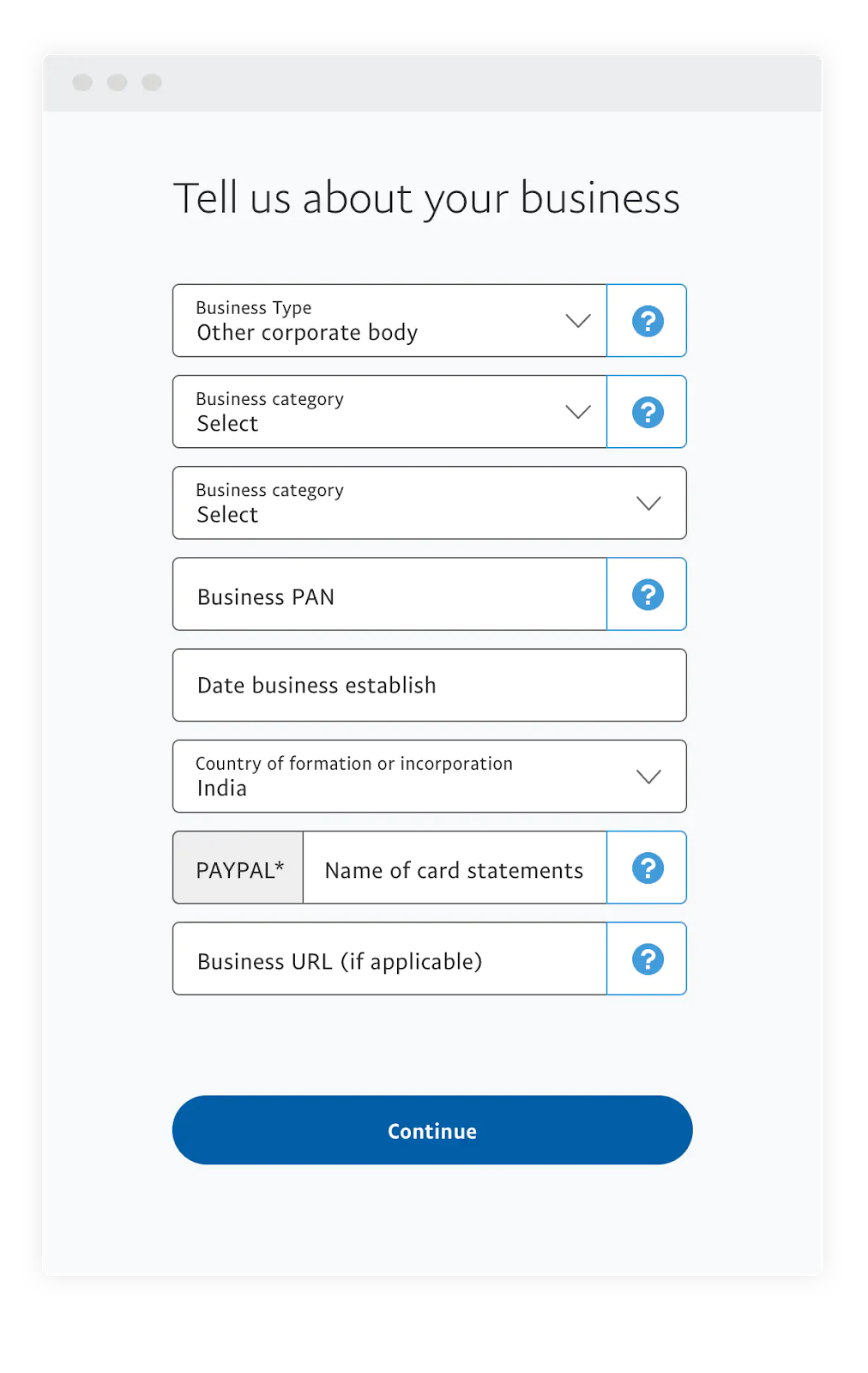
During the setup, PayPal may ask for the last four digits of your Social Security Number (in the U.S.) or equivalent tax identification in other regions. This is a standard financial procedure used to verify your identity and prevent fraudulent account creation. For business accounts, you will also need to provide your business’s legal name, its structure (e.g., LLC, Sole Proprietorship), and your Employer Identification Number (EIN) if applicable.
Integrating Your Financial Assets: Linking Banks and Cards
An empty PayPal account is of limited utility. To fully integrate the platform into your financial life, you must link it to your existing capital sources. This step is where the “bridge” between traditional and digital finance is built.
Linking a Bank Account
Linking your bank account is the most cost-effective way to fund your PayPal balance and withdraw your earnings. When you link a bank account, PayPal typically uses a process called “Micro-Deposits” to verify ownership. They will send two small amounts (usually a few cents) to your bank. Once you see these in your bank statement, you enter the amounts into the PayPal portal to confirm the connection.
From a strategy standpoint, linking a bank account is preferred for those who prioritize low fees. Moving money from your PayPal balance to your bank account via the standard transfer (which takes 1-3 business days) is usually free, whereas “Instant Transfers” to a debit card incur a percentage-based fee.
Linking Credit and Debit Cards
Linking a credit card provides an additional layer of financial strategy. Many users prefer to pay through PayPal using a high-rewards credit card. This allows the user to benefit from PayPal’s “Buyer Protection” while simultaneously earning credit card points or cashback. Furthermore, using a credit card as a funding source through PayPal ensures that the merchant never sees your actual card details, significantly reducing the risk of data breaches at the point of sale.
Navigating the Financial Nuances: Fees, Currencies, and Taxes
Once your account is open and linked, you must understand the financial mechanics that govern the platform to ensure you are not losing capital to avoidable costs.
Managing Transaction Fees
One of the most critical aspects of using PayPal for business or international transfers is the fee structure. While buying is generally free for the consumer, sellers pay a percentage of the transaction plus a fixed fee. If you are a freelancer or business owner, you must factor these costs into your pricing model. For international transactions, be aware of “Currency Conversion” fees. PayPal applies its own exchange rate, which includes a markup over the base interbank rate. If you frequently deal in foreign currencies, it may be worth calculating whether it is more beneficial to let PayPal handle the conversion or to use a specialized multi-currency bank account.
Tax Reporting and Documentation
In many jurisdictions, digital payment processors are required to report high volumes of commercial transactions to tax authorities. For example, in the United States, the IRS requires PayPal to issue a Form 1099-K if your gross payments exceed a certain threshold. By maintaining a clean, dedicated PayPal account for your business income, you simplify your end-of-year accounting. You can export transaction histories directly into accounting software like QuickBooks or Xero, ensuring that every expense and every dollar of income is accounted for, which is vital for maximizing tax deductions.
Securing Your Digital Capital
In the world of online income and digital finance, security is synonymous with asset protection. A compromised PayPal account can lead to significant financial loss and identity theft.
Multi-Factor Authentication (MFA)
Immediately after opening your account, you should enable Two-Factor Authentication (2FA). This requires a secondary code sent to your mobile device or generated by an authenticator app whenever you log in from a new device. This simple step is the single most effective way to prevent unauthorized access to your funds.
Understanding Buyer and Seller Protection
One of the primary financial benefits of using PayPal is its dispute resolution system. For buyers, “Buyer Protection” covers you if an item doesn’t arrive or doesn’t match the description. For sellers, “Seller Protection” helps safeguard your income against fraudulent chargebacks or claims of “item not received,” provided you follow specific shipping and documentation protocols. Understanding the terms of these protections is essential for anyone using the platform to facilitate significant financial transactions.

The Strategic Role of PayPal in a Modern Portfolio
Opening a PayPal account is not just about having another way to pay for a subscription or a pair of shoes. It is about creating a versatile financial hub. For the personal user, it offers a way to compartmentalize spending and add a layer of security to online life. For the business user, it provides a scalable infrastructure to accept global payments without the overhead of a traditional merchant bank account.
By following the steps to properly verify your identity, choosing the correct account type, and implementing rigorous security measures, you transform a simple digital wallet into a powerful engine for financial management. As the digital economy continues to evolve, your PayPal account serves as a gateway to the global market, allowing you to move, manage, and protect your money with professional precision.
aViewFromTheCave is a participant in the Amazon Services LLC Associates Program, an affiliate advertising program designed to provide a means for sites to earn advertising fees by advertising and linking to Amazon.com. Amazon, the Amazon logo, AmazonSupply, and the AmazonSupply logo are trademarks of Amazon.com, Inc. or its affiliates. As an Amazon Associate we earn affiliate commissions from qualifying purchases.