
In the contemporary landscape of digital finance, the ability to monitor your liquid assets in real-time is not merely a convenience; it is a fundamental requirement for effective personal and business financial management. PayPal has evolved from a simple peer-to-peer payment processor into a comprehensive financial ecosystem, serving as a primary wallet for millions of users globally. Whether you are an individual managing a household budget, a freelancer tracking incoming invoices, or a small business owner overseeing operational cash flow, knowing exactly how to access and interpret your PayPal balance is the first step toward maintaining fiscal health.
Checking your balance on PayPal is a multi-faceted process that varies slightly depending on the platform you are using—be it a desktop browser or a mobile application—and the type of account you hold. Beyond the simple numerical figure on the screen, understanding what that balance represents in terms of pending funds, currency conversions, and available credit is essential for making informed financial decisions.
Navigating the PayPal Interface: Desktop and Mobile Methods
The primary way most users interact with their financial data is through PayPal’s dual-platform approach. Each interface is designed with a specific user experience in mind, prioritizing clarity and immediate access to core financial metrics.
Accessing Your Balance via Desktop Web Browser
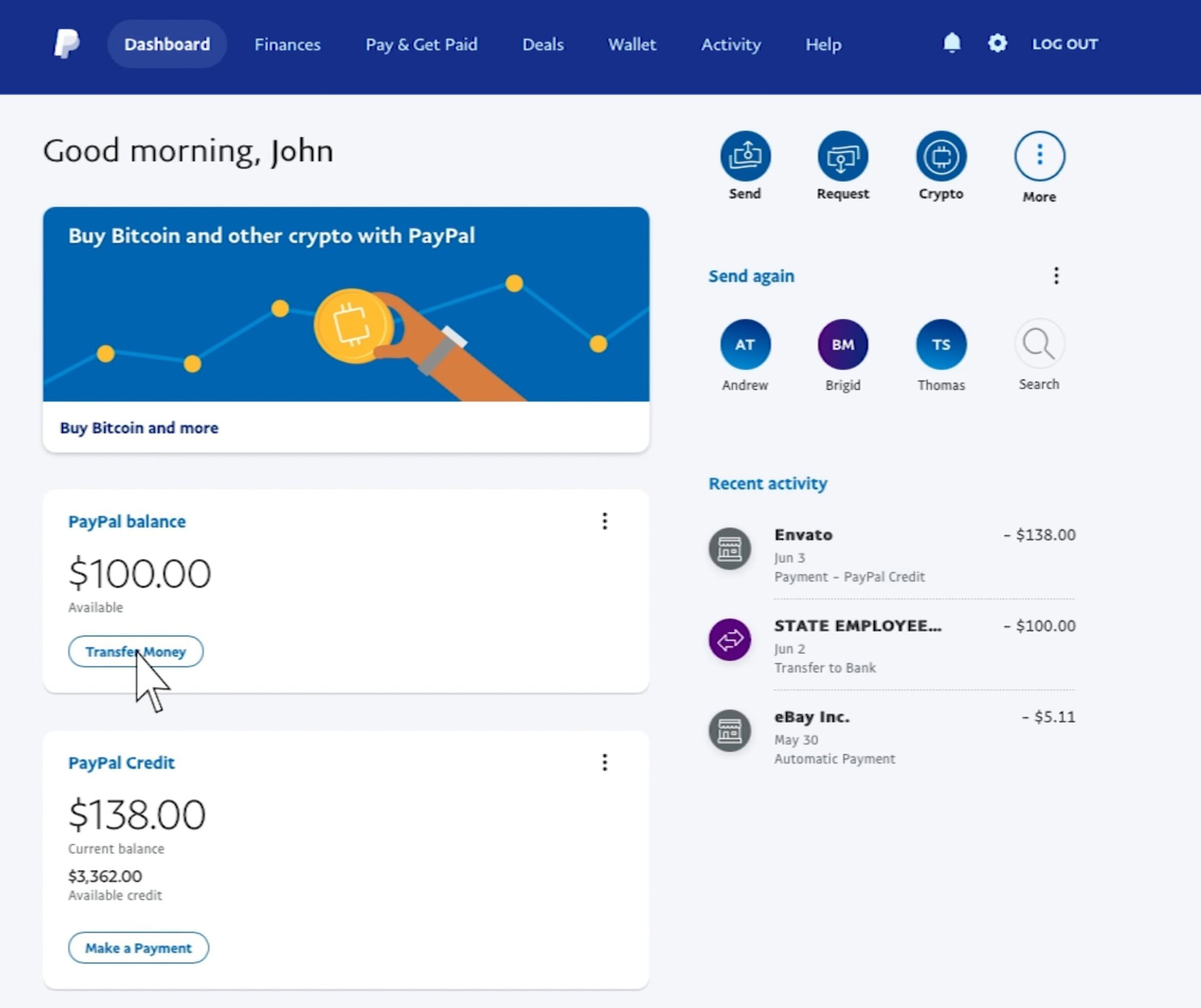
For those conducting deep-dive financial reviews or managing business accounts, the desktop interface provides the most comprehensive overview. When you log in to your account via a secure web browser, your balance is typically the centerpiece of the “Summary” page.
Upon successful authentication, the dashboard displays your “PayPal Balance” in a prominent module on the left-hand side or center of the screen. This figure represents the total amount of available funds currently held in your digital wallet. For users with multiple currency balances, the dashboard often shows a primary currency figure with an option to “Manage Currencies,” allowing for a more granular view of international holdings. This is particularly vital for those engaged in cross-border e-commerce or remote freelance work, where exchange rate fluctuations can impact the actual value of the total balance.
Utilizing the PayPal Mobile App for Real-Time Tracking
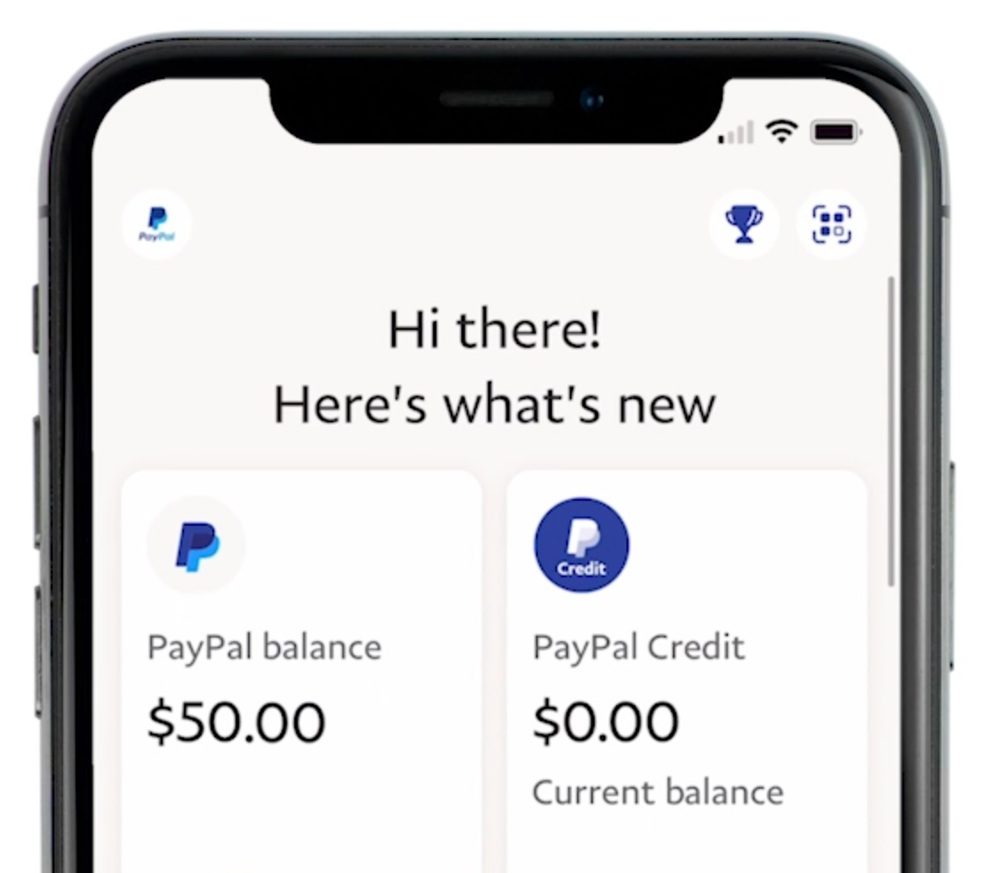
In an era dominated by mobile-first interactions, the PayPal app serves as a high-velocity tool for checking balances on the go. Once you open the app and bypass the biometric security layer—such as FaceID or fingerprint scanning—your balance is displayed immediately on the home screen.
The mobile interface is streamlined to show the “Available” balance. Swiping or tapping into the balance section reveals more detailed information, including recent activity and any “Pending” amounts that have not yet cleared. For the modern consumer, this immediacy allows for quick decisions at the point of sale, ensuring that there are sufficient funds before committing to a purchase or a transfer.
Differentiating Between Personal and Business Account Dashboards
It is important to note that the visual layout may differ significantly between Personal and Business accounts. A Personal account focuses on individual spending and peer-to-peer transfers, placing the balance alongside “Send” and “Request” shortcuts.
In contrast, a Business account dashboard is designed for cash flow management. It may highlight “Money In” versus “Money Out” over a 30-day period, positioning the current balance within the context of larger business trends. For business owners, checking the balance is often less about a single number and more about viewing the “Settlable Funds”—the money that is ready to be moved to a traditional bank account to cover payroll or inventory costs.
Understanding Balance Components and Transaction Statuses
A common point of confusion for many users is the discrepancy between the total balance and the amount available for immediate use. In the realm of digital finance, “balance” is a dynamic term influenced by banking regulations, fraud prevention protocols, and transaction processing times.
Available Balance vs. Pending Funds
When you check your PayPal balance, you may notice a section labeled “Pending” or “Money on Hold.” This is a critical distinction in personal finance management. Pending funds are often the result of a recent transaction that is still undergoing verification. For sellers, PayPal may hold funds for up to 21 days to ensure buyer protection and account security.
Understanding this distinction prevents “phantom wealth” syndrome, where a user sees a high total balance but cannot actually utilize the funds for urgent expenses. Professional financial planning requires accounting only for the “Available” balance when calculating immediate liquidity.
Handling Multi-Currency Holdings and Exchange Rates
PayPal’s global reach means that many users hold balances in various denominations, such as USD, EUR, or GBP. When you check your balance, the “Primary” currency is what is shown most prominently. However, the true value of your account is the sum of all currency pockets converted into your local denomination.
It is strategically beneficial to check individual currency balances rather than just the aggregated total. Since PayPal applies its own internal exchange rates for conversions, users who frequently deal in foreign currencies may choose to hold funds in their original denomination until exchange rates are favorable or until they need to make a payment in that specific currency. This level of active management can save a significant percentage in conversion fees over time.
The Role of PayPal Savings and Crypto Holdings
In recent years, PayPal has integrated high-yield savings accounts and cryptocurrency trading into its platform. When checking your “Total” balance, it is essential to distinguish between your liquid “Wallet” balance and your “Savings” or “Crypto” balances.
Funds held in a PayPal Savings account (offered through partner banks) typically earn interest and are segregated from the daily spending balance to encourage long-term financial growth. Similarly, cryptocurrency holdings represent a volatile asset class. While they appear in your financial overview, their value fluctuates independently of the fiat currency balance. A disciplined approach to personal finance involves checking these separate “buckets” to understand your total net worth within the PayPal ecosystem versus your immediate purchasing power.
Security Protocols for Accessing Financial Information
Because your PayPal balance represents real-world capital, the process of checking it must be wrapped in rigorous security measures. Financial security is not just about a strong password; it is about the hygiene of the environment in which you access your data.
Implementing Multi-Factor Authentication (MFA)
The most effective way to protect your balance is to ensure that “checking” it requires more than just a password. PayPal offers 2FA (Two-Factor Authentication) via SMS or authenticator apps. By requiring a secondary code, you ensure that even if your login credentials are compromised, an unauthorized party cannot view your balance or move your funds. From a financial tools perspective, this is the gold standard for protecting digital assets.
Identifying Phishing and Unauthorized Access
Users often receive emails or texts claiming there is a problem with their “PayPal Balance.” It is a fundamental rule of digital finance never to check your balance by clicking a link in an unsolicited message. Always navigate directly to the official PayPal website or use the verified app.
A professional approach to account monitoring includes checking the “Recent Activity” list every time you log in to view your balance. If the balance looks lower than expected, a quick audit of the transaction history can identify unauthorized subscriptions or fraudulent charges before they escalate into significant financial losses.
Managing Authorized Devices and Third-Party Apps
In our interconnected digital world, many third-party budgeting apps and financial tools request access to your PayPal data to track spending. While these tools are valuable for holistic financial planning, they represent a potential vulnerability. Periodically checking which apps have permission to view your PayPal balance is a necessary part of digital security audits. You can manage these permissions in the “Security” settings of your PayPal account to ensure that only trusted platforms have visibility into your finances.
Integrating PayPal into a Broader Financial Strategy
Checking your balance on PayPal should not be an isolated event; it should be part of a broader strategy for wealth management and budgeting. As digital wallets become more central to our financial lives, integrating their data into our overall financial picture is paramount.
Syncing with Budgeting Software
For serious investors and budget-conscious individuals, the PayPal balance is just one piece of the puzzle. Tools like Mint, YNAB (You Need A Budget), or Personal Capital can link directly to your PayPal account. By doing so, you can see how your PayPal liquidity balances against your traditional bank accounts, credit card debt, and investment portfolios. This automated synchronization ensures that your financial “big picture” is always accurate, reducing the manual effort of logging in to multiple platforms to check individual balances.
Exporting Data for Tax and Accounting Purposes
For those who use PayPal for income—whether through a side hustle or a full-time business—simply checking the balance is not enough for compliance. PayPal provides robust reporting tools that allow users to export their transaction history into CSV or PDF formats.
Monthly “Financial Summaries” can be generated to show starting balances, ending balances, and total fees paid. This is an essential practice for calculating net income and preparing for tax obligations. Checking your balance at the end of each month and reconciling it with these reports ensures that your internal bookkeeping matches the reality of your digital wallet.
Utilizing Balance Alerts and Notifications
To stay on top of your finances without constantly logging in, you can configure PayPal to send “Push Notifications” or email alerts. These can be set to trigger whenever a payment is received, a purchase is made, or when the balance falls below a certain threshold. Using these automated tools allows you to maintain a “passive” awareness of your balance, ensuring that you are alerted to significant changes in your financial status in real-time. This proactive approach is a hallmark of sophisticated financial management, allowing for immediate reaction to both income opportunities and unexpected expenses.
Troubleshooting Balance Discrepancies
Occasionally, the balance you see on the screen may not align with your expectations. Understanding the mechanics of digital payments can help resolve these discrepancies without undue stress.
Resolving Holds and Reserved Funds
If your balance is lower than expected, the first place to look is the “Holds” section. As mentioned previously, PayPal may reserve funds for various reasons, including a sudden spike in sales volume or a high number of customer disputes. For a business, a hold can create a significant cash flow crunch. Monitoring your account health and maintaining high customer satisfaction levels are the best ways to ensure that your full balance remains “Available” rather than “Reserved.”
Dealing with “Shadow” Transactions and Temporary Authorizations
When you use PayPal to pay for services like hotels or ride-sharing, the merchant may place a temporary authorization hold on your funds. This amount is “earmarked” and subtracted from your available balance, even though the transaction hasn’t fully cleared. These shadow transactions can make your balance appear lower than it actually is. Understanding that these authorizations typically drop off within a few business days is key to avoiding unnecessary concern during a balance check.
Navigating the Bank Transfer Process
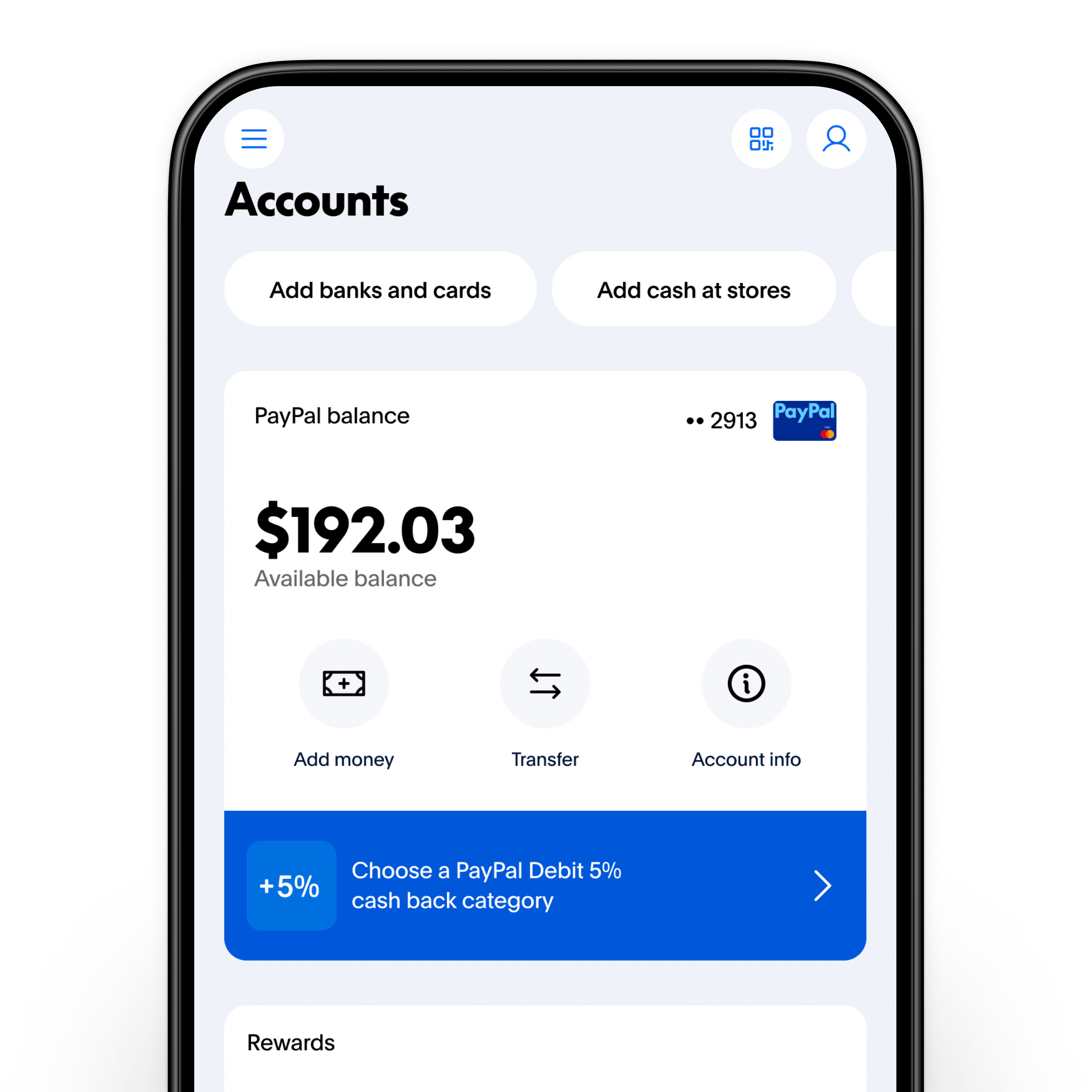
When you move money from your PayPal balance to a linked bank account, the balance decreases immediately on the PayPal side, but the funds may not appear in your bank account for 1–3 business days (unless using “Instant Transfer”). This “in-transit” period is a common source of confusion. When checking your balance during this window, it is helpful to review your “Transfer” history to confirm where the funds are located in the financial pipeline.
In conclusion, checking your balance on PayPal is an essential habit for anyone navigating the modern economy. By utilizing the available tools on both desktop and mobile, understanding the nuances of pending funds and multiple currencies, and maintaining a high level of security, you can turn a simple administrative task into a powerful component of your overall financial success. Digital finance rewards the vigilant; by mastering the nuances of your PayPal account, you ensure that your capital is always working for you, accurately tracked, and securely managed.
aViewFromTheCave is a participant in the Amazon Services LLC Associates Program, an affiliate advertising program designed to provide a means for sites to earn advertising fees by advertising and linking to Amazon.com. Amazon, the Amazon logo, AmazonSupply, and the AmazonSupply logo are trademarks of Amazon.com, Inc. or its affiliates. As an Amazon Associate we earn affiliate commissions from qualifying purchases.