
In the landscape of modern financial management, the ability to settle obligations with the federal government efficiently is a cornerstone of fiscal responsibility. Pay.gov serves as the primary gateway for the public to make non-tax payments to federal agencies. Managed by the Bureau of the Fiscal Service under the U.S. Department of the Treasury, this platform streamlines what was once a fragmented and often confusing process into a secure, centralized digital experience. Whether you are an individual settling a small fee or a business owner managing recurring agency obligations, understanding the nuances of the Pay.gov ecosystem is essential for maintaining a healthy financial profile and ensuring compliance with federal requirements.

The Role of Pay.gov in Personal and Business Finance
Pay.gov is not a one-size-fits-all billing site; it is a sophisticated financial tool designed to handle thousands of different types of transactions across hundreds of federal agencies. From Small Business Administration (SBA) loan payments and Veterans Affairs medical copayments to National Park Service permits and federal court fees, the platform acts as a digital bridge between the public and the Treasury.
A Unified Gateway for Federal Transactions
The primary value proposition of Pay.gov lies in its consolidation. Before its inception, individuals and corporations had to navigate various agency-specific portals, each with its own security protocols, payment methods, and user interfaces. By centralizing these functions, the Treasury has reduced the administrative burden on the payer. For those managing complex portfolios—such as government contractors or those with multiple federal loans—having a single point of entry allows for better cash flow tracking and more consistent record-keeping.
Strategic Benefits of Using Pay.gov
From a personal finance perspective, using Pay.gov offers several advantages over traditional paper-based methods like checks or money orders. First, the speed of transaction processing is significantly higher. Electronic payments are recorded almost instantaneously, providing a “real-time” view of one’s financial standing with the government. Second, the platform eliminates the risks associated with physical mail, such as lost payments or delays that could result in late fees or interest accrual. Finally, the ability to use a variety of digital payment methods—including bank account transfers (ACH), credit cards, and debit cards—allows users to choose the method that best aligns with their current liquidity or rewards strategies.
Navigating the Payment Process: A Tactical Overview
Making a payment on Pay.gov is a structured process designed to minimize errors. While the platform is user-friendly, the diversity of the forms and agencies involved requires a methodical approach to ensure that funds are applied to the correct account.
Identifying the Correct Agency and Form
The first step in any Pay.gov transaction is locating the specific form required by the agency you are paying. The platform provides a robust search functionality that allows users to search by agency name, form name, or keyword. It is crucial to have your billing statement or official government correspondence on hand before beginning. Many agencies provide a direct link to the Pay.gov form in their invoices, which is the most reliable way to ensure you are in the right place. Common categories include “Debt Collection,” “Loans,” and “Fees,” and selecting the wrong form can lead to misallocated funds that are difficult to redirect.
Account Creation vs. Guest Checkout
One of the most frequent decisions a user must make is whether to create a permanent account or proceed as a guest. From a financial management standpoint, creating an account is almost always the superior choice for anyone who expects to make more than one payment. An account allows you to save payment information securely, view a comprehensive history of past transactions, and set up recurring payments. For businesses, this audit trail is invaluable during tax season or internal audits. Guest checkout is available for one-off payments, but it lacks the tracking features that provide peace of mind and historical data.
Data Entry and Verification
Once the correct form is selected, you must enter the specific details of your payment. This typically includes an account number, case number, or invoice ID. Precision at this stage is vital. A single transposed digit can result in a payment being rejected or credited to the wrong entity. The system usually requires a double-entry of the payment amount to prevent typos. Before clicking “Submit,” take a moment to verify that the agency listed at the top of the form matches your intent.
Analyzing Payment Methods and Processing Timelines
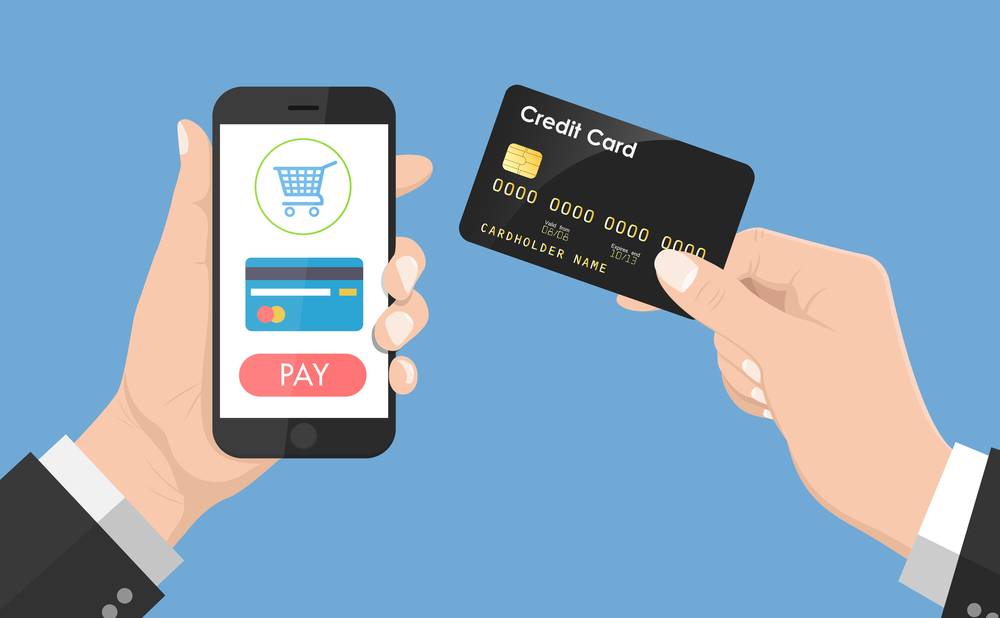
The efficiency of your payment often depends on the specific financial instrument you choose. Pay.gov supports several methods, each with its own set of rules and limitations.
ACH Debit: The Professional’s Choice
Automated Clearing House (ACH) debit is the process of transferring funds directly from a checking or savings account. For most large-scale or business transactions, ACH is the preferred method. It generally has fewer restrictions on payment amounts compared to credit cards and is the most widely accepted method across all federal agencies. When using ACH, you will need your bank routing number and account number. It is important to note that while the transaction may appear “pending” on your bank statement immediately, it can take one to three business days to fully clear. Ensuring you have sufficient funds in the account at the time of the “Settlement Date” is crucial to avoid non-sufficient funds (NSF) fees from your bank and potential penalties from the government.
Credit and Debit Card Constraints
While Pay.gov accepts major credit cards, there are significant limitations to be aware of. In an effort to minimize transaction fees incurred by the taxpayer, the Treasury Department imposes a daily limit on credit card payments to federal agencies. Currently, this limit is $24,999.99 per day, per card, per agency. If your obligation exceeds this amount, you must use ACH or another method like a wire transfer. Additionally, some agencies may not accept credit cards for specific types of debt, particularly those related to loans or high-value contracts. Debit cards are generally treated similarly to credit cards but may be subject to the daily spending limits imposed by your individual financial institution.
Digital Wallets and Modern Integration
In recent years, Pay.gov has expanded to include digital wallet options like PayPal and Amazon Pay for certain forms. This integration reflects a shift toward modern financial tools that prioritize user convenience and an extra layer of security, as the user’s primary bank or card details are not shared directly with the portal. However, these options are not available for every form, so it is important to check the “Payment Method” section of your specific form to see what is supported.
Ensuring Financial Security and Compliance
When dealing with government transactions, the security of your financial data is paramount. Pay.gov employs industry-leading encryption and security protocols to protect sensitive information, but the user also plays a role in maintaining the integrity of the transaction.
Encryption and Multi-Factor Authentication
Pay.gov uses 128-bit Secure Sockets Layer (SSL) encryption to ensure that the data transmitted between your browser and the government servers remains private. For those with registered accounts, the use of multi-factor authentication (MFA) provides a secondary layer of defense against unauthorized access. From a digital security perspective, this is essential for protecting your linked bank accounts and your history of federal transactions.
Maintaining an Audit Trail
A critical component of financial management is the documentation of all expenditures. Upon the successful completion of a payment, Pay.gov generates a confirmation page and sends an email receipt. It is a best practice to save these receipts as PDFs and categorize them within your personal or business accounting software. These documents serve as legal proof of payment should there be a discrepancy in the future. For businesses, these receipts are necessary for reconciling accounts and justifying deductions or expenses to the IRS.
Optimizing Your Experience and Troubleshooting
To get the most out of Pay.gov as a financial tool, one should move beyond mere transaction fulfillment and into proactive management.
Utilizing Recurring Payments
For recurring obligations, such as SBA loan repayments, the “Auto-Pay” feature is a powerful asset. By scheduling payments in advance, you can ensure that you never miss a deadline. This is not only a matter of convenience; it is a strategy to protect your credit score and avoid the accumulation of interest. When setting up recurring payments, always align the withdrawal date with your expected income cycles to ensure liquidity.

Resolving Common Transaction Issues
Occasionally, a payment may fail due to an incorrect routing number, an expired credit card, or a temporary system outage. If a payment is rejected, Pay.gov typically provides an error code. It is important to address these issues immediately. If you are unsure why a payment failed, the first step should be to contact your financial institution to ensure there are no blocks on the account. If the issue persists, the Pay.gov customer support team can assist with technical hurdles, while the specific agency being paid should be contacted for questions regarding the balance or form requirements.
In conclusion, Pay.gov is more than just a website; it is a robust financial infrastructure that empowers individuals and businesses to handle their federal obligations with precision and security. By mastering the search functions, understanding the limitations of various payment methods, and leveraging account features like recurring payments and audit trails, users can integrate federal payments seamlessly into their broader financial workflows. This proactive approach ensures that obligations are met on time, every time, safeguarding your financial reputation and operational continuity.
aViewFromTheCave is a participant in the Amazon Services LLC Associates Program, an affiliate advertising program designed to provide a means for sites to earn advertising fees by advertising and linking to Amazon.com. Amazon, the Amazon logo, AmazonSupply, and the AmazonSupply logo are trademarks of Amazon.com, Inc. or its affiliates. As an Amazon Associate we earn affiliate commissions from qualifying purchases.