
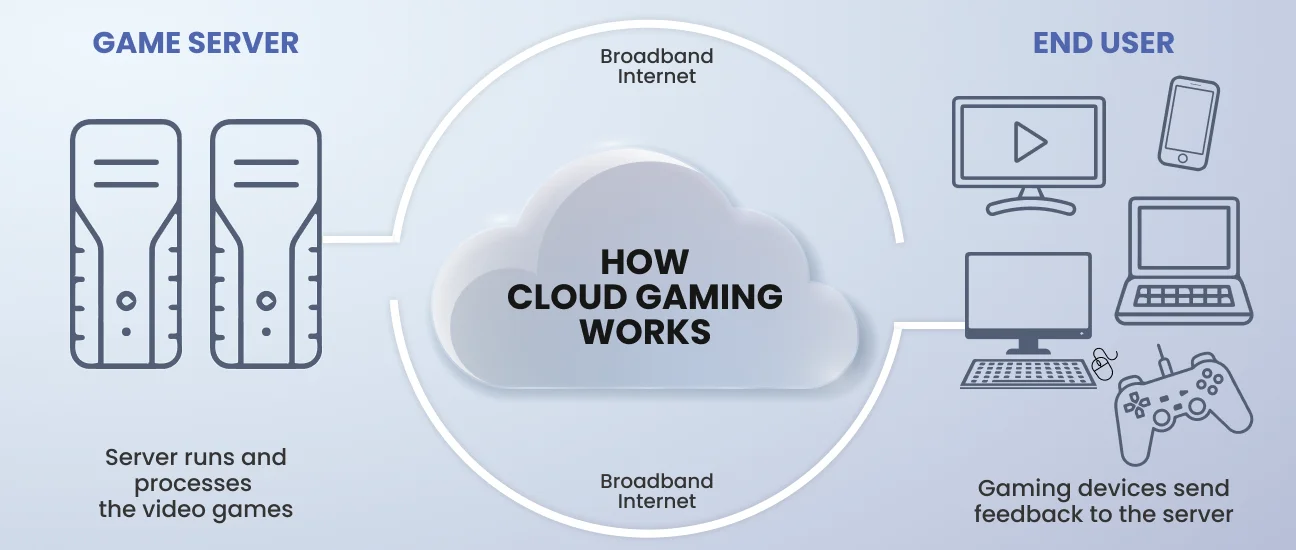
The traditional landscape of gaming has long been defined by the hardware sitting under your television or inside your computer tower. For decades, the barrier to entry for high-fidelity gaming was the “box”—a console or a high-end PC—costing hundreds or even thousands of dollars. Cloud gaming, often referred to as “gaming as a service” (GaaS), has fundamentally disrupted this model. By shifting the heavy computational lifting from local hardware to remote servers, cloud gaming allows players to stream titles directly to screens that were previously incapable of running them. Whether you are using an aging laptop, a smartphone, or a smart TV, getting started with cloud gaming is a straightforward process, provided you understand the technical requirements and the service landscape.
Selecting the Right Cloud Gaming Service
The first step in getting cloud gaming is identifying which platform aligns with your existing library and hardware preferences. Unlike traditional consoles, cloud gaming services vary significantly in their business models and technical capabilities.
Xbox Cloud Gaming (Beta)
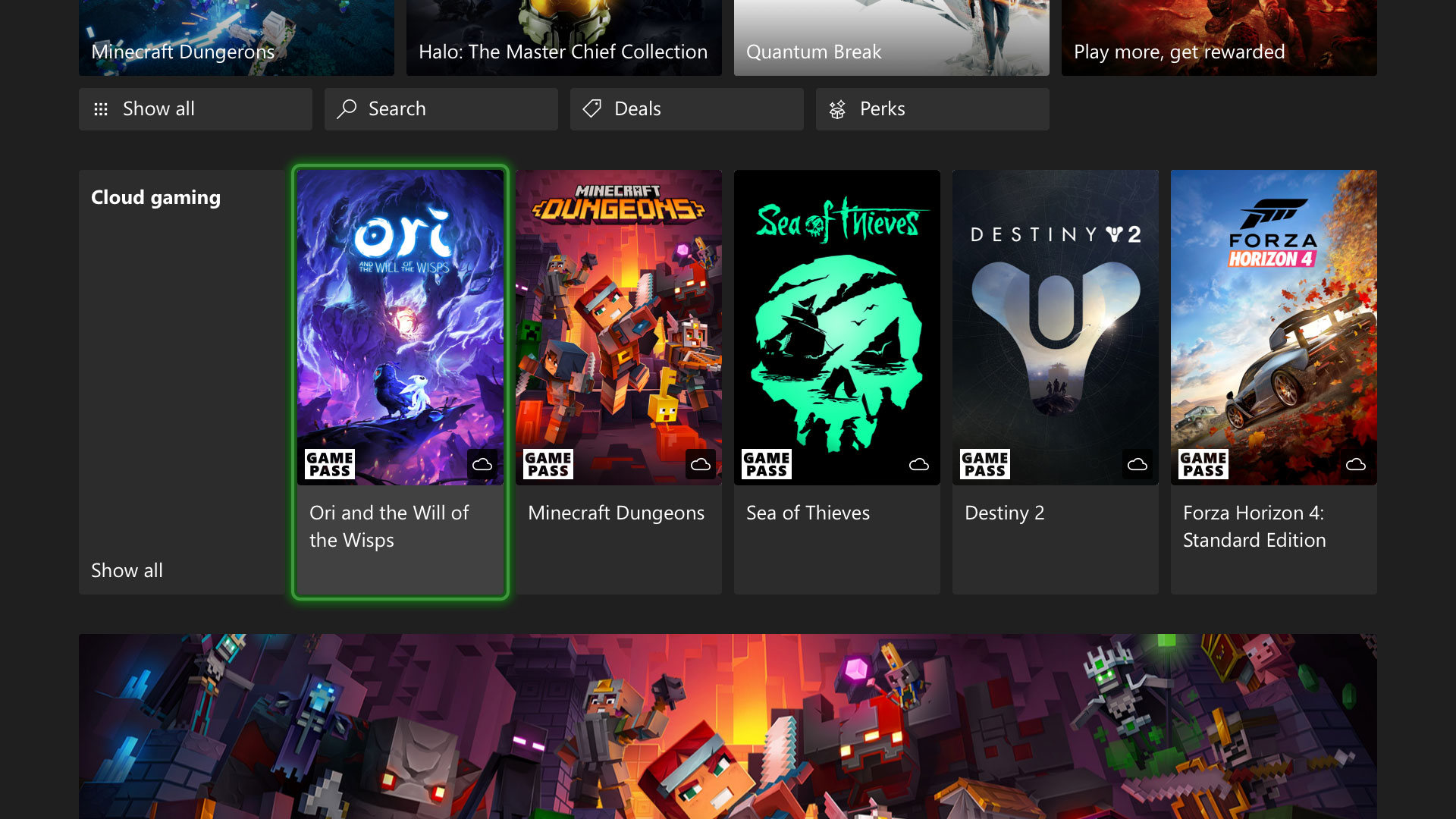
Xbox Cloud Gaming, included as part of the Xbox Game Pass Ultimate subscription, is perhaps the most accessible entry point for most users. It provides a “Netflix-style” library where one monthly fee grants access to hundreds of titles. Because it is built on custom Xbox Series X hardware in Microsoft’s data centers, the experience is designed to mirror the console experience. It is particularly effective for those who want to jump into a game without purchasing it individually.
NVIDIA GeForce NOW
For the “PC Master Race” enthusiast who doesn’t want to carry a bulky rig, NVIDIA GeForce NOW offers a unique proposition. Rather than providing a library of games, it provides a virtualized high-end PC. You connect your existing accounts from Steam, Epic Games Store, or Ubisoft Connect, and GeForce NOW streams the games you already own. It offers different tiers, including a “Priority” and an “Ultimate” tier, the latter of which provides performance equivalent to an RTX 4080, supporting 4K resolution and up to 240 FPS.
PlayStation Plus Premium
Sony’s foray into the cloud allows users to stream hundreds of titles from the PS1, PS2, PS3, PS4, and PS5 eras. This service is essential for fans of Sony’s first-party exclusives like God of War or Horizon Zero Dawn. While it was initially limited to consoles, it is now available on PC via a dedicated app, allowing Windows users to experience PlayStation exclusives without owning the hardware.
Amazon Luna
Amazon Luna is integrated deeply into the Amazon ecosystem. It utilizes “channels” to categorize games. For Amazon Prime members, there is often a rotating selection of games available at no extra cost. Luna also features a unique “Couch” mode, allowing friends to play local multiplayer games together even if they are in different locations, with only one person needing to own the game or subscription.
Technical Requirements: Preparing Your Network
Because cloud gaming relies on real-time data transmission, your internet connection is the most critical component of the setup. Unlike video streaming (like Netflix), cloud gaming cannot “buffer.” Every button press must be sent to the server, processed, and sent back to your screen in milliseconds.
Bandwidth vs. Latency
While most people focus on download speeds (bandwidth), cloud gaming is more dependent on latency (ping). Bandwidth determines the visual quality—typically 15 Mbps is required for 720p/1080p, while 35-50 Mbps is necessary for 4K. However, latency determines how the game “feels.” A ping of under 30ms is ideal; anything over 100ms results in noticeable input lag, making fast-paced games like shooters or fighters nearly unplayable.
Wired vs. Wireless Connections
For the best possible experience, a wired Ethernet connection is always recommended. If you must use Wi-Fi, a 5GHz or 6GHz band is mandatory. The standard 2.4GHz Wi-Fi band is too prone to interference and lacks the necessary throughput for stable game streaming. Most modern routers allow you to split these bands; ensuring your gaming device is on the higher frequency will significantly reduce stuttering and “jitter.”
Hardware Decoders and Peripherals
The device you use to stream must be able to decode video streams efficiently. Most modern smartphones, tablets, and PCs built within the last five to seven years have hardware-accelerated video decoding (H.264 or HEVC). Additionally, you will need a controller. While many services support keyboard and mouse, cloud gaming is natively designed for controllers. The Xbox Wireless Controller and the DualSense are the industry standards, but specialized mobile controllers like the Backbone One or Razer Kishi can transform a smartphone into a dedicated handheld console.

Setting Up Cloud Gaming on Your Devices
Once you have chosen a service and verified your internet stability, the actual setup process varies by device.
Setting Up on PC and Mac
On a computer, you generally have two choices: a dedicated desktop app or a web browser. Services like GeForce NOW and PlayStation Plus offer dedicated applications that provide better optimization and lower latency by bypassing the browser’s overhead. However, Microsoft has optimized the Xbox Cloud Gaming experience for browsers like Microsoft Edge and Google Chrome, utilizing features like “Clarity Boost” to sharpen the image. To get started, simply navigate to the service’s website, log in, and ensure your controller is connected via USB or Bluetooth.
Cloud Gaming on Mobile (iOS and Android)
Android users have a straightforward path; apps for Xbox Game Pass, GeForce NOW, and Luna are available directly on the Google Play Store. For iOS users, the process is slightly different due to App Store policies. To get cloud gaming on an iPhone or iPad, you must use a “Progressive Web App” (PWA). You navigate to the service’s URL in Safari, tap the “Share” button, and select “Add to Home Screen.” This creates an icon that functions like a standalone app, allowing for full-screen play and controller support.
Smart TVs and Dedicated Handhelds
The latest generation of Smart TVs from Samsung and LG now feature built-in Gaming Hubs. This allows you to sync a controller directly to the TV and stream games without any external hardware. Furthermore, dedicated cloud handhelds like the Logitech G Cloud or the Razer Edge are designed specifically for this niche, featuring high-quality screens and integrated controls optimized for long-distance streaming.
Optimizing the Experience and Troubleshooting
Even with a high-speed connection, you may encounter technical hurdles. Optimizing your software environment can help mitigate these issues.
Reducing Input Lag
Input lag is the delay between pressing a button and seeing the action on screen. To minimize this, ensure your TV is in “Game Mode,” which disables post-processing effects that add latency. On a PC, disable “V-Sync” within the cloud app settings, as the streaming service manages frame synchronization on its end. If you are using a Bluetooth controller and notice lag, switching to a wired USB connection can shave off critical milliseconds of delay.
Managing Data Consumption
Cloud gaming is data-intensive. Streaming at 1080p at 60 FPS can consume up to 3GB of data per hour, while 4K streaming can exceed 10GB per hour. If you are on a capped data plan, most services allow you to “downscale” the resolution or bitrate. Within the settings menu of GeForce NOW or Xbox Cloud Gaming, you can select “Data Saver” modes that prioritize stability and lower data usage over raw visual fidelity.
Security and Privacy in the Cloud
When you use cloud gaming, you are essentially logging into your gaming accounts on a remote server. It is vital to use two-factor authentication (2FA) on your Steam, Xbox, and PlayStation accounts. While reputable providers like Microsoft and NVIDIA use high-level encryption for their streams, maintaining account security at the user level ensures that your digital library remains protected while moving between different cloud instances.
The Technological Trajectory of Game Streaming
Cloud gaming is not a static technology; it is evolving alongside advancements in infrastructure. The rollout of 5G and the eventual arrival of 6G are expected to make mobile cloud gaming as stable as home broadband. Furthermore, the integration of AI-driven upscaling, such as NVIDIA’s DLSS (Deep Learning Super Sampling) in the cloud, allows servers to render games at lower resolutions and upscale them to 4K before they reach the user, reducing the bandwidth required without sacrificing visual quality.
As edge computing becomes more prevalent, servers will move physically closer to the end-user. This reduction in physical distance is the ultimate solution to the latency problem, as it shortens the path the data must travel. For the user, getting cloud gaming today is an invitation to experiment with a technology that is rapidly maturing. It is no longer a question of “if” cloud gaming will be a primary way to play, but “when” the infrastructure will be ubiquitous enough to make the local console a luxury rather than a necessity. By following the steps of platform selection, network optimization, and proper device configuration, you can access a library of world-class titles today without the need for a single piece of high-end gaming hardware.
aViewFromTheCave is a participant in the Amazon Services LLC Associates Program, an affiliate advertising program designed to provide a means for sites to earn advertising fees by advertising and linking to Amazon.com. Amazon, the Amazon logo, AmazonSupply, and the AmazonSupply logo are trademarks of Amazon.com, Inc. or its affiliates. As an Amazon Associate we earn affiliate commissions from qualifying purchases.