
Managing a Flexible Spending Account (FSA) is one of the most effective ways to optimize your personal finances, yet it remains one of the most underutilized tools in the modern employee benefits package. Because these accounts are funded with pre-tax dollars, every cent you contribute reduces your taxable income, essentially providing a significant discount on necessary healthcare expenses. However, the unique “use it or lose it” nature of the FSA makes regular balance monitoring a critical habit. Unlike a standard savings account or an HSA (Health Savings Account), which typically rolls over indefinitely, your FSA balance requires active stewardship to ensure that your hard-earned money doesn’t vanish at the end of the plan year.
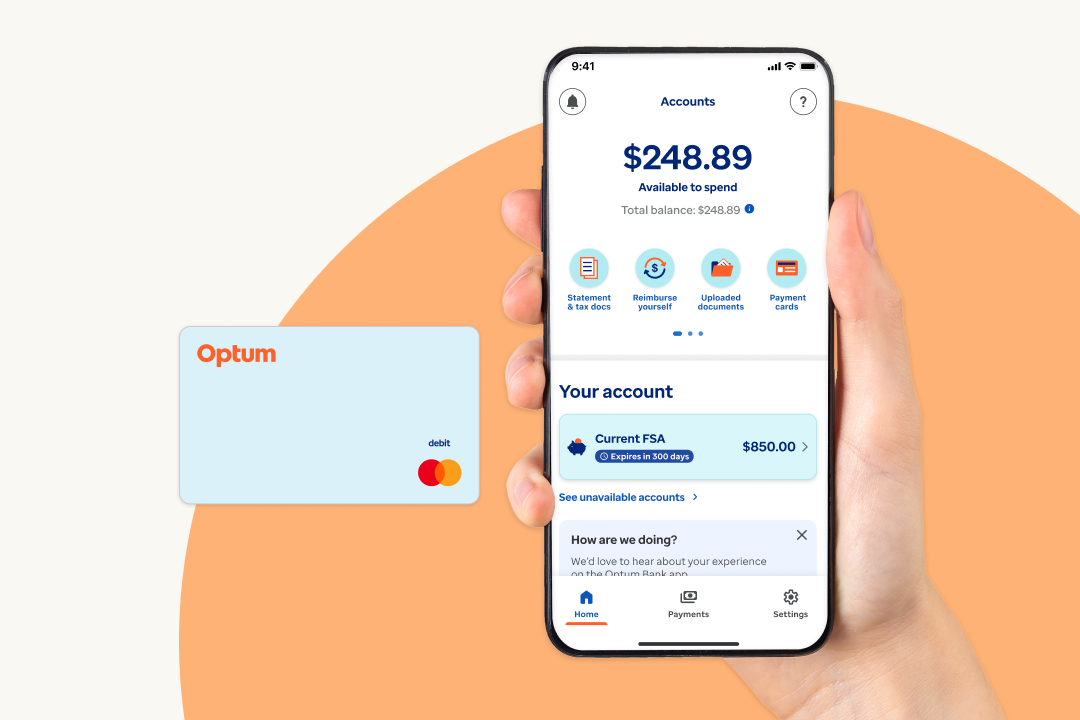
Checking your FSA balance is the first step in a broader strategy of financial wellness. Whether you are planning for an upcoming surgery, stocking up on daily health essentials, or simply trying to avoid a year-end scramble, knowing exactly where you stand is paramount. This guide explores the various methods for tracking your funds, understanding the nuances of your plan’s specific rules, and maximizing the utility of your contributions.
Primary Methods for Accessing Your FSA Balance
In the current digital landscape, checking your FSA balance has become significantly more streamlined than in decades past. Most employers partner with third-party administrators (TPAs) such as WageWorks, Optum Financial, or WEX to handle the logistical side of these benefits. These administrators provide several touchpoints for account holders to monitor their funds in real-time.
Navigating the Online Member Portal
The most comprehensive way to check your balance is through your administrator’s online portal. When you first enroll in your FSA during open enrollment, you should receive a welcome packet—either physically or via email—containing your account credentials or instructions on how to register.
Once logged in, the dashboard typically provides a high-level overview of your account health. You will see your total annual election (the amount you agreed to contribute for the year), your year-to-date contributions (what has been deducted from your paycheck so far), and, most importantly, your “Available Balance.” It is important to distinguish between your available balance and your contributed balance. IRS rules allow you to access your full annual election on day one of the plan year, even if you haven’t yet contributed that full amount through payroll deductions. This is a unique “front-loading” feature of FSAs that can be a lifesaver for early-year medical emergencies.
Utilizing Mobile Applications
For those who prefer on-the-go management, almost every major FSA administrator now offers a dedicated mobile app. These apps are often more intuitive than their desktop counterparts, designed specifically for quick balance checks and receipt uploads. By enabling biometric login features like FaceID or fingerprint scanning, you can check your balance while standing in the pharmacy aisle in a matter of seconds.
Beyond just showing your balance, these apps often include “eligible expense” scanners. If you are unsure if a product is covered, you can scan the barcode with your phone’s camera, and the app will cross-reference it with IRS guidelines and your specific plan rules. This integration of balance checking and spending guidance makes mobile apps the gold standard for modern FSA management.
The FSA Debit Card and Automated Systems
If you were issued a physical FSA debit card, there is often a customer service number printed on the back. While less common in the age of apps, automated phone systems remain a reliable way to check your balance if you lack internet access. Additionally, some providers allow you to sign up for SMS alerts. By texting a keyword like “BAL” to a specific number, you can receive an instant reply with your current available funds.
It is worth noting that some retail pharmacies can also check your balance at the point of sale, though this is less consistent. Relying on the administrator’s direct tools is always the safest bet for accuracy.
Understanding the Financial Rules of Your FSA
To manage your balance effectively, you must understand the underlying rules that govern how that money behaves. Unlike a standard bank account, an FSA is a “notional” account governed by strict IRS regulations, specifically Section 125 of the Internal Revenue Code.
The “Use It or Lose It” Rule and Its Exceptions
The most famous (and often feared) aspect of the FSA is the “use it or lose it” rule. Historically, any money left in the account at the end of the plan year was forfeited to the employer to offset the costs of administering the plan. However, in recent years, the IRS has introduced two primary “relief” options that employers can choose to implement:
-
The Carryover Provision: This allows you to carry over a specific amount of unused funds into the next plan year. For 2024, the maximum carryover limit is $640. If your employer offers this, checking your balance at year-end becomes a tactical exercise in ensuring you don’t exceed that threshold.
-
The Grace Period: Instead of a carryover, some employers offer a grace period of up to two and a half months after the plan year ends. During this window, you can spend down your previous year’s balance on new expenses.

It is vital to check your Summary Plan Description (SPD) to see which, if either, of these options your employer provides. You cannot have both a carryover and a grace period; it is one or the other, or neither.
The Run-Out Period
Even after the plan year ends and the spending window closes, most FSAs have a “run-out period.” This is a timeframe (typically 90 days) during which you can still submit claims for expenses that occurred during the plan year. For example, if you had a dental appointment in December but didn’t get the itemized receipt until January, the run-out period allows you to submit that claim and be reimbursed from your previous year’s balance. Checking your balance during this window is crucial for reconciling any pending reimbursements.
Strategic Spending: How to Use Your Remaining Balance
When you check your balance and realize you have a surplus as the year-end approaches, it is time to move from monitoring to action. The goal of an FSA is not just to save on taxes, but to invest in your health without wasting capital.
Overlooked Eligible Expenses
Many people mistakenly believe FSAs are only for doctor’s co-pays and prescription medications. In reality, the list of eligible expenses is vast. If you find yourself with a few hundred dollars left, consider the following:
-
Vision and Dental Care: FSAs cover prescription glasses, contact lenses, cleaning solutions, and even orthodontic treatments like Invisalign.
-
Over-the-Counter (OTC) Essentials: Thanks to the CARES Act, you no longer need a prescription to use FSA funds for OTC medications like ibuprofen, allergy medicine, or cold relief.
-
High-Tech Health Tools: Blood pressure monitors, thermometers, TENS units for muscle pain, and even high-end sunscreens (SPF 15+) are all eligible.
-
Feminine Hygiene Products: Tampons, pads, and menstrual cups are fully eligible expenses.
Documentation and Substantiation
A common pitfall when checking your balance is forgetting about “pending” transactions. Sometimes, a purchase made with your FSA card requires “substantiation”—meaning you need to provide a receipt to prove the expense was medical in nature. If you don’t provide this, the administrator may freeze your card or subtract the amount from your available balance until the documentation is provided.
Always keep your itemized receipts. An itemized receipt is different from a credit card slip; it must show the date of service, the provider’s name, the specific service or product, and the amount paid. Most online portals have a “claims” section where you can see which transactions are flagged for review. Keeping this area clear is just as important as keeping the balance itself in check.
Troubleshooting and Long-Term Financial Planning
Sometimes, checking your balance reveals discrepancies or technical hurdles. Understanding how to navigate these issues is a key part of financial literacy.
What to Do If Your Balance Is Wrong
If you log in and see a balance that doesn’t align with your records, don’t panic. First, check your most recent pay stubs to ensure your contributions are being deducted correctly. Next, look for “pending claims” or “denied claims” in your portal. Often, a balance appears lower because a transaction was pre-authorized but hasn’t fully cleared, or a claim was temporarily denied due to a lack of documentation.
If the error persists, contact your HR department or the TPA directly. Errors can occur during the transition between plan years or if there is a change in the TPA provider. Being proactive in checking your balance monthly—rather than annually—ensures these errors are caught and corrected before the “use it or lose it” deadline becomes a factor.

Adjusting Your Elections for Next Year
The most valuable insight gained from checking your FSA balance is how to plan for the future. If you consistently find yourself scrambling to spend $500 in December, you are likely over-electing. Conversely, if your balance hits zero by July, you are missing out on potential tax savings for the second half of the year.
Use your balance history as a diagnostic tool during the next open enrollment period. Calculate your average monthly medical spending and multiply it by twelve, then add a small buffer for unexpected needs. By aligning your election with your actual spending habits, you turn the FSA from a source of year-end stress into a seamless, high-yield financial tool.
Checking your FSA balance is more than a simple administrative task; it is an act of financial self-care. By utilizing the digital tools at your disposal, staying informed about IRS regulations, and strategically planning your healthcare spending, you ensure that every dollar you earn works as hard as possible for your physical and financial well-being.
aViewFromTheCave is a participant in the Amazon Services LLC Associates Program, an affiliate advertising program designed to provide a means for sites to earn advertising fees by advertising and linking to Amazon.com. Amazon, the Amazon logo, AmazonSupply, and the AmazonSupply logo are trademarks of Amazon.com, Inc. or its affiliates. As an Amazon Associate we earn affiliate commissions from qualifying purchases.