
The landscape of home entertainment has undergone a seismic shift over the last decade. The era of physical media—DVDs and Blu-rays—has largely transitioned into a digital-first economy where convenience and instant access are the primary drivers of consumer behavior. Amazon Prime Video stands at the forefront of this revolution, serving not just as a streaming service, but as a comprehensive digital storefront. While many users associate the platform with the “free” content included in their Prime membership, the “Store” component is a robust ecosystem that allows users to build a permanent digital library. Navigating this system requires an understanding of digital rights, platform-specific restrictions, and the technical nuances of streaming quality.
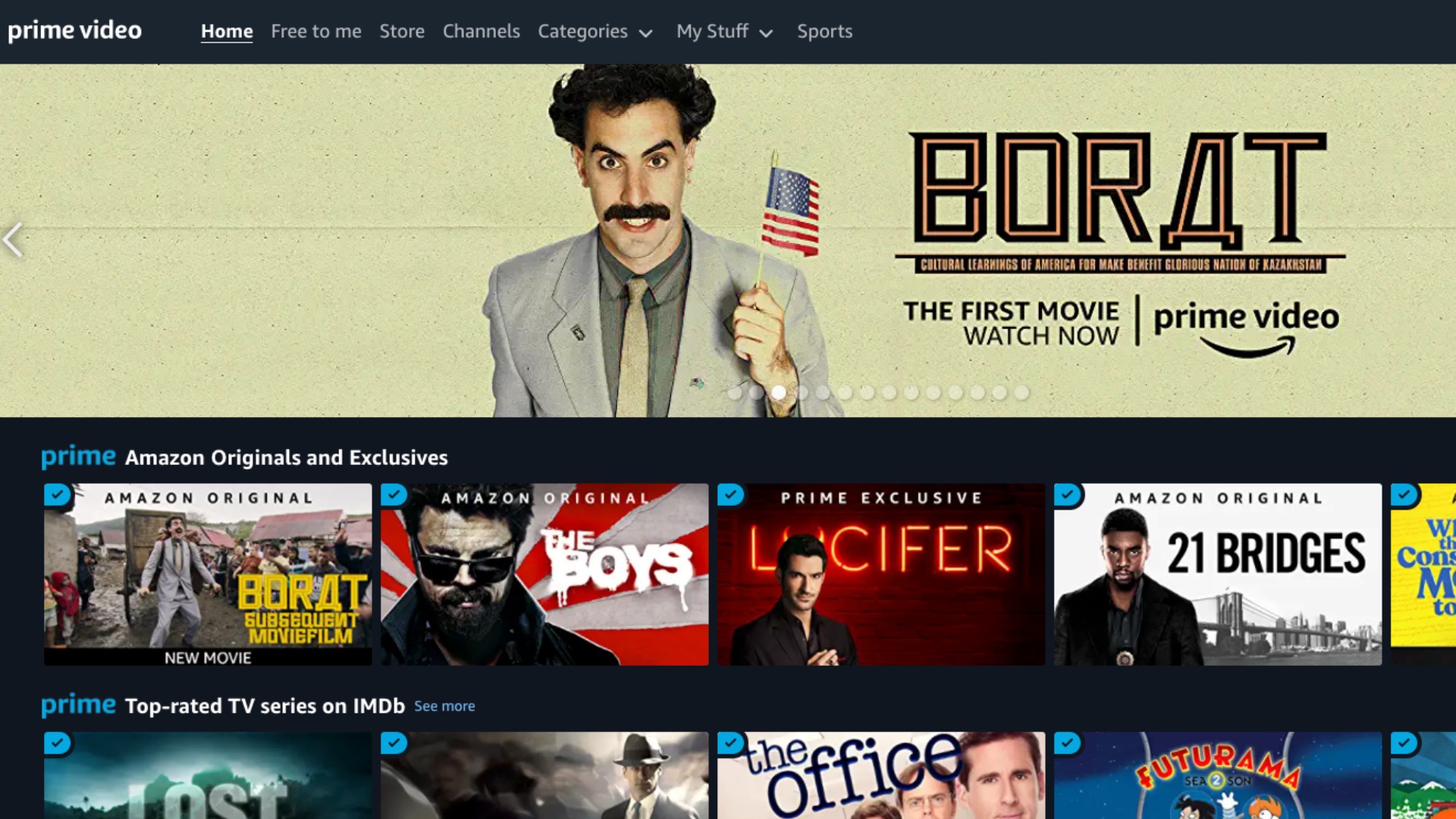
Understanding the Amazon Prime Video Store Architecture
Before diving into the mechanics of a purchase, it is vital to distinguish between the two primary pillars of the Amazon Prime Video interface. The first is the “Included with Prime” catalog, a rotating selection of films and television shows accessible via a monthly or annual subscription fee. The second is the “Store,” which operates on a Transactional Video on Demand (TVOD) model.
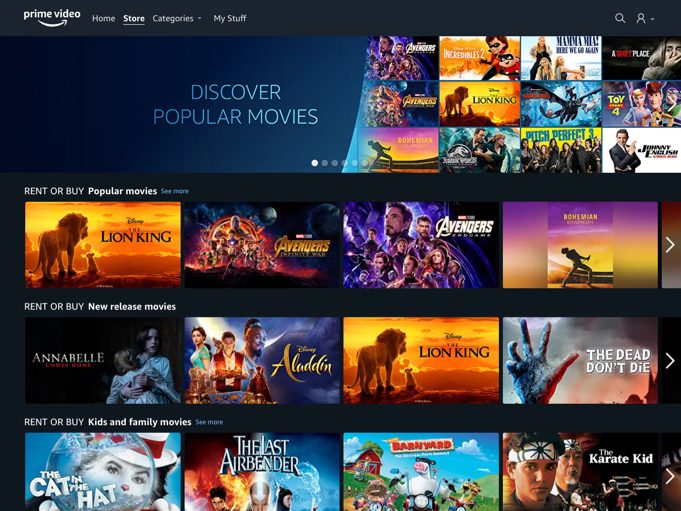
In the TVOD model, users have two choices: renting or buying. When you rent a film, you are typically granted a 30-day window to begin watching and a 48-hour window to complete the film once playback has started. Buying, however, grants “digital ownership.” It is important to note the technical definition of digital ownership: you are purchasing a perpetual license to stream or download the content as long as Amazon maintains the rights to distribute that title.
The Amazon Prime Video interface uses specific UI cues to help users navigate these choices. Titles available for purchase often feature a “Buy” button with varying price points based on video resolution—Standard Definition (SD), High Definition (HD), and Ultra High Definition (UHD/4K). Understanding these distinctions is the first step toward effectively managing your digital assets on the platform.
The Role of the “1-Click” Payment System
Amazon’s proprietary “1-Click” technology is the backbone of the Prime Video purchasing experience. To buy a film, your account must have a designated default payment method and billing address. Because the system is designed for frictionless transactions, there is rarely a traditional “checkout cart” for digital videos. Clicking the purchase button immediately processes the transaction through your 1-Click settings. For users concerned about accidental purchases—especially in households with children—enabling “Purchase PINs” within the Prime Video settings is a critical technical safeguard.
Step-by-Step Purchase Process: From Browser to Smart TV
The process of buying a film on Amazon Prime varies significantly depending on the hardware and software you are using. While Amazon strives for a cross-platform experience, the underlying tech stacks of different operating systems often dictate how a transaction must occur.
Purchasing via Web Browser
The most reliable way to buy a film is through a desktop or mobile web browser. This method bypasses the limitations often found in dedicated apps.
-
Navigate to the Amazon website and select the “Prime Video” category.
-
Use the search bar to locate a specific title.
-
On the product page, look for the “More Purchase Options” or the direct “Buy” button.
-
Select your preferred resolution (SD, HD, or UHD).
-
Once the transaction is confirmed, the film is instantly added to your “My Stuff” or “Purchases & Rentals” tab.
Purchasing via Smart TVs and Media Players
On devices like the Amazon Fire TV Stick, Roku, or integrated Smart TV apps, the experience is designed to be remote-friendly. The “Store” tab is usually prominent in the top navigation bar. When you select a movie, the “Buy” option is displayed alongside the trailer and cast information. Because these devices are already logged into your Amazon account, the 1-Click system completes the purchase without requiring a password, unless you have specifically enabled security PINs.
The In-App Purchase Conundrum on iOS and Android
A common point of confusion for tech-savvy users is the inability to buy films directly within the Prime Video app on Apple iPhones or Google Android devices. This is not a technical glitch but a strategic response to the “Platform Tax.” Both Apple and Google traditionally claim a 15% to 30% commission on all in-app purchases. To avoid these fees, Amazon often disables direct purchasing within these apps.
To buy a film for your iPhone or Android tablet, you must open a mobile browser (like Safari or Chrome), complete the purchase on the Amazon website, and then return to the app. The purchased title will automatically sync to your library through the cloud, appearing in your “Purchases” section for streaming or offline download.
Technical Specifications: Optimizing for 4K, HDR, and Surround Sound
When you decide to buy a film rather than rent it, you are making an investment in the best possible version of that content. Amazon Prime Video offers several tiers of technical quality, and choosing the right one depends on your hardware capabilities.
SD vs. HD vs. UHD
-
Standard Definition (SD): Best for older devices or environments with very limited bandwidth. It uses less data but lacks clarity on screens larger than a smartphone.
-
High Definition (HD): The industry standard, offering 1080p resolution. It provides a sharp image suitable for most modern televisions and laptops.
-
Ultra High Definition (UHD/4K): Offers four times the resolution of HD. Most UHD purchases on Amazon also include High Dynamic Range (HDR) metadata, such as HDR10+ or Dolby Vision, which significantly improves color accuracy and contrast.
The X-Ray Feature
One of the most impressive technical features of the Prime Video platform is “X-Ray,” powered by IMDb. When you buy a film, this integrated tool allows you to see actor biographies, soundtrack information, and trivia in real-time as the movie plays. For film enthusiasts, this metadata layer adds significant value to digital ownership that physical media or competing streaming services often struggle to match.
Bandwidth and Bitrate Requirements
Purchasing a 4K film is only half the battle; your network infrastructure must be able to support it. For a stable 4K stream, Amazon recommends a minimum download speed of 15 Mbps. The platform uses adaptive bitrate streaming technology, which adjusts the video quality in real-time based on your connection stability. To ensure you are getting the full quality of your purchase, hardwiring your playback device via Ethernet is often superior to using Wi-Fi.
Managing and Securing Your Digital Library
Once you have purchased a film, it resides in the cloud, linked to your Amazon ID. Managing this library efficiently is key to a high-quality user experience.
Offline Viewing and Downloads
The Prime Video app allows users to download purchased content for offline viewing. This is particularly useful for travel or areas with poor connectivity. Technically, these downloads are encrypted and can only be played within the Prime Video app. They are subject to Digital Rights Management (DRM) protocols, meaning you cannot move the file to a different media player or a thumb drive. To manage storage, users can choose between “Good,” “Better,” and “Best” download qualities within the app’s settings, balancing visual fidelity against file size.
Family Sharing and Digital Access
Amazon allows for a degree of “Family Sharing” through its Amazon Household feature. This allows two adults to share digital content, including purchased movies. From a technical standpoint, this links two separate Amazon accounts, granting each access to the other’s library without sharing login credentials. This is a sophisticated way to manage digital assets within a home while maintaining individual user profiles and watch histories.
Account Security
Because your digital library is tied to your Amazon account, the security of that account is paramount. If your account is compromised, your entire film collection could be at risk. Enabling Two-Factor Authentication (2FA) is a mandatory step for any serious digital collector. This adds a layer of security, requiring a code from your mobile device before any new login or high-value purchase is authorized.

The Future of Digital Ownership on Amazon
As we move further into the digital age, the concept of “buying” a film continues to evolve. Technologies like Movies Anywhere have begun to bridge the gap between different digital storefronts. By linking your Amazon account to Movies Anywhere, many films purchased on Amazon will also appear in your libraries on Apple TV, Vudu, and Google Play. This interoperability is a significant win for consumers, as it reduces platform lock-in and provides a safeguard against the technical failure of any single service.
Furthermore, as Amazon continues to invest in its own infrastructure—including the development of the AWS (Amazon Web Services) cloud—the reliability and speed of the Prime Video store are expected to increase. We are seeing a move toward even higher fidelity formats, such as 8K and enhanced spatial audio (Dolby Atmos), which will likely become standard options for digital purchases in the coming years.
Buying a film on Amazon Prime is more than a simple transaction; it is an engagement with a sophisticated digital ecosystem. By understanding the platform’s architecture, navigating the hurdles of mobile purchasing, and optimizing for the best technical specifications, you can build a high-quality, resilient digital cinema collection that is accessible from anywhere in the world. As physical discs become niche collectibles, mastering the tools of digital acquisition ensures that your favorite films are always just a click away, rendered in the highest possible quality your hardware can support.
aViewFromTheCave is a participant in the Amazon Services LLC Associates Program, an affiliate advertising program designed to provide a means for sites to earn advertising fees by advertising and linking to Amazon.com. Amazon, the Amazon logo, AmazonSupply, and the AmazonSupply logo are trademarks of Amazon.com, Inc. or its affiliates. As an Amazon Associate we earn affiliate commissions from qualifying purchases.