
In the modern financial landscape, the ease of opening a bank account is often touted as a hallmark of digital innovation. With a few taps on a smartphone, you can establish a new checking or savings vehicle in minutes. However, the process of “offboarding”—closing that same account—is frequently viewed with trepidation. Whether you are switching to a high-yield online savings account, consolidating your finances for better oversight, or moving to a bank with lower fees, knowing how to navigate the digital closure process is an essential skill in personal finance management.
Closing a bank account online is more than just clicking a button; it is a strategic financial move that requires precision to avoid accidental fees, missed payments, or “zombie accounts” that unexpectedly reappear. This guide provides a detailed roadmap for managing your financial exit with professional rigor.
Preparing Your Finances Before Initiating the Closure
The most common mistakes in account closure happen before the request is even submitted. A bank account is the hub of your financial life, and cutting its ties requires a systematic audit of your inflows and outflows.
Identifying and Redirecting Automatic Payments
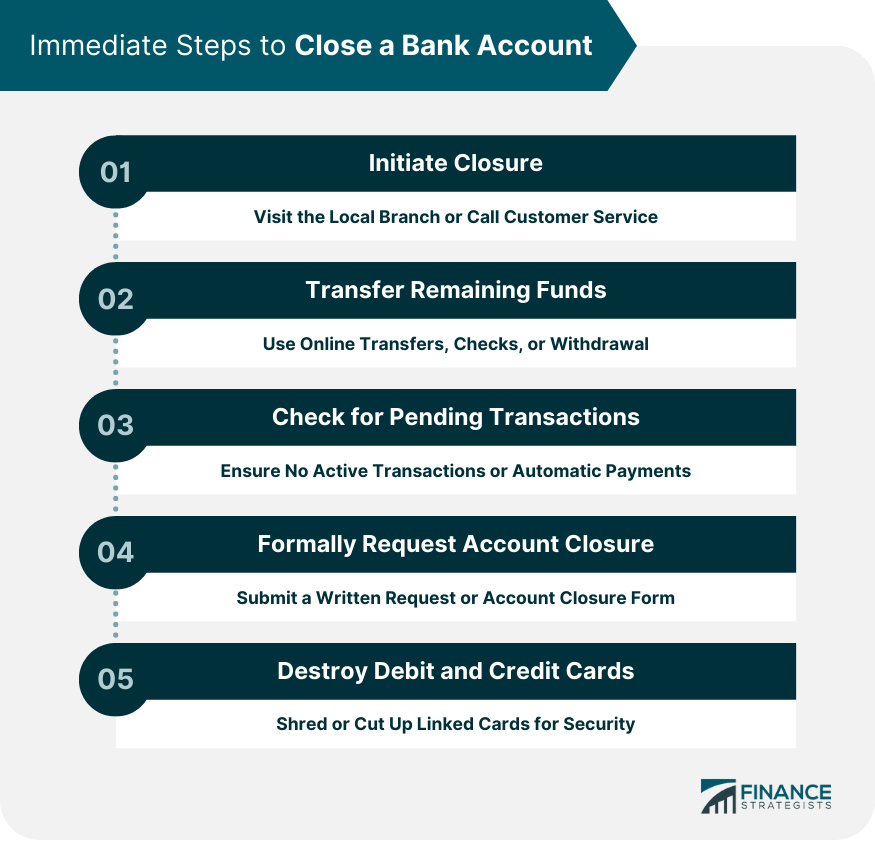
Before you initiate a closure, you must perform a “subscription audit.” Over the course of months or years, dozens of automated transactions likely became tethered to your account. This includes recurring monthly bills like utilities, insurance premiums, and internet services, as well as digital subscriptions like streaming services or gym memberships.
To ensure a seamless transition, list every recurring debit. Most banking portals allow you to filter your transaction history by “recurring” or “merchant.” Once identified, you must manually update your payment information with each vendor to point toward your new account. Failing to do this can result in failed payment fees from the vendor and potentially “non-sufficient funds” (NSF) fees from your old bank if they attempt to process a charge after you have cleared out your balance.
Managing Outstanding Checks and Pending Transactions
One of the most dangerous oversights is the “floating” check or the pending debit card transaction. If you have written a physical check that has not yet been cashed, or if you have a pending transaction from a merchant that has not yet settled, you cannot close the account. If the account is closed while a check is still in the wild, that check will bounce, potentially damaging your relationship with the payee and resulting in administrative fees.
Review your ledger for at least the last 60 days to ensure every transaction has moved from “pending” to “posted.” It is often wise to leave a small buffer of funds (roughly $50 to $100) in the account for one full billing cycle after you think you have moved everything, just to catch any forgotten automated drafts.
Transferring Your Remaining Balance Securely
Once you are certain that no more transactions will hit the account, you must move the bulk of your capital. The most efficient way to do this online is through an Electronic Funds Transfer (EFT) or an ACH transfer to your new institution.
While it may be tempting to withdraw the full amount via an ATM or spend the balance down to zero, this can be problematic. Many accounts have “minimum balance requirements.” If your balance hits zero before the account is officially closed, the bank may trigger a monthly maintenance fee, putting your account into a negative balance. To avoid this, transfer most of your money but leave exactly enough to satisfy any minimum balance requirements until the moment the bank confirms the closure.
The Step-by-Step Process of Online Account Closure
Once your financial house is in order, you can move to the actual technical process of closing the account. While every institution has a different interface, the underlying financial protocols remain relatively consistent.
Navigating the Online Banking Portal
Log in to your web-based banking dashboard rather than the mobile app for this process, as desktop versions often provide more robust administrative tools. Look for tabs labeled “Account Services,” “Settings,” or “Customer Support.”
Some modern, digital-first banks (often referred to as neobanks) provide a direct “Close Account” button within the security or account settings. If this is available, the process is straightforward: you will be asked to select a reason for leaving and designate a destination for any remaining cents. However, traditional brick-and-mortar institutions often omit this button to encourage “retention” (keeping you as a customer). In these cases, you must look for the “Secure Message Center.”
Using Secure Messaging and Customer Service Chat
If a direct closure button is absent, the “Secure Message” or “Contact Us” feature is your most powerful tool. This is preferred over a standard email because it is authenticated by your login credentials, providing a layer of security and a digital paper trail.
When writing your request, be concise and professional. State clearly: “I am writing to formally request the closure of my [Account Type] ending in [Last 4 Digits]. I have confirmed that all transactions have cleared. Please transfer the remaining balance of $[Amount] to my external account ending in [Last 4 Digits] and provide written confirmation of the closure.”
Many banks also offer a “Live Chat” feature. This can be faster, but ensure you request a transcript of the chat to be emailed to you. This transcript serves as your legal proof that the request was made and accepted.
Mobile App Closure Features
For those using mobile-only banks, the process is usually integrated into the “Profile” or “Account Management” section. Be aware that deleting the app from your phone does not close your account. This is a common misconception that leads to accounts being abandoned and eventually flagged as “unclaimed property” by state regulators. You must complete the in-app closure flow, which usually ends with an automated confirmation email.
Navigating Potential Hurdles and Bank Policies
Even with a perfect plan, you may encounter institutional friction. Banks are businesses, and they have specific policies designed to protect their assets and comply with federal regulations.
Handling Minimum Balance Requirements and Final Fees
If your account is subject to a monthly maintenance fee, timing is everything. If you close the account mid-cycle, some banks will prorate the fee, while others will charge the full amount. If the fee is triggered because you transferred your funds out, you may need to speak with a representative to request a “one-time fee reversal” as a gesture of goodwill to bring the account back to zero for closure. An account cannot be closed if it has a negative balance; you must bring it to zero first.
Dealing with Joint Accounts and Business Entities
Closing a joint account online can be more complex. Most institutions require “unanimous consent,” meaning both account holders must provide digital signatures or individual confirmations through their respective logins. If you are trying to close a joint account without the other party’s consent, you may find the online portal restricted, requiring a notarized letter or a physical visit to a branch.
Business accounts follow even stricter protocols. To close a business bank account online, you may be required to upload a “Corporate Resolution” or a document showing that the board or owners have authorized the closure. This ensures that one partner cannot unilaterally liquidate the business’s operating capital.
When Online Closure Isn’t an Option: Hybrid Alternatives
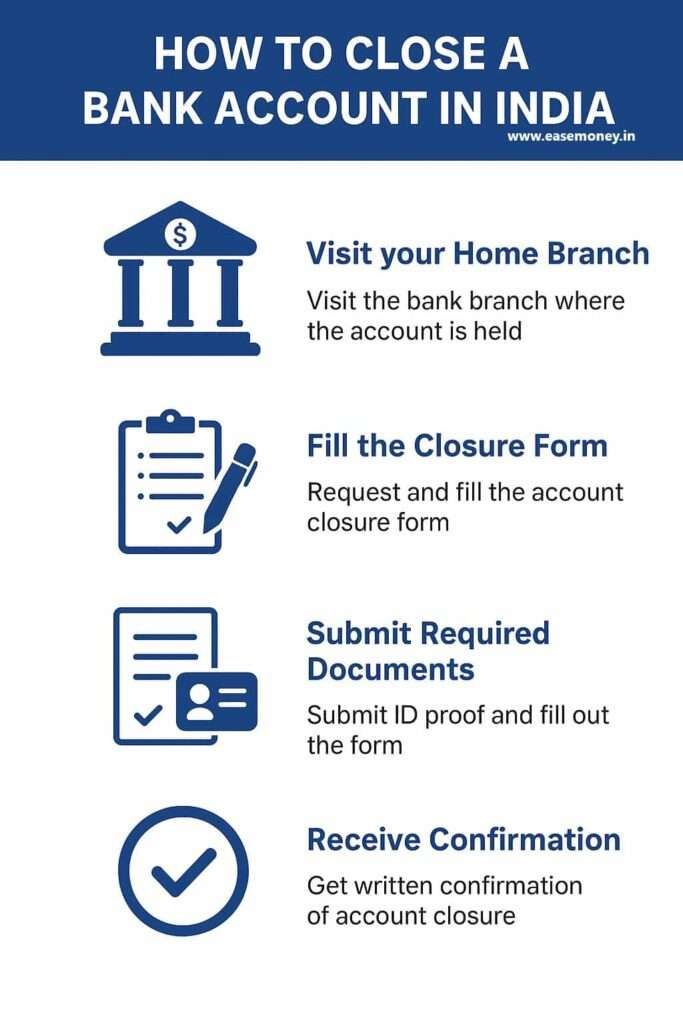
Some older institutions still require a “written request with a wet signature.” If you find that the online portal and chat are not yielding results, you can still manage the process remotely. You can draft a formal closure letter, sign it, scan it, and upload it via the bank’s secure document upload portal. This bridges the gap between traditional bureaucracy and digital convenience.
Post-Closure Best Practices and Financial Security
The process does not end when the screen says “Account Closed.” Proper financial hygiene requires a few final steps to ensure your credit and reputation remain intact.
Obtaining Written Confirmation
Always insist on a “Closure Letter.” This document is your shield if the bank inadvertently reopens the account (a “zombie account”) due to a late-arriving automated charge. This letter should state the date of closure and that the account was closed in good standing with a zero balance. Store a digital copy of this letter in your financial records for at least seven years.
Monitoring Your Credit Report and Identity
While closing a bank account does not directly impact your credit score (unlike closing a credit card), an improperly closed account can. If a forgotten subscription hits a closed account and the bank pays it, creating a negative balance that you are unaware of, that debt can eventually be sent to a collection agency. Monitor your credit reports via services like AnnualCreditReport.com or various fintech apps for several months following a closure to ensure no “collection accounts” appear from your former bank.

Strategic Reallocation of Your Assets
Once the account is successfully closed, take a moment to evaluate your broader financial strategy. Are your remaining accounts working for you? If you closed an account because of low interest rates, ensure the migrated funds are now sitting in a vehicle that offers competitive APY (Annual Percentage Yield).
The act of closing a bank account is a powerful moment of financial decluttering. By following these digital protocols, you maintain total control over your financial narrative, ensuring that your transition to a new institution is defined by professional organization rather than administrative headaches. In the digital age, being “bankable” means knowing not just how to enter the system, but how to exit it with your financial integrity fully intact.
aViewFromTheCave is a participant in the Amazon Services LLC Associates Program, an affiliate advertising program designed to provide a means for sites to earn advertising fees by advertising and linking to Amazon.com. Amazon, the Amazon logo, AmazonSupply, and the AmazonSupply logo are trademarks of Amazon.com, Inc. or its affiliates. As an Amazon Associate we earn affiliate commissions from qualifying purchases.