
The landscape of television has shifted dramatically over the last decade, transitioning from a linear, hardware-dependent model to a flexible, software-driven ecosystem. For fans of high-quality storytelling, AMC (American Movie Classics) remains a premier destination. Known for era-defining hits like Mad Men, Breaking Bad, and The Walking Dead universe, the network has successfully navigated the digital transition. If you are looking to “get” AMC today, you are no longer tethered to a traditional cable contract. Instead, you have a plethora of technological avenues ranging from standalone streaming apps to integrated digital platforms.
This guide explores the technical infrastructure and various methods available to access AMC, ensuring you can find the right solution for your specific hardware setup and viewing preferences.
The Evolution of AMC in the Digital Landscape
Before diving into the “how-to,” it is essential to understand the modern structure of AMC’s digital offerings. The brand has evolved from a single cable channel into a multi-faceted digital powerhouse. Understanding these distinctions is the first step in choosing the right technical path for your home theater.
From Cable Staple to Multi-Platform Powerhouse
Originally launched as a premium cable channel, AMC was once only accessible via a physical coaxial connection and a set-top box provided by a local ISP. Today, the network functions as a hybrid entity. It still maintains its linear broadcast for traditional cable and satellite subscribers, but it has aggressively expanded into the “Over-the-Top” (OTT) space. This means the content is delivered via the internet, bypassing the traditional gatekeepers of broadcast media.
AMC vs. AMC+: Understanding the Difference
When searching for ways to get AMC, you will frequently encounter “AMC+.” It is important to distinguish between the two.
-
AMC (The Channel): This is the linear version that airs scheduled programming. To access this digitally, you generally need a “Live TV” streaming service.
-
AMC+ (The Premium Bundle): This is a standalone subscription service. It includes everything on the standard AMC channel plus content from Shudder, Sundance Now, and IFC Films Unlimited. Crucially, AMC+ often provides early access to new episodes of flagship shows, sometimes a full week before they air on the linear channel.
Direct-to-Consumer: Setting Up AMC+
For those who have fully embraced the cord-cutting lifestyle, the most direct way to get AMC is through the AMC+ app. This method utilizes a direct-to-consumer (DTC) model, allowing you to bypass third-party television providers entirely.
Native Apps and Compatible Devices
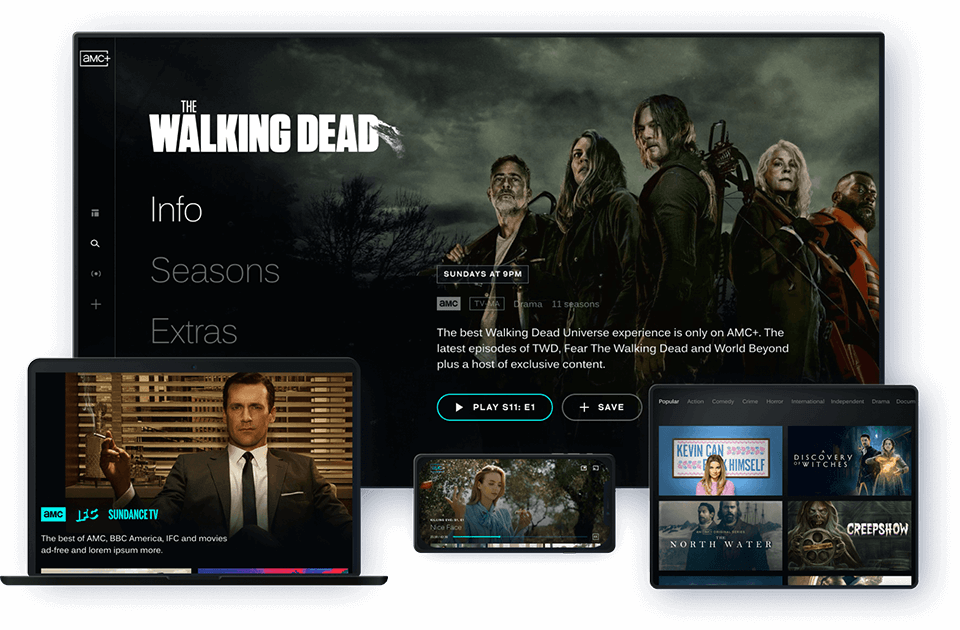
The technological backbone of the AMC+ experience is its cross-platform compatibility. To get started, you simply need a compatible device and a high-speed internet connection. The AMC+ app is currently supported on:
-
Streaming Sticks: Amazon Fire TV, Roku, and Google Chromecast.
-
Smart TVs: LG Smart TVs, Samsung Smart TVs, and TVs running Android TV or Vizio’s SmartCast.
-
Mobile and Tablets: Comprehensive support for both iOS (iPhone/iPad) and Android devices.
-
Gaming Consoles: Support is available on modern Xbox and PlayStation iterations.
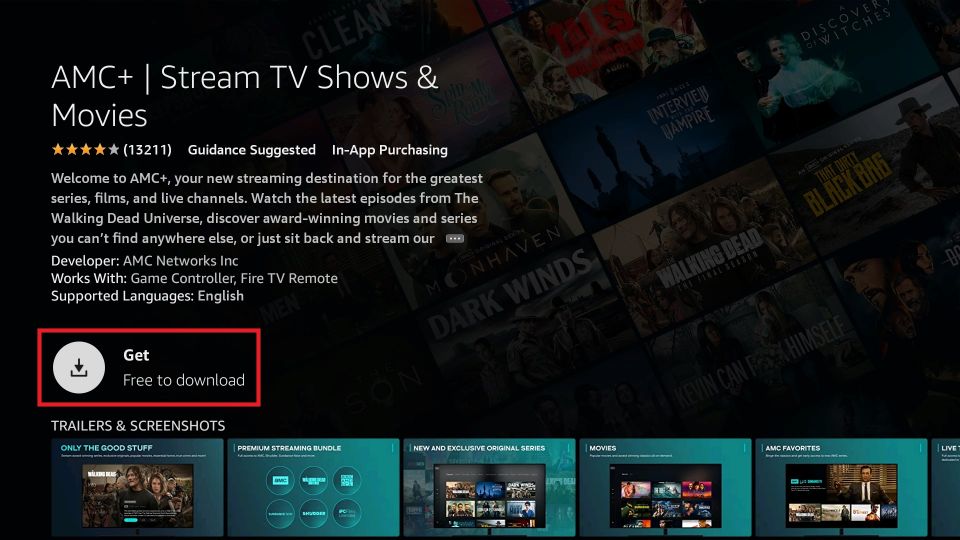
From a technical standpoint, the installation is straightforward. You navigate to your device’s app store, download the AMC+ application, and create an account. The software architecture is designed to sync your progress across devices, meaning you can start a show on your smartphone during a commute and finish it on your 4K television at home.
Subscription Tiers and Features
AMC+ offers a tiered pricing structure that mirrors other major streaming services like Netflix or Disney+. Users can choose between an ad-supported tier or a premium ad-free experience. The ad-free tier is particularly appealing for cinephiles who want an uninterrupted viewing experience.
Beyond the content library, the AMC+ app utilizes a recommendation engine similar to other modern AI-driven platforms. It analyzes your viewing history to suggest movies and series from the IFC Films and Shudder libraries, creating a personalized content discovery loop that keeps users engaged within the ecosystem.
Getting AMC via Live TV Streaming Services
If you prefer the traditional experience of “channel surfing” or want to watch live events as they happen, a Virtual Multichannel Video Programming Distributor (vMVPD) is your best bet. These services replicate the cable experience over an internet connection.
Top Platforms for AMC Access
Several major tech platforms include AMC in their basic or mid-tier channel lineups.
-
Sling TV: One of the most cost-effective ways to get AMC. The channel is included in both the “Sling Orange” and “Sling Blue” packages. Sling is highly regarded for its lightweight interface and its ability to run on older hardware that might struggle with more resource-intensive apps.
-
YouTube TV: Google’s entry into the live TV space offers a robust cloud-based DVR and a seamless interface. AMC is part of the base package. The technical advantage here is the integration with the broader Google ecosystem and the reliability of YouTube’s streaming infrastructure, which minimizes buffering even on lower-bandwidth connections.
-
Philo: For the budget-conscious viewer, Philo is a “skinny bundle” that focuses on entertainment and lifestyle channels rather than sports or news. Because it excludes expensive sports networks, it is one of the cheapest ways to get a live AMC feed.
-
FuboTV and DirecTV Stream: Both services offer AMC and are designed for users who want a comprehensive, cable-like experience with hundreds of channels and advanced hardware options.
The Advantage of Integrated DVR
One of the primary technological benefits of getting AMC through a live streaming service is the Cloud DVR. Unlike the physical hard drives in old TiVo or cable boxes, these services store your recordings on remote servers. This allows you to record an entire season of The Walking Dead: Daryl Dixon and watch it anywhere, anytime, without worrying about storage limits on your local device.
Accessing AMC Through Third-Party Channels
A third way to get AMC is through “Channels” or “Add-ons” within ecosystems you might already be using. This is a popular option for users who want to consolidate their billing and avoid having dozens of separate apps installed on their devices.
Amazon Prime Video Channels
If you are an Amazon Prime subscriber, you can “get” AMC by adding it as a Prime Video Channel. Technically, this doesn’t require downloading a new app. The AMC content is simply unlocked within the existing Amazon Prime Video interface. The benefit here is the unified search functionality; when you search for a show in the Amazon UI, it will show results from the AMC library alongside your Prime content.
Apple TV and Roku Premium Subscriptions
Similar to Amazon, both Apple and Roku offer centralized hubs (Apple TV Channels and The Roku Channel) where you can subscribe to AMC+. This centralizes your tech stack. Instead of managing multiple logins and passwords, your subscription is tied to your Apple ID or Roku account. This also allows for “Single Sign-On” (SSO), a technical feature that automatically logs you into your various streaming services once you’ve authenticated your primary account.
Optimizing the Tech Setup for the Best Experience
Once you have decided how to get AMC, the final step is ensuring your hardware and network are optimized to deliver the content in the highest possible quality.
Bandwidth Requirements and Stream Quality
To stream AMC content in High Definition (HD), you generally need a stable download speed of at least 5 Mbps. However, if you are using a 4K-capable device and the service provides Ultra HD content, you should aim for 25 Mbps or higher.
To reduce latency and “jitter” (the technical term for fluctuations in delivery), consider the following:
-
Ethernet over Wi-Fi: Whenever possible, connect your streaming device (like a smart TV or gaming console) directly to your router via an Ethernet cable. This provides a more stable data stream than Wi-Fi.
-
5GHz Frequency: If you must use Wi-Fi, ensure your device is connected to the 5GHz band of your router rather than the 2.4GHz band, as it offers faster speeds and less interference from other household gadgets.
Navigating International Geo-Restrictions
AMC is a US-based network, and its streaming services are primarily targeted at North American audiences. If you are traveling abroad or living in a region where AMC+ is not natively available, you may encounter “geo-blocking.” This is a software-level restriction based on your IP address.
Technically savvy users often bypass these restrictions using a Virtual Private Network (VPN). A VPN encrypts your data and routes it through a server in a different location (such as the US), effectively masking your true IP address. While this is a common tech solution, it is important to ensure your chosen VPN provider offers high-speed servers optimized for streaming to avoid the dreaded buffering wheel.

Software Updates and Maintenance
Finally, always keep your streaming hardware and apps updated. Developers frequently release patches for the AMC+ app to fix bugs, improve UI responsiveness, and patch security vulnerabilities. Enabling “Automatic Updates” on your Roku, Apple TV, or Fire Stick ensures that you always have the most refined version of the software, providing the best possible gateway to AMC’s library of award-winning content.
aViewFromTheCave is a participant in the Amazon Services LLC Associates Program, an affiliate advertising program designed to provide a means for sites to earn advertising fees by advertising and linking to Amazon.com. Amazon, the Amazon logo, AmazonSupply, and the AmazonSupply logo are trademarks of Amazon.com, Inc. or its affiliates. As an Amazon Associate we earn affiliate commissions from qualifying purchases.