
In the current digital landscape, YouTube stands as the preeminent platform for video consumption, hosting, and streaming. As a cornerstone of the Google ecosystem, signing up for YouTube is more than just creating a profile; it is an integration into a sophisticated web of synchronized services. Whether you are a consumer looking to curate personalized playlists or a budding creator aiming to leverage the platform’s robust distribution infrastructure, understanding the technical nuances of the registration process is essential. This guide provides a comprehensive breakdown of the signup process, the underlying account architecture, and the security protocols necessary to protect your digital presence.

The Foundation: Navigating the Google Ecosystem
To understand how to sign up for YouTube, one must first understand the unified account structure employed by Alphabet Inc. Since Google’s acquisition of YouTube in 2006, the two platforms have undergone deep technical integration. Today, a YouTube account is essentially a specific facet of a broader Google Account. This Single Sign-On (SSO) architecture allows users to access a suite of services—including Gmail, Drive, Photos, and Maps—using a single set of credentials.
The Unified Google Account Model
When you initiate the signup process for YouTube, the system checks for an existing Google identity. If you already use Gmail or any other Google service, you technically already possess the foundational requirements for a YouTube account. You simply need to log in with those credentials to activate your YouTube profile.
The technical benefit of this unified model is data synchronization. Your preferences, search history (if permitted), and security settings are managed from a centralized hub. For the end-user, this means that security updates applied to your Google Account automatically propagate to your YouTube presence, ensuring a consistent layer of protection across all applications.
Personal Accounts vs. Brand Accounts
During the registration process, users must decide between a standard Personal Account and a Brand Account. This is a critical technical distinction. A Personal Account is tied directly to your Google identity and typically displays the name associated with your email.
A Brand Account, however, is a separate entity that can be managed by multiple Google Accounts. From a technical standpoint, Brand Accounts are superior for users who intend to collaborate or eventually scale their presence. They allow for “Manager” and “Owner” roles, meaning you can grant access to editors or assistants without sharing your primary password. Furthermore, Brand Accounts allow for a custom channel name that differs from your personal Google name, providing a layer of professional abstraction.
The Step-by-Step Onboarding Process
The signup process is designed to be cross-platform, ensuring a seamless experience whether you are on a desktop workstation or a mobile device. Each platform utilizes different UI/UX elements, but the backend verification process remains consistent.
Desktop Web Browser Setup
-
Accessing the Portal: Navigate to the YouTube homepage. In the top-right corner, you will find the “Sign In” button. If you do not have an account, clicking this will redirect you to the Google identity server.
-
Credential Creation: Click “Create account.” You will be presented with three options: “For my personal use,” “For my child,” or “For work or my business.” Selecting the third option often leads to the creation of a Brand Account.
-
Identity Verification: Google requires a first and last name, a valid email address (you can use an existing non-Gmail address by selecting “Use my current email address instead”), and a robust password.
-
Two-Factor Authentication (2FA) Initial Setup: You will be prompted to provide a phone number for SMS verification. This is a crucial step in preventing automated bot registrations and securing the account against unauthorized access.
-
Finalizing the Profile: Once the email is verified via a specialized link or code, the account is active. Upon returning to YouTube, you can “Create a Channel” by clicking on your profile icon, which initializes the database entry for your specific video-sharing space.
Mobile Application Configuration
On iOS and Android, the process is integrated with the operating system’s account management settings. On Android devices, the YouTube app often pulls the primary Google Account associated with the phone hardware.
For iOS users, the app uses a web-view interface to handle the Google login. The technical advantage of signing up via the mobile app is the immediate integration with mobile-specific features, such as “Shorts” creation tools and mobile-optimized notifications. The app utilizes OAuth 2.0 protocols to securely pass authentication tokens between the YouTube app and Google’s servers, ensuring that your password is never stored in plain text on the device.
Optimizing Privacy and Technical Settings
Once the account is created, the technical configuration phase begins. YouTube provides an extensive array of settings that govern how data is collected, stored, and utilized by its recommendation algorithms.
Managing Data Permissions and History
YouTube’s recommendation engine is powered by sophisticated machine learning models that analyze user behavior. Within your account settings, you can find the “Data in YouTube” section. Here, you have the technical control to:
-
Pause Watch History: This prevents the algorithm from using your current viewing habits to influence future recommendations.
-
Auto-Delete Activity: You can configure the system to automatically purge your search and watch history every 3, 18, or 36 months.
-
Ad Personalization: Users can opt out of personalized advertising. Technically, this limits the metadata shared with advertisers, though it does not reduce the number of ads shown.
The Role of Cookies and Cache
The YouTube interface relies heavily on browser cookies to maintain session persistence and user preferences (such as Dark Mode or Autoplay settings). If you find that your sign-in status is frequently lost, it is often due to aggressive browser clearing settings or a corrupted cache. Understanding how to manage these browser-level technicalities is vital for a smooth user experience.
Advanced Security Protocols for YouTube Accounts
As video accounts can hold significant value—both personal and financial—securing the account is a technical priority. YouTube is a frequent target for phishing and session hijacking, making standard password protection insufficient.
Implementing Multi-Layered Authentication
The most effective technical defense is the implementation of Two-Factor Authentication (2FA). Beyond standard SMS codes, which are vulnerable to SIM-swapping attacks, Google supports:
-
Google Prompts: A secure push notification sent directly to a trusted mobile device.
-
Security Keys: Physical hardware (like YubiKeys) that utilize FIDO2 protocols to provide the highest level of hardware-based encryption.
-
Authenticator Apps: Time-based One-Time Passwords (TOTP) that do not require a cellular connection.
Recognizing and Preventing Session Hijacking
Session hijacking occurs when an attacker steals a browser’s session cookie, allowing them to bypass 2FA. To prevent this, YouTube’s security infrastructure monitors for “unusual activity,” such as logins from unrecognized IP addresses or geographical locations. Users should regularly visit the “Security” tab of their Google Account to view “Your Devices.” This list provides a technical audit log of every hardware instance currently logged into the account, allowing users to remotely sign out of suspicious sessions.
Transitioning to the Creator Dashboard
For many, signing up for YouTube is the first step toward content creation. This requires moving beyond the consumer interface into the “YouTube Studio,” the platform’s dedicated management backend.
YouTube Studio Interface
YouTube Studio is a complex web application that provides creators with deep analytics, video management tools, and monetization settings. Upon creating a channel, the Studio becomes the primary hub for:
-
Metadata Management: Configuring SEO-friendly titles, descriptions, and tags.
-
Rights Management: Accessing the Content ID system to check for copyright infringements during the upload process.
-
Advanced Analytics: Real-time tracking of Impression Click-Through Rate (CTR), Average View Duration (AVD), and audience demographics.

Technical Requirements for Verification
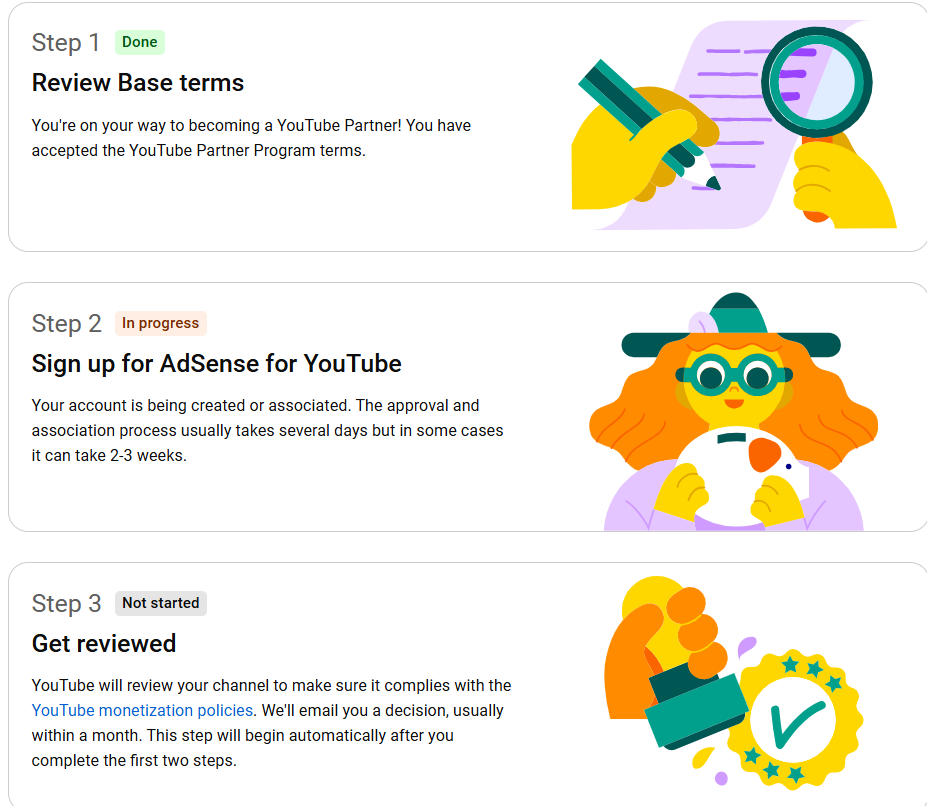
To unlock advanced features—such as custom thumbnails, external annotations, and videos longer than 15 minutes—users must undergo a secondary verification process. This typically involves a “Phone Verification” (distinct from the initial signup verification) to confirm the user is a legitimate human operator. For even more advanced features, such as the ability to appeal Content ID claims, Google may require “Advanced Features” verification, which involves building a “Channel History” over time or providing a valid government ID via a secure, encrypted upload.
By following these technical steps and understanding the underlying infrastructure of the Google ecosystem, users can successfully sign up for YouTube while ensuring their data is optimized for both performance and security. The platform’s robust architecture offers a sophisticated balance between ease of access and powerful technical capability, catering to everyone from casual viewers to professional digital media managers.
aViewFromTheCave is a participant in the Amazon Services LLC Associates Program, an affiliate advertising program designed to provide a means for sites to earn advertising fees by advertising and linking to Amazon.com. Amazon, the Amazon logo, AmazonSupply, and the AmazonSupply logo are trademarks of Amazon.com, Inc. or its affiliates. As an Amazon Associate we earn affiliate commissions from qualifying purchases.