
Tesla vehicles are often described as “computers on wheels,” a metaphor that highlights the brand’s departure from traditional automotive engineering toward a software-centric philosophy. For the modern tech enthusiast, the ability to customize a device with applications is a standard expectation. However, unlike a smartphone or a tablet, adding apps to a Tesla follows a unique set of rules dictated by proprietary software, security protocols, and over-the-air (OTA) updates. Understanding how to expand the functionality of your Tesla requires a deep look into the architecture of the Tesla OS and the creative workarounds used by the developer community.
Understanding the Tesla Software Architecture
To understand how to add apps to a Tesla, one must first recognize that Tesla does not currently offer a public-facing, third-party App Store similar to Apple’s App Store or Google Play. The operating system running on Tesla’s Media Control Unit (MCU) is a custom Linux-based distribution. This choice allows Tesla to maintain granular control over the user interface, vehicle security, and system performance.
The Role of Over-the-Air (OTA) Updates
The primary way new applications are added to a Tesla is through OTA updates. Tesla’s engineering team develops or optimizes specific applications—such as Spotify, Zoom, or Apple Music—and pushes them to the entire fleet simultaneously. When a new firmware version is released, the car downloads the data via Wi-Fi or LTE, and upon installation, new “apps” or features appear in the App Launcher. This curated approach ensures that every application is perfectly scaled for the touchscreen and does not interfere with critical driving systems.
Hardware Limitations: MCU1, MCU2, and Ryzen
Not all Teslas are created equal when it comes to app compatibility. The ability to run complex applications depends heavily on the car’s Media Control Unit.
-
MCU1 (Pre-2018): These older units use NVIDIA Tegra processors. They are limited in their ability to run modern, high-demand apps like Netflix or YouTube.
-
MCU2 (2018–2021): These units use Intel Atom processors, which introduced the “Tesla Theater” and a much smoother browser experience.
-
MCU3 (Late 2021–Present): The latest vehicles feature AMD Ryzen processors, providing the computing power necessary for high-end gaming (including Steam integration on Model S and Model X) and incredibly responsive app transitions.
Native Applications and the Tesla Theater
While you cannot manually download a “.exe” or “.apk” file onto your Tesla, the vehicle comes pre-loaded with a suite of native applications that Tesla continues to expand. These are categorized into Entertainment, Productivity, and Utility.
The Entertainment Suite: Tesla Theater and Arcade
The “Theater” app is where Tesla consolidates video streaming services. Currently, this includes platforms like Netflix, YouTube, Disney+, Hulu, and Twitch. To “add” these apps, you simply ensure your car is running the latest software version. These applications are optimized for the vehicle’s horizontal or vertical display and often require a “Premium Connectivity” subscription to stream over LTE, though they work perfectly over a Wi-Fi hotspot.
Tesla Arcade offers a range of games, from simple touch-based puzzles to graphically intensive titles like Cuphead or Beach Buggy Racing 2. On newer Model S and Model X vehicles equipped with 16GB of RAM and the Ryzen chipset, Tesla has integrated the Steam store, allowing users to play thousands of high-end PC titles directly on the car’s screen using a Bluetooth controller.
Music and Connectivity Apps
Tesla has progressively added native support for major music streaming services. Beyond the standard Bluetooth audio, users can log into native apps for Spotify, Tidal, Apple Music, and TuneIn. The integration of these apps is seamless, allowing for voice-command control and steering wheel integration, which provides a significantly better user experience than simply streaming from a phone.
Leveraging the Web Browser for Third-Party Functionality

Since Tesla lacks a traditional app store, the built-in web browser serves as the most powerful tool for “adding” third-party functionality. While the browser was historically slow in older models, the transition to Chromium-based engines in newer MCUs has made it a viable platform for web-based applications.
Full-Screen Web Apps
One of the most popular ways to expand a Tesla’s capabilities is through specialized websites designed to look and feel like native apps. Sites like “TeslaWaze” or “ABetterRoutePlanner” (ABRP) can be loaded in the browser to provide specialized navigation overlays or real-time traffic data that might differ from the native Tesla Maps.
Bypassing Browser Restrictions
By default, the Tesla browser does not run in full-screen mode while the car is in “Park” (it usually retains the top status bar). However, the developer community has created “redirector” tools. By visiting certain URLs through the Tesla Theater’s YouTube or Plex portals, users can trick the system into opening a full-screen browser window. This allows for a much more immersive experience when using web-based tools for work or entertainment, effectively allowing the user to “install” the web as their app store.
Productive Workflows
With the integration of Zoom and the ability to access web-based versions of Microsoft Teams or Google Workspace, the Tesla cabin can be transformed into a mobile office. By using the browser, users can check emails, manage Trello boards, or monitor stock portfolios through dedicated web interfaces, all optimized for the car’s high-resolution display.
The External App Ecosystem: API-Based Integration
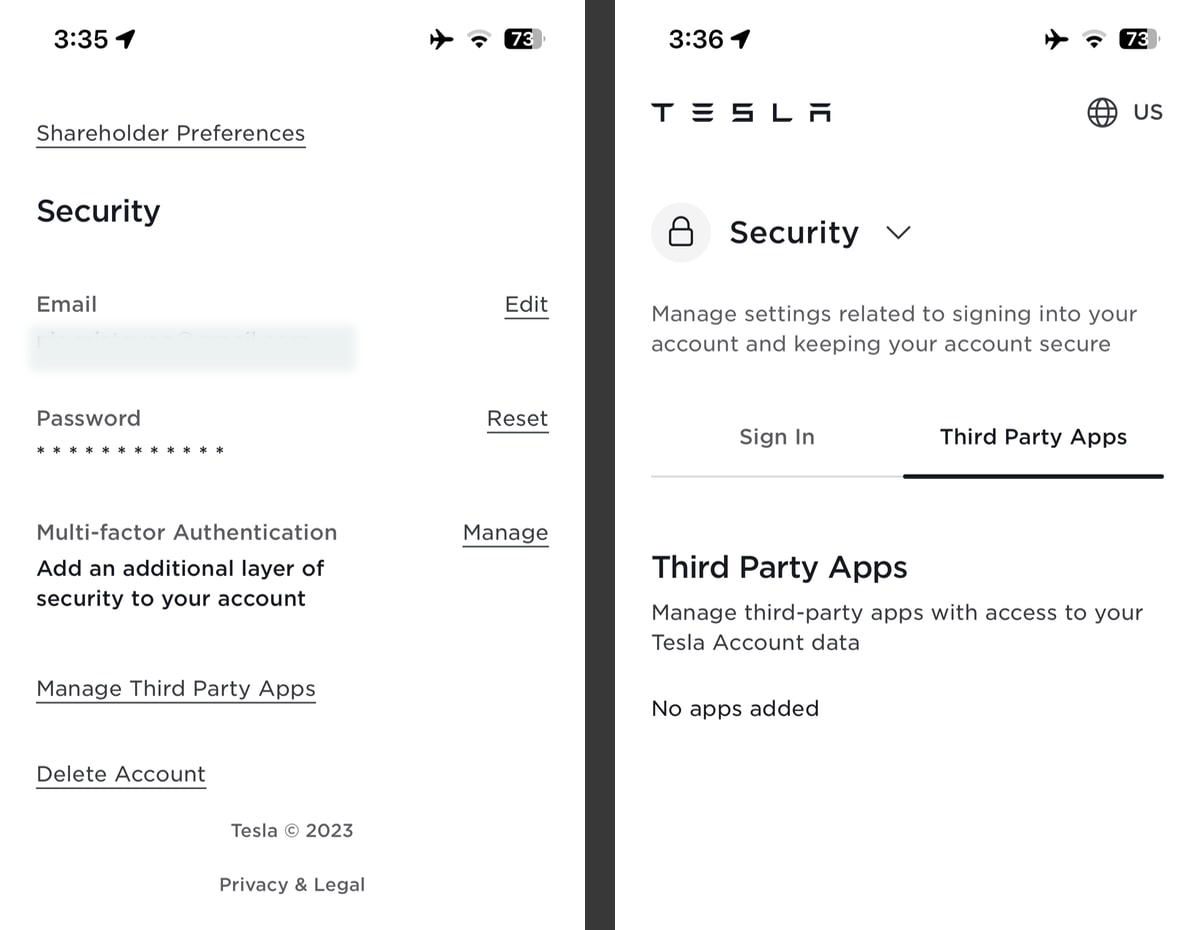
While you may not be able to install an app on the car’s screen, you can significantly enhance the car’s functionality by “adding” apps to your smartphone that communicate with the Tesla API. This is where the most advanced customization happens in the Tesla community.
Third-Party Data and Control Apps
Developers use Tesla’s Fleet API to create applications that offer more data than the official Tesla mobile app.
-
Tessie and Stats: These apps provide deep analytics on battery health, phantom drain, and driving efficiency. They also allow for “Automation” or “Siri Shortcuts,” enabling users to open the trunk with a voice command or pre-condition the cabin based on their calendar events.
-
Remote S and Watch for Tesla: These apps bring Tesla controls to the Apple Watch, effectively adding a “wrist app” to the Tesla ecosystem.
Security and Software Integrity
When using third-party apps that require your Tesla login credentials, it is vital to understand the security implications. Most reputable apps now use OAuth tokens, meaning they never see your actual password. However, “adding” these features requires a level of trust in the third-party developer, as these apps can theoretically control vehicle locks and climate settings.
The Future of the Tesla App Store
For years, rumors have circulated about the official launch of a Tesla App Store. From a tech perspective, the move makes sense. An official SDK (Software Development Kit) would allow developers to create apps specifically for the Tesla interface, potentially opening the door for specialized weather apps, advanced racing telemetry, or integrated smart-home controls.
The Shift Toward Standardized Platforms
The introduction of Steam was a major milestone. It proved that Tesla is willing to integrate large, third-party platforms rather than building everything in-house. This suggests a future where Tesla might act more like a platform provider (similar to Apple) rather than a closed-circuit software developer.
Why the Delay?
The primary hurdle for a Tesla App Store is safety and distraction. Unlike a smartphone, any app running on a vehicle’s screen must adhere to strict regulatory standards to ensure it doesn’t distract the driver. Furthermore, Tesla’s “Full Self-Driving” (FSD) ambitions mean that as the car becomes more autonomous, the demand for in-car entertainment and productivity apps will skyrocket. Once Level 4 or Level 5 autonomy is achieved, the Tesla cabin will essentially become a living room, making a robust app ecosystem a necessity rather than a luxury.
In conclusion, “adding apps” to a Tesla is currently a hybrid process of embracing OTA updates, utilizing the power of the Chromium browser, and leveraging third-party API integrations on mobile devices. While we wait for a formal App Store, the existing software landscape offers a surprising amount of flexibility for those who know how to navigate the technical nuances of the Tesla ecosystem. Whether you are optimizing your route with web-based tools or playing AAA games via Steam, the Tesla software experience remains the gold standard for the modern connected vehicle.
aViewFromTheCave is a participant in the Amazon Services LLC Associates Program, an affiliate advertising program designed to provide a means for sites to earn advertising fees by advertising and linking to Amazon.com. Amazon, the Amazon logo, AmazonSupply, and the AmazonSupply logo are trademarks of Amazon.com, Inc. or its affiliates. As an Amazon Associate we earn affiliate commissions from qualifying purchases.