
Grand Theft Auto V (GTA 5) remains a pinnacle of open-world software engineering, offering a complex digital ecosystem that mirrors real-world technological interactions. Central to the gameplay experience, particularly within the persistent online environment of GTA Online, is the acquisition and management of vehicular assets. Buying a car in the streets of Los Santos is not merely a gameplay mechanic; it is a deep dive into an simulated e-commerce interface, requiring players to navigate in-game web browsers, manage digital banking applications, and interface with virtual logistics providers.

Whether you are navigating the single-player narrative of Michael, Franklin, and Trevor, or establishing a criminal empire in the multiplayer expansion, understanding the technical steps to purchase, store, and secure vehicles is essential. This guide explores the sophisticated digital marketplace of GTA 5, detailing the software interfaces and platforms used to build your high-performance fleet.
Navigating the In-Game Digital Marketplace
The primary method for purchasing vehicles in GTA 5 is through the “EyeFind” internet browser, accessible via the player’s in-game smartphone—the iFruit device. This simulation of mobile technology serves as the main UI (User Interface) for all high-level transactions. Unlike simply hijacking a car on the street, purchasing a vehicle through the official digital channels ensures that the asset is “tracked” and “insured,” integrating it into the player’s persistent save data.
Utilizing the iFruit Smartphone Interface
To initiate a purchase, players must bring up their mobile device (Up on the D-pad for consoles or ‘Up Arrow’ on PC). From the home screen, selecting the “Internet” icon launches the browser. This browser is a fully functional piece of software within the game engine, allowing players to search for URLs or navigate through categorized links. For vehicle enthusiasts, the “Travel and Transport” tab acts as the central hub for all major automotive retailers.
The Role of Maze Bank and Virtual Currency
Before a transaction can be processed, the game’s logic checks the player’s available liquidity. In GTA Online, this is handled through the Maze Bank website. It is technically advantageous to deposit all “cash on hand” into the bank via the phone’s browser to prevent loss during gameplay and to ensure that the e-commerce sites can instantly verify the funds. When a player clicks “Buy,” the software executes a real-time deduction from the virtual bank account and triggers a delivery script.
The Leading Virtual Dealerships and Platforms
The software environment of Los Santos features several distinct websites, each functioning as a specialized storefront for different classes of vehicles. Understanding the specialization of these platforms allows for more efficient asset management.
Legendary Motorsport: High-Performance Assets
Legendary Motorsport is the premier destination for luxury and exotic vehicles. The interface here mimics high-end real-world automotive sites, offering detailed specifications on top speed, braking, and traction. When purchasing from this site, players are often given a choice of color palettes. From a technical perspective, these choices represent the initial “skin” applied to the vehicle model upon its generation in the game world.
Southern San Andreas Super Autos: The Versatile Marketplace
For players looking for everyday commuters, off-road vehicles, or classic muscle cars, Southern San Andreas Super Autos is the go-to platform. This site features the largest inventory and is frequently updated with new software patches (DLC). The “Filter” tool on this website is essential for navigating the massive database of vehicles, allowing users to sort by price, seating capacity, or vehicle class.
Warstock Cache & Carry: Tactical and Industrial Hardware
Warstock Cache & Carry serves as the marketplace for specialized military-grade assets. This includes armored SUVs, tanks, jet fighters, and weaponized motorcycles. Buying from Warstock often involves additional software checks; for example, certain heavy vehicles require the player to own specific properties (like a Hangar or a Facility) before the purchase can be authorized. This represents a “dependency” within the game’s asset-acquisition logic.
Benny’s Original Motor Works: The Customization Hub
Benny’s Original Motor Works is more than just a shop; it represents a specialized branch of the game’s modification engine. While players can buy base models directly from Benny’s website, the true value lies in the “Lowrider” and “Custom” upgrades available at the physical workshop. These upgrades technically transform the vehicle’s “Base ID” into a “Custom ID,” unlocking unique animations, hydraulic systems, and higher-resolution interior textures.
The Technical Mechanics of Storage and Delivery
Once the “Purchase” button is clicked and the transaction is validated by the Maze Bank API, the game must determine where to place the new asset. This involves the player’s garage infrastructure and the automated delivery system.
Managing Garage Infrastructure
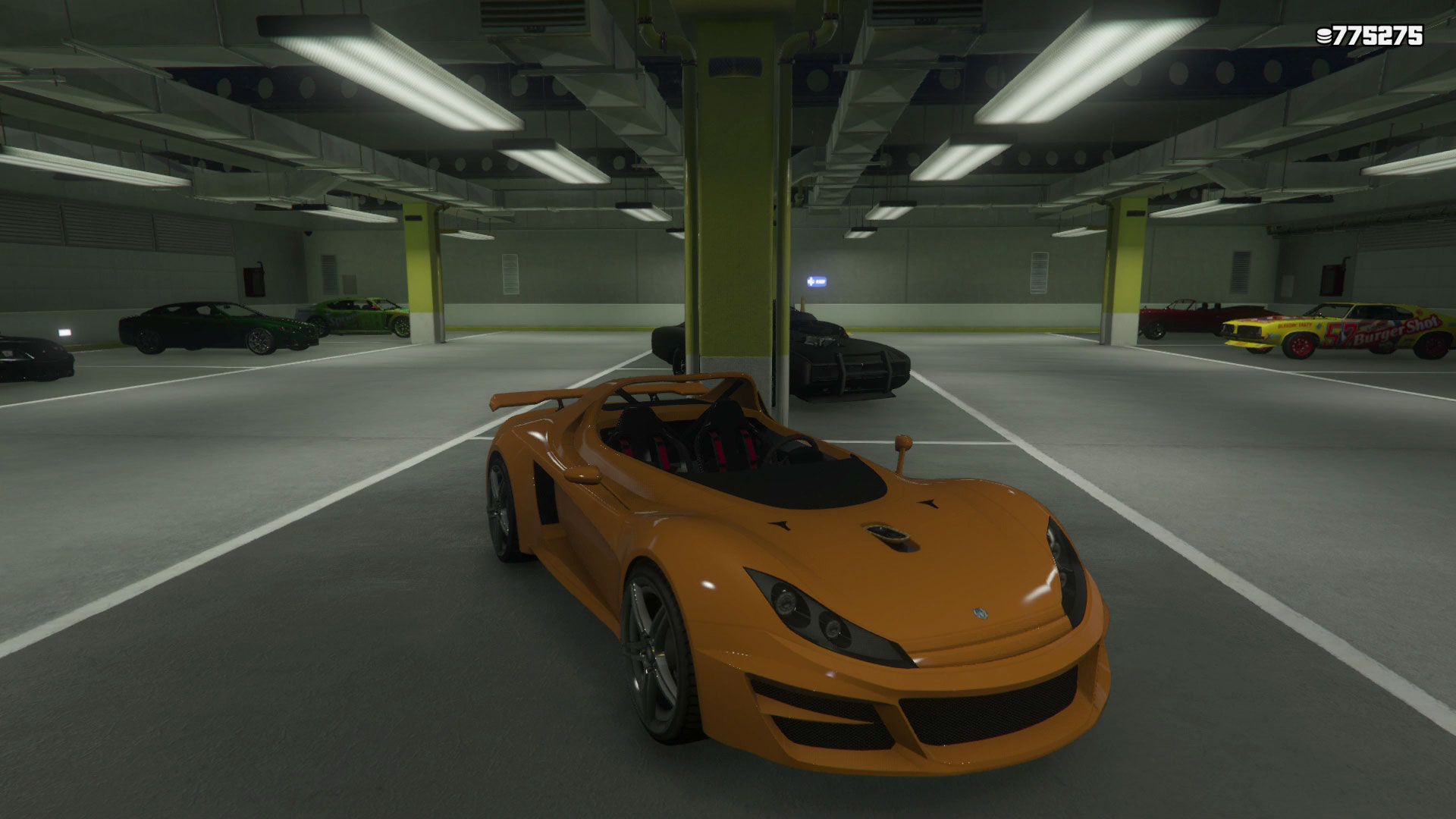
A vehicle cannot be purchased unless the player has an available “slot” in a garage they own. Garages in GTA 5 function as distinct interior cells—private instances where the player’s vehicle data is loaded. These range from small two-car units in Paleto Bay to sprawling 60-car executive garages in the heart of the city.
-
Property Tiers: High-end apartments typically include a 10-car garage.
-
Specialized Storage: Certain vehicles, like the Terrorbyte or the Mobile Operations Center, require their own dedicated “service” slots within larger properties like Nightclubs or Bunkers.
The Mechanic and Delivery Scripts
After a purchase, the vehicle does not appear instantly in front of the player. Instead, a delivery script is queued. In GTA Online, the player can use the “Mechanic” contact in their phone to request a vehicle. The software then checks the player’s proximity to a suitable roadway and “spawns” the vehicle nearby, provided the player is not currently in a combat state or too far from a navigable path. This interaction highlights the seamless integration of UI-based commerce and 3D world physics.
Protecting Digital Assets: Insurance and Security
In the volatile world of Los Santos, assets can be destroyed by environmental hazards or other players. To protect these investments, the game utilizes the “Mors Mutual Insurance” system.
The Mors Mutual Insurance (MMI) System
When a vehicle is purchased through a website, it automatically comes with a tracking device and a basic insurance policy. If the vehicle is destroyed, it is not permanently deleted from the player’s database. Instead, its state is changed to “Destroyed,” and the player must call the Mors Mutual Insurance app on their phone to file a claim.
-
Premium Payments: If the player is responsible for the destruction, they must pay a deductible based on the vehicle’s value.
-
External Destruction: If another player destroys the vehicle in GTA Online, the “attacker” is often automatically billed for the insurance premium, a programmatic deterrent against “griefing.”
Tracking and Personal Vehicle Status
The game engine designates one vehicle at a time as the “Active Personal Vehicle.” This asset is highlighted on the mini-map with a unique icon. This status ensures that the vehicle remains persistent even if the player moves far away from it, unlike NPC vehicles which are frequently despawned by the game’s memory management system to save resources.

Optimizing the Purchase Experience through Tech-Savvy Strategies
To build a collection efficiently, players should utilize various technological tools provided within the game’s updates.
-
The iFruit App (Real World): Previously, players could use a real-world smartphone app to customize license plates and train their virtual dog, which would sync with the game servers. While Rockstar has shifted these features to web-based portals, the concept of cross-platform asset management remains a core part of the experience.
-
Social Club Integration: By linking a game account to the Rockstar Games Social Club, players can access exclusive discounts, view their vehicle stats through a web browser on their actual PC, and even claim free vehicles during promotional events.
-
In-Game Discounts and “Price Locking”: The digital stores frequently update their “featured” lists. Savvy players monitor these cycles to purchase high-value assets during a 30% or 40% discount window, effectively maximizing their virtual purchasing power.
In conclusion, buying cars in GTA 5 is a sophisticated simulation of modern digital consumerism. By mastering the iFruit interface, understanding the specialized roles of various automotive websites, and managing the technical requirements of garage storage and insurance, players can curate a world-class collection of digital vehicles. This system showcases the impressive depth of GTA 5’s software architecture, turning a simple gameplay task into an engaging exercise in virtual asset management.
aViewFromTheCave is a participant in the Amazon Services LLC Associates Program, an affiliate advertising program designed to provide a means for sites to earn advertising fees by advertising and linking to Amazon.com. Amazon, the Amazon logo, AmazonSupply, and the AmazonSupply logo are trademarks of Amazon.com, Inc. or its affiliates. As an Amazon Associate we earn affiliate commissions from qualifying purchases.