
In the modern financial landscape, the speed and reliability of direct deposits have become the backbone of personal cash flow management. Whether it is a bi-weekly paycheck, a tax refund, or a government benefit payment, knowing exactly when and how your funds will arrive is essential for maintaining financial stability. Chase, as one of the largest financial institutions in the world, offers a robust digital infrastructure designed to give users real-time insights into their incoming transactions.
Understanding how to navigate the Chase ecosystem to track these deposits not only provides peace of mind but also allows for better budgeting and bill-pay scheduling. This guide explores the multifaceted ways to check your incoming direct deposits, the underlying technology that governs these transfers, and how to optimize your Chase account for the fastest possible access to your money.
The Mechanics of Direct Deposits at Chase
Before diving into the “how-to” of tracking, it is important to understand what happens behind the scenes of an incoming direct deposit. Most direct deposits are processed through the Automated Clearing House (ACH) network. This is a batch-processing system used by financial institutions to move money between accounts across the United States.
When an employer or a government agency initiates a direct deposit, they send a file to their bank, which then routes the information through the ACH network to Chase. Once Chase receives this notification, the funds are typically flagged as “pending” before they are officially settled and added to your “Available Balance.”
Understanding Pending vs. Available Balance
One of the most common points of confusion for Chase customers is the difference between these two figures. When you check your account, the “Current Balance” includes all transactions that have cleared, while the “Available Balance” reflects the money you can actually spend right now, including pending deposits that have been cleared for immediate use.
Chase often displays incoming direct deposits in the “Pending” section of your transaction history. While these funds may show up a day or two before they are fully settled, they are generally not accessible for withdrawal until the effective date set by the sender. However, with certain Chase account types, such as Chase Secure Banking, users may receive their funds up to two days early, depending on when the sender initiates the transfer.
The Standard Timeline
Standard payroll cycles usually see funds hitting accounts early in the morning on payday, often between 3:00 AM and 5:00 AM local time. If you are expecting a deposit on a Friday, the ACH file is often sent on Wednesday or Thursday. Chase is known for its efficiency in processing these files, often making the information visible to the user as soon as the electronic notification is received.
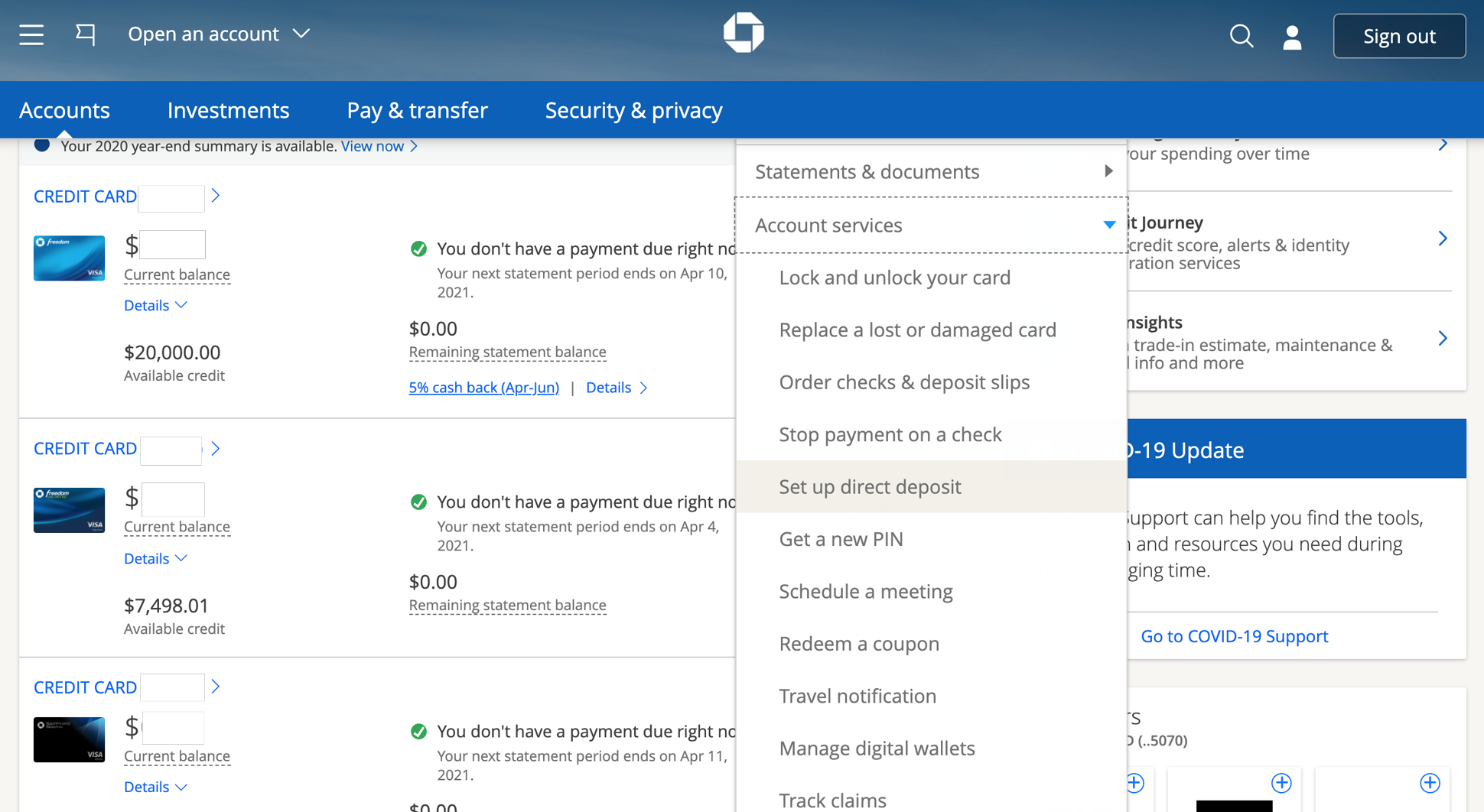
How to Monitor Your Incoming Funds: Step-by-Step
Chase offers three primary ways to check on an incoming direct deposit: the mobile app, the online banking portal, and automated alerts. Utilizing these tools effectively ensures you are never left guessing about the status of your income.
Using the Chase Mobile® App
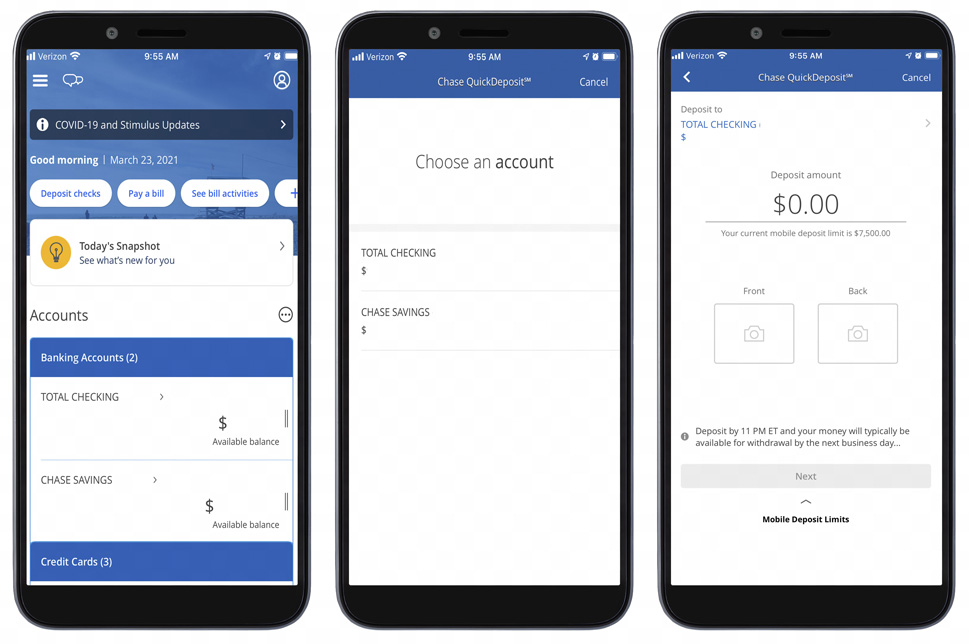
The mobile app is the most convenient tool for on-the-go tracking. To check your deposit status:
-
Log In: Use your biometrics (Face ID or Fingerprint) or password to access the app.
-
Select Your Account: Tap on the specific checking account where you expect the deposit.
-
Review Activity: Scroll down to the “Activity” section. Incoming deposits will appear here. If the deposit is scheduled but not yet finalized, it will appear under a “Pending” header at the top of the list.
-
Transaction Details: Tap on the specific pending transaction to see the “Posted Date” and the “Description,” which usually identifies the sender (e.g., “EDD PAYROLL” or “IRS TREAS 310”).
Navigating Chase Online Banking
For a more detailed view, the desktop portal provides a comprehensive look at your financial history.
-
Sign In: Go to the Chase website and log in to your account.
-
Account Overview: On the main dashboard, click on the account you wish to monitor.
-
Search and Filter: Use the search bar within the transaction history to filter by “Deposits” or “Electronic Transfers.” This is particularly useful if you are looking for a specific amount or a recurring payment from a previous month to compare timing.
-
Statements and Documents: If the deposit has already cleared, you can view it on your monthly statement, which serves as the official record for your personal bookkeeping.
Setting Up Real-Time Notifications
The most efficient way to track an incoming deposit is to let the bank tell you when it arrives. Chase allows you to set up customizable alerts.
-
Navigate to Alerts: In the app or online, find the “Profile & Settings” menu and select “Alerts.”
-
Choose Delivery Method: You can opt to receive notifications via push notification, email, or text message.
-
Set “Deposit Posted” Alerts: Enable the alert for “A deposit is posted to my account.” You can even set a threshold, such as only being notified for deposits over $100.
-
Benefits of Alerts: This removes the need to constantly refresh your app on payday. You will receive a notification the moment the funds hit your account or move from pending to available.
Troubleshooting Common Deposit Issues
Occasionally, a direct deposit might not appear when expected. While this can be stressful, it is usually due to a few specific logistical factors rather than a loss of funds.
Why Your Deposit Might Be Delayed
The most frequent cause for a “missing” deposit is the timing of the ACH transfer.
-
Bank Holidays and Weekends: The ACH network does not process transactions on Saturdays, Sundays, or federal holidays. If your payday falls on a Monday holiday, the deposit might not appear until Tuesday, or it might be moved up to the previous Friday depending on your employer’s policy.
-
Payroll Processing Errors: If the deposit isn’t showing as pending, the issue often lies with the sender. If an employer submits the payroll file late, Chase cannot display a transaction it hasn’t received notification for.
-
New Account Verification: If you have just opened a Chase account or recently changed your direct deposit details, the first transfer can sometimes take an extra 1-2 billing cycles to move from paper checks to electronic transfers.
Verification and Errors
If a deposit fails to show up after several days, verify the account and routing numbers provided to the sender. A single digit error in the account number can cause the ACH transfer to be rejected and returned to the sender. In these cases, Chase will usually not have a record of the incoming attempt, and you will need to coordinate with the sender’s payroll department to trace the “Return to ODFI” (Originating Depository Financial Institution) code.
Maximizing Your Chase Financial Tools
Monitoring your direct deposit is just the first step in sophisticated financial management. Chase provides several integrated tools that work in tandem with your incoming income to help you grow your wealth and protect your spending.
Early Direct Deposit
In recent years, Chase has introduced “Early Direct Deposit” for certain account types, such as Chase Secure Banking. This feature allows the bank to credit your account as soon as they receive the ACH notification from the sender, which is often up to two business days before the scheduled payday. This can be a game-changer for individuals looking to pay bills early or avoid the “payday gap” where expenses accumulate just before income arrives.
Chase Overdraft Assist
Direct deposits also play a crucial role in the “Chase Overdraft Assist” program. For eligible accounts, if you overdraw your account by more than $50, Chase will waive the overdraft fee if you bring your account balance to an overdrawn amount of $50 or less by the end of the next business day. Knowing exactly when your direct deposit will hit allows you to utilize this grace period effectively, ensuring that your incoming paycheck “saves” you from unnecessary fees.
Integration with Budgeting Software
Because Chase uses a secure API for data sharing, your direct deposit information can be automatically synced with third-party budgeting tools and investment platforms. By tracking the consistency and timing of your incoming Chase deposits, these tools can provide more accurate forecasts of your “discretionary income”—the money left over after fixed costs are covered. This allows for automated “pay yourself first” strategies, where a portion of your direct deposit is immediately moved into a Chase Savings account or an external brokerage.
Security and Best Practices in Digital Banking
As you monitor your incoming funds, security should remain a top priority. Your direct deposit information contains sensitive data, including your full account and routing numbers.
Protecting Your Account
Always ensure that you are checking your Chase account over a secure, private internet connection. Avoid using public Wi-Fi at coffee shops or airports when accessing financial data. Furthermore, enable Two-Factor Authentication (2FA) on your Chase account. This ensures that even if someone discovers your password, they cannot access your transaction history or redirect your deposits without a secondary code sent to your trusted device.
The Importance of Regular Audits
While direct deposits are automated, they are not infallible. It is a best practice to cross-reference your pay stubs with the deposits appearing in your Chase account at least once a month. Ensure that the net pay matches the deposited amount and that no unauthorized “ghost” transactions are pulling from your balance the moment your income arrives.
By mastering the tools Chase provides—from mobile alerts to the nuances of pending transactions—you transform your bank account from a simple holding pen for cash into a dynamic tool for financial oversight. Knowing how to check and verify your incoming direct deposits is the foundation of a proactive financial life, ensuring that you are always in control of your most important resource: your time and the money you earn.
aViewFromTheCave is a participant in the Amazon Services LLC Associates Program, an affiliate advertising program designed to provide a means for sites to earn advertising fees by advertising and linking to Amazon.com. Amazon, the Amazon logo, AmazonSupply, and the AmazonSupply logo are trademarks of Amazon.com, Inc. or its affiliates. As an Amazon Associate we earn affiliate commissions from qualifying purchases.