
In the ever-evolving landscape of digital finance, tools like Cash App have become indispensable for millions, offering a streamlined way to manage money, send funds, and even invest. Central to this convenience is the Cash App Card—a Visa debit card that allows users to spend their Cash App balance anywhere Visa is accepted. While sending money and making purchases are straightforward, a common question arises for many users: “Where can I reload my Cash App card?” Understanding the various methods to add funds is crucial for uninterrupted access to your money and seamless financial management. This guide delves deep into every available option, ensuring you’re always in control of your Cash App balance.

Understanding Your Cash App Card and Its Reload Needs
The Cash App Card isn’t just another debit card; it’s a direct extension of your digital wallet, designed to bridge the gap between your Cash App balance and real-world spending. Grasping its fundamental nature and why reloads are essential sets the stage for efficient financial planning.
What is the Cash App Card?
The Cash App Card is a free, customizable Visa debit card linked directly to your Cash App balance. Unlike traditional bank debit cards, it doesn’t draw from a separate bank account but rather from the funds you hold within your Cash App account. This card allows you to make purchases online, in stores, and withdraw cash from ATMs (though ATM withdrawals may incur fees). Its popularity stems from its ease of use, instant notifications, and the ability to personalize its design, making it a favorite among a diverse user base, from students to freelancers.
Why Reload Your Cash App Card?
Reloading your Cash App Card is synonymous with adding funds to your Cash App balance. This action is necessary for several reasons. Firstly, to ensure you have sufficient funds for daily spending, whether it’s groceries, bills, or online shopping. Secondly, it’s vital for maintaining a healthy balance if you rely on Cash App for budgeting or managing specific expenses. For individuals who primarily receive income or funds through Cash App, regular reloads (or deposits) keep their financial activities flowing. Furthermore, in emergencies or when you need quick access to cash, knowing how to efficiently reload your card can be a lifesaver, providing instant liquidity without the need for a traditional bank visit.
Diverse Methods for Reloading Your Cash App Card
Cash App offers a variety of ways to add funds to your account, catering to different preferences and situations. From traditional bank transfers to convenient in-store cash deposits, understanding each method is key to choosing the most suitable option for your needs.
Bank Account Linkage: The Primary Method
Linking an external bank account is arguably the most common and straightforward way to add funds to your Cash App. This method provides a direct conduit between your traditional banking institution and your digital wallet.
-
How it Works: Within the Cash App, navigate to the ‘Banking’ or ‘My Cash’ tab, select ‘Add Cash,’ and choose your linked bank account. You can then specify the amount you wish to transfer.
-
Benefits: This method is generally free for standard deposits, which typically take 1-3 business days to process. For those needing instant access to funds, Cash App often provides an ‘Instant Deposit’ option, though this usually comes with a small fee (e.g., 0.5% – 1.75% of the transaction amount).
-
Considerations: Ensure your linked bank account has sufficient funds to cover the transfer. Double-check the amount before confirming to avoid errors.
Direct Deposit: Your Paycheck Gateway
For many, direct deposit is the most convenient way to regularly fund their Cash App account, effectively treating it as a primary bank account for receiving income.
-
How it Works: Cash App provides you with a unique account and routing number. You can provide these details to your employer, government benefits provider, or any payer, just like you would with a traditional bank account. Your paycheck or benefits will then be deposited directly into your Cash App balance.
-
Benefits: This method is entirely free and offers the quickest access to recurring income, often arriving up to two days earlier than many traditional banks. It simplifies financial management by consolidating funds into one accessible platform.
-
Considerations: Verify the accuracy of the account and routing numbers with your payer. Monitor your Cash App notifications to confirm successful deposits.
In-Store Cash Deposits: Bringing Cash to Digital
Sometimes, you have physical cash that you need to convert into digital funds on your Cash App Card. Cash App has partnered with various retailers to facilitate this process, making it incredibly convenient.
-
Participating Retailers: Major stores like Walmart, Walgreens, 7-Eleven, CVS, Rite Aid, Dollar General, and Family Dollar often support Cash App cash deposits. It’s always a good idea to check the Cash App’s in-app map or website for the most current list of participating locations near you.
-
The Process:
-
Open your Cash App and tap the ‘Banking’ or ‘My Cash’ tab.
-
Select ‘Add Cash.’
-
Choose the ‘Deposit Paper Money’ option.
-
The app will generate a unique barcode.
-
Present this barcode to the cashier at a participating store and tell them how much cash you want to deposit.
-
The cashier will scan the barcode and take your cash. The funds are typically available in your Cash App balance instantly.
-
-
Fees and Limits: While the service is a godsend for cash users, it usually incurs a small fee (often around $1) charged by the retailer or Cash App itself. There are also daily and weekly limits on how much cash you can deposit this way (e.g., $500 per deposit, $1,000 per week), so plan accordingly for larger sums.
Peer-to-Peer Transfers: From Friends & Family
If a friend or family member also uses Cash App, they can instantly send money to your account, effectively reloading your card.
-
How it Works: The sender simply enters your $Cashtag, email, or phone number within their Cash App, specifies the amount, and sends it.
-
Benefits: This is an instant and free way to receive funds from other Cash App users.
-
Considerations: Ensure the sender has the correct details to avoid sending money to the wrong person.
Debit Card Linking: Another Swift Option
While linking a bank account is primary, you can also link another debit card (not associated with your main bank account) to your Cash App for quick transfers.
-
How it Works: In the ‘Banking’ section, select ‘Link Bank’ and then ‘Link Debit Card’ if you haven’t already. You can then use this linked debit card to ‘Add Cash’ to your Cash App balance, similar to a bank transfer.
-
Benefits: Offers an alternative to bank transfers, especially if you have funds on another debit card you wish to consolidate. Instant transfers via this method may incur a fee.
-
Considerations: Be mindful of instant transfer fees, which are typically a percentage of the transaction amount.
Navigating Fees, Limits, and Security for Reloads
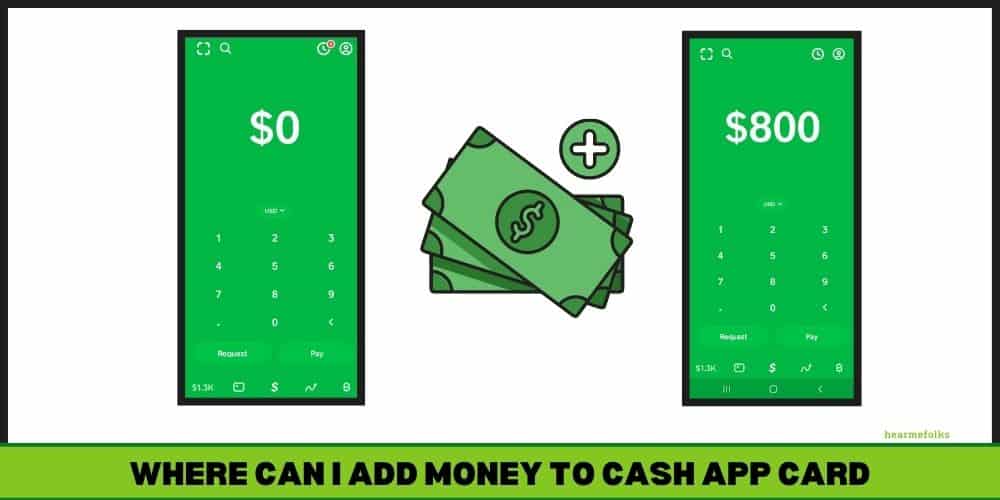
While the convenience of reloading your Cash App Card is undeniable, it’s equally important to understand the associated costs, limitations, and security measures to ensure a smooth and protected experience.
Understanding Reload Fees
Not all reload methods are free. Being aware of potential fees helps you choose the most cost-effective option for your situation.
-
Instant Deposits from Linked Bank/Debit Card: These usually incur a fee, typically ranging from 0.5% to 1.75% of the transaction amount. This fee is clearly displayed before you confirm the transfer.
-
In-Store Cash Deposits: As mentioned, these often come with a small service fee, usually around $1 per transaction, charged by the retailer or Cash App.
-
Standard Deposits (Bank Account): Generally free, but funds take 1-3 business days to become available.
-
Direct Deposits & Peer-to-Peer Transfers: These methods are typically free of charge.
To minimize fees, plan your finances to utilize standard bank transfers or direct deposits whenever possible. Save instant transfers and in-store deposits for urgent needs.
Daily, Weekly, and Monthly Reload Limits
Cash App imposes limits on how much money you can add to your account over certain periods. These limits are in place for security and regulatory compliance.
-
Add Cash Limits: These vary depending on whether your account is verified. Verified accounts (by providing your SSN, date of birth, and address) typically have higher limits. For example, you might be able to add $2,500 per week, but this can increase significantly once verified.
-
In-Store Deposit Limits: Specific limits apply here, often around $500 per transaction and $1,000 per rolling 7-day period.
-
Direct Deposit Limits: While there are often no strict limits on the amount you can receive via direct deposit, your Cash App spending limits will still apply.
It’s crucial to check your specific limits within the Cash App under the ‘Profile’ or ‘Privacy & Security’ settings. If you frequently hit these limits, consider verifying your account to expand your capabilities.
Security Best Practices During Reloads
Protecting your funds is paramount. Follow these security best practices when reloading your Cash App Card:
-
Verify Retailers: When making in-store deposits, ensure you are at an authorized participating retailer. If something feels off, don’t proceed.
-
Protect Your Barcode: The barcode generated for cash deposits is unique to your account. Do not share it publicly or with anyone you don’t trust. Only show it to the cashier.
-
Strong Passwords and PINs: Use a strong, unique password for your Cash App account and enable a PIN for transactions and app access.
-
Enable Two-Factor Authentication (2FA): This adds an extra layer of security, requiring a code from your phone in addition to your password to log in.
-
Beware of Scams: Cash App is a frequent target for scammers. Never share your login credentials, PIN, or sensitive financial information with anyone claiming to be Cash App support via unofficial channels. Cash App will never ask for your PIN.
-
Monitor Transactions: Regularly check your Cash App activity for any unauthorized transactions. Report suspicious activity immediately.
Optimizing Your Cash App Card Reload Experience
Maximizing the utility of your Cash App Card goes beyond just knowing how to add money. It involves strategic choices, proactive troubleshooting, and leveraging the app’s features for holistic financial management.
Choosing the Right Reload Method for Your Needs
The best reload method depends entirely on your immediate circumstances and financial habits.
-
For Regular Income: Direct deposit is unmatched for its convenience, speed, and cost-effectiveness. Set it up once and enjoy automatic funding.
-
For Urgent Digital Funds from Bank Account: Use instant transfer from your linked bank account or debit card. Be prepared for the small fee.
-
For Urgent Cash-to-Digital Conversion: In-store cash deposits are your go-to. Use the in-app map to find the nearest participating retailer.
-
For Budgeting and Non-Urgent Transfers: Standard transfers from your linked bank account are free and ideal for planned top-ups that don’t require immediate access.
-
For Receiving Money from Others: Peer-to-peer transfers are instant and free between Cash App users.
By understanding these scenarios, you can quickly decide on the most efficient and economical way to fund your card.
Troubleshooting Common Reload Issues
Even with the best planning, issues can sometimes arise. Knowing how to address them can save you time and frustration.
-
Payment Declined/Transfer Failed:
-
Insufficient Funds: The most common reason. Double-check your linked bank account or debit card balance.
-
Bank Restrictions: Some banks might flag large or frequent transfers to Cash App as suspicious. Contact your bank to approve the transaction.
-
Incorrect Details: Ensure all entered information (amounts, card numbers) is accurate.
-
Exceeded Limits: You might have hit your daily, weekly, or monthly Cash App reload limits.
-
-
In-Store Deposit Problems:
-
Cashier Error: The cashier might not be familiar with the process. Politely guide them or ask for a supervisor.
-
Barcode Issue: Ensure your phone screen is bright and the barcode is clearly visible for scanning.
-
System Downtime: Occasionally, a store’s system or Cash App’s service might be temporarily down. Try again later or visit another store.
-
-
Funds Not Appearing:
-
Standard Transfer Delay: Remember standard bank transfers take 1-3 business days.
-
Direct Deposit Timing: While often early, direct deposits are still subject to your employer’s payroll processing schedule.
-
Contact Support: If funds haven’t appeared after the expected timeframe for any method, contact Cash App Support directly through the app. Provide transaction details and any receipts.
-
Leveraging Cash App Features for Better Management
Beyond merely reloading, Cash App offers features that can help you manage your funds more effectively once they’re on your card.
-
Spending Insights: Track your spending categories to understand where your money goes. This can help you plan your reloads and budget better.
-
Automatic Adds: Consider setting up recurring automatic transfers from your linked bank account if you want a consistent balance.
-
Budgeting Tools: While not a full-fledged budgeting app, Cash App’s transaction history and notifications can help you stay on top of your expenditures, making it easier to determine when and how much to reload.
-
Round Ups: Some apps offer “round-up” features for purchases, automatically saving spare change. While Cash App doesn’t have this feature specifically for savings, being mindful of your card balance can achieve a similar effect by ensuring you only spend what you have.

Conclusion
The Cash App Card has revolutionized how many individuals interact with their money, offering unparalleled convenience and flexibility. Knowing “where to reload your Cash App card” is fundamental to harnessing its full potential. From the swiftness of direct deposits and peer-to-peer transfers to the accessibility of in-store cash deposits and traditional bank linkages, Cash App provides a robust suite of options to ensure your digital wallet is always funded. By understanding the nuances of each method, navigating fees and limits, and adhering to crucial security practices, you can optimize your Cash App experience, ensuring seamless financial management and uninterrupted access to your funds whenever and wherever you need them. Embrace the diverse reload options and empower your financial journey with Cash App.
aViewFromTheCave is a participant in the Amazon Services LLC Associates Program, an affiliate advertising program designed to provide a means for sites to earn advertising fees by advertising and linking to Amazon.com. Amazon, the Amazon logo, AmazonSupply, and the AmazonSupply logo are trademarks of Amazon.com, Inc. or its affiliates. As an Amazon Associate we earn affiliate commissions from qualifying purchases.