
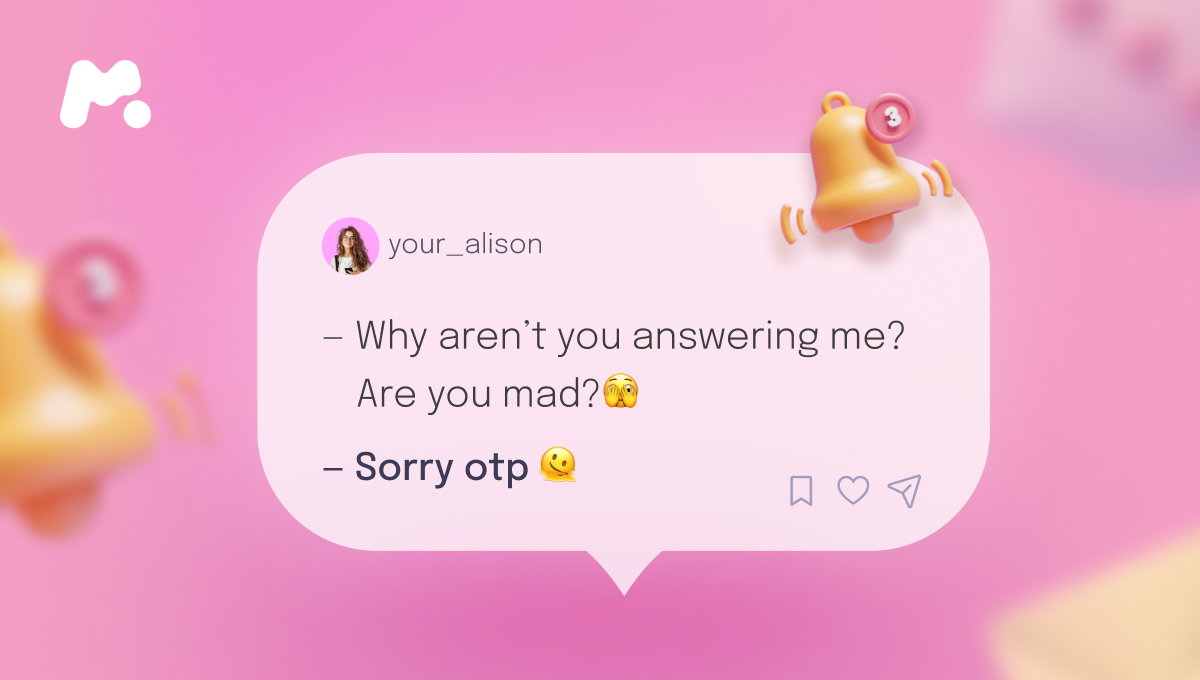
In our hyper-connected world, communication has become instantaneous, often reduced to acronyms and shorthand. Among these, “OTP” stands out, carrying significant weight depending on the context. While some might colloquially associate it with fan culture’s “One True Pairing,” its far more critical and prevalent meaning in digital communication, especially when received via text, is “One-Time Password.” This distinction is not merely semantic; it touches upon the very foundation of our digital security, data privacy, and the ever-present threat of cyber exploitation.
When you receive an OTP in a text, particularly “from a guy” – whether a known contact, an unknown number, or a system-generated message – it immediately shifts the conversation into the realm of digital security. This article delves deep into the technological underpinnings of One-Time Passwords, elucidates their critical role in safeguarding your online identity, and provides indispensable guidance on how to navigate legitimate requests versus insidious phishing attempts, ensuring your digital safety remains uncompromised.

The Cornerstone of Digital Security: One-Time Passwords
In an era defined by data breaches and sophisticated cyberattacks, the traditional username-and-password model alone is no longer sufficient. One-Time Passwords have emerged as a vital layer of defense, offering a robust shield against unauthorized access to our digital lives. Understanding their mechanics and purpose is the first step toward harnessing their protective power.
Understanding OTP Mechanics and Purpose
An OTP is precisely what its name suggests: a unique, typically numeric or alphanumeric, code that is valid for only one login session or transaction, and usually for a very short period (e.g., 30 seconds to 5 minutes). Unlike static passwords, which can be stolen, reused, or guessed, an OTP loses its validity immediately after use or expiration, rendering it useless to potential attackers.
The mechanism is straightforward yet effective:
-
User Action: You initiate an action requiring authentication, such as logging into your bank account, resetting a password for an email service, or confirming an online purchase.
-
Server Request: The service provider’s server (e.g., your bank, Google, Facebook) recognizes the login attempt or transaction request.
-
OTP Generation: A unique, random OTP is generated by the server.
-
Delivery to Registered Device: This OTP is then sent to a pre-registered contact method, most commonly via SMS to your mobile phone number, but also potentially via email or through a dedicated authenticator app.
-
User Input: You receive the OTP and enter it into the service provider’s login or transaction confirmation screen.
-
Verification: The server verifies the entered OTP against the one it generated. If they match and the code is still valid, access is granted or the transaction is approved.
This process forms the backbone of Two-Factor Authentication (2FA) or Multi-Factor Authentication (MFA), adding a crucial “something you have” (your phone or authenticator app) to “something you know” (your password).
Why OTPs Are Indispensable for Securing Your Accounts
The importance of OTPs in modern digital security cannot be overstated. They serve as a critical barrier, protecting your accounts even if your primary password has been compromised.
-
Protection Against Credential Theft: If a cybercriminal manages to steal your username and password through a data breach or phishing attack, they still cannot access your account without the OTP. Since the OTP is sent to your personal device, which they presumably do not possess, their access attempt will be thwarted.
-
Mitigation of Phishing and Keylogging: Even if you fall victim to a sophisticated phishing site that captures your login credentials or a keylogger that records your keystrokes, the OTP generated for a specific session remains unique and time-bound. An attacker would need to intercept this real-time code simultaneously, which is significantly more challenging.
-
Enhanced Transaction Security: For financial transactions, OTPs provide an essential layer of verification, ensuring that only the account holder can authorize payments, transfers, or changes to account settings. This significantly reduces the risk of fraudulent financial activity.
-
Ubiquity Across Services: OTPs are now a standard security feature across a vast array of digital platforms, including online banking, email services (Gmail, Outlook), social media (Facebook, Instagram), e-commerce sites, cloud storage, and even government portals. Enabling 2FA with OTPs on all your critical accounts is no longer optional but a fundamental requirement for personal cybersecurity.
Navigating OTP Texts: Trust, Verification, and Risk
The sheer volume of digital communication means that receiving an OTP via text is a common occurrence. However, the context surrounding such a message, especially when it comes “from a guy” (or anyone, for that matter), is paramount. Distinguishing between a legitimate, user-initiated request and a malicious attempt to compromise your security is a vital digital literacy skill.
Distinguishing Legitimate OTP Requests
A legitimate OTP text is almost always a direct consequence of an action you have just initiated. This user-initiated activity is the primary indicator of authenticity.
-
You Initiated the Action: The most reliable sign of a legitimate OTP is that you were actively trying to log into an account, reset a password, or confirm a transaction moments before receiving the code. If you weren’t doing anything that would require an OTP, it’s highly suspicious.
-
Contextual Relevance: The text should clearly state which service the OTP is for (e.g., “Your Google verification code is…”, “Your bank OTP for transaction is…”). This context should match your recent online activity.
-
Known Sender Identity: Legitimate OTPs typically come from shortcodes or sender IDs clearly associated with the service provider (e.g., “Google,” “Chase,” “PayPal”). While these can sometimes be spoofed, it’s a good initial check.
-
Direct Interaction, Not Request: A legitimate OTP is sent to you for you to use, not for you to share with anyone else. If a person (even a friend or family member) asks you to send them an OTP you just received, it is a significant red flag.
The Dangers of Unexpected OTPs and Social Engineering
The phrase “from a guy” brings an additional human element to the scenario, opening the door to social engineering tactics where a scammer manipulates individuals into divulging sensitive information. An unexpected OTP, especially one accompanied by a message from a person, should trigger immediate caution.
-
The “From a Guy” Scenario:
-
Legitimate but Misunderstood: Perhaps a friend (the “guy”) genuinely tried to log into a shared account, accidentally using your phone number for 2FA, and is now asking you for the code. While potentially innocent, sharing it still carries risks.
-
Impersonation Scam: A malicious actor could be impersonating a friend, a service provider, or even a romantic interest. They might send you an unexpected OTP and then immediately follow up with a message like, “Oops, I accidentally sent a code to your number, can you forward it to me?” or “I’m having trouble logging in, can you read me the code you just got?” This is a classic social engineering ploy.
-
Account Takeover Attempt: The scammer has already acquired your username and password through other means and is now attempting to log in. The service sends you the OTP, and the scammer hopes to trick you into providing it to them.
-

-
Phishing and Smishing Tactics: These scams often involve:
-
Urgency: “Your account will be suspended if you don’t provide this code immediately.”
-
Fear: “Unauthorized activity detected, verify with this code.”
-
Curiosity/Greed: “Click here for a prize, then enter code to confirm.”
-
Impersonation: Pretending to be a bank, tech support, or a trusted entity.
-
-
The Crucial Rule: Never Share an OTP. This cannot be stressed enough. An OTP is the final key to your digital castle. If you share it, you are handing over the keys. No legitimate service, bank, or reputable company will ever ask you to read back or forward an OTP they sent to you. If a person (even someone you know) asks for an OTP, they are either being scammed themselves, or they are trying to scam you. Always verify such requests through an independent channel (e.g., calling them directly on a known number, not replying to the text).
-
What to Do if You Receive an Unexpected OTP:
-
Do Not Respond: Do not reply to the text or click any links within it.
-
Do Not Share: Under no circumstances provide the code to anyone.
-
Investigate: Log in directly to the service the OTP purportedly came from (by typing the URL into your browser, not clicking links in the text) and check your account activity.
-
Change Password: If you suspect an attempt to compromise your account, change your password immediately.
-
Report: Report suspicious messages to your mobile carrier and the relevant service provider.
-
Advanced Authentication and the Future of Digital Trust
While SMS-based OTPs offer significant security improvements, the technological landscape of authentication is continuously evolving. As threats become more sophisticated, so do the methods designed to protect our digital identities.
Beyond SMS: Diversifying OTP Delivery Methods
SMS-based OTPs, while convenient, have some inherent vulnerabilities (e.g., SIM swapping attacks where criminals transfer your phone number to a new SIM card they control). As a result, more secure alternatives are gaining traction:
-
Authenticator Apps (Time-Based One-Time Passwords – TOTP): Apps like Google Authenticator, Authy, or Microsoft Authenticator generate OTPs locally on your device every 30-60 seconds. These codes are not transmitted over the network, making them immune to SMS interception and phishing attacks that target the delivery channel. This method is generally considered more secure than SMS.
-
Hardware Security Keys: Devices like YubiKeys or Google Titan Security Keys offer the highest level of security. These physical tokens plug into your device (or connect via NFC/Bluetooth) and generate cryptographic codes that are virtually unphishable. They provide robust protection against even sophisticated attacks.
-
Email OTPs: While less secure than SMS (due to email’s own phishing vulnerabilities), some services offer email-based OTPs as a backup or alternative. These should be used with caution and only if your email account itself is highly secured with 2FA.
The Evolution Towards Passwordless Security
The ultimate goal for many tech giants and security experts is to move beyond passwords altogether, recognizing their inherent weaknesses and the friction they create for users. The future points towards “passwordless” authentication, where identity is verified through more inherent, possession-based, or biometric factors.
-
Passkeys: Emerging as a strong contender, passkeys are a new standard developed by the FIDO Alliance. They use cryptographic keys stored securely on your device (e.g., phone, computer) to authenticate you without requiring a password. Your device uses biometrics (fingerprint, face scan) or a PIN to unlock the passkey, which then securely authenticates you to a website or app. This method is highly resistant to phishing and credential theft.
-
Biometric Authentication: Face ID, Touch ID, fingerprint scanners, and voice recognition are increasingly used for authentication. While often used to unlock a device or a passkey, standalone biometric authentication for services is also advancing, offering a seamless and highly personal layer of security.
These advancements build upon the principles of OTPs – unique, single-use verification – but aim to make the process more secure, user-friendly, and less susceptible to human error or social engineering.
Best Practices for Robust Digital Security in a Connected World
Navigating the complexities of digital communication and security requires continuous vigilance and proactive measures. By implementing a few key best practices, you can significantly bolster your defenses against the evolving landscape of cyber threats.
Proactive Measures for Personal Cybersecurity
Your personal cybersecurity is a continuous journey, not a destination. Regular attention to these practices can make a substantial difference.
-
Enable 2FA/MFA on All Accounts: Make this a non-negotiable standard for every online service that offers it, especially for email, banking, social media, and any account linked to financial transactions. Prioritize authenticator apps or hardware keys over SMS where possible.
-
Use Strong, Unique Passwords: Each account should have a long, complex password that is unique to that service. Utilize a reputable password manager (e.g., LastPass, 1Password, Bitwarden) to generate and store these securely.
-
Regularly Review Account Activity and Security Settings: Periodically log into your important accounts and check their security logs for any unrecognized login attempts or suspicious activity. Review and update your privacy settings.
-
Be Wary of Unsolicited Messages and Links: Approach every unexpected text, email, or message with skepticism. Do not click on suspicious links, download unknown attachments, or respond to requests for personal information unless you have independently verified the sender’s legitimacy.
-
Keep Software Updated: Ensure your operating systems, web browsers, and all applications are kept up-to-date. Software updates often include critical security patches that protect against known vulnerabilities.
Educating Yourself and Others on Digital Threats
Cybersecurity is a collective responsibility. A single weak link can compromise an entire network or social circle.
-
Stay Informed About New Scams: Cybercriminals constantly innovate. Follow reputable cybersecurity news sources to stay aware of the latest phishing techniques, social engineering ploys, and emerging digital threats.
-
Help Friends and Family Understand OTP Security: Share your knowledge, especially the “never share an OTP” rule, with those around you. Many fall victim to scams simply due to lack of awareness or understanding.
-
Report Suspicious Activity: If you encounter a phishing attempt, report it to the relevant service provider, your mobile carrier, or governmental cybersecurity agencies. Your report can help protect others.
In conclusion, “OTP” in a text from a guy — or from any source — demands immediate attention to its context and implications for digital security. While the desire to be helpful or trusting is natural, the critical role of One-Time Passwords in protecting our online identities means vigilance is paramount. By understanding the technology, recognizing legitimate requests, and steadfastly adhering to the “never share an OTP” rule, we can navigate the digital landscape with confidence, ensuring our personal and financial information remains secure in an increasingly complex and interconnected world. The future of digital trust lies not just in technological advancements, but also in informed and proactive user behavior.
aViewFromTheCave is a participant in the Amazon Services LLC Associates Program, an affiliate advertising program designed to provide a means for sites to earn advertising fees by advertising and linking to Amazon.com. Amazon, the Amazon logo, AmazonSupply, and the AmazonSupply logo are trademarks of Amazon.com, Inc. or its affiliates. As an Amazon Associate we earn affiliate commissions from qualifying purchases.