
In the dynamic landscape of modern entertainment, technology continues to redefine how we interact with our favorite media. Few areas have seen as transformative a shift as video gaming, and at the forefront of this evolution is cloud gaming. Often touted as the “Netflix for games,” cloud gaming promises to liberate players from the constraints of dedicated hardware, hefty downloads, and physical media. Among the key players pioneering this future is Microsoft, with its robust offering known as Xbox Cloud Gaming (formerly Project xCloud). But what exactly is Xbox Cloud Gaming, and how does this technological marvel fundamentally alter the gaming experience?
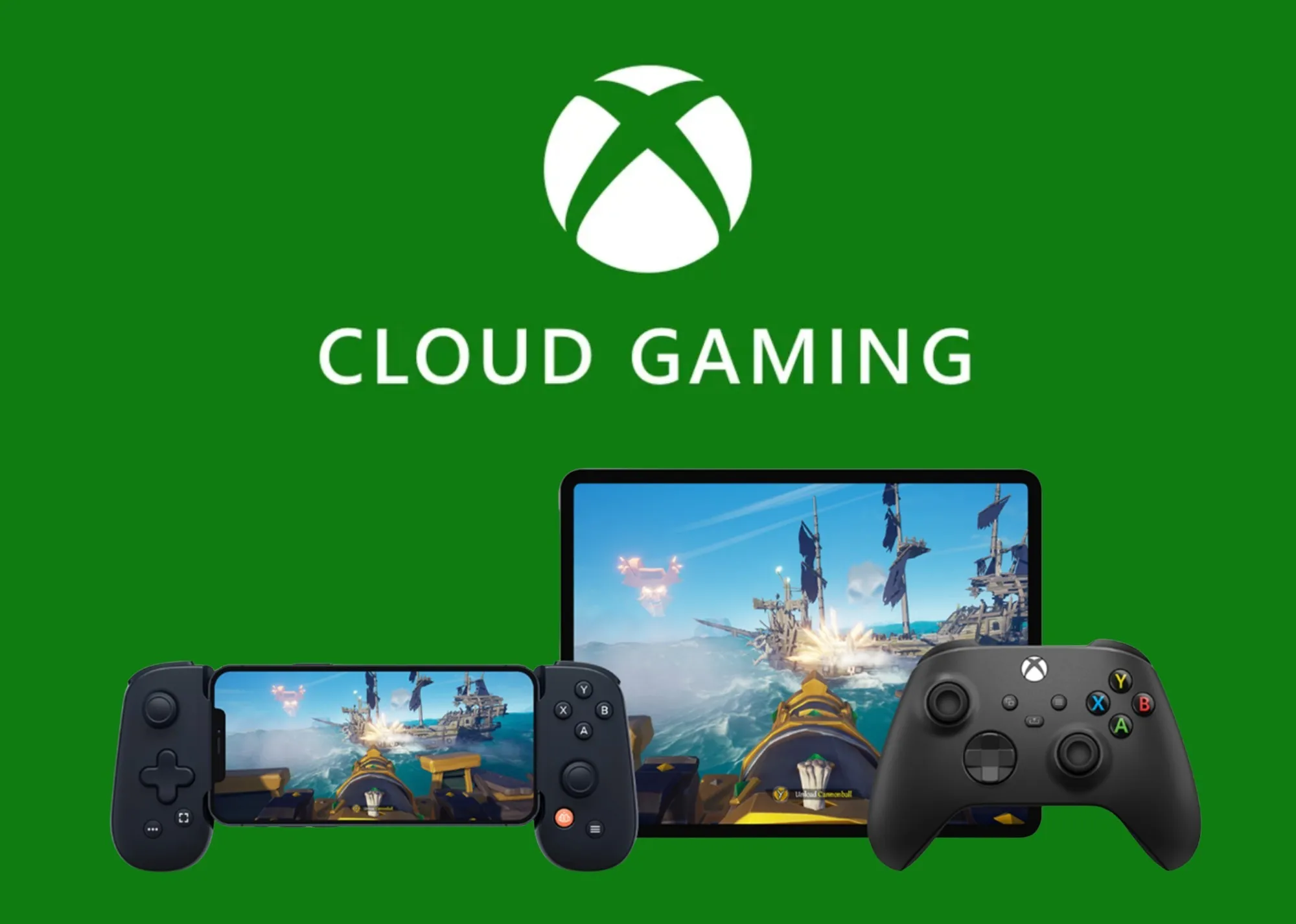
At its core, Xbox Cloud Gaming is a service that allows you to stream and play a vast library of Xbox games on a wide range of devices without needing to own an Xbox console. Instead of running games directly on your local device, the computational heavy lifting – the rendering, processing, and execution of the game – is performed on powerful Xbox Series X hardware located in Microsoft’s data centers. The game’s video and audio output are then streamed to your device, while your controller inputs are sent back to the servers. This innovative approach promises unparalleled accessibility, convenience, and a glimpse into the future of interactive entertainment, breaking down traditional barriers to entry for high-fidelity gaming.
The Mechanics Behind Xbox Cloud Gaming
Understanding how Xbox Cloud Gaming operates requires a look beneath the surface at the intricate technological stack that makes seamless, remote gameplay possible. It’s a complex interplay of network infrastructure, server hardware, and sophisticated software designed to minimize latency and deliver a high-quality interactive stream.
A Remote Gaming Experience: Servers as Your Console
The fundamental principle of cloud gaming, including Xbox Cloud Gaming, is the decentralization of computing power. When you initiate a game via Xbox Cloud Gaming, you’re not downloading the game to your device. Instead, you’re connecting to a virtualized Xbox Series X console running in one of Microsoft’s many data centers. This remote console then executes the game, processes all graphical and logical operations, and generates the video and audio output. This output is then encoded in real-time and sent over the internet to your device. Simultaneously, your controller inputs (button presses, joystick movements) are transmitted back to the server, where the virtual console interprets them as if you were playing locally. This continuous loop of data exchange – video/audio streaming out, input commands streaming in – forms the backbone of the cloud gaming experience.
The Role of Microsoft Azure: Powering the Cloud
Microsoft’s extensive global network of Azure data centers is the technological backbone enabling Xbox Cloud Gaming. Azure is one of the world’s leading cloud computing platforms, providing the scalable, robust, and geographically distributed infrastructure necessary for a service of this magnitude. Each Azure data center houses racks of specialized server blades, each effectively acting as a highly optimized Xbox Series X console. This allows Microsoft to allocate dedicated gaming instances to millions of players simultaneously. The strategic placement of these data centers worldwide is crucial, as it helps to minimize the physical distance between players and the servers, which is a critical factor in reducing latency – the bane of all cloud gaming services. The sheer computational power and redundancy offered by Azure ensure high availability and performance, capable of handling fluctuating demand and delivering a consistent experience.
Streaming Technology and Latency Mitigation
The quality and responsiveness of a cloud gaming session hinge on highly efficient streaming technology and advanced latency mitigation techniques. Microsoft employs proprietary video compression algorithms to encode the game’s output with minimal delay and maximum visual fidelity, even over varying internet speeds. Adaptive bitrate streaming is also utilized, which dynamically adjusts the stream quality based on your network conditions, ensuring a smoother experience rather than a complete disconnection during bandwidth fluctuations.
Latency, the delay between your input and the game’s response, is the primary technical challenge for cloud gaming. Microsoft addresses this through several strategies:
-
Edge Computing: Placing servers closer to users by leveraging a vast network of data centers.
-
Network Optimization: Utilizing high-speed, low-latency network routes within Azure to expedite data transfer.
-
Predictive Algorithms: In some advanced scenarios, input prediction can be used to anticipate player actions, though this is highly complex and not universally applied.
-
Controller Input Prioritization: Ensuring controller data is given high priority on the network.
Despite these efforts, some degree of latency is inherent to the process, making a stable and fast internet connection paramount for a truly enjoyable experience.
Supported Devices and Platforms
One of the most appealing aspects of Xbox Cloud Gaming is its broad device compatibility. Microsoft’s vision is to make gaming accessible wherever you are, on almost any screen. Currently, the service supports:
-
Mobile Devices: Android smartphones and tablets, iPhones and iPads (via web browser).
-
Personal Computers: Windows PCs, Macs, and Chromebooks (via web browser or the Xbox app on Windows).
-
Xbox Consoles: Xbox One and Xbox Series X|S consoles (allowing players to try games without installing them, or play current-gen games on older hardware).
-
Smart TVs: Select Samsung Smart TVs have the Xbox app built-in, allowing direct streaming without additional hardware.
This expansive reach dramatically lowers the barrier to entry, allowing millions to access high-quality gaming without the need for an expensive console or a powerful gaming PC.
Key Features and Benefits for Gamers
Xbox Cloud Gaming is not just a technological feat; it’s a paradigm shift designed to offer significant advantages to gamers, expanding access and convenience in unprecedented ways. These features collectively shape a more flexible and inclusive gaming ecosystem.
Access to a Vast Game Library
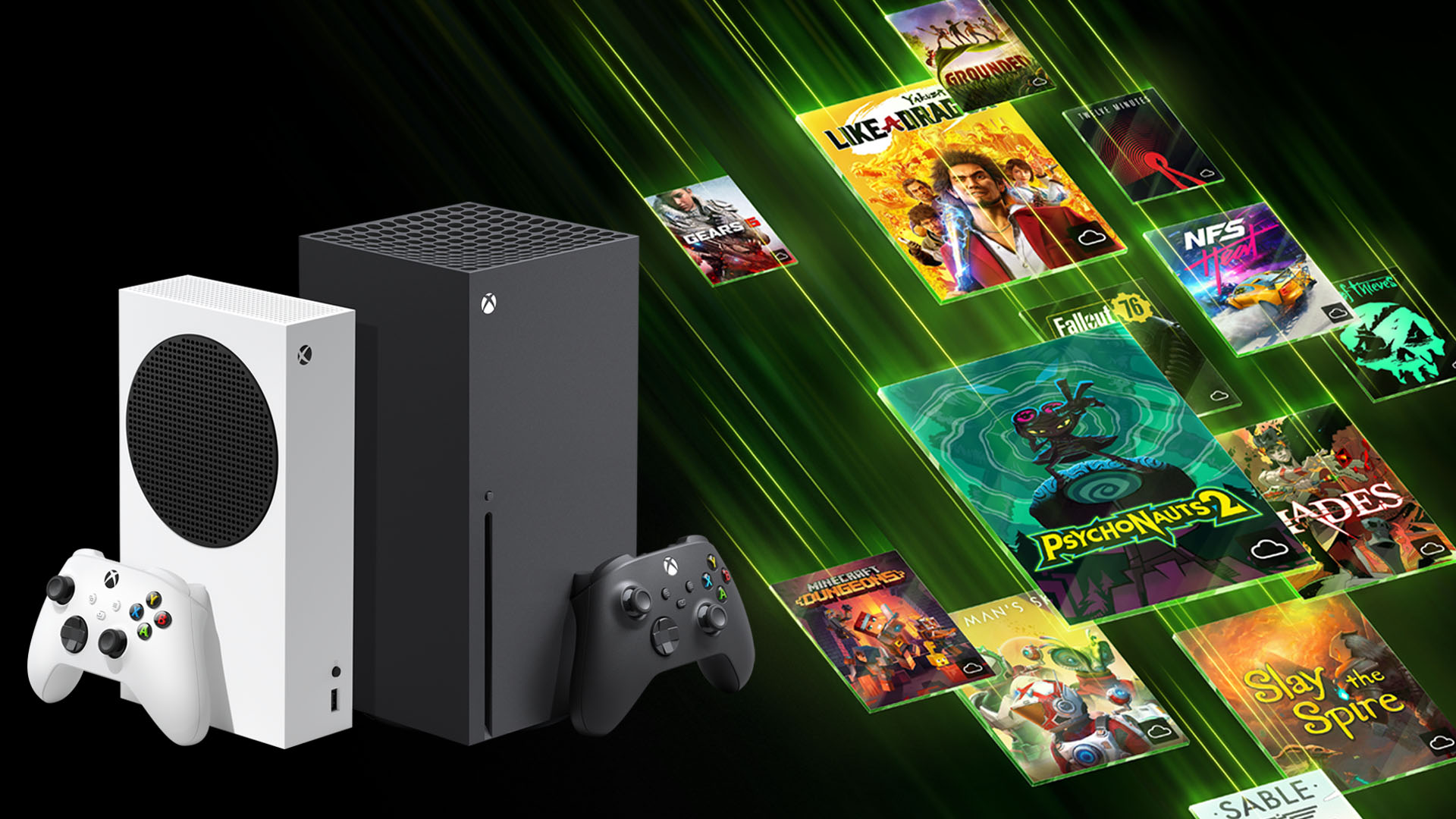
The core value proposition of Xbox Cloud Gaming is its deep integration with Xbox Game Pass Ultimate. Subscribers gain instant access to a constantly evolving library of over 100 high-quality games, many of which are available on day one of their release. This includes popular first-party titles from Xbox Game Studios, Bethesda Softworks, and Activision Blizzard (upon acquisition finalization), as well as a diverse selection of third-party games. This extensive catalog means players can explore new genres, try out acclaimed titles, and always have something new to play, all without needing to purchase individual games. The value proposition is immense, akin to a gaming buffet that keeps replenishing.
Eliminating Downloads and Installations
One of the most immediate and tangible benefits of cloud gaming is the complete elimination of game downloads and installations. Modern games can be incredibly large, often exceeding 100 GB, requiring significant storage space and hours of waiting for installation. With Xbox Cloud Gaming, players simply select a game from the Game Pass library, and it starts streaming almost instantly. This “click and play” convenience dramatically reduces friction, allowing for spontaneous gaming sessions and the ability to jump between multiple titles with ease, without worrying about disk space or update queues.
Device Flexibility and Portability
The ability to play Xbox games on a multitude of devices transforms gaming into a truly portable and flexible activity. Whether you’re at home with a controller connected to your TV, on a lunch break with your phone, or traveling with a tablet, your Xbox gaming library is accessible. This device agnosticism means that gaming sessions are no longer tethered to a single console or PC setup. It empowers users to pick up and play wherever they have an adequate internet connection, making gaming a more integrated part of daily life rather than a dedicated, stationary endeavor.
Lowering Hardware Barriers
High-end gaming traditionally requires significant upfront investment in powerful hardware – be it a dedicated console or a high-performance gaming PC with an expensive graphics card. Xbox Cloud Gaming effectively democratizes access to these experiences. Since the games are run on remote, top-tier Xbox Series X hardware, the local device only needs to be capable of decoding a video stream and sending input. This means older laptops, budget smartphones, or even smart TVs can deliver a premium gaming experience that would otherwise be out of reach, making high-fidelity gaming accessible to a much broader audience.
Cross-Play and Cross-Progression
While primarily a cloud streaming service, Xbox Cloud Gaming also inherits the robust ecosystem features of the broader Xbox platform. Many games support cross-play, allowing you to play with friends regardless of whether they are on a console, PC, or also using cloud gaming. Furthermore, cross-progression is a critical feature, ensuring that your game saves and progress are stored in the cloud. This means you can start playing a game on your console, continue it on your phone via cloud gaming during your commute, and pick it up again on your PC without missing a beat, ensuring a seamless and uninterrupted gaming journey across all your devices.
Technical Requirements and Optimizing Your Experience
While Xbox Cloud Gaming offers unparalleled convenience, its performance is heavily reliant on underlying technical conditions. Understanding these requirements and implementing best practices can significantly enhance your streaming experience, minimizing frustration and maximizing enjoyment.
Internet Connection Speed: The Foundation
The most crucial factor for a smooth cloud gaming experience is a robust internet connection. Microsoft recommends a minimum sustained download speed of 20 Mbps for a consistent experience, though higher speeds (e.g., 50 Mbps or more) are preferable for optimal quality, especially at higher resolutions and frame rates. This bandwidth is necessary to stream the high-definition video and audio of the game in real-time. Without sufficient speed, you’ll encounter stuttering, low-resolution visuals, and noticeable input lag, making the game unplayable. It’s not just about the advertised speed from your ISP; it’s about the actual sustained speed your device receives.
Network Stability and Latency: The Unsung Heroes
Beyond raw speed, the stability and low latency of your internet connection are equally, if not more, important. Latency (ping) measures the time it takes for data to travel from your device to the server and back. In cloud gaming, low latency is paramount because every millisecond of delay between your controller input and the game’s response can impact gameplay, particularly in fast-paced action games. A latency of 20-40 ms is generally considered good, while anything above 60-80 ms can become noticeable and detrimental.
-
Wi-Fi vs. Ethernet: Whenever possible, use a wired Ethernet connection for your gaming device (PC, console, or even a wired connection to a compatible smart TV). Ethernet offers significantly lower latency and greater stability than Wi-Fi, which can be susceptible to interference and signal degradation. If Wi-Fi is your only option, ensure you are close to your router, use a 5GHz band if available, and minimize other network activity (downloads, other streaming) on your network.
-
Router Quality and Placement: A modern, high-quality router can make a difference. Placing your router centrally and avoiding obstructions can also improve Wi-Fi signal strength.
-
Proximity to Servers: While outside of your direct control, the physical distance between your location and Microsoft’s Azure data centers plays a role in latency. Users closer to data centers will naturally experience lower ping.
Compatible Controllers and Accessories
While some games on Xbox Cloud Gaming offer touch controls for mobile devices, a compatible controller is highly recommended for the vast majority of titles to get the authentic Xbox experience.
-
Xbox Wireless Controllers: Official Xbox Wireless Controllers (Xbox One, Series X|S) are fully supported and provide the best experience.
-
Other Bluetooth Controllers: Many other Bluetooth-enabled controllers (e.g., PlayStation controllers, third-party Android controllers) are also compatible, though functionality may vary.
-
Mobile Accessories: For phone gaming, accessories like clip-on controller mounts (e.g., Razer Kishi, Backbone One) can transform your smartphone into a dedicated handheld gaming device, offering superior ergonomics and input precision compared to touch controls.
Browser and App Considerations
The platform you use to access Xbox Cloud Gaming can also impact performance.
-
Xbox App (Windows): For Windows PCs, using the dedicated Xbox app often provides a more optimized experience compared to a web browser, as it can leverage system resources more efficiently.
-
Web Browsers: When using a browser on PC, Mac, or mobile, ensure you’re using a modern, updated browser (Microsoft Edge, Google Chrome, Safari). Close unnecessary tabs and background applications to free up system resources. Full-screen mode can also help improve focus and potentially reduce minor interface overhead.
-
Smart TV App: For compatible Samsung Smart TVs, the built-in Xbox app offers a streamlined experience designed for the big screen, often providing excellent performance provided the TV has a stable internet connection.
By paying attention to these technical aspects, gamers can significantly enhance their Xbox Cloud Gaming experience, transforming it from a novel concept into a genuinely viable and enjoyable way to play.
The Future of Gaming: Xbox Cloud Gaming’s Impact and Evolution
Xbox Cloud Gaming is more than just a current technological offering; it’s a foundational pillar for Microsoft’s long-term vision for gaming. Its ongoing evolution promises to reshape the industry, expand accessibility, and redefine what it means to be a gamer.
Expanding Market Reach: Gaming for Everyone
One of the most profound impacts of Xbox Cloud Gaming is its potential to vastly expand the global gaming market. By removing the need for expensive dedicated hardware, it makes high-quality gaming accessible to demographics and regions where console ownership or high-end PC gaming might be financially prohibitive. This strategy brings gaming to billions of potential players who primarily own smartphones or basic computing devices. Imagine a user in an emerging market experiencing a AAA title on their modest phone, or someone in a rural area playing the latest RPG on an older laptop. This democratization of access could unlock unprecedented growth for the gaming industry, fostering new communities and driving broader cultural engagement with interactive entertainment.
Deeper Integration with the Xbox Ecosystem
Xbox Cloud Gaming is intrinsically linked to the broader Xbox ecosystem, particularly Xbox Game Pass Ultimate. This synergy creates a powerful value proposition: a subscription service offering hundreds of games, playable instantly across virtually any device. As Microsoft continues to evolve its platform, we can expect even deeper integration. This might include more seamless transitions between devices, enhanced social features across cloud and console, and unique cloud-specific gaming experiences. The goal is to make the Xbox ecosystem a unified, ubiquitous platform where your gaming journey is continuous and unbound by hardware. This also reinforces Game Pass as the central hub for Xbox gaming, making it an indispensable service for many.
Technological Advancements on the Horizon
The technology underpinning cloud gaming is still relatively young and continues to mature at a rapid pace. Future advancements promise to address current limitations and elevate the experience significantly:
-
4K Streaming and Higher Frame Rates: As network infrastructure improves globally and encoding/decoding technologies become more efficient, we can expect higher resolutions (4K) and smoother frame rates (120fps) to become standard on cloud gaming.
-
Reduced Latency: Ongoing innovations in network protocols, server architecture (e.g., edge computing moving even closer to users), and client-side prediction algorithms will continue to chip away at latency, aiming for a near-local responsiveness.
-
Ray Tracing and Advanced Graphics: The power of the underlying Xbox Series X hardware means that advanced graphical features like ray tracing are already supported. As cloud infrastructure evolves, these features will be deliverable more consistently and at higher fidelity to streaming clients.
-
Broader Device Support: Expect to see Xbox Cloud Gaming integrated into even more smart devices, cars, and potentially even VR/AR headsets, further expanding its reach.
Competition and the Cloud Gaming Landscape
Xbox Cloud Gaming operates within a growing competitive landscape. While some competitors like Google Stadia have ceased operations, others remain strong:
-
NVIDIA GeForce NOW: Focuses on streaming games from PC libraries, leveraging powerful NVIDIA GPUs for excellent performance, particularly for those who already own games on platforms like Steam.
-
PlayStation Plus Premium (formerly PlayStation Now): Sony’s offering, providing cloud streaming for a selection of PS4 and classic PlayStation titles.
-
Amazon Luna: Amazon’s service, integrating with Prime and offering channels of games.
Microsoft’s strategy with Xbox Cloud Gaming is distinct in its deep integration with Game Pass Ultimate, its emphasis on bringing current-gen Xbox titles to various devices, and its unparalleled global Azure infrastructure. The ongoing competition will undoubtedly drive innovation across the board, ultimately benefiting consumers as each platform strives for superior performance, content, and accessibility.
In conclusion, Xbox Cloud Gaming is a testament to Microsoft’s commitment to a future where gaming is universally accessible, deeply integrated, and unbound by traditional hardware limitations. By leveraging its powerful Azure cloud infrastructure and the expansive Game Pass ecosystem, Microsoft is not just offering a new way to play games; it’s actively shaping the next era of interactive entertainment, promising a world where your favorite Xbox games are always just a click away, no matter where you are or what device you’re holding.
aViewFromTheCave is a participant in the Amazon Services LLC Associates Program, an affiliate advertising program designed to provide a means for sites to earn advertising fees by advertising and linking to Amazon.com. Amazon, the Amazon logo, AmazonSupply, and the AmazonSupply logo are trademarks of Amazon.com, Inc. or its affiliates. As an Amazon Associate we earn affiliate commissions from qualifying purchases.