
In an increasingly visual and digitally-driven world, the demand for expansive display real estate has never been higher, extending beyond televisions and monitors to portable devices. For many, a tablet isn’t just a secondary screen; it’s a primary workstation, an entertainment hub, or a digital canvas. The pursuit of “what tablet has the largest screen” is therefore driven by a fundamental desire for immersive experiences and enhanced productivity. This article delves into the current landscape of large-screen tablets, exploring the front-runners, the underlying technology, and the practical considerations for anyone seeking to maximize their digital workspace or entertainment consumption on the go.
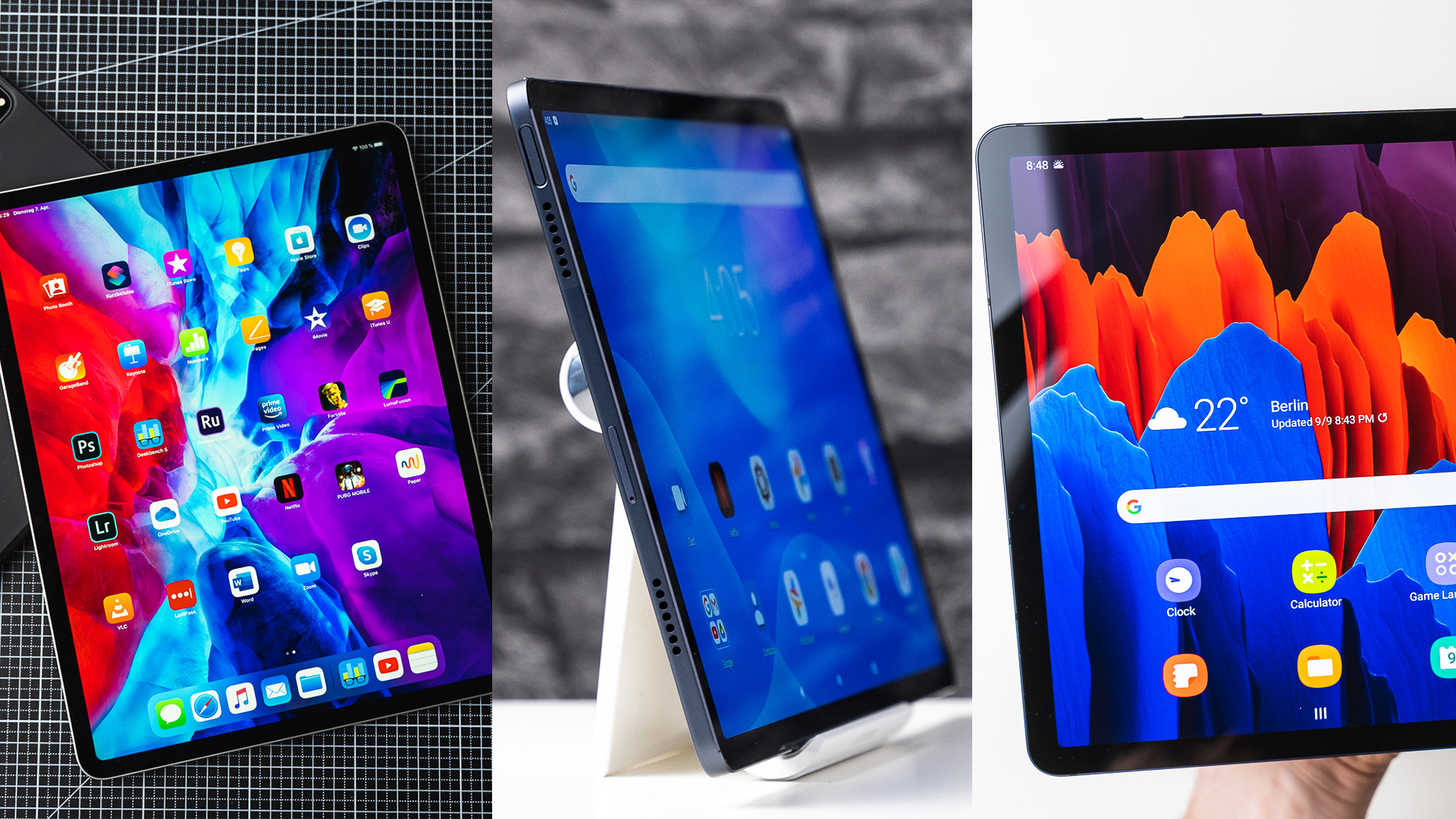
The Quest for Maximum Screen Real Estate
The trend towards larger screens in tablets mirrors a similar evolution in smartphones, albeit with distinct motivations. While smaller tablets still hold their niche for ultimate portability, a significant segment of users actively seeks out devices that blur the lines between a tablet, a laptop, and even a compact desktop monitor. This isn’t just about showing off; it’s about genuine utility that transforms how we interact with our digital tools.
Why Bigger is Often Better: Use Cases and Benefits
A larger screen offers immediate, tangible benefits across a spectrum of activities. For productivity, it means more content visible simultaneously, enabling true split-screen multitasking where two applications can run side-by-side without feeling cramped. Imagine editing a document while referencing a webpage, or managing emails alongside a calendar. For creative professionals, such as digital artists, graphic designers, or video editors, a larger canvas translates directly into precision and comfort. More workspace means less zooming, finer detail work, and a more natural drawing or editing experience.
Entertainment enthusiasts also reap significant rewards. Movies, TV shows, and games become profoundly more immersive on a sprawling display. The visual impact is amplified, colors pop, and details are clearer, approximating a cinematic experience in your hands. Furthermore, for educational purposes and presentations, a large tablet excels. Digital textbooks are easier to read, interactive learning apps are more engaging, and sharing content with a small group becomes feasible without external displays. It’s about reducing eye strain, enhancing engagement, and improving workflow efficiency.
Beyond the Inches: Understanding Aspect Ratios and Display Technology
While raw screen size in inches is the primary metric for “largest screen,” it’s crucial to understand that not all inches are created equal. The aspect ratio of a screen significantly impacts the usable space and the viewing experience. Many larger tablets opt for a 16:10 or 3:2 aspect ratio, which offers more vertical space compared to the wider 16:9 typically found in entertainment-focused devices. This extra height is invaluable for document editing, web browsing, and artistic endeavors. Apple’s iPad Pro, for instance, uses a 4:3 aspect ratio, closer to a sheet of paper, which some find ideal for reading and productivity.
Beyond physical dimensions and ratios, the display technology itself is paramount. High-resolution panels, often exceeding 2K or 4K, ensure crisp text and sharp images, preventing pixelation on such large canvases. Technologies like OLED (Organic Light Emitting Diode) or Mini-LED are increasingly common in premium large tablets. OLED displays offer perfect blacks, incredible contrast, and vibrant colors, making them superb for media consumption and design work. Mini-LED, as seen in Apple’s iPad Pro, provides exceptional brightness, precise local dimming, and fantastic HDR performance, rivaling OLED in many aspects. Understanding these nuances helps distinguish a truly superior large screen from merely a physically large one.
Contenders for the Largest Tablet Screen Crown
The market for large-screen tablets is increasingly competitive, with several major players vying for supremacy. While smaller tablets are plentiful, those pushing the boundaries past 12 inches are a more exclusive club, primarily dominated by premium offerings from established tech giants.
Apple’s iPad Pro Line: A Benchmark for Large Displays
For years, Apple’s iPad Pro 12.9-inch has stood as a significant benchmark in the large-screen tablet segment. Its expansive Liquid Retina XDR display (Mini-LED technology) offers stunning visuals, incredible brightness, and excellent color accuracy, making it a favorite among creative professionals and power users. With a resolution of 2732 x 2048 pixels, it delivers a sharp, immersive experience. The powerful M-series chips (currently M2, with M4 recently announced) ensure that demanding applications run smoothly, leveraging the screen’s potential for tasks like 4K video editing, complex 3D rendering, and professional-grade graphic design. The iPadOS ecosystem, combined with robust accessory support like the Apple Pencil and Magic Keyboard, transforms this large tablet into a versatile powerhouse, often replacing laptops for many users. While not the absolute largest by diagonal measurement, its 4:3 aspect ratio provides a generous usable area, especially for vertical content and multitasking.
Samsung Galaxy Tab S Series: Android’s Flagship Large-Screen Offerings
Samsung has aggressively challenged Apple in the large-screen arena, particularly with its Galaxy Tab S Ultra series. The Galaxy Tab S8 Ultra, released in 2022, boasted an astonishing 14.6-inch Super AMOLED display, immediately claiming the title of one of the largest mass-market tablets. This enormous screen, with its 2960 x 1848 resolution, provides an incredibly vibrant and immersive viewing experience, perfect for media consumption and split-screen multitasking. Its successor, the Galaxy Tab S9 Ultra, maintains this impressive screen size and continues to push boundaries with updated processors and further refinements to its Dynamic AMOLED 2X panel.
Samsung’s large tablets offer the versatility of Android, often enhanced with Samsung’s DeX mode, which provides a desktop-like interface when connected to a keyboard and mouse, or even wirelessly to an external display. The included S Pen stylus is another major draw, offering excellent low-latency input for drawing, note-taking, and navigation directly on that vast display. For users deeply embedded in the Android ecosystem or seeking the largest possible screen with an OLED panel, the Galaxy Tab S Ultra line presents a compelling, often leading, option.
Niche Players and Emerging Giants: Beyond the Mainstream
While Apple and Samsung dominate the premium large-tablet space, other manufacturers occasionally offer compelling alternatives, often targeting specific use cases or price points.
-
Microsoft Surface Pro/Studio Line: While technically 2-in-1 laptops, devices like the Surface Pro 9 (13-inch PixelSense Flow Display) and the Surface Laptop Studio (14.4-inch PixelSense Flow Display) offer large touchscreens and stylus support within a full Windows operating system environment. These are for users who need the power and flexibility of Windows but appreciate the tablet form factor for creative work or specific applications. They are inherently more powerful than typical ARM-based tablets, offering desktop-grade performance, but are also often heavier and more expensive.
-
Lenovo Tab Extreme: Lenovo has also entered the premium large-tablet segment with devices like the Lenovo Tab Extreme, featuring a 14.5-inch OLED display. This tablet aims to compete directly with the Galaxy Tab S Ultra, offering a high-quality display and a focus on productivity, often bundling a stylus and keyboard. It runs Android and offers a compelling option for those looking for an alternative to Samsung’s flagship with similar screen real estate.
-
Other Chinese Brands: Various brands, particularly from the Chinese market, periodically release tablets with unusually large screen sizes, sometimes exceeding 15 or even 17 inches. However, these are often less mainstream, might have varying software support, and may not be readily available globally. They typically target niche markets or specific industrial applications rather than general consumer use.
Key Considerations Beyond Screen Size
While screen size is the primary driver for this discussion, making an informed decision about a large tablet requires evaluating several other critical factors. A large screen is only as good as the hardware and software supporting it, and the overall user experience is a delicate balance of features.
Performance and Processing Power: Fueling the Display
A massive, high-resolution screen demands significant processing power to run smoothly. Subpar processors can lead to stuttering animations, slow app loading times, and a frustrating experience, especially when multitasking or running demanding applications. Look for tablets equipped with flagship-level chipsets – Apple’s M-series, Qualcomm’s Snapdragon 8 Gen series, or high-end MediaTek Dimensity processors. These ensure that the tablet can effortlessly drive the pixels, handle complex graphics, and keep pace with multiple open applications, making the most of the large display’s potential. Sufficient RAM is also crucial for seamless multitasking, especially when running memory-intensive apps on a large screen.
Portability and Ergonomics: The Trade-Offs of a Large Device

The very advantage of a large screen can become a disadvantage in terms of portability and ergonomics. A 14-inch tablet, while fantastic for viewing, is significantly heavier and less comfortable to hold with one hand than a smaller 8-inch device. Weight, thickness, and overall dimensions become critical. Consider how you intend to use the tablet: primarily stationary at a desk, or frequently carried in a backpack? A large tablet might require a dedicated carrying case or a larger bag. Ergonomics also extends to holding the device – some users might find it too unwieldy for extended handheld use, necessitating a stand or keyboard case. Battery life also plays a role; larger screens often consume more power, so a robust battery is essential to maintain usability throughout the day.
Ecosystem and Software Experience: iPadOS vs. Android vs. Windows
The operating system profoundly shapes the user experience on a large tablet.
-
iPadOS: Offers a highly refined and intuitive tablet experience with excellent app optimization for larger screens. Multitasking features like Split View and Slide Over are powerful, and the Apple Pencil integration is superb. The app store is renowned for its selection of professional creative tools.
-
Android: While Android has made strides in tablet optimization, it can still be a mixed bag depending on the app. However, Samsung’s DeX mode transforms the interface into a desktop-like environment, making it highly productive for certain users. Android also offers greater flexibility in file management and customization.
-
Windows: Tablets running full Windows (like the Surface Pro line) provide the most comprehensive software compatibility, essentially being a laptop in a tablet form factor. This is ideal for users who need specific desktop applications but still want a touch-enabled device. However, Windows touch optimization can sometimes be less fluid than iPadOS or Android.
Your choice of ecosystem will depend on your existing devices, preferred apps, and workflow requirements.
Accessories: Stylus, Keyboard, and Stand Essentials
To fully leverage a large tablet screen, accessories are often indispensable. A stylus (like Apple Pencil or Samsung S Pen) unlocks the tablet’s potential for drawing, note-taking, and precise interaction, transforming the screen into a digital canvas or notebook. A keyboard case or external keyboard converts the tablet into a highly capable 2-in-1 device, perfect for typing long documents, coding, or responding to emails efficiently. A sturdy stand is crucial for comfortable viewing, whether you’re watching movies, participating in video calls, or using the tablet as a secondary monitor. These accessories enhance functionality and ergonomics, making the large screen even more versatile and productive.
Who Benefits Most from a Jumbo Tablet?
While the allure of a large screen is undeniable, specific user groups derive maximum benefit from such devices. Understanding these target audiences helps solidify whether a jumbo tablet is the right investment for your needs.
Creative Professionals: Artists, Designers, Video Editors
Perhaps no group benefits more profoundly from a large tablet screen than creative professionals. For digital artists and illustrators, a larger canvas means more room to draw, sketch, and paint with greater precision and less reliance on zooming in and out. This translates to a more natural and fluid creative process. Graphic designers and photographers can view their work at a larger scale, making it easier to spot intricate details, adjust layouts, and perform precise photo edits. Video editors gain crucial timeline real estate, allowing for more segments to be visible simultaneously, improving workflow and accuracy, especially when paired with a stylus for scrubbing through footage. The combination of a large, high-resolution display with a responsive stylus creates an incredibly powerful portable studio.
Business and Productivity Users: Presentations, Multi-tasking
In the business world, a large tablet can significantly boost productivity. For presentations, displaying charts, graphs, and slides on a bright, expansive screen ensures clarity and impact, whether in a small meeting room or used as a personal teleprompter. Multi-tasking professionals can run two full-sized applications side-by-side, such as a spreadsheet and an email client, or a video conference and a note-taking app, without feeling cramped. This enhances efficiency and reduces the need to constantly switch between windows. The ability to use a large tablet with a keyboard case can effectively replace a laptop for many mobile workers who primarily deal with document creation, email, web browsing, and virtual meetings.
Entertainment Enthusiasts: Movies, Gaming
For those who prioritize immersive media consumption, a large tablet screen is a dream come true. Movie and TV show buffs will appreciate the cinematic experience, with vibrant colors, deep blacks, and crisp detail that bring content to life. The larger display significantly enhances the viewing pleasure, making long flights or commutes feel much shorter. Gamers, particularly those playing graphically intensive titles, benefit from the expansive view, which allows for greater immersion and easier identification of in-game details. While dedicated gaming handhelds exist, a large tablet offers a versatile platform for both casual and more demanding mobile games, especially when paired with a Bluetooth controller. Reading comics or digital magazines also becomes a more enjoyable experience on a larger, page-like display.
Educational Sector: Digital Textbooks, Interactive Learning
The educational landscape has embraced digital tools, and large tablets fit perfectly into this evolution. For students, digital textbooks and research materials are easier to read and annotate on a larger screen, reducing eye strain during long study sessions. Educators can utilize these devices for interactive lessons, displaying content to small groups, or leveraging educational apps that benefit from more screen real estate. The ability to write directly on the screen with a stylus makes note-taking and problem-solving more intuitive and engaging. For remote learning, a large tablet can serve as an excellent primary screen for video calls and digital assignments, providing ample space for both the virtual classroom and simultaneous document viewing.
Making Your Big Screen Decision: A Buying Guide
Choosing the ideal large-screen tablet is a significant investment that requires careful consideration. Beyond the sheer size, a confluence of factors contributes to satisfaction and long-term utility. This guide offers actionable advice to ensure your chosen device perfectly aligns with your expectations and needs.
Budgetary Factors: Large Screens Often Come with Premium Prices
It’s an undeniable fact: larger, higher-quality screens, coupled with the powerful processors needed to drive them, translate to a higher price tag. The flagship large tablets from Apple and Samsung often sit at the top end of the tablet market, frequently exceeding $1000, and sometimes even reaching laptop-tier prices when fully accessorized. Therefore, establishing a realistic budget is the first crucial step. Consider the total cost of ownership, including essential accessories like a stylus and keyboard case, as these can add hundreds of dollars to the initial investment. While there are some more budget-friendly large tablets from lesser-known brands, they may compromise on display quality, processing power, or software support. Balance your desire for maximum screen size with what you are genuinely willing and able to spend.
Future-Proofing Your Investment: Longevity and Updates
A large tablet is not a disposable gadget; it’s a productivity and entertainment hub designed for several years of use. Therefore, future-proofing your investment is key. Look for tablets with powerful, current-generation processors that can handle future software updates and more demanding applications down the line. Check the manufacturer’s track record for software updates and security patches – Apple generally offers the longest support, followed by Samsung, while other Android manufacturers can vary significantly. Consider the build quality; a premium metal chassis and durable display glass will withstand daily use better. Investing in a device with robust specifications ensures that your large-screen experience remains fluid and enjoyable for years to come, maximizing the return on your initial outlay.

Hands-On Experience: The Importance of Trying Before Buying
Specifications on paper can only tell part of the story. The subjective experience of using a large tablet, particularly concerning its size and weight, can vary greatly from person to person. Therefore, whenever possible, prioritize a hands-on experience before making a purchase. Visit electronics stores to physically interact with different models. Hold them, test their weight, try typing on a keyboard case, and experiment with a stylus if that’s a feature you’ll use. Pay attention to how comfortable it feels in your hands, how easy it is to navigate the interface on a large display, and whether its portability matches your lifestyle. What might seem perfect in a review could feel unwieldy in your grip, or vice-versa. This personal evaluation is invaluable for making a confident and satisfying decision about your next large-screen tablet.
aViewFromTheCave is a participant in the Amazon Services LLC Associates Program, an affiliate advertising program designed to provide a means for sites to earn advertising fees by advertising and linking to Amazon.com. Amazon, the Amazon logo, AmazonSupply, and the AmazonSupply logo are trademarks of Amazon.com, Inc. or its affiliates. As an Amazon Associate we earn affiliate commissions from qualifying purchases.