
In the evolving landscape of online education and remote assessments, tools designed to ensure academic integrity have become commonplace. Among these, Proctorio stands out as a prominent AI-powered remote proctoring solution, widely adopted by universities and institutions across the globe. For both students and educators, understanding the intricate mechanisms by which Proctorio operates – specifically, what actions or behaviors it “flags” – is paramount. This knowledge is crucial not only for upholding fairness and transparency in online testing but also for mitigating anxiety among students and ensuring the integrity of academic credentials.
Proctorio is not merely a recording device; it’s a sophisticated system that employs artificial intelligence, machine learning, and advanced algorithms to monitor a student’s testing environment and behavior during an exam. Its primary goal is to identify patterns or anomalies that deviate from expected conduct, which could indicate a breach of academic integrity. These identified anomalies are then “flagged” for review by human proctors or instructors, who make the final judgment. This article delves deep into the core mechanisms of Proctorio’s detection system, the specific behaviors it commonly flags, the nuance of its flagging process, and how institutions and students can navigate its use effectively.

The Core Mechanisms of Proctorio’s Detection System
Proctorio’s ability to detect a wide range of suspicious activities stems from its multi-layered monitoring approach. It integrates several technological components to create a comprehensive surveillance system, continuously analyzing various data streams in real-time.
AI and Machine Learning at the Helm
At the heart of Proctorio’s detection capabilities are artificial intelligence and machine learning algorithms. These aren’t just static rule sets; they are adaptive systems trained on vast datasets of testing behaviors, both legitimate and fraudulent. The AI continuously processes incoming data from multiple sources – the webcam, microphone, screen, and keyboard – to identify deviations from normal test-taking conduct. Instead of flagging every single twitch, the system looks for patterns, combinations of behaviors, or sudden, significant changes that collectively suggest a higher probability of academic misconduct. This allows Proctorio to evolve and potentially identify new cheating methods as they emerge, making it a dynamic rather than a static security measure. The system assigns a “suspicion score” to different events, weighing the likelihood that a particular action or series of actions is indicative of cheating.
Biometric and Behavioral Monitoring
Proctorio extensively utilizes biometric and behavioral analysis to monitor the student. This includes:
-
Facial Detection and Recognition: The system tracks the student’s face to ensure the correct individual is taking the exam and remains present throughout. It can detect if the student leaves the frame or if another face enters it.
-
Eye Tracking: Advanced algorithms monitor eye movements, looking for prolonged glances away from the screen, rapid shifts in focus, or consistent looking downwards or to the side, which could indicate reading from unauthorized materials or another screen.
-
Head and Body Movement: Frequent or exaggerated head turns, body shifts, or attempts to look away from the primary screen in a sustained manner are observed. These could suggest the student is consulting notes, a second device, or another person.
-
Voice and Sound Detection: The microphone actively listens for unauthorized voices, whispers, conversations, or unusual background noises that might indicate external assistance or communication. The sensitivity of this can often be configured by the institution.
Environmental and Device Surveillance
Beyond the student’s direct actions, Proctorio also extends its watch to the immediate testing environment and the device itself.
-
Room Scan (Optional): Some exams may require an initial room scan, where the student uses their webcam to show their entire testing area. This helps ensure no unauthorized materials or persons are present before the exam begins.
-
Background Noise Analysis: While linked to voice detection, the system can also analyze ambient noise levels and flag sudden spikes or unusual sounds that might be indicative of a conversation or a prompt from an external source.
-
Computer and Browser Activity Monitoring: This is a critical component. Proctorio monitors all running applications, open browser tabs, and keyboard inputs. It can detect if a student attempts to open new applications, navigate to unauthorized websites, copy/paste content, use keyboard shortcuts for external programs, or connect external displays that are not approved. It’s designed to prevent access to study materials, communication apps, or search engines.
-
Multi-Monitor Detection: Proctorio can typically detect if multiple monitors are connected to the student’s computer. Depending on the exam settings, using additional monitors might be prohibited or flagged if not explicitly allowed.
Common Behaviors and Activities That Trigger Flags
While Proctorio is a complex system, certain behaviors are universally understood to be indicative of potential academic misconduct and are therefore highly likely to trigger a flag. Understanding these helps students adjust their testing habits and minimize unnecessary scrutiny.
Suspicious Eye and Head Movements
Any sustained or frequent deviation of a student’s gaze or head position from the primary screen is a prime flagging trigger.
-
Looking Away Frequently: Regularly glancing away from the computer screen, especially downwards or to the sides, is often interpreted as consulting notes or another device.
-
Rapid Eye Shifts: Quick, darting eye movements that suggest reading information from a source other than the exam display.
-
Sustained Downward Gaze: Looking down for an extended period, particularly if combined with typing or mouse activity that doesn’t correspond to the exam, could suggest referring to physical notes or a device hidden below the desk.
Presence of Unauthorized Materials or Persons
The system is designed to identify anything that shouldn’t be in the testing environment.
-
Detecting Other Faces: If another person’s face appears in the webcam frame, even briefly, it will be flagged as potential external assistance.
-
Unauthorized Voices: Any clear voice detected other than the student’s own (unless they are speaking the exam questions aloud, if permitted) is a significant flag.
-
Prohibited Objects: While it cannot identify specific objects directly without a room scan, suspicious movements toward or interaction with unseen objects could lead to a flag.
Browser and Application Anomalies
This category covers any attempt to bypass the secure testing environment.
-
Opening New Tabs or Applications: Launching any application not explicitly allowed or opening new browser tabs during an exam will almost certainly result in a flag. This includes communication apps, browsers, or document viewers.
-
Accessing Unauthorized Websites: Attempts to navigate away from the exam page to search engines, study sites, or social media platforms.
-
Attempts to Use Virtual Machines or Screen Sharing: Sophisticated attempts to circumvent the proctoring environment using virtual machines or screen-sharing software are also detected and flagged.
Communication Attempts
Any form of communication during the exam is strictly monitored.
-
Talking Aloud or Whispering: Speaking to oneself or another person, or whispering, will be picked up by the microphone.
-
Using Communication Devices: While Proctorio can’t see a phone directly (unless it’s in the webcam frame), a student looking away and interacting with something out of frame, combined with other suspicious activities, can lead to a flag.
Discrepancies in Identity Verification
Ensuring the correct student is taking the exam is fundamental.
-
Facial Recognition Mismatches: If the student’s face doesn’t match the initial verification, or if the system detects significant changes in appearance during the exam (e.g., swapping places with someone else), it will be flagged.
-
Leaving the Camera Frame: If the student’s face is not visible to the webcam for an extended period, it raises suspicion.
Technical Malfunctions and Disruptions
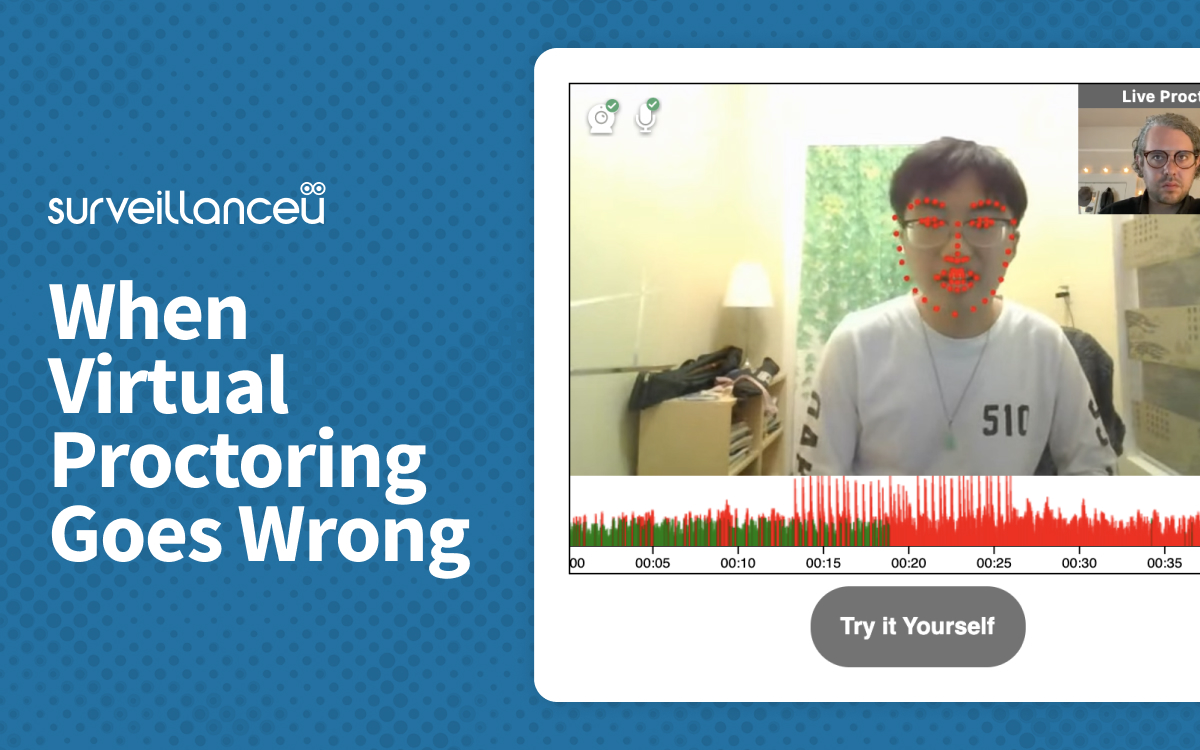
While not directly indicative of cheating, technical issues can also trigger flags for review, as they can create opportunities for academic misconduct or disrupt the proctoring process.
-
Prolonged Internet Disconnection: If the internet connection drops, Proctorio cannot monitor the student, and this period will be flagged for review.
-
Camera or Microphone Disconnection: Similar to internet issues, if the essential monitoring devices stop functioning, the event will be noted. These are typically reviewed with more leniency but still warrant investigation.
The Nuance of Proctorio’s Flagging: Red vs. Yellow
It is critical to understand that a “flag” from Proctorio is not a definitive accusation of cheating. Instead, it serves as an alert, indicating that unusual activity occurred that warrants further human review.
Algorithmically-Driven Flags
Proctorio’s AI system generates flags based on predefined thresholds and patterns of suspicious behavior. Each flag is often accompanied by a “suspicion score” or an indicator of the severity of the anomaly. For example, glancing away from the screen for a second might receive a low score, while opening a new browser tab for an extended period would receive a much higher score. The system aggregates these flags and their scores over the duration of the exam, providing a comprehensive report. This algorithmic approach is designed to be thorough, casting a wide net to catch potential issues.
Human Review and Context
This is where the nuance truly comes into play. After an exam, the instructor or designated proctor reviews the flagged incidents. They have access to the recorded video, audio, screen capture, and a detailed log of all flagged events. A human reviewer can contextualize the flags. For instance:
-
A student briefly looking away to scratch their head might trigger a low-level flag for “head movement,” but a human can easily discern this as non-suspicious.
-
A prolonged internet disconnection might be flagged, but the reviewer can cross-reference it with institutional network outages or student reports of technical issues.
-
A sound flag might be generated by a pet barking, which a human can identify and dismiss.
The human element is essential for differentiating between genuine academic misconduct and innocent, accidental, or technical anomalies. It’s the human proctor who makes the ultimate determination of whether a rule was violated.
Differentiating Intentional Cheating from Technical Glitches
Proctorio’s system is built to identify anomalies, not necessarily cheating. It is up to the human reviewer to interpret these anomalies. For example:
-
Intentional Cheating: A student consistently looking down at a specific area, followed by rapid typing that doesn’t align with the exam question, and then quickly moving back to the screen, coupled with detection of an unauthorized application, strongly points to cheating.
-
Technical Glitches: A momentary internet drop that causes a brief loss of video, or a student adjusting their camera because it slipped, might generate flags, but a human can understand these as technical or minor issues rather than attempts to cheat.
The system provides the data; the human provides the judgment, drawing upon their understanding of the exam, the student, and the context of the testing environment.
Addressing Student Concerns and Promoting Transparency
The use of remote proctoring software like Proctorio often brings with it a host of student concerns, ranging from privacy implications to the fear of false positives. Addressing these concerns and promoting transparency are crucial for fostering a fair and less stressful testing environment.
False Positives and Mitigation
False positives are a significant concern, where innocent actions are misinterpreted as suspicious. Common reasons for false positives include:
-
Environmental Factors: A noisy environment (e.g., children, pets, roommates), poor lighting causing facial recognition issues, or unexpected visitors.
-
Natural Behaviors: Looking away to think, talking to oneself (if not explicitly forbidden), adjusting posture, or minor technical hiccups.
-
Misinterpretation of Intent: A student reading a question aloud to process it, which might be flagged as talking.
Students can mitigate false positives by:
-
Ensuring a Quiet, Private, and Well-Lit Environment: Minimize distractions and ensure clear visibility for the webcam.
-
Clearing the Desk and Surroundings: Remove all unauthorized materials.
-
Maintaining Focus: Try to keep eyes on the screen as much as possible, only looking away briefly for natural reasons.
-
Minimizing Background Noise: Use headphones if allowed, or ensure the environment is quiet.
-
Reviewing Exam Instructions Carefully: Understand what is and isn’t allowed.
-
Performing a System Check: Ensure camera, microphone, and internet are working perfectly before the exam.
-
Communicating Issues: Report any technical problems or unexpected disruptions to the instructor immediately.
Data Privacy and Security Implications
Proctorio collects significant amounts of personal data, including biometric data, video, audio, and screen activity. This raises valid privacy concerns. Proctorio states that it encrypts all data, does not sell student data, and adheres to various privacy regulations (e.g., GDPR, FERPA). Institutions choose Proctorio based on their assessment of these security and privacy policies. It’s important for institutions to clearly communicate what data is collected, how it’s stored, who has access to it, and for how long. Students should also be informed about their rights regarding their data.
Best Practices for Institutions and Students
For a successful and fair implementation of Proctorio, both institutions and students have roles to play.
For Institutions:
-
Clear Communication: Provide explicit instructions on Proctorio’s use, what behaviors are prohibited, and what students can expect.
-
Consistent Policies: Establish clear, consistent policies for reviewing flagged incidents and determining consequences.
-
Instructor Training: Ensure instructors are well-trained in reviewing flagged incidents and understand the distinction between a flag and a conclusive act of cheating.
-
Accessibility and Support: Offer technical support and alternative assessment methods for students with disabilities or those facing significant technical barriers.
-
Transparency: Be open about data collection, storage, and access policies.
For Students:
-
Read Instructions Thoroughly: Understand all rules and requirements before the exam.
-
Prepare Your Environment: Ensure a distraction-free, quiet, and well-lit testing space.
-
Test Your Equipment: Confirm your webcam, microphone, and internet connection are fully functional.
-
Stay Calm and Focused: Avoid unnecessary movements or glances.
-
Ask Questions: If unsure about a rule or experiencing a technical issue, reach out to the instructor or support.
Conclusion
Proctorio’s flagging system is a sophisticated and multi-faceted technology designed to uphold academic integrity in remote testing environments. By leveraging AI, machine learning, and comprehensive monitoring across biometric, behavioral, environmental, and device-level data, it can identify a wide array of suspicious activities. However, it’s crucial to reiterate that flags are indicators of unusual activity, not definitive proof of cheating. The essential human review component provides the necessary context and judgment to differentiate between genuine misconduct and innocent actions or technical glitches.
As online learning continues to expand, tools like Proctorio will remain a part of the educational landscape. Understanding “what Proctorio flags” empowers students to navigate these assessments more effectively and reduces anxiety, while enabling institutions to implement these technologies responsibly and fairly. Striking the right balance between robust security measures and respecting student privacy and autonomy remains an ongoing, critical discussion in the evolution of digital education.
aViewFromTheCave is a participant in the Amazon Services LLC Associates Program, an affiliate advertising program designed to provide a means for sites to earn advertising fees by advertising and linking to Amazon.com. Amazon, the Amazon logo, AmazonSupply, and the AmazonSupply logo are trademarks of Amazon.com, Inc. or its affiliates. As an Amazon Associate we earn affiliate commissions from qualifying purchases.