
In the intricate symphony of a modern computer system, countless components work in unison to bring digital experiences to life. From the blazing speeds of a solid-state drive to the graphical prowess of a high-end GPU, each part plays a critical role. Yet, often overlooked and frequently underestimated is the very organ that gives life to them all: the Power Supply Unit (PSU). Far from being a mere power cord, the PSU is the unsung hero, the vital conduit that converts raw electrical energy into the precise, stable currents required by every delicate silicon chip and mechanical whirring component. Understanding its function is not just for enthusiasts; it’s fundamental to comprehending the stability, longevity, and overall performance of any electronic device, especially a computer. Without a robust and efficient PSU, even the most cutting-edge processors and graphics cards are nothing more than inert pieces of technology. This article will delve into the multifaceted role of the PSU, dissecting its core functions, internal anatomy, various types, and crucial considerations for selection, all within the realm of technology.

The Heartbeat of Your System: Understanding the PSU’s Core Function
At its essence, a Power Supply Unit is precisely what its name implies: a unit that supplies power. But the simplicity of that statement belies the complexity and criticality of its operations. It acts as the intermediary between the wall outlet and your sensitive computer components, ensuring they receive power in a usable and safe format.
The Fundamental Role: AC to DC Conversion
The electricity supplied by wall outlets in homes and offices is Alternating Current (AC). This current rapidly changes direction many times per second and is suitable for heavy machinery and long-distance transmission, but it’s entirely unsuitable for the delicate, direct-current (DC) hungry components inside a computer. Every microchip, fan, and storage device within a PC operates exclusively on various DC voltages. The PSU’s primary and most critical function is to convert the high-voltage AC input into a range of low-voltage DC outputs. This conversion process is meticulously engineered to prevent damage to sensitive electronics, transforming the raw, potentially harmful AC into the steady, predictable DC that digital circuits demand.
Delivering the Right Voltage and Amperage
Beyond just converting AC to DC, the PSU must deliver specific DC voltages to different components. Typically, a computer requires several distinct voltage rails, most commonly +12V, +5V, and +3.3V, each with specific amperage requirements.
-
+12V Rail: This is often the most critical rail, powering high-demand components like the CPU, GPU, and PCIe slots. Modern systems heavily rely on the +12V rail for stability and performance.
-
+5V Rail: Historically crucial for motherboards and older drives, it still powers some USB ports, SATA drives, and peripheral controllers.
-
+3.3V Rail: Primarily used for RAM modules, PCIe slots, and some logic circuits on the motherboard.
The PSU manages these different voltage outputs, ensuring that each component receives its precisely regulated share of power, neither too much nor too little, maintaining system stability under varying loads.
Protecting Your Components
A good PSU does more than just supply power; it actively safeguards your valuable components. Modern PSUs incorporate a suite of protection features designed to prevent damage from electrical anomalies. These include:
-
Over-Voltage Protection (OVP): Prevents components from being damaged by excessively high voltage.
-
Under-Voltage Protection (UVP): Shuts down the PSU if voltage drops too low, preventing instability.
-
Over-Power Protection (OPP) / Over-Load Protection (OLP): Prevents damage if the total power draw exceeds the PSU’s capacity.
-
Over-Current Protection (OCP): Protects against excessive current draw on individual rails.
-
Short-Circuit Protection (SCP): The most basic and essential protection, it shuts down the PSU instantly in case of a short circuit.
-
Over-Temperature Protection (OTP): Prevents damage from overheating by shutting down the unit.
These protections are not just luxury features; they are essential for the longevity and reliability of your entire system, acting as the first line of defense against potentially catastrophic electrical failures.
Anatomy of a PSU: Key Components and How They Work
To understand how a PSU accomplishes its complex tasks, it’s helpful to look inside and identify its core components and their roles. While external aesthetics might vary, the internal workings share a common fundamental design.
Input and Output Connectors
The exterior of a PSU is characterized by its various connectors. On one side, there’s the standard IEC C14 inlet for the AC power cable from the wall. On the other, a plethora of DC output cables. These include:
-
20+4 pin ATX connector: The main power connector for the motherboard.
-
4+4 pin (8-pin) EPS/ATX12V connector: Provides dedicated power to the CPU.
-
6+2 pin (8-pin) PCIe connectors: Supplies power to graphics cards, often multiple connectors for high-end GPUs.
-
SATA power connectors: For SATA drives (HDDs, SSDs, optical drives).
-
Molex (4-pin peripheral) connectors: For older drives, fans, and some accessories.
The type and number of these connectors vary depending on the PSU’s wattage and modularity, dictating which components it can power.
Transformers and Capacitors
These are the workhorses of the AC-to-DC conversion.
-
Transformers: These large, heavy components are crucial for stepping down the high input AC voltage to a lower voltage suitable for rectification. They are fundamental to the isolation of the output from the input, a key safety feature.
-
Capacitors: These components store and release electrical energy, smoothing out voltage ripples and filtering out noise from the rectified DC current. High-quality capacitors are vital for stable power delivery and the longevity of the PSU itself. Electrolytic capacitors, especially those rated for higher temperatures, are often an indicator of a PSU’s overall quality and durability.
Cooling Mechanisms: Fans and Heatsinks
Converting power generates heat, and excessive heat is the enemy of electronics. PSUs incorporate active and passive cooling solutions.
-
Fans: Typically, a large fan (80mm, 120mm, or 140mm) is strategically placed to draw cool air in and expel hot air out of the PSU casing. The quality of the fan and its bearing type significantly impact noise levels and lifespan. Some modern PSUs feature “hybrid mode” or “zero RPM mode,” where the fan remains off under low loads for silent operation.
-
Heatsinks: Inside the PSU, various semiconductor components (like MOSFETs and diodes) generate significant heat. Heatsinks, usually made of aluminum, are attached to these components to dissipate heat more effectively into the airflow provided by the fan.
Control Circuitry and Safety Features
The “brains” of the PSU reside in its control circuitry. This intricate network of small chips and passive components monitors voltage, current, and temperature, making real-time adjustments to maintain stable output. It’s also responsible for implementing all the crucial protection features mentioned earlier. This circuitry ensures that in the event of an electrical anomaly, the PSU can safely shut down, preventing damage to itself and the rest of the computer system. The design and quality of this control circuitry are paramount to the overall reliability and safety performance of the PSU.
Types of PSUs and Form Factors
The world of PSUs isn’t one-size-fits-all. Different systems and user preferences necessitate various designs and modularity options.
Non-Modular, Semi-Modular, and Fully Modular PSUs
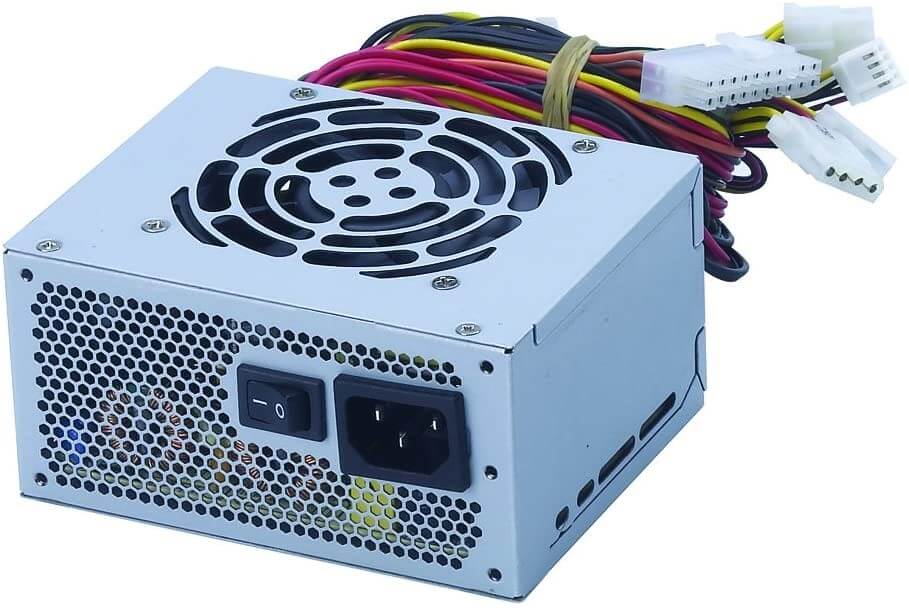
This classification refers to how the output cables are attached:
-
Non-Modular: All cables are permanently attached to the PSU. While generally the most affordable, they can lead to significant cable clutter inside a PC case, hindering airflow and aesthetics.
-
Semi-Modular: The essential cables (like the 20+4 pin ATX and EPS/ATX12V) are permanently attached, while peripheral and PCIe cables are detachable. This offers a good balance between cost and cable management flexibility.
-
Fully Modular: All cables are detachable from the PSU. This provides the ultimate flexibility for cable management, allowing users to connect only the cables they need, improving airflow and offering a cleaner build aesthetic. They are typically the most expensive type.
ATX, SFX, TFX: Understanding Form Factors
PSUs come in different sizes, or “form factors,” to fit various computer cases:
-
ATX: The most common form factor for desktop PCs, standardized to fit most mid-tower and full-tower cases. These are the standard choice for gaming rigs and workstations.
-
SFX (Small Form Factor): Much smaller than ATX PSUs, designed for compact Mini-ITX builds and small form factor gaming PCs where space is at a premium. They often require an adapter bracket to fit into ATX-compatible cases.
-
TFX (Thin Form Factor): Even smaller and narrower than SFX, primarily used in pre-built, ultra-slim desktop PCs, often proprietary to specific manufacturers.
Choosing the correct form factor is essential to ensure physical compatibility with your chosen PC case.
Server PSUs vs. Desktop PSUs
While both convert AC to DC, server PSUs have distinct characteristics:
-
Redundancy: Server environments demand continuous uptime, so server PSUs are often designed for redundancy, meaning multiple PSUs can be installed, with one taking over if another fails. They are often “hot-swappable.”
-
Efficiency and Reliability: Servers typically run 24/7, so extremely high efficiency and unparalleled reliability are paramount, often exceeding desktop PSU standards.
-
Form Factor: Server PSUs typically adhere to different rack-mount or proprietary blade server form factors.
-
Power Density: They are often designed to deliver very high wattages in relatively compact form factors.
Desktop PSUs prioritize a balance of cost, performance, noise, and aesthetic appeal for individual users.
Crucial Considerations When Choosing a PSU
Selecting the right PSU is as critical as choosing a CPU or GPU. An underpowered or unreliable PSU can lead to system instability, component damage, and overall poor performance.
Wattage Requirements: Calculating Your Needs
The most common mistake is either over-specifying or under-specifying wattage.
-
Under-powering: An insufficient wattage PSU will struggle to deliver enough power, leading to system crashes, random reboots, and potential long-term damage due to overstressing the unit.
-
Over-powering: While harmless, buying a PSU with significantly more wattage than needed is an unnecessary expense. PSUs are most efficient at around 50-60% load.
To determine your required wattage, use online PSU calculators (from brands like Cooler Master, OuterVision, etc.) that factor in all your components (CPU, GPU, RAM, drives, fans) to provide a recommended wattage. Always add a buffer (e.g., 20-30%) for future upgrades and transient power spikes.
Efficiency Ratings (80 PLUS Certification)
The 80 PLUS certification program is a voluntary standard that rates PSUs based on their energy efficiency. It indicates how much AC power is converted into usable DC power, with the remainder lost as heat.
- 80 PLUS Bronze, Silver, Gold, Platinum, Titanium: These tiers represent increasing levels of efficiency. For example, an 80 PLUS Gold PSU is certified to be at least 87% efficient at 20% load, 90% at 50% load, and 87% at 100% load.
Higher efficiency means less wasted energy, lower electricity bills, less heat generation (leading to quieter operation), and a potentially longer lifespan for the PSU. While higher-rated PSUs are more expensive, the long-term energy savings and improved reliability often justify the cost, especially for systems that run for extended periods.
Reliability and Brand Reputation
A PSU is not a component to skimp on. A failure here can take out your entire system. Invest in reputable brands known for quality, such as Seasonic, Corsair, EVGA, be quiet!, Cooler Master, and Super Flower. These brands typically offer longer warranties, better customer support, and robust internal designs with higher-quality components. Reading professional reviews that include ripple and voltage regulation tests is crucial, as manufacturer-stated specifications don’t always tell the full story.
Cable Management and Aesthetics
While not directly impacting performance, good cable management is vital for airflow, ease of maintenance, and the overall look of a PC build. Fully modular PSUs excel here, allowing you to use custom sleeved cables and connect only what’s necessary. Even with non-modular units, having flat or ribbon-style cables can make routing easier. Aesthetics matter for many builders, and a clean interior contributes to a more professional and enjoyable computing experience.
Beyond the Basics: Advanced PSU Features and Best Practices
As technology evolves, so do PSUs, incorporating advanced features that further refine power delivery and system performance.
Active PFC vs. Passive PFC
Power Factor Correction (PFC) is a technique used to improve the power factor of a PSU, which is a measure of how effectively electrical power is being utilized.
-
Passive PFC: Uses passive components (inductors) and is less efficient, typically achieving power factors of 0.60–0.75. It’s often found in cheaper, lower-end PSUs.
-
Active PFC: Uses an active circuit to correct the power factor, achieving much higher efficiency, often 0.95–0.99. It’s standard in all modern, quality PSUs and is a requirement in many regions due to energy regulations. Active PFC results in less wasted energy and reduces harmonic distortion on the AC line.
Single Rail vs. Multi-Rail Designs
This refers to how the +12V output is distributed:
-
Single Rail: The entire +12V output is delivered through one large virtual rail. This provides maximum current flexibility to any component that needs it, which is often preferred by enthusiasts for overclocking, but an overcurrent on any component can trip the entire OCP.
-
Multi-Rail: The +12V output is split into several “virtual” rails, each with its own OCP (Over-Current Protection) limit. This offers more robust protection, as an overcurrent on one rail only trips that specific rail, theoretically isolating the fault. However, if a component (like a high-end GPU) draws more power than an individual rail’s limit, even if the total PSU wattage is sufficient, it can cause shutdowns. Good multi-rail PSUs manage these limits effectively.
Proper Installation and Maintenance
Even the best PSU needs proper installation and minimal maintenance for optimal performance and longevity.
-
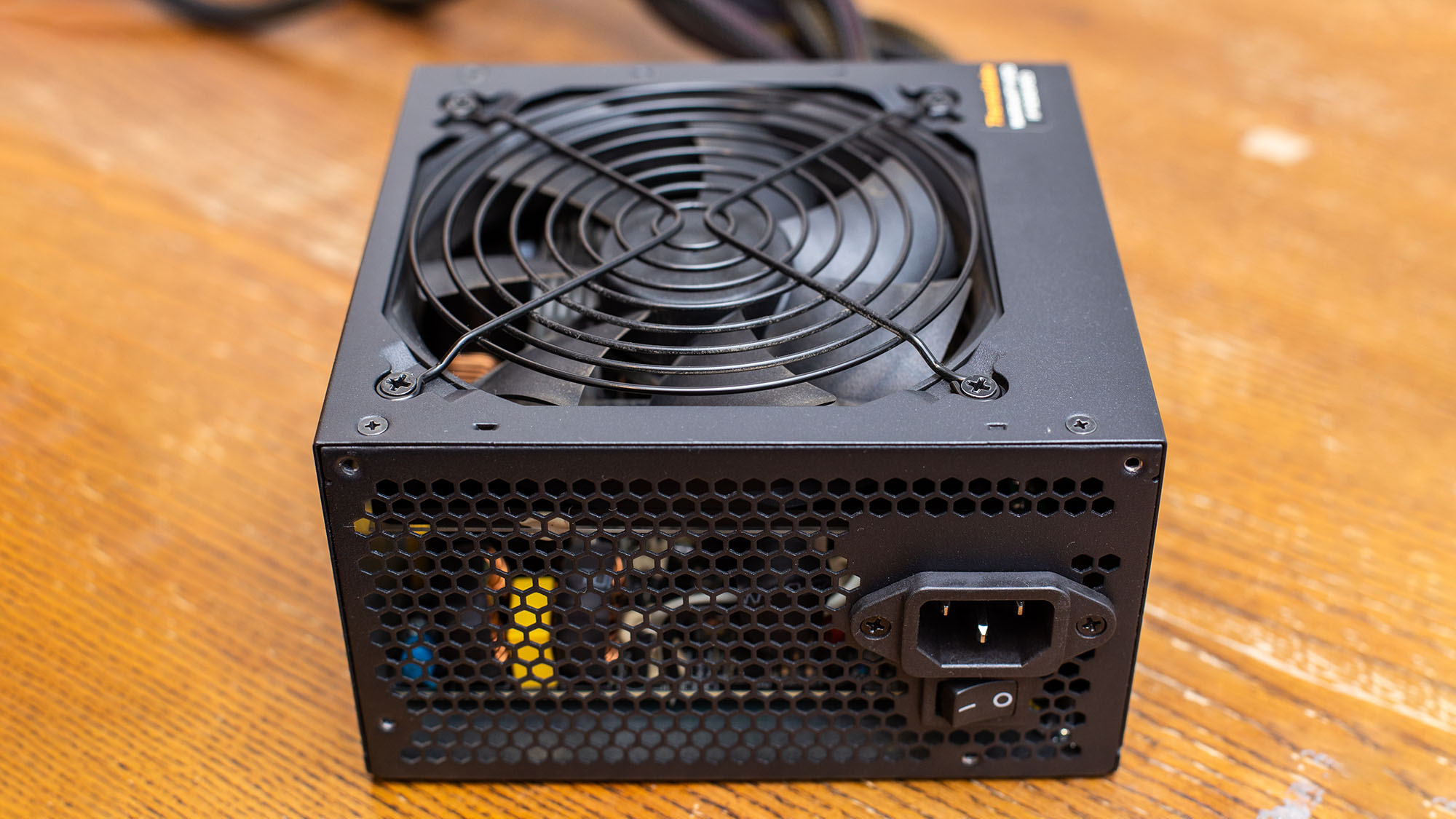
Orientation: Most modern cases feature a bottom-mount PSU bay with a dedicated intake vent. It’s generally recommended to install the PSU with its fan facing downwards (if there’s a vent) to draw cool air directly from outside the case. If there’s no bottom vent, orient the fan upwards to draw air from inside the case.
-
Cable Management: Spend time routing cables neatly, not just for aesthetics but to ensure unobstructed airflow within the case. Use zip ties or Velcro straps.
-
Dust Control: Over time, PSU fans can accumulate dust, reducing cooling efficiency. Periodically clean the PSU’s fan and vents with compressed air, ensuring the system is powered off and unplugged. Avoid disassembling the PSU itself, as internal capacitors can hold a dangerous charge even after being unplugged.
In conclusion, the Power Supply Unit is far more than just a box that delivers electricity. It’s a sophisticated technological device, a critical guardian, and the fundamental power plant of any computer system. Its job is to meticulously convert, regulate, and protect, ensuring that every digital pulse and mechanical rotation happens flawlessly. Understanding its function, internal workings, and the myriad of considerations for its selection is not just academic; it’s an essential piece of knowledge for anyone venturing into the world of PC building, upgrading, or even just appreciating the intricate engineering behind our modern digital lives. Ignoring the PSU is to gamble with the stability and lifespan of your entire tech investment.
aViewFromTheCave is a participant in the Amazon Services LLC Associates Program, an affiliate advertising program designed to provide a means for sites to earn advertising fees by advertising and linking to Amazon.com. Amazon, the Amazon logo, AmazonSupply, and the AmazonSupply logo are trademarks of Amazon.com, Inc. or its affiliates. As an Amazon Associate we earn affiliate commissions from qualifying purchases.