
Enhancing home or business security has become a paramount concern for many, and outdoor security cameras represent one of the most effective deterrents and monitoring tools available today. From deterring potential intruders to providing crucial evidence in the event of an incident, a well-placed and properly installed outdoor security camera system offers unparalleled peace of mind. However, the prospect of installing such a system can seem daunting, involving technical considerations, power management, and network configuration. This comprehensive guide aims to demystify the process, providing a professional, insightful, and engaging walkthrough for anyone looking to bolster their perimeter security with reliable surveillance technology. We will delve into everything from the initial planning stages and selecting the right equipment to the step-by-step installation process and post-installation configuration, ensuring your system is both effective and robust.
I. Strategic Planning and System Selection
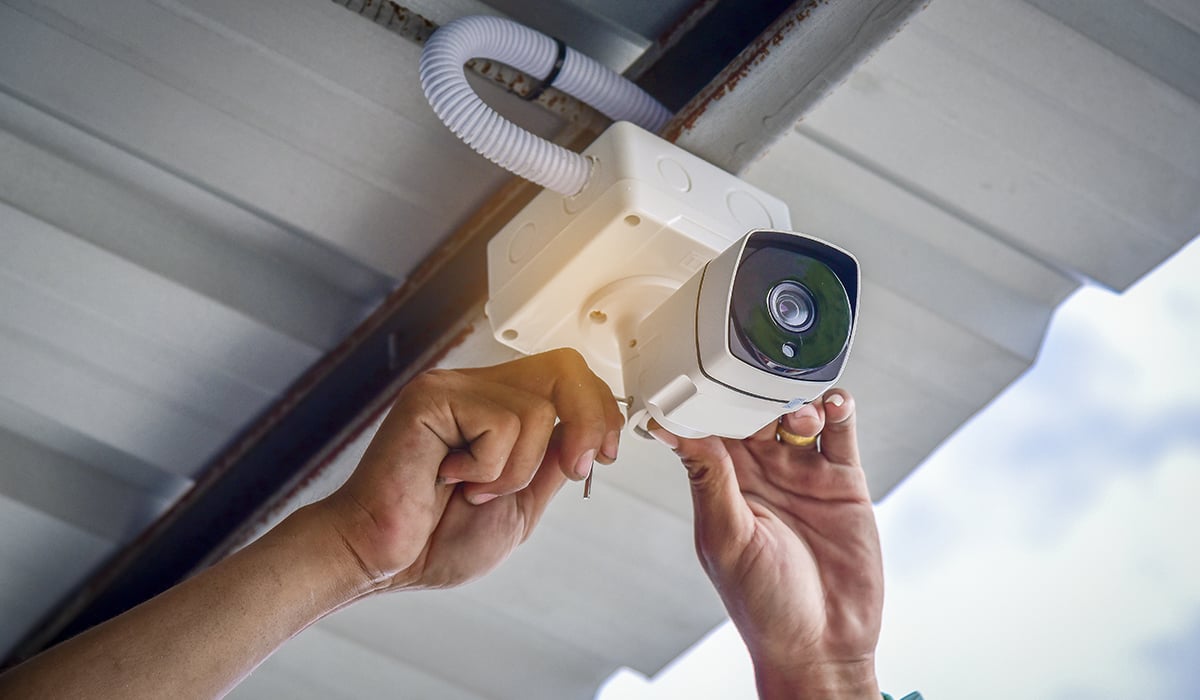
The success of any security camera installation hinges significantly on meticulous planning and the judicious selection of equipment. Rushing these initial steps can lead to blind spots, unreliable performance, or systems that fail to meet specific security needs. A thoughtful approach ensures optimal coverage, seamless integration, and long-term reliability.
A. Conducting a Site Survey and Threat Assessment
Before purchasing any equipment, conduct a thorough site survey of your property. Walk around the perimeter, identifying potential entry points, vulnerable areas, and existing blind spots. Consider common intruder pathways, such as gates, first-floor windows, and less-visible sides of the building.
-
Identify Critical Zones: Pinpoint areas where valuable assets are stored, sensitive access points, or areas with low visibility from inside the property. These are prime locations for camera placement.
-
Evaluate Lighting Conditions: Note natural and artificial light sources throughout the day and night. Areas with poor lighting will require cameras with enhanced night vision capabilities (IR, Starlight, or color night vision).
-
Assess Environmental Factors: Consider exposure to rain, wind, direct sunlight, and extreme temperatures. Cameras must be rated for outdoor use (IP65, IP66, or IP66K for harsh environments) and positioned to minimize glare or environmental interference.
-
Power and Network Accessibility: Crucially, determine where power outlets are available or where power lines can be safely run. For wired cameras, also identify viable pathways for network cables (Ethernet). For wireless systems, assess Wi-Fi signal strength at potential camera locations.
B. Choosing the Right Camera System for Your Needs
The market offers a bewildering array of outdoor security cameras, each with its own set of features and capabilities. Making an informed decision requires understanding your specific security objectives and budget.
-
Wired vs. Wireless Systems:
-
Wired (PoE/CCTV): Offers superior reliability, bandwidth, and security. Power over Ethernet (PoE) cameras receive both power and data through a single Ethernet cable, simplifying wiring. CCTV systems (analog or HD-TVI/CVI/AHD) often require separate power and coaxial video cables. Ideal for robust, permanent installations.
-
Wireless (Wi-Fi/Battery): Provides greater flexibility in placement and easier installation. However, they rely on Wi-Fi signal strength and often require battery changes/recharging (for fully wireless models) or proximity to a power outlet (for Wi-Fi cameras that still plug in). Susceptible to signal interference and potentially less secure if not properly encrypted.
-
-
Resolution and Field of View: Higher resolution (e.g., 2K, 4K) provides clearer images and allows for digital zooming without significant loss of detail. A wider field of view (FOV) covers a larger area but may reduce pixel density for distant objects. Consider a mix of cameras with different FOVs – wide for general area coverage, narrower for specific choke points.
-
Night Vision and Advanced Features:
-
Infrared (IR): Standard for most cameras, providing black-and-white images in low light.
-
Starlight/Color Night Vision: Uses larger sensors or specialized processing to capture color images in very dim light, offering more detail than IR.
-
Motion Detection & Alerts: Essential for notifications and triggering recordings. Look for systems with customizable detection zones and sensitivity.
-
Two-Way Audio: Allows you to listen and speak through the camera, useful for package deliveries or deterring intruders.
-
Local vs. Cloud Storage: Decide whether you prefer storing footage locally (NVR/DVR, SD card) for greater privacy and no ongoing fees, or in the cloud for remote access and off-site backup. Many systems offer a hybrid approach.
-
AI Analytics: Features like person detection, vehicle detection, and facial recognition can reduce false alarms and provide more intelligent alerts.
-
II. Essential Tools and Pre-Installation Steps
Once you’ve planned your strategy and selected your system, gathering the necessary tools and preparing your work area will streamline the installation process. Safety and preparedness are key to a smooth setup.
A. Assembling Your Toolkit
Having the right tools on hand will prevent frustrating delays and ensure a professional finish.
-
Drill and Drill Bits: A power drill with appropriate bits for wood, masonry, or stucco, depending on your mounting surface.
-
Screwdrivers: Philips and flathead screwdrivers for mounting brackets and connections.
-
Ladder: A sturdy ladder, tall enough to reach your chosen mounting locations safely.
-
Wire Strippers/Crimpers: If you’re running new Ethernet or power cables.
-
Cable Ties/Clips: For neat and secure cable management.
-
Caulking Gun and Weatherproof Sealant: To seal any drilled holes against moisture.
-
Voltage Tester/Multimeter: For checking power connections (if working with electrical wiring).
-
Safety Gear: Gloves, safety glasses, and appropriate footwear.
-
Pencil/Marker and Measuring Tape: For marking drilling spots and measuring cable runs.
-
Network Cable Tester: Essential for verifying new Ethernet cable runs (for wired systems).
B. Power and Network Preparation
This crucial step often requires the most attention, especially for wired systems, to ensure reliable operation.
-
Power Supply Considerations:
-
Wired Cameras: If using PoE, ensure your network switch or NVR has enough PoE ports and power budget. If cameras use individual power adapters, ensure accessible outdoor-rated outlets (GFCI protected) are nearby, or plan for safe, weatherproof extension cord runs if temporary, or proper conduit and electrical work for permanent solutions. Consult an electrician if unsure.
-
Wireless Cameras (Plug-in): Similar to wired power adapters, ensure weatherproof outlets are available.
-
Battery-Powered Cameras: Charge all batteries fully before installation.
-
-
Network Connectivity Setup:
-
Wired (Ethernet): Run Ethernet cables from your NVR/PoE switch to each camera location. Measure carefully, leaving some slack. Use outdoor-rated cables (CAT5e or CAT6) for direct outdoor runs. Drill holes through exterior walls, always sealing them with sealant afterward.
-
Wireless (Wi-Fi): Ensure your Wi-Fi router is centrally located and provides strong signal strength at all camera mounting points. Consider using a Wi-Fi extender or mesh system if signal is weak in certain areas. Test signal strength with your phone or a Wi-Fi analyzer app before mounting cameras. Change default router credentials for added security.
-
III. The Step-by-Step Installation Process
With your tools ready and preparations complete, you can now proceed with the physical installation of your outdoor security cameras. Precision and adherence to best practices will ensure optimal performance and longevity.
A. Mounting the Cameras Securely
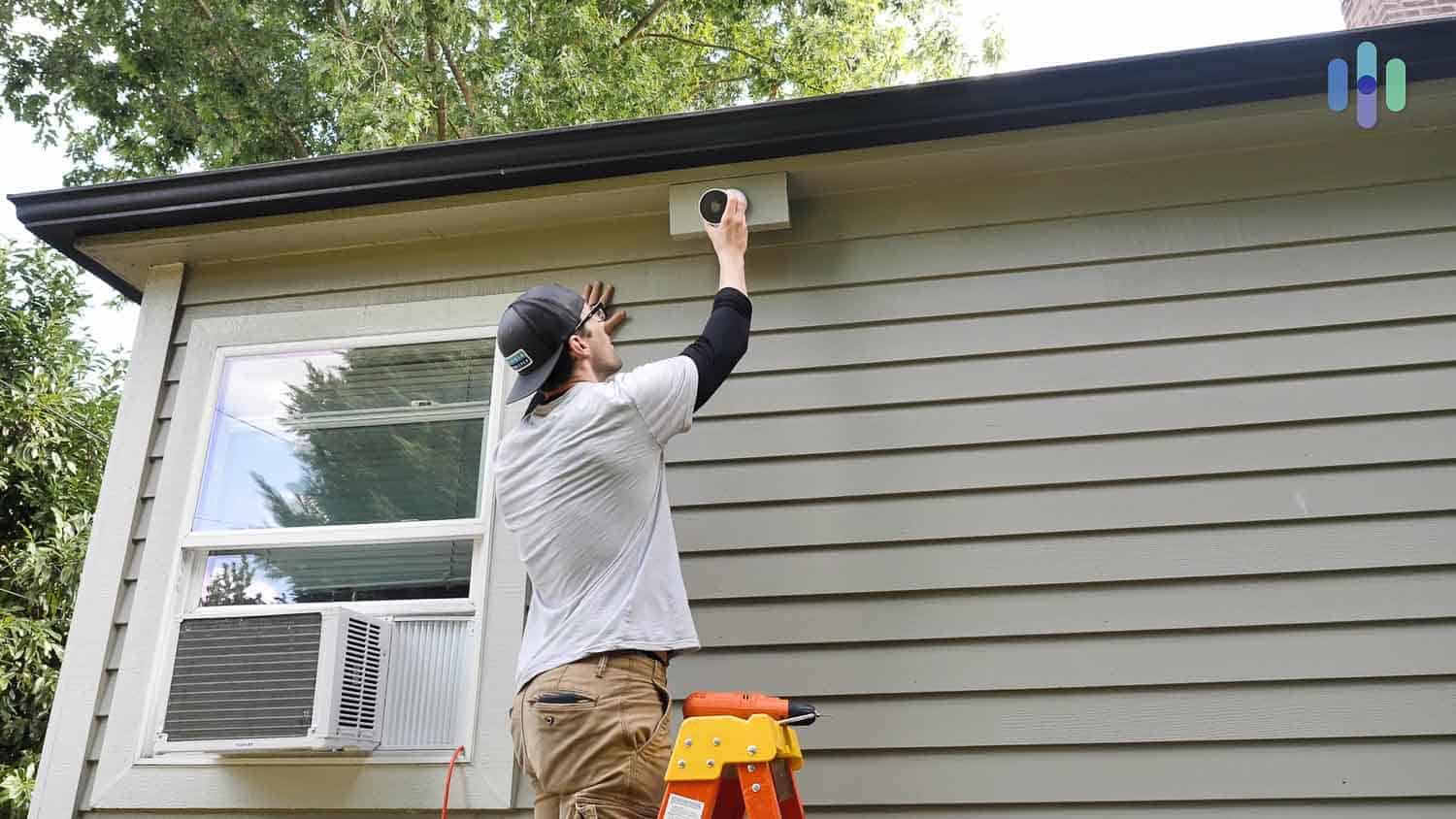
Proper mounting is critical for both camera stability and effective surveillance coverage.
-
Marking and Drilling: Hold the camera’s mounting bracket against your chosen location. Use a pencil or marker to mark the screw holes. Before drilling, double-check that there are no hidden wires or pipes behind the wall. Use the appropriate drill bit for your wall material (wood, brick, siding).
-
Securing the Mount: Insert wall anchors if drilling into masonry or drywall. Then, securely screw the camera mounting bracket into place. Ensure it’s tight and stable.
-
Attaching the Camera: Attach the camera to its mounted bracket according to the manufacturer’s instructions. Usually, this involves a simple twist-lock or screw mechanism. Do not fully tighten the camera’s aiming mechanism yet, as you’ll adjust this during configuration.
-
Weatherproofing: After all drilling and wiring, apply a bead of weatherproof silicone sealant around any holes you’ve drilled into your exterior walls. This prevents water intrusion and potential damage to your home or the camera’s wiring.
B. Running and Managing Cables (for Wired Systems)
Neat and protected cable management is essential for wired systems to prevent damage and maintain an aesthetic appearance.
-
Cable Routing: Plan the cleanest and most discreet path for your Ethernet or power cables. Run cables along existing lines (e.g., under eaves, behind gutters) to minimize visibility.
-
Securing Cables: Use cable clips or ties to secure cables firmly against the wall, preventing them from dangling or being snagged. Ensure cables are not under tension.
-
Protecting Connections: For outdoor cable connections, use weatherproof junction boxes or electrical tape specifically rated for outdoor use to protect splices and connectors from moisture and UV degradation. Avoid exposed connections wherever possible.
-
Avoiding Interference: Keep data cables away from high-voltage power lines or strong electromagnetic sources to prevent signal interference.
IV. Connecting, Configuring, and Testing Your System
Physical installation is only half the battle. Connecting your cameras to your recording device or network, configuring their settings, and thorough testing are vital for a functional and effective security system.
A. Connecting to Your NVR/DVR or Network
This step brings your cameras online and makes them accessible.
-
Wired (PoE/CCTV):
-
PoE: Plug the Ethernet cables from each camera directly into the PoE ports on your NVR or PoE switch.
-
CCTV: Connect the coaxial video cables to the DVR’s video input ports and the power cables to their respective power adapters or power supply box.
-
NVR/DVR Setup: Connect your NVR/DVR to your router via an Ethernet cable. Connect it to a monitor for initial setup. Follow the on-screen prompts to initialize hard drives, set passwords, and perform basic network configuration.
-
-
Wireless (Wi-Fi):
-
Power On: Plug in your Wi-Fi cameras (if plug-in) or ensure battery cameras are powered.
-
App Pairing: Download the manufacturer’s app on your smartphone or tablet. Follow the in-app instructions to pair each camera with your Wi-Fi network and account. This usually involves scanning a QR code or entering network credentials.
-
B. Configuring Camera Settings and Fine-Tuning
Once connected, delve into the camera settings to optimize performance and customize alerts.
-
Aiming and Field of View Adjustment: Access the live view of each camera through your NVR/DVR interface or smartphone app. While monitoring the feed, physically adjust each camera’s angle and tilt to achieve the desired coverage. Ensure there are no major obstructions or blind spots. Aim for optimal coverage without excessive overlap.
-
Motion Detection Zones and Sensitivity: Define specific motion detection zones to focus on critical areas and ignore irrelevant activity (e.g., trees swaying). Adjust sensitivity to minimize false alarms while still capturing legitimate events.
-
Recording Schedules and Quality: Set recording schedules (e.g., continuous, motion-triggered, scheduled). Configure recording quality (resolution, frame rate) to balance image detail with storage capacity.
-
Alert Notifications: Set up email or push notifications for motion detection or other events. Test these alerts to ensure they are working correctly.
-
Firmware Updates: Always check for and install the latest firmware updates for all your cameras and NVR/DVR. These updates often include security patches, bug fixes, and performance enhancements.
V. Post-Installation Best Practices and Maintenance
Your security camera system is an investment in your safety, and like any investment, it requires ongoing attention to ensure its continued effectiveness and longevity. Regular maintenance and adherence to best practices are crucial.
A. Regular Maintenance for Optimal Performance
Proactive maintenance can prevent issues and ensure your cameras are always ready to capture critical moments.
-
Lens Cleaning: Dust, cobwebs, rain spots, and insect nests can obstruct the camera’s view. Regularly (e.g., monthly or quarterly) clean the camera lenses gently with a soft, damp cloth. Avoid harsh chemicals that could damage coatings.
-
Cable and Connection Inspection: Periodically check all visible cables and connections for wear, fraying, or weather damage. Ensure weatherproof seals are intact. Replace damaged cables immediately.
-
Power Supply Check: Verify that power adapters or PoE connections are secure and free from corrosion. For battery-powered cameras, monitor battery life and recharge/replace batteries as needed.
-
Storage Management: For local storage (NVR/DVR), ensure there’s sufficient hard drive space. Many systems automatically overwrite old footage, but it’s good practice to verify this. For cloud storage, monitor your subscription and usage.
-
System Health Checks: Regularly log into your system’s interface or app to ensure all cameras are online, recording, and functioning correctly. Review recorded footage periodically to confirm image quality and coverage.
B. Data Security and Privacy Considerations
Beyond physical security, digital security and privacy are paramount for any networked surveillance system.
-
Strong Passwords: The most basic yet crucial step. Always change default passwords for cameras, NVRs, and Wi-Fi routers. Use strong, unique passwords that combine uppercase and lowercase letters, numbers, and symbols.
-
Network Segmentation: If possible, place your security camera system on a separate network segment (VLAN) from your main home or business network. This isolates the cameras and limits potential access in case of a breach.
-
Two-Factor Authentication (2FA): Enable 2FA on your camera system’s app or cloud account if available. This adds an extra layer of security, requiring a second verification step beyond just a password.
-
Regular Firmware Updates: As mentioned earlier, keeping firmware updated is essential for patching security vulnerabilities. Manufacturers frequently release updates to address newly discovered threats.
-
Privacy Best Practices: Be mindful of privacy laws and ethical considerations. Avoid pointing cameras directly into neighbors’ private spaces. Inform visitors or employees that surveillance is in operation. Understand local regulations regarding recording public areas.
Installing outdoor security cameras is a rewarding endeavor that significantly enhances your property’s safety and your peace of mind. By following this detailed guide, from initial planning and equipment selection to careful installation and ongoing maintenance, you can establish a robust, reliable, and effective surveillance system tailored to your specific needs. Embrace the power of modern security technology to protect what matters most.
aViewFromTheCave is a participant in the Amazon Services LLC Associates Program, an affiliate advertising program designed to provide a means for sites to earn advertising fees by advertising and linking to Amazon.com. Amazon, the Amazon logo, AmazonSupply, and the AmazonSupply logo are trademarks of Amazon.com, Inc. or its affiliates. As an Amazon Associate we earn affiliate commissions from qualifying purchases.