
In the complex ecosystem of modern social media, the “block” function serves as one of the most definitive tools for user autonomy and digital boundary setting. On a platform as technically sophisticated as Instagram, blocking is not merely a social gesture; it is a comprehensive reconfiguration of the data relationship between two accounts. When a user triggers the block command, a series of algorithmic and architectural changes occur within the app’s backend to ensure total severance.
Understanding the technical nuances of being blocked is essential for navigating the digital landscape. This article explores the software mechanics, user interface shifts, and privacy protocols that activate the moment the “block” button is pressed.
The Architecture of a Block: How Instagram’s Code Handles Restriction
At its core, Instagram is a massive database of relational connections. When you follow someone, a link is created in the database. When a block occurs, the software must do more than just sever that link; it must create a persistent “no-access” rule that overrides the platform’s standard discovery algorithms.
Database Dissociation and Profile Visibility
The moment a block is initiated, the Instagram API (Application Programming Interface) instructs the server to hide all associated metadata from the blocked user. To the person who has been blocked, the profile effectively ceases to exist within the app’s searchable index.
From a technical standpoint, if the blocked user attempts to search for the blocker’s username, the app queries the database and, seeing the “block” flag, returns a “User Not Found” result. This is a deliberate software design choice intended to protect the privacy of the person who initiated the block. Unlike a deactivated account, where the data is hidden from everyone, a block is a targeted visibility restriction that applies specifically to one unique User ID.
Search Engine Indexing and Web Browsers
The complexity of blocking extends to the web version of Instagram. While the mobile app uses a dedicated API to filter content, web browsers interact with Instagram’s URL structure differently. If a blocked user is logged in on a browser and attempts to visit instagram.com/[username], the server will typically return a “404 Not Found” error or a “broken link” page. However, because these URLs are public, if the blocked user logs out or uses an “Incognito” tab, the profile may reappear. This highlights a limitation in digital security: while the app can restrict an account, it cannot easily restrict a person from viewing public data without being logged in.
The UI/UX Experience: Indicators and Interface Changes
Instagram’s User Experience (UX) designers have crafted the blocking feature to be “quiet.” The app never sends a notification to the blocked party. Instead, the user must infer their status through various interface anomalies.
The Vanishing Content Feed
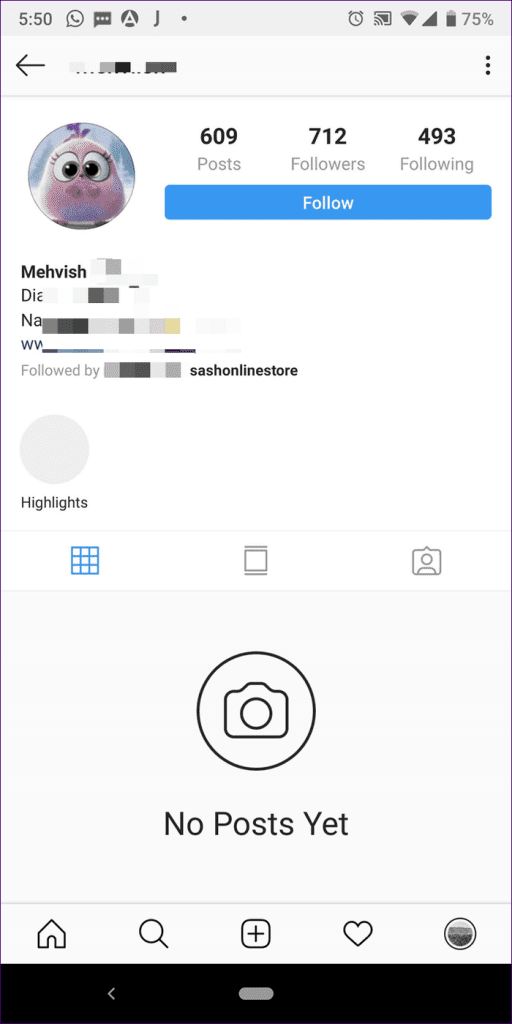
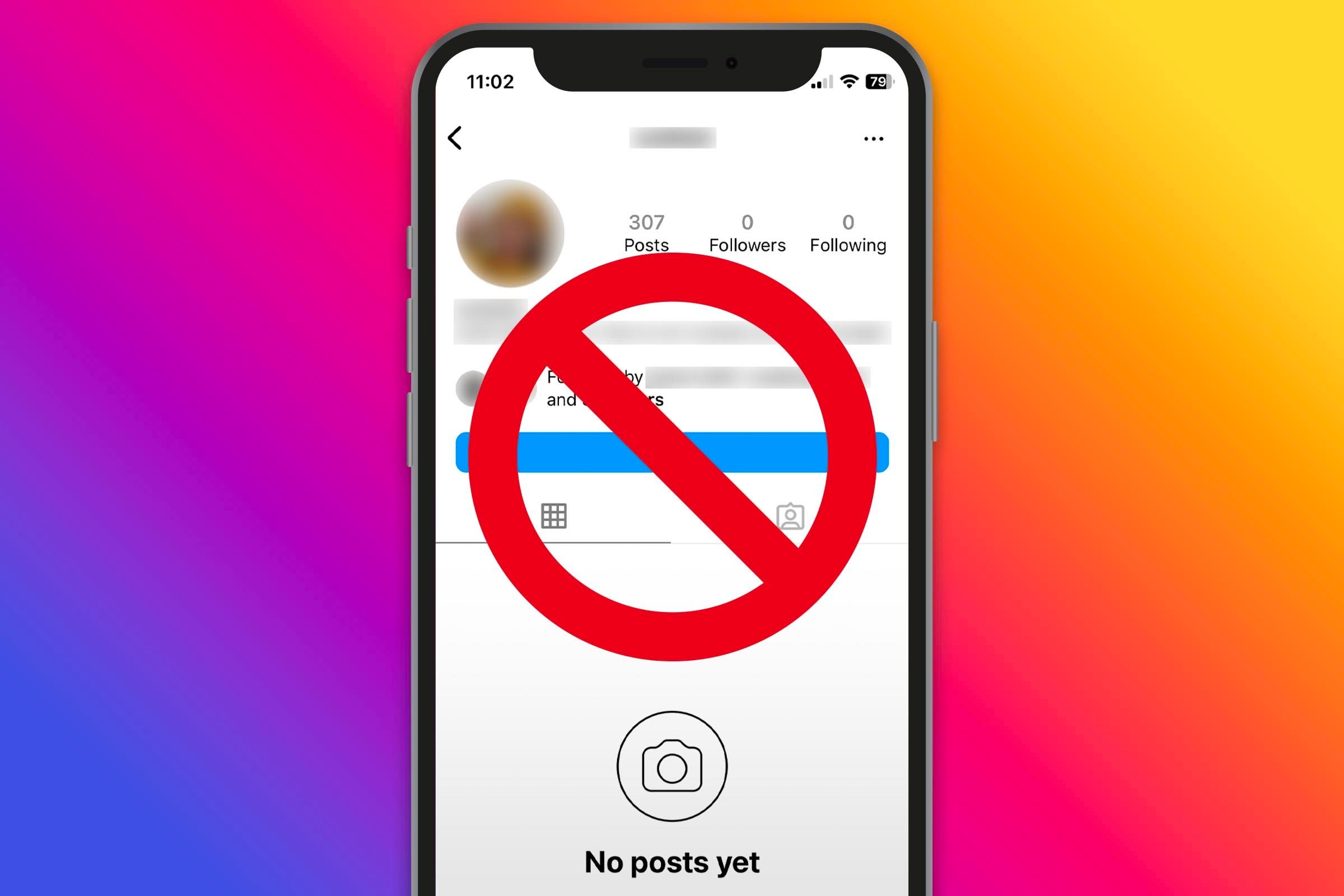
The most immediate change is the total disappearance of posts, stories, and reels. For the blocked user, the blocker’s profile page will appear as a blank slate. Even if the header shows a “Post Count” (e.g., “150 Posts”), the grid below will display “No Posts Yet.” This is a classic UI indicator of a block. The software is programmed to recognize the account exists (hence the post count) but is forbidden from rendering the content assets (the images and videos) to that specific User ID.
Interactions and “Ghost” Likes
A common question involves historical interactions. When a block occurs, Instagram’s software automatically scrubs the blocker’s likes and comments from the blocked user’s photos. Interestingly, these interactions do not return even if the user is unblocked later. From a data management perspective, the block trigger acts as a “delete” command for specific engagement metadata.
Furthermore, the blocked user can no longer tag or mention the blocker. If they attempt to type the blocker’s handle in a caption or comment, the username will not populate in the predictive text overlay, and even if typed manually, the tag will not remain an active, clickable hyperlink.
Communication Protocols: Direct Messaging and Group Chats
The Direct Messaging (DM) architecture on Instagram handles blocking with a specific set of rules designed to prevent harassment while maintaining the integrity of existing chat logs.
Message Delivery and Persistence
When User A blocks User B, the existing DM thread remains in both of their inboxes, but its functionality is paralyzed. User B can still type and “send” messages into the thread, but these messages are never delivered to User A. On the backend, these messages are essentially sent into a digital void; they are stored on User B’s local cache but are never pushed to User A’s server-side inbox.
Crucially, User A will not receive these messages even if they unblock User B later. The delivery window for those specific packets of data is permanently closed the moment the block is active.
The Group Chat Paradox
Group chats present a unique technical challenge for Instagram’s privacy settings. If the blocker and the blocked user are both in a shared group message, a dialogue box usually appears asking the blocker if they wish to stay in or leave the group. If they stay, the software allows them to see each other’s messages within that specific group context. This is one of the few areas where the “block” is not absolute, as the integrity of a multi-user environment takes precedence over the individual block command to avoid breaking the experience for other participants.
Digital Security and User Safety Measures
Instagram has evolved the block feature from a simple “ignore” button into a robust digital security tool. This transition reflects the platform’s commitment to preventing recidivist harassment through advanced software logic.
The “Block Other Accounts They May Create” Feature
In recent updates, Instagram introduced a sophisticated security feature that allows a user to block not just an account, but any future accounts created by that same individual. This is achieved through device fingerprinting and IP tracking.
When an account is blocked with this option enabled, Instagram’s security layer logs the unique hardware identifiers and associated metadata of the blocked user. If the system detects a new account being created from the same device or linked to the same verified email/phone number, the block is automatically applied to the new account. This is a significant leap in social media software, moving toward proactive rather than reactive security.
Blocking vs. Restricting: A Technical Comparison
It is important to distinguish the “Block” from the “Restrict” feature. While a block is a total severance of data access, “Restricting” is a “soft” version of the same logic.
-
Restricting: The user can still see your posts, but their comments are hidden from the public and their DMs go to a “Request” folder.
-
Blocking: All data paths are severed.
From a tech standpoint, Restricting is a filter, while Blocking is a firewall.
Analyzing Third-Party Tools and Security Risks
A significant market of third-party apps claims to notify users when they have been blocked. However, from a technical and security perspective, these tools are often highly suspect and potentially dangerous.
The Myth of “Who Blocked Me” Apps
Instagram’s Official API does not provide a specific endpoint that allows third-party developers to see who has blocked a user. To maintain privacy, the platform keeps this data strictly server-side. Apps that claim to track blocks usually work by storing your follower list on their own servers and comparing it periodically to see who has disappeared.
However, these apps cannot distinguish between a user who has blocked you, a user who has deactivated their account, or a user who has simply deleted their profile. Use of these apps often requires giving them your Instagram login credentials, which violates Instagram’s Terms of Service and exposes the user to “Man-in-the-Middle” (MITM) attacks and data harvesting.
API Limitations and Platform Integrity
As Instagram continues to tighten its Graph API to protect user data (especially following the increased scrutiny of Meta’s data practices), the ability for external software to track user-level interactions like blocking has been almost entirely eliminated. For the end-user, this means that any software promising “blocker tracking” is likely a security risk, potentially containing malware or phishing scripts designed to hijack the account.

Conclusion: The Persistence of Digital Boundaries
The “block” on Instagram is a sophisticated piece of software engineering that balances user privacy with platform functionality. It represents a total metadata blackout, ensuring that once a boundary is set, it is reinforced by the app’s internal logic across search, messaging, and content delivery.
For the user, understanding that a block is a permanent and comprehensive severance of the digital link helps in managing expectations of the app’s behavior. As Instagram’s AI and security protocols continue to evolve, the blocking mechanism will likely become even more predictive and robust, further insulating users from unwanted interactions through advanced device tracking and cross-platform synchronization within the Meta ecosystem. In the world of tech, the block button remains the ultimate tool for personal data sovereignty.
aViewFromTheCave is a participant in the Amazon Services LLC Associates Program, an affiliate advertising program designed to provide a means for sites to earn advertising fees by advertising and linking to Amazon.com. Amazon, the Amazon logo, AmazonSupply, and the AmazonSupply logo are trademarks of Amazon.com, Inc. or its affiliates. As an Amazon Associate we earn affiliate commissions from qualifying purchases.