
In the modern digital landscape, the way businesses operate has undergone a fundamental shift. The days of localized servers, manual file versioning, and tethered desktop applications have given way to the era of cloud computing. At the heart of this transformation for millions of organizations is G Suite—now officially known as Google Workspace. While the name has evolved, the core mission remains the same: providing a comprehensive, integrated suite of cloud-based productivity and collaboration tools designed to streamline workflows and enhance connectivity.
G Suite represents a departure from traditional office software. Rather than purchasing individual licenses for software installed on a single hard drive, users access a decentralized ecosystem where data is synchronized in real-time. This article explores the technical architecture, core components, and security frameworks that define G Suite, providing a deep dive into why it remains the industry standard for digital transformation.
The Evolution from G Suite to Google Workspace
To understand what G Suite is today, one must look at its technical lineage. What began as a simple collection of web-based tools has evolved into a sophisticated enterprise-grade operating system for businesses.
A Brief History of Google’s Office Suite
The journey began in the mid-2000s when Google launched “Google Apps for Your Domain.” This was a revolutionary concept at the time—the idea that a business could host its email (Gmail) on Google’s servers while using its own custom domain. Over the next decade, Google added Drive, Docs, Sheets, and Slides, eventually rebranding the collection as “G Suite” in 2016. This name emphasized the “suite” of tools working in harmony. However, as the nature of work became more fluid and remote, Google rebranded once more in 2020 to “Google Workspace.” The shift reflected a more deeply integrated user experience where communication and creation tools are no longer separate silos but are woven together in a single interface.
The Rebranding Strategy: Why the Name Changed
The transition from G Suite to Workspace wasn’t merely a marketing gimmick; it was a response to a change in software architecture. In the original G Suite, a user would often have multiple tabs open: one for email, one for a document, and another for a video call. Google Workspace introduced “interop” features that allow users to, for example, chat with teammates directly inside a Google Doc or present a spreadsheet directly into a Google Meet call. This technological convergence is the defining characteristic of the modern iteration of G Suite.
Core Components and Powerful Features of the Ecosystem
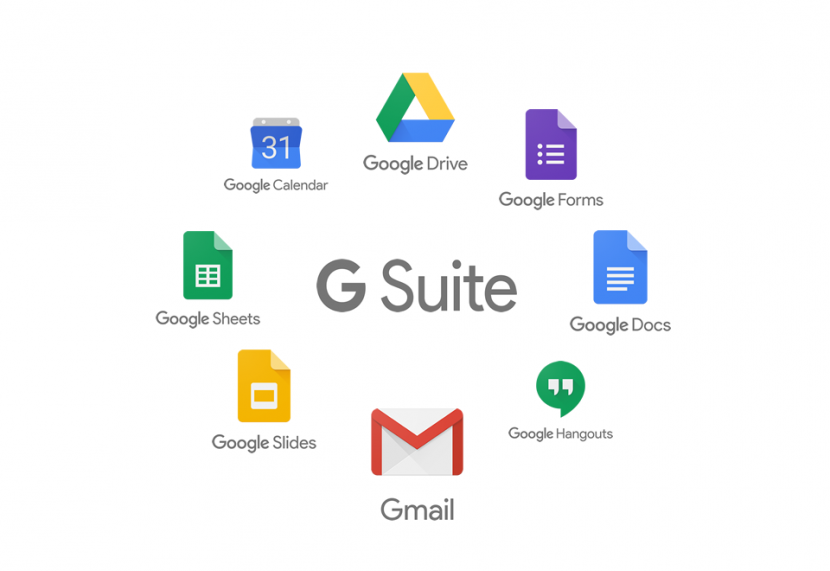
The power of G Suite lies in its modularity. Each application is a powerhouse on its own, but when combined, they create a seamless digital environment. These tools are built on Google’s global infrastructure, ensuring high availability and low latency.
Communication Tools: Gmail, Meet, and Chat
Gmail is the cornerstone of G Suite. Unlike the free consumer version, the business version offers a 99.9% uptime guarantee, zero ads, and custom email addresses (@yourcompany.com). Under the hood, Gmail uses advanced machine learning algorithms to filter spam and phishing attempts before they ever reach the inbox.
Complementing Gmail are Google Meet and Google Chat. Meet is a high-definition video conferencing tool built on Google’s secure global infrastructure. It utilizes encrypted transit protocols and unique meeting identifiers to prevent “zoombombing.” Chat, on the other hand, serves as the real-time messaging hub, supporting threaded conversations and deep integration with Google Drive, allowing users to share files and assign tasks without leaving the conversation.
Creation Tools: Docs, Sheets, and Slides
Google’s office productivity tools—Docs (word processing), Sheets (spreadsheets), and Slides (presentations)—are cloud-native. This is a critical distinction from “cloud-enabled” software. Because they were built for the web from day one, they handle multi-user concurrency better than almost any other platform. Using a technology called Operational Transformation (OT), G Suite allows dozens of users to edit the same document simultaneously with millisecond latency, ensuring that no two edits conflict.
Storage and Organization: Google Drive and Calendar
Google Drive serves as the central repository for an organization’s data. It utilizes a sophisticated file-streaming system (Drive for Desktop) that allows users to access terabytes of data without occupying space on their local hard drives. Drive’s search functionality is powered by the same technology as Google Search, allowing users to find files based on content, metadata, or even text within images using Optical Character Recognition (OCR). Google Calendar ties the suite together, serving as the scheduling engine that coordinates meetings, room bookings, and project deadlines across the entire organization.
Enterprise-Grade Security and Administrative Controls
For any IT professional, the primary concern with cloud-based software is security. G Suite is designed with a “Zero Trust” security model, meaning that no user or device is trusted by default, whether they are inside or outside the corporate network.
Data Protection and Compliance Standards
G Suite operates on a shared responsibility model, but Google handles the heavy lifting of physical and network security. Data is encrypted both at rest (using AES-256) and in transit (using TLS). Furthermore, G Suite is compliant with rigorous international standards, including SOC 2/3, ISO/IEC 27001, HIPAA (for healthcare), and GDPR. For industries with strict data residency requirements, Google provides “Data Regions,” allowing administrators to choose where their data is stored geographically.
The Admin Console: Managing Users and Devices
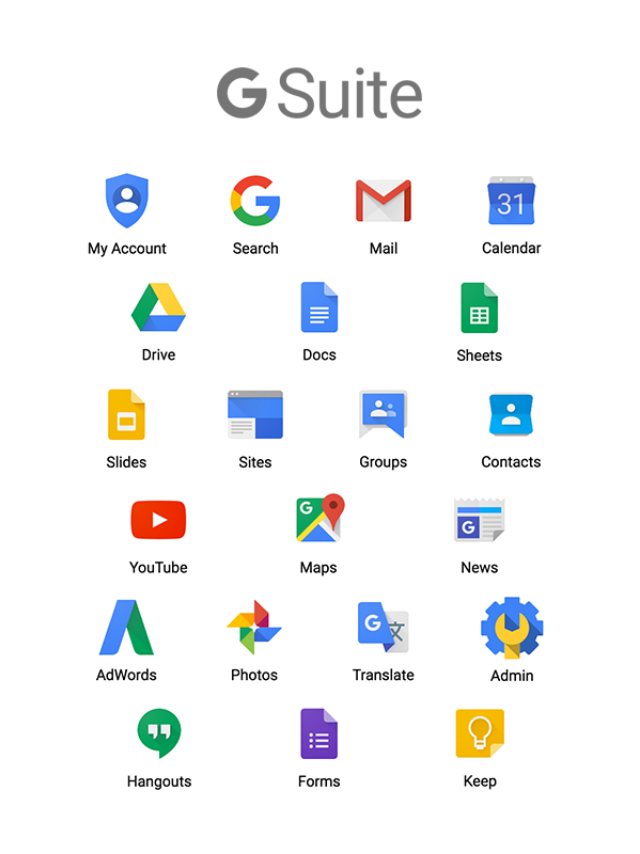
The Admin Console is the “brain” of a G Suite environment. It provides IT administrators with granular control over how data is accessed. From this dashboard, admins can enforce Two-Factor Authentication (2FA), manage security keys, and monitor login activity. One of the most powerful features is Data Loss Prevention (DLP). Admins can set rules that automatically scan outgoing emails or shared files for sensitive information—like credit card numbers or social security numbers—and block the transmission to prevent data leaks.
Endpoint Management in a Remote-First World
As the workforce becomes increasingly mobile, G Suite’s mobile device management (MDM) capabilities have become essential. Admins can require screen locks, wipe corporate data from lost devices, and manage which apps are allowed on employee phones. This ensures that even if a physical device is compromised, the corporate data within the G Suite ecosystem remains protected behind layers of encryption and authentication.
Collaboration in the Modern Workspace
The true value of G Suite isn’t just the individual apps; it’s the collaborative friction it removes. In traditional software models, “collaboration” often meant emailing versions of a file back and forth (e.g., Reportv1Final_Final2.docx). G Suite eliminates this “version hell.”
Real-Time Editing and Version Control
In G Suite, there is only one version of a file: the current one. However, the system maintains a comprehensive “Version History.” Users can see every single change made to a document since its inception, who made it, and at what time. This provides an audit trail that is invaluable for project management and legal compliance. If an error is made, the document can be restored to any previous state with a single click.
Third-Party Integrations and the Google Workspace Marketplace
G Suite is an open ecosystem. Through the Google Workspace Marketplace, businesses can integrate their productivity tools with other specialized software like Salesforce (CRM), Asana (Project Management), or DocuSign (e-signatures). These integrations utilize APIs (Application Programming Interfaces) to allow data to flow securely between platforms, reducing the need for manual data entry and switching between apps.
Boosting Productivity with AI and Automation
Recently, Google has integrated “Duet AI” (now part of Gemini) into the G Suite ecosystem. This brings generative AI directly into the workflow. Users can ask the AI to draft emails, summarize long comment threads in Docs, or generate complex formulas in Sheets using natural language. This layer of artificial intelligence transforms G Suite from a passive set of tools into an active assistant that helps users process information faster.
Choosing the Right Edition for Your Business Needs
G Suite is not a one-size-fits-all product. Google offers several tiers to accommodate everything from solo entrepreneurs to global conglomerates. Choosing the right tier is a technical decision based on storage needs, security requirements, and the scale of the organization.
Business Starter vs. Business Standard
The “Business Starter” tier is designed for small teams, providing custom email and basic security. However, “Business Standard” is where many organizations find their “sweet spot.” It increases storage from 30GB to 2TB per user and adds features like meeting recordings and “shared drives,” which allow teams to own files collectively rather than having them tied to individual accounts—a crucial feature for continuity when employees leave a company.
Enterprise Solutions for Large Organizations
For corporations with thousands of employees, the “Enterprise” tiers provide the most robust toolset. These versions include advanced security features like S/MIME encryption for emails, noise cancellation in video calls, and “Work Insights,” which provides analytics on how the suite is being utilized across the company. More importantly, Enterprise tiers offer unlimited storage and advanced audit logs that can be exported to BigQuery for deep data analysis.
In conclusion, G Suite (Google Workspace) is far more than an online version of an office suite. It is a cloud-native platform that leverages Google’s immense computational power to foster a culture of transparency, speed, and security. By centralizing communication, creation, and administration, G Suite allows businesses to focus less on managing their IT infrastructure and more on achieving their core objectives in an increasingly digital world.
aViewFromTheCave is a participant in the Amazon Services LLC Associates Program, an affiliate advertising program designed to provide a means for sites to earn advertising fees by advertising and linking to Amazon.com. Amazon, the Amazon logo, AmazonSupply, and the AmazonSupply logo are trademarks of Amazon.com, Inc. or its affiliates. As an Amazon Associate we earn affiliate commissions from qualifying purchases.