
In the digital era, the way we create, share, and archive information is governed by file formats. While most users are intimately familiar with the “.docx” extension associated with Microsoft Word, there is another heavyweight in the world of word processing that champions interoperability, open standards, and long-term accessibility: the ODT file.
ODT, which stands for OpenDocument Text, is a file extension for text documents created using the OpenDocument Format (ODF). It is the primary rival to proprietary formats and serves as the backbone for several of the world’s most popular open-source productivity suites. Understanding what an ODT file is, how it functions technically, and why it remains a critical part of the software ecosystem is essential for anyone navigating the modern digital landscape.
What is an ODT File? Decoding the OpenDocument Text Standard
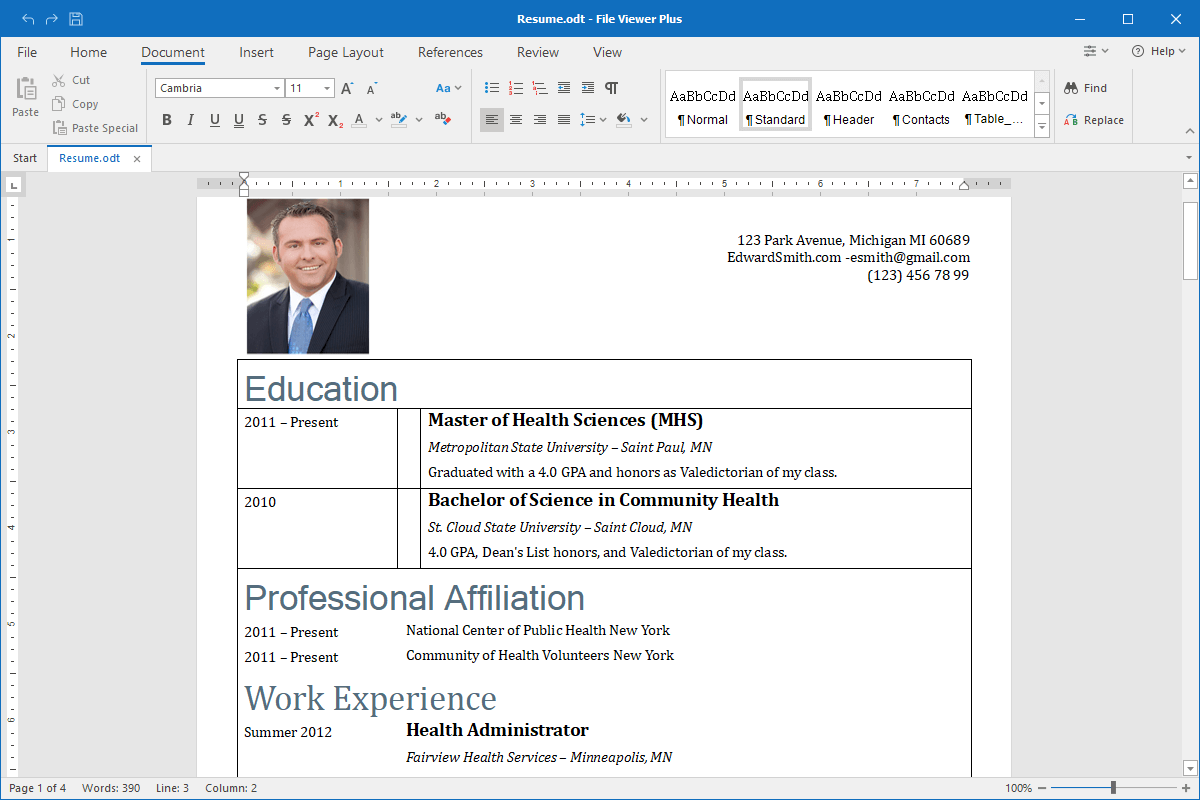
At its core, an ODT file is a document format used for word processing. It can contain text, images, tables, and complex formatting, much like any other document format. However, what sets it apart is its underlying philosophy and technical structure.
The Origins of ODT and the OpenDocument Format (ODF)
The ODT format was born out of a desire for a standardized, non-proprietary way to store office documents. In the late 1990s and early 2000s, the tech world was heavily reliant on binary formats (like the old .doc). These formats were difficult for other software programs to read accurately, leading to “vendor lock-in,” where users were forced to use a specific piece of software simply because their files wouldn’t work elsewhere.
The Organization for the Advancement of Structured Information Standards (OASIS) developed the OpenDocument Format to solve this. ODT is the specific subset of this standard used for text. It was designed to be an open, XML-based format that any developer could implement without paying royalties. This move democratized document creation, allowing various software applications to communicate seamlessly.
The Technical Anatomy: What’s Inside an ODT File?
To the average user, an ODT file looks like a single icon on their desktop. However, from a technical perspective, an ODT file is actually a compressed archive. If you were to change the extension of an ODT file to “.zip” and open it, you would find a collection of XML files and folders.
The structure typically includes:
-
content.xml: This is the heart of the document, containing the actual text and the basic structure.
-
styles.xml: This file holds the information regarding paragraph styles, fonts, and layout settings.
-
meta.xml: Contains metadata such as the author, creation date, and keywords.
-
Pictures/: A folder containing any images embedded in the document.
By using XML (Extensible Markup Language), the ODT format ensures that the data is “human-readable” and “machine-readable,” making it much easier for different software programs to parse and display the information correctly.
Why Choose ODT Over Proprietary Formats?
In a market dominated by Microsoft Office, the persistence of ODT might seem surprising. However, the format offers several distinct advantages that make it the preferred choice for governments, researchers, and tech enthusiasts.
Avoiding Vendor Lock-in and Proprietary Constraints
One of the biggest risks in the tech world is “vendor lock-in.” When a company uses a proprietary format, they are at the mercy of the software provider. If the provider increases subscription prices or discontinues a feature, the user has little recourse.
ODT eliminates this risk. Because it is an open standard, no single company owns it. If you create a document in ODT today, you can be confident that you will be able to open it twenty years from now using any number of different programs. This independence is why many governments, including those of the United Kingdom and various EU nations, have mandated the use of OpenDocument Formats for official documentation. It ensures that public records remain accessible regardless of the commercial success or failure of any specific software company.
Long-term Digital Preservation and Compatibility
For archivists and digital librarians, the ODT format is a gold standard. Digital obsolescence is a real threat; many files created in the 1980s are now unreadable because the software required to open them no longer exists.
Because ODT is based on open XML standards and is thoroughly documented, it is much easier to create “emulators” or converters that can read these files in the future. Furthermore, the ODT format is designed for high fidelity across different platforms. Whether you are working on Linux, macOS, or Windows, an ODT file is designed to look and behave the same way, provided the software follows the ODF specifications.
How to Open, Edit, and Convert ODT Files
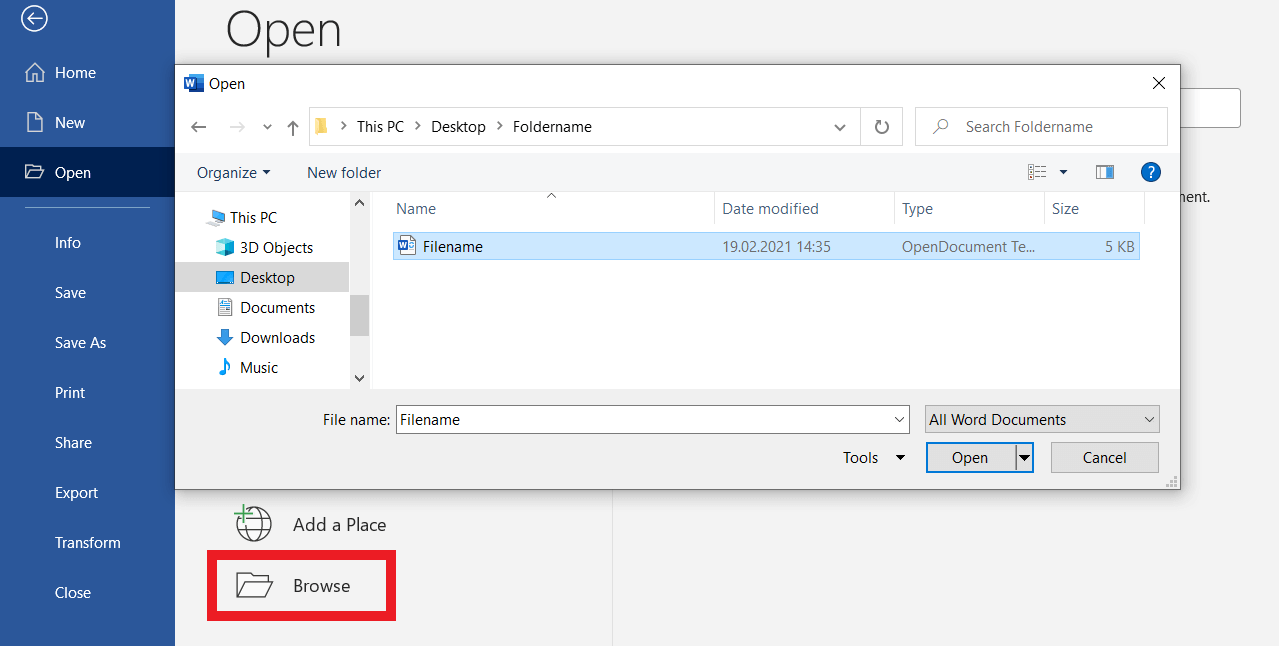
Compatibility was once a hurdle for ODT files, but in the modern software era, that gap has almost entirely closed. Almost every major word processor now supports the OpenDocument Text format.
Top Open-Source Suites: LibreOffice and Apache OpenOffice
The most natural environment for an ODT file is an open-source office suite. LibreOffice is currently the most popular and actively developed suite in this category. It uses ODT as its native file format, meaning every feature within the software is optimized for ODT storage.
LibreOffice’s Writer application provides a feature-rich experience that rivals Microsoft Word, offering everything from advanced mail merges to complex indexing. Apache OpenOffice is another alternative, though its development cycle has slowed in recent years. For users who prioritize software freedom and privacy, these tools remain the best way to handle ODT files.
Cloud-Based Solutions: Google Docs and Microsoft 365
The shift to cloud computing has further integrated ODT into the mainstream. Google Docs has robust support for ODT; users can upload ODT files, edit them online, and export their work back into the ODT format.
Even Microsoft Word, once the primary antagonist of open formats, has integrated ODT support. Since the mid-2000s, Microsoft has allowed users to open and save in the OpenDocument Format. While there are occasionally minor formatting discrepancies—usually involving complex tables or specific macro-enabled features—the interoperability between Word and ODT is generally excellent for standard document work.
Mobile Access and Conversion Tools
On mobile platforms, apps like Collabora Office (based on LibreOffice) allow for native ODT editing on Android and iOS. For users who simply need to view a file without installing a full suite, online converters like Zamzar or CloudConvert can transform an ODT file into a PDF or a DOCX in seconds.
ODT vs. DOCX: A Comparative Analysis of Modern Document Standards
The debate between ODT and DOCX is often framed as a battle of philosophies: Open Source vs. Proprietary. However, on a technical level, both formats share similarities while serving different primary goals.
Performance and Feature Parity
Both ODT and DOCX are “zipped XML” formats. This means they are both significantly smaller and more resilient than the old binary formats of the 90s. In terms of features, both support tracking changes, comments, embedded media, and complex styling.
However, DOCX was designed specifically to replicate every nuance of the Microsoft Word engine. Because Word is so feature-heavy, the DOCX specification is massive and incredibly complex. ODT, by contrast, is designed to be more streamlined. While this makes ODT slightly less “feature-rich” in terms of niche proprietary tools (like specific Word-only SmartArt), it makes the format faster and easier for third-party developers to implement correctly.
Interoperability Challenges and Best Practices
The main friction point occurs when moving a file back and forth between different programs. While a basic ODT file will look identical in LibreOffice and Word, a document with highly specific “floating” text boxes or proprietary font-spacing algorithms might shift slightly.
For tech-savvy users, the best practice is to use the format native to the software you are using for the majority of the work. If you are using LibreOffice, stay in ODT. If you need to share a “final” version that cannot be edited, export it to a PDF. This ensures that the visual integrity of the document is preserved regardless of the recipient’s software.
The Future of Document Standards in the Age of AI
As we look toward the future of technology, the importance of open formats like ODT is only increasing, particularly with the rise of Artificial Intelligence and Big Data.
How Open Standards Fuel Machine Learning and Data Extraction
Artificial Intelligence models, particularly Large Language Models (LLMs), require massive amounts of data for training and fine-tuning. Proprietary, encrypted, or highly complex formats can act as a “black box,” making it difficult for automated scripts to extract clean text and metadata.
Because ODT is transparent and based on standardized XML, it is incredibly “AI-friendly.” Developers can easily write scripts to parse thousands of ODT documents, extracting structured data without needing to license expensive APIs or reverse-engineer a proprietary format. In an era where data is the new oil, the transparency of the ODT format makes it a valuable resource for organizational knowledge management.
The Role of ODT in a Decentralized Tech Ecosystem
As the tech industry moves toward more decentralized models—including edge computing and privacy-focused local AI—the demand for formats that don’t require a constant “phone home” to a corporate server is growing. ODT fits this niche perfectly. It is a format that belongs to the user, not the provider.
In conclusion, the ODT file is much more than just an alternative to a Word document. It is a symbol of technical transparency and a safeguard for our digital history. Whether you are a developer looking for a reliable way to store data or a student wanting to ensure your thesis remains readable for decades to come, the ODT format provides a professional, stable, and highly compatible solution for the modern age.
aViewFromTheCave is a participant in the Amazon Services LLC Associates Program, an affiliate advertising program designed to provide a means for sites to earn advertising fees by advertising and linking to Amazon.com. Amazon, the Amazon logo, AmazonSupply, and the AmazonSupply logo are trademarks of Amazon.com, Inc. or its affiliates. As an Amazon Associate we earn affiliate commissions from qualifying purchases.