
In the modern era, our hands are the primary interface between our biological selves and the digital universe. Whether you are a software developer committing thousands of lines of code, a graphic designer perfecting a vector illustration, or a day trader monitoring market fluctuations, your hands are your most valuable tools. However, the repetitive nature of technology use has led to a surge in musculoskeletal issues, commonly referred to as Repetitive Strain Injury (RSI) or Carpal Tunnel Syndrome (CTS).
When your hand starts paining, it isn’t just a minor inconvenience; it is a critical “system error” signal from your body. In the tech world, we solve problems through optimization, hardware upgrades, and smarter software. Addressing hand pain requires the same analytical approach. This guide explores the tech-driven solutions to hand pain, from ergonomic hardware to AI-powered software that reduces physical strain.
The Digital Strain: Understanding Tech-Induced Hand Pain
Before seeking a solution, one must understand the “bug” in the system. Hand pain in a technological context is rarely the result of a single trauma. Instead, it is the cumulative result of thousands of micro-movements performed in non-neutral positions.
The Rise of Repetitive Strain Injury (RSI)
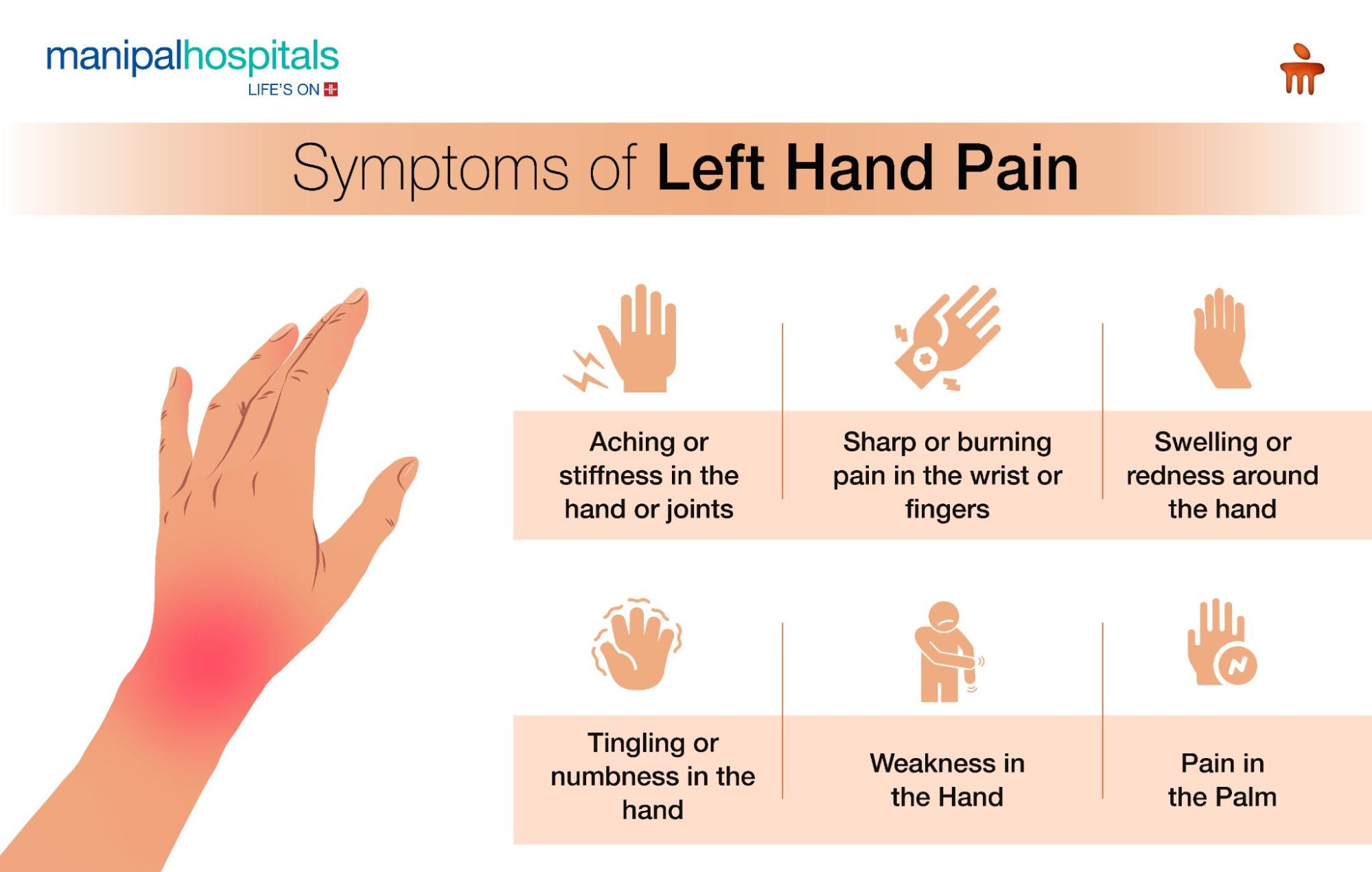
RSI is an umbrella term for various conditions caused by repetitive tasks, forceful exertions, vibrations, or sustained awkward positions. In the tech industry, this often manifests as tendonitis or tenosynovitis. When you use a traditional flat keyboard or a standard mouse, your forearm bones (the radius and ulna) are forced into a “pronated” position—twisted 90 degrees from their natural resting state. Over hours of work, this tension compresses nerves and inflames tendons, leading to the dull ache or sharp zing of pain that signals the onset of RSI.
Identifying the Culprits: Modern Hardware and Poor Posture
Modern gadgets, while sleek, are often designed for aesthetics rather than anatomy. The ultra-thin keyboards on high-end laptops, for instance, have very low “travel” (the distance a key moves when pressed). This means your fingertips are constantly bottoming out against a hard surface, sending shockwaves into your finger joints. Similarly, the repetitive clicking and dragging on a trackpad can cause “De Quervain’s tenosynovitis,” a painful condition affecting the tendons on the thumb side of the wrist. Identifying these hardware-related triggers is the first step toward a pain-free digital life.
Hardware Solutions: Investing in Ergonomic Gadgets
In the world of technology, we often upgrade our GPUs or RAM to improve performance. When your hand is paining, it is time to upgrade your physical interface. Ergonomic hardware is designed to keep your body in a “neutral posture,” minimizing muscle recruitment and nerve compression.
Vertical Mice and Trackballs: Breaking the Pronation Cycle
The standard computer mouse is perhaps the greatest offender in wrist health. To use one, you must turn your palm face-down, which crosses the bones in your forearm. A vertical mouse solves this by allowing you to hold the device in a “handshake” position. This keeps the wrist straight and the forearm bones parallel.
For those who find moving a mouse across a pad painful, trackball mice offer a stationary alternative. By using your thumb or fingers to roll a ball, you eliminate the need for shoulder and wrist movement entirely. High-end models from companies like Logitech or Kensington allow for significant customization of button tension and pointer speed, further reducing the physical force required for navigation.
Split Keyboards and Mechanical Switches
Traditional keyboards force your wrists to bend outward to meet the keys (ulnar deviation). Split keyboards allow you to position the two halves of the keyboard at shoulder width, keeping your wrists perfectly straight.
Furthermore, switching to mechanical keyboards can significantly alleviate hand pain. Unlike “membrane” keyboards found on most laptops, mechanical switches provide tactile feedback before the key is fully depressed. This allows a “touch typist” to move from key to key without the high-impact “bottoming out” that causes joint inflammation. Switches with lower actuation force—often labeled as “Linear” or “Red” switches—are particularly beneficial for those experiencing hand fatigue.
Wearable Tech for Real-Time Biofeedback
The latest frontier in ergonomic hardware is wearable technology. Smart braces and gloves equipped with haptic sensors can now monitor the angle of your wrist and the force of your grip. These devices sync with your smartphone or workstation to provide real-time alerts when you are straining. By gamifying ergonomics, these tech tools help you rewire your habits, ensuring you maintain a neutral posture throughout the workday.
Software Tools to Reduce Physical Load

If hardware is the “body” of our digital interaction, software is the “mind.” We can significantly reduce the physical demand on our hands by leveraging intelligent software solutions and automation.
Voice-to-Text and AI Dictation: Let Your Voice Do the Work
The most effective way to stop hand pain is to stop using your hands. AI-powered dictation software has reached a level of accuracy that makes it a viable alternative to typing. Tools like Dragon NaturallySpeaking, or the built-in dictation features in macOS and Windows, allow for high-speed text entry with minimal errors.
For professionals who need to document meetings or write long-form content, AI transcription services like Otter.ai or Descript can convert spoken words into structured text. By shifting 50% of your typing load to your voice, you provide your hands with the “rest cycles” they need to recover from inflammation.
Automation Tools: Reducing Clicks with Macros and Shortcuts
Every click is a mechanical stressor. Tech-savvy users can alleviate hand pain by implementing automation and macro tools. Software like AutoHotkey (for Windows) or Keyboard Maestro (for Mac) allows you to map complex sequences of clicks and keystrokes to a single button press.
If you find yourself repeatedly performing the same navigational tasks, creating a “macro” reduces the total physical movements required. Additionally, utilizing “Vim” bindings or “Shortcat” allows users to navigate their entire operating system using only the keyboard, eliminating the need to reach for a mouse—a movement that often causes shoulder and wrist strain.
Break Reminders and Eye-Tracking Software
Sometimes, the best tech solution is the one that tells you to stop. “Micro-break” software like WorkRave or Stretchly monitors your keyboard and mouse activity. After a set period of intensive use, the software locks your screen or provides a notification to perform hand stretches.
For those with severe hand pain, eye-tracking technology (such as Tobii) is becoming increasingly accessible. These systems use infrared cameras to track your gaze, allowing you to move the cursor simply by looking at a point on the screen. While there is a learning curve, eye-tracking can reduce mouse usage by up to 80%.
Designing the Future: AI and Next-Gen Interfaces
The tech industry is gradually moving toward “Natural User Interfaces” (NUI) that move beyond the mouse and keyboard. This evolution is the ultimate solution for chronic hand pain.
Gesture Control and Spatial Computing
With the advent of spatial computing devices like the Apple Vision Pro and Meta Quest, the way we interact with data is changing. These devices use sophisticated camera arrays to track hand gestures in open space. While “gorilla arm” (fatigue from holding arms up) is a concern, the ability to perform “micro-gestures” with hands resting in a lap represents a departure from the rigid, desk-bound ergonomics of the past.
The Role of AI in Predictive Ergonomics
In the near future, AI will play a proactive role in preventing hand pain. Imagine an integrated system that uses your webcam to monitor your posture and hand angles. Using computer vision, the AI could detect the subtle signs of fatigue or repetitive strain before you even feel the pain. It could then automatically adjust the sensitivity of your mouse or suggest a specific stretching routine tailored to the muscle groups you are overusing.
Implementing a Digital Wellness Routine
Technology is a tool, and like any tool, it must be used correctly. When hand pain occurs, it is an invitation to audit your “Digital Wellness” stack.
Workspace Optimization (The 90-Degree Rule)
No amount of high-tech gear can compensate for a poor desk setup. The “90-Degree Rule” is the gold standard of tech ergonomics: your elbows, hips, and knees should all be bent at approximately 90 degrees. Your monitor should be at eye level so that your neck remains neutral. When these angles are correct, the blood flow to your hands is optimized, and the nerves exiting your neck and shoulders are not compressed, reducing the “referred pain” that often manifests in the hands.

Integrating Tech-Assisted Recovery
When the workday ends, technology can also assist in recovery. High-tech hand massagers use air compression and heat therapy to increase circulation and break down scar tissue in the palms and wrists. Furthermore, using “Biofeedback” apps can help you manage the stress associated with chronic pain. Stress causes muscle tension, which exacerbates RSI; by using apps that track Heart Rate Variability (HRV), you can learn to keep your nervous system calm, which in turn allows your muscles to remain relaxed.
In conclusion, hand pain in the digital age is a technical challenge that requires a technical solution. By upgrading your hardware to ergonomic standards, leveraging AI for dictation and automation, and staying ahead of the curve with next-gen interfaces, you can protect your most important assets. Don’t wait for the pain to become a permanent disability; optimize your interface today to ensure a long and productive career in the tech ecosystem.
aViewFromTheCave is a participant in the Amazon Services LLC Associates Program, an affiliate advertising program designed to provide a means for sites to earn advertising fees by advertising and linking to Amazon.com. Amazon, the Amazon logo, AmazonSupply, and the AmazonSupply logo are trademarks of Amazon.com, Inc. or its affiliates. As an Amazon Associate we earn affiliate commissions from qualifying purchases.