
In an increasingly data-driven world, understanding and calculating percentages is a fundamental skill that permeates almost every aspect of our lives – from personal finance and shopping discounts to business analytics and scientific research. While the underlying mathematical principles remain constant, the tools we use to derive these figures have evolved dramatically. The humble calculator, once a revolutionary device, continues to be our most accessible and efficient digital companion for these computations. This article delves into the precise methods of finding percentages on various types of calculators, exploring the technological nuances and best practices that transform a simple device into a powerful analytical tool.
The Indispensable Role of Calculators in Everyday Mathematics
At its core, a percentage represents a fraction of 100, offering a standardized way to express proportions and changes. Its ubiquity necessitates a reliable and quick method of calculation, a role perfectly filled by modern computing devices.
A Brief History of Computational Aids
Before the advent of electronic calculators, mathematicians and merchants relied on abacuses, slide rules, and extensive tables to perform complex calculations. The mechanical calculator, emerging in the 17th century, marked a significant leap, though these devices were cumbersome and expensive. The real revolution began in the mid-20th century with electronic calculators, transforming from bulky desktop machines to pocket-sized wonders. Today, the calculator extends beyond a physical device, manifesting as powerful apps on our smartphones, sophisticated web tools, and integrated functions within spreadsheet software. This technological progression underscores a persistent human need for efficient computation, with the calculator evolving from a luxury to an indispensable tech tool.
Why Understanding Percentages is Crucial
The ability to calculate percentages isn’t merely an academic exercise; it’s a critical life skill. Consumers use it to understand sales, interest rates, and tax implications. Businesses leverage it for profit margins, growth rates, and market share analysis. Scientists apply it in data analysis, statistical significance, and chemical compositions. Even in casual conversations, percentages provide a universal language for comparison and context. A solid grasp of how to derive these figures ensures informed decision-making and a clearer understanding of the world around us.
The Calculator as Your Digital Ally
Regardless of its form factor—be it a basic four-function device, a scientific calculator, a smartphone app, or a web-based tool—the calculator acts as a tireless digital assistant. It eliminates human error, significantly speeds up calculations, and empowers individuals to tackle complex problems with confidence. For percentages specifically, its utility is unparalleled, simplifying operations that might otherwise be prone to mental fatigue or mistakes. Understanding its functionalities is key to harnessing its full potential.
Mastering Basic Percentage Calculations on Standard Calculators
Most everyday percentage calculations can be performed effortlessly on any standard calculator. The key lies in understanding the mathematical operations involved and how your specific calculator translates those into button presses.
Finding a Percentage of a Given Number (e.g., Discount Calculation)
This is perhaps the most common percentage calculation. You want to know what a certain percentage of a whole value is. For example, finding 15% of 200.
Method 1: Using the Percentage Key (%)
Many calculators feature a dedicated ‘%’ key. While convenient, its behavior can sometimes be counter-intuitive or vary slightly between models.
-
Enter the number you want to find the percentage of. (e.g.,
200) -
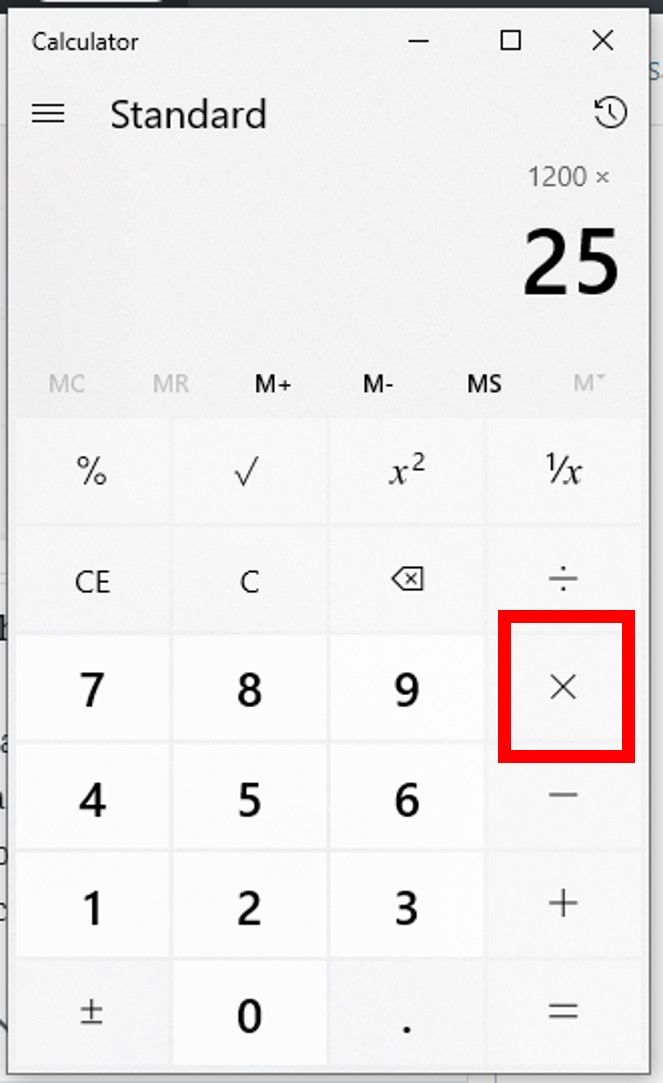
Press the multiplication key. (
x) -
Enter the percentage value. (e.g.,
15) -
Press the percentage key. (
%) -
The calculator should display the result. (e.g.,
30)
Method 2: Converting Percentage to Decimal (Universal and Recommended)
This method is more consistent across all calculators, including those without a ‘%’ key, and provides a clearer understanding of the underlying math. To convert a percentage to a decimal, divide it by 100. So, 15% becomes 0.15.
-
Enter the number you want to find the percentage of. (e.g.,
200) -
Press the multiplication key. (
x) -
Enter the decimal equivalent of the percentage. (e.g.,
0.15) -
Press the equals key. (
=) -
The result will be displayed. (e.g.,
30)
Example: Calculating a 20% discount on an item priced at $75.
-
Find 20% of $75:
75 x 0.20 = 15(The discount amount is $15). -
Subtract the discount from the original price:
75 - 15 = 60(The discounted price is $60).Alternatively, you can calculate 80% (100% – 20% discount) of the original price:
75 x 0.80 = 60.
Calculating Percentage Increase or Decrease (e.g., Growth Rates, Price Adjustments)
This calculation helps you determine the percentage change between two values.
Formula: ((New Value - Original Value) / Original Value) * 100
Example: A stock price went from $50 to $65. What’s the percentage increase?
-
Calculate the difference:
65 - 50 = 15 -
Divide the difference by the original value:
15 / 50 = 0.3 -
Multiply by 100 to get the percentage:
0.3 x 100 = 30%(a 30% increase)
Example: Sales dropped from 120 units to 90 units. What’s the percentage decrease?
-
Calculate the difference:
90 - 120 = -30 -
Divide by the original value:
-30 / 120 = -0.25 -
Multiply by 100:
-0.25 x 100 = -25%(a 25% decrease)
Determining What Percentage One Number Is of Another (e.g., Test Scores, Market Share)
Here, you want to express a part of a whole as a percentage.
Formula: (Part / Whole) * 100
Example: You scored 45 out of 50 on a test. What percentage is that?
-
Divide the part by the whole:
45 / 50 = 0.9 -
Multiply by 100:
0.9 x 100 = 90%
The Dedicated Percentage Key: Friend or Foe?

The ‘%’ key on a calculator is a convenience feature, but its exact function can vary, leading to confusion.
-
For “percentage of a number”: As shown above (
200 x 15 %), it usually works as expected. -
For adding/subtracting a percentage: Some calculators can perform operations like
100 + 10%to yield110. This is where caution is needed, as not all calculators will interpret this command identically. For consistency, it’s often safer to calculate the percentage separately and then add/subtract it. (e.g.,100 + (100 x 0.10) = 110). -
Consistency: When in doubt, convert the percentage to a decimal (
divide by 100) and perform multiplication for percentages of a number, or direct division for percentages as a proportion. This decimal method is universally reliable.
Leveraging Advanced Calculator Features and Digital Alternatives
While basic calculators handle most common percentage tasks, more sophisticated tools offer enhanced functionality, integration, and user experience.
Scientific and Graphing Calculators: Power Beyond the Basics
These calculators, typically used in higher education and professional fields, offer robust features for more complex equations, statistical analysis, and programming. While their percentage functions are similar to basic calculators, their ability to handle multi-step problems, store variables, and perform unit conversions makes them invaluable for scenarios where percentages are part of a larger calculation. For instance, calculating compound interest over many periods often involves powers and multiple percentage applications, which scientific calculators handle with ease.
Smartphone Calculator Apps: Convenience at Your Fingertips
The ubiquitous smartphone has become a powerful computational device. Built-in calculator apps, found on both iOS and Android platforms, offer full functionality, often mimicking scientific calculators. Their intuitive interfaces, large displays, and accessibility make them ideal for on-the-go percentage calculations. Many apps also offer history logs, allowing users to review past computations—a feature rarely found on basic physical calculators. Third-party apps further extend capabilities, offering specialized financial calculators that automate complex percentage-based scenarios like loan amortization or tips.
Online Calculators and Web-Based Tools: Specialized Solutions
The internet is replete with a vast array of specialized percentage calculators. Websites dedicated to financial planning, tax preparation, fitness, or retail often embed custom calculators. These tools are designed for specific percentage-related problems:
-
Tip Calculators: Automatically calculate tip amounts and split bills.
-
Loan Payment Calculators: Determine monthly payments based on interest rates (percentages).
-
Mortgage Calculators: Estimate mortgage payments, including principal and interest.
-
Body Fat Percentage Calculators: Use specific formulas to estimate body composition.
-
Sales Tax Calculators: Apply specific percentage rates to purchases.
These tools abstract away the raw calculation, requiring users to input relevant data (e.g., principal, interest rate, term) and presenting the result directly. They leverage the power of web technology to offer user-friendly interfaces and precise, context-specific results.
Spreadsheet Software (Excel, Google Sheets) for Complex Scenarios
For repetitive, large-scale, or highly complex percentage calculations, spreadsheet software like Microsoft Excel or Google Sheets stands supreme. These applications are not just calculators; they are data analysis powerhouses.
-
Formulas: You can directly input percentage calculations using formulas (e.g.,
=A1*0.15for 15% of cell A1, or=B2/C2for percentage). -
Relative References: Apply a single formula across hundreds or thousands of data points instantly.
-
Conditional Formatting: Highlight cells based on percentage thresholds (e.g., sales growth above 10%).
-
Charts and Graphs: Visualize percentage changes and distributions, making data more digestible.
-
“Percentage” Number Format: Easily display decimal values as percentages without manual multiplication by 100.
For businesses, researchers, and anyone dealing with extensive datasets, spreadsheets are an indispensable technological solution for managing and interpreting percentage-based information.
Best Practices, Common Pitfalls, and Enhancing Calculation Efficiency
Even with advanced tools, accuracy and efficiency in percentage calculations depend on user proficiency and attention to detail.
Double-Checking Your Inputs: The First Line of Defense
The most frequent source of error in any calculation is incorrect data entry. Always take a moment to verify the numbers you’ve keyed into your calculator or software. A misplaced decimal point or a transposed digit can lead to significantly erroneous results. Some calculators offer a “check” or “replay” function to review the sequence of operations.
Understanding Order of Operations and Parentheses
When percentage calculations are part of a larger equation (e.g., adding a percentage to a subtotal that also has tax), the order of operations (PEMDAS/BODMAS) becomes critical. Calculators, especially scientific ones, rigorously follow this order. Using parentheses () can help explicitly define which parts of an equation should be calculated first, ensuring accuracy. For instance, to calculate (100 + 10% tax) + 5% tip, you’d perform (100 * 1.10) * 1.05, rather than simply chaining operations that might lead to incorrect tax or tip base.
When to Use the Percentage Key and When to Manual Calculate
As discussed, the ‘%’ key can be a double-edged sword due to its variable behavior across calculator models. For critical or complex calculations, converting percentages to their decimal equivalents and performing standard multiplication/division is almost always the safer, more explicit, and universally consistent approach. Rely on the ‘%’ key only when you are absolutely certain of its specific functionality on your particular device.
Optimizing Workflow: Speed and Accuracy Tips
-
Practice Regularly: Familiarity with your calculator’s layout and functions builds speed and confidence.
-
Mental Estimation: Before hitting “equals,” quickly estimate the answer. This acts as a sanity check. If 15% of 200 is 30, and your calculator shows 3,000, you know something is wrong.
-
Clear Memory Wisely: Understand how to use the memory functions (M+, M-, MR, MC) to store intermediate results for multi-step problems, minimizing re-entry.
-
Utilize Decimal Conversion: Embrace the
%/100mental conversion. It simplifies complex percentage additions/subtractions (e.g., increasing a number by 10% is multiplying by 1.10; decreasing by 10% is multiplying by 0.90).
The Evolving Landscape of Digital Computation and Percentages
The journey of calculating percentages has moved from tedious manual methods to highly sophisticated digital ecosystems. This evolution continues, promising even greater efficiency and integration.
AI-Powered Calculators and Smart Assistants
The advent of Artificial Intelligence (AI) and natural language processing is beginning to reshape how we interact with computational tools. Voice assistants like Siri, Google Assistant, and Amazon Alexa can now perform complex percentage calculations simply by being asked: “What is 20 percent off of 150?” or “What percentage increase is 80 compared to 60?” AI-powered calculators integrate contextual understanding, simplifying the input process and providing not just the answer but often a clear explanation of the steps. This represents a significant shift towards more intuitive, conversational computation.
Integrating Percentage Calculations into Business Software
Beyond standalone calculators, percentage functionalities are deeply embedded within various business software solutions. Enterprise Resource Planning (ERP) systems, Customer Relationship Management (CRM) platforms, and accounting software all rely heavily on automated percentage calculations for tasks ranging from sales commission tracking and discount application to financial forecasting and tax compliance. This integration ensures consistency, reduces manual effort, and supports data-driven decision-making across organizations. The ‘calculator’ function becomes an invisible, yet critical, component of vast digital infrastructures.

The Ongoing Relevance of Manual Understanding in a Digital Age
While technology makes calculations faster and less error-prone, a fundamental understanding of what a percentage represents and the logic behind its calculation remains paramount. Relying solely on a black box calculator without grasping the underlying principles can lead to an inability to identify errors, critically evaluate results, or solve problems when a specific tool isn’t available. The best approach marries technological efficiency with conceptual clarity, allowing us to leverage the power of calculators while maintaining intellectual control over our numbers.
In conclusion, the calculator, in its many forms, is an indispensable technological tool for navigating the world of percentages. From basic calculations of discounts and increases to advanced financial modeling in spreadsheets, understanding how to effectively use these devices empowers individuals and organizations alike. As technology continues to advance, our computational allies will only become more sophisticated, making the mastery of their functions an ever more valuable skill in the digital age.
aViewFromTheCave is a participant in the Amazon Services LLC Associates Program, an affiliate advertising program designed to provide a means for sites to earn advertising fees by advertising and linking to Amazon.com. Amazon, the Amazon logo, AmazonSupply, and the AmazonSupply logo are trademarks of Amazon.com, Inc. or its affiliates. As an Amazon Associate we earn affiliate commissions from qualifying purchases.