
In the modern technological landscape, data is often described as the new oil. However, raw data, much like crude oil, is of limited use until it is refined and processed. Plotting a graph is the fundamental process of converting abstract numbers into visual narratives that drive decision-making in software development, engineering, business intelligence, and scientific research. As we transition further into an era dominated by Big Data and Artificial Intelligence, the ability to effectively plot a graph using digital tools has become an essential skill for professionals across all tech sectors.
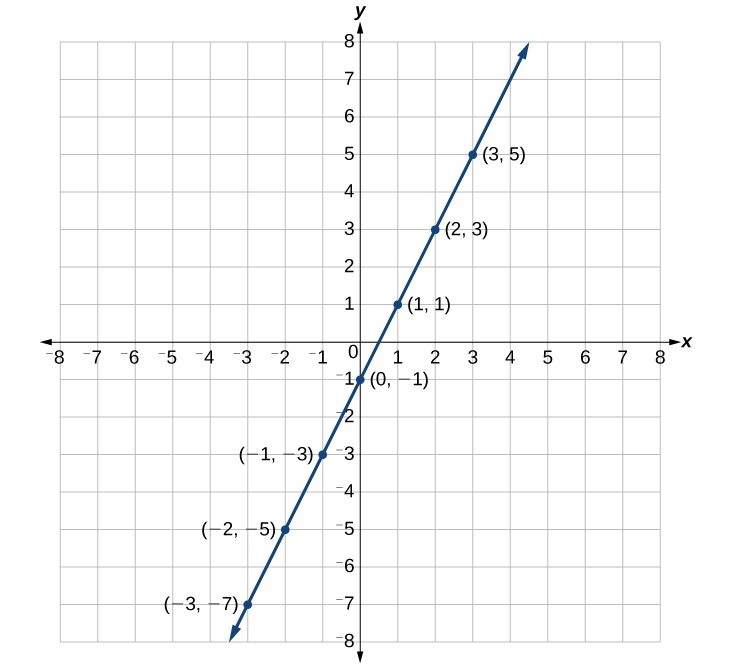
Whether you are a software engineer monitoring system latency, a data scientist uncovering trends in a neural network, or a product manager tracking user engagement, understanding the mechanics of digital graphing is paramount. This guide explores the sophisticated ecosystem of tools, programming frameworks, and best practices required to master the art and science of data visualization.
1. Essential Software and Tools for Digital Graphing
The first step in plotting a graph is selecting the right tool for the specific technical requirement. The digital landscape offers a spectrum ranging from accessible spreadsheet applications to high-end business intelligence (BI) suites.
Spreadsheet Giants: Microsoft Excel and Google Sheets
For many, the journey of plotting a graph begins with spreadsheets. Microsoft Excel and Google Sheets have evolved from simple ledger tools into robust platforms capable of handling complex datasets. In Excel, the plotting process involves the “Chart” engine, which utilizes sophisticated algorithms to suggest the most appropriate visual format based on the data structure. The integration of Power Query allows tech professionals to pull data from external APIs and databases, transforming it before plotting. Google Sheets, on the other hand, excels in collaborative environments, offering cloud-based synchronization that allows multiple stakeholders to manipulate and view live graphs simultaneously.
Business Intelligence (BI) Platforms: Tableau and Power BI
When data volumes exceed the capacity of a standard spreadsheet, enterprise-grade BI tools like Tableau and Microsoft Power BI become necessary. These platforms are designed specifically for high-level data storytelling. Plotting a graph in Tableau involves a “drag-and-drop” interface where dimensions (qualitative data) and measures (quantitative data) are mapped to visual axes. These tools are built on powerful engines that can handle millions of rows of data, providing interactive features like “drill-downs,” where a user can click on a data point in a graph to see the underlying source information.
Specialized Design Tools: Canva and Adobe Express
For marketing technology and front-end design, the aesthetic quality of a graph is as important as its accuracy. Tools like Canva and Adobe Express provide templates that prioritize UI/UX. While they may lack the deep analytical capabilities of Power BI, they are indispensable for creating high-resolution infographics and reports intended for stakeholders who require clear, high-impact visuals.
2. Mastering Data Plotting with Programming and Automation
For developers and data engineers, plotting a graph is often a programmatic task. Using code allows for the automation of graph generation, enabling the creation of dynamic dashboards that update in real-time.
The Power of Python: Matplotlib and Seaborn
Python has become the industry standard for data science, largely due to its rich library ecosystem. Matplotlib is the foundational library for plotting in Python. It provides a MATLAB-like interface that allows for precise control over every element of a graph, from the thickness of the axes to the specific hex codes of the colors used. Building upon Matplotlib is Seaborn, a high-level library that simplifies the creation of complex statistical graphics. Seaborn integrates deeply with Pandas DataFrames, allowing developers to plot intricate heatmaps, violin plots, and time-series analyses with minimal lines of code.
Data Visualization in R: The ggplot2 Ecosystem
In the world of statistical computing, R remains a titan. The ggplot2 package is perhaps the most influential graphing library ever created. It is based on the “Grammar of Graphics,” a theoretical framework that treats a graph as a series of layers: data, aesthetics (mapping data to visual marks), and geometries (the actual shapes like lines or bars). This structured approach allows for the creation of highly complex and customized plots that are reproducible—a key requirement in scientific and academic tech environments.
Leveraging AI for Automated Graph Generation
The rise of Generative AI has revolutionized how we plot graphs. Large Language Models (LLMs) can now interpret natural language queries to generate the underlying code required for visualization. A user can upload a CSV file to an AI-powered code interpreter and simply state, “Plot a line graph showing the correlation between server load and response time over the last 24 hours.” The AI then writes the Python or R code, executes it, and renders the graph. This “No-Code” or “Low-Code” approach is significantly lowering the barrier to entry for complex data analysis.
3. Choosing the Right Graph Type for Your Data Set
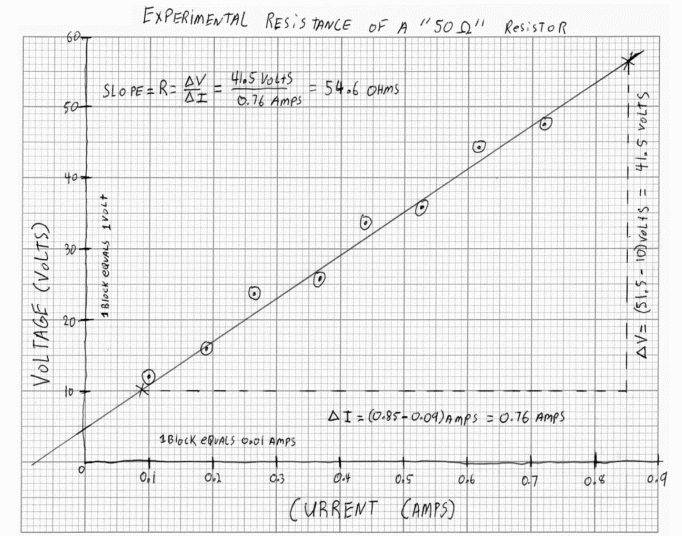
A common pitfall in tech is choosing a graph type that obscures rather than clarifies the data. Understanding the relationship between data types and their visual representations is crucial.
Temporal Trends: Line Graphs and Area Charts
When the primary goal is to display how a variable changes over time, line graphs are the gold standard. In software monitoring, for example, a line graph is used to track CPU usage or memory leaks. Area charts are a variation of the line graph where the space below the line is filled; these are particularly effective for representing “Total” vs. “Individual” components, such as total web traffic subdivided by browser type.
Categorical Comparisons: Bar Charts and Histograms
Bar charts are the most effective way to compare distinct categories. If a tech company wants to compare the quarterly revenue of different software products, a grouped bar chart provides an immediate visual comparison. Histograms, while appearing similar to bar charts, serve a different purpose: they show the distribution of a continuous variable. A histogram might be used to visualize the distribution of user ages on a social media platform to identify the core demographic.
Relationship Mapping: Scatter Plots and Bubble Charts
To identify correlations between two variables, scatter plots are essential. In A/B testing for a new app feature, a scatter plot could show the relationship between time spent on the app and the number of in-app purchases. By adding a third dimension—size—to the dots, the scatter plot becomes a bubble chart, allowing for even more complex data stories, such as mapping user engagement, retention, and lifetime value on a single set of axes.
4. Best Practices for Professional Data Presentation
Plotting a graph is not just about the data; it is about communication. Following established design principles ensures that the graph is functional, accurate, and accessible.
Optimizing UI/UX in Chart Design
In the tech world, “Chart Junk”—a term coined by Edward Tufte—refers to unnecessary visual elements that distract from the data. Professional graphs should avoid 3D effects, excessive gridlines, and overly vibrant color schemes that don’t serve a purpose. The focus should be on the “Data-Ink Ratio,” which suggests that the majority of the “ink” (or pixels) on the screen should be dedicated to the data itself. Use clear labels, a descriptive title, and a legend that is easy to interpret at a glance.
Accuracy and Integrity in Digital Representation
One of the most dangerous aspects of digital graphing is the ease with which data can be manipulated to mislead. Tech professionals must adhere to ethical standards, such as ensuring that the Y-axis starts at zero in bar charts to prevent exaggerating small differences. In logarithmic scales, which are often used in tech to show exponential growth (like network effects), it is vital to clearly label the axes so the viewer understands they are not looking at a linear progression.
Accessibility Standards for Visual Data
Inclusivity is a major trend in modern software development. When plotting graphs, it is important to consider users with visual impairments. Using color-blind friendly palettes (avoiding red-green combinations) and providing alternative text or data tables for screen readers are essential steps. High contrast and the use of patterns in addition to colors can help make complex graphs more readable for everyone.
5. The Future of Graphing: Interactive and Real-Time Visualization
As we look toward the future of technology, the static graph is being replaced by dynamic, interactive experiences that exist within the browser and even in virtual spaces.
Real-Time Data Streaming and Dashboards
Modern web applications often require real-time telemetry. Libraries like D3.js (Data-Driven Documents) and Recharts allow developers to build graphs that update as new data streams in via WebSockets. These interactive dashboards allow users to hover over points for more info, toggle different data series on and off, and zoom into specific timeframes. This level of interactivity is now standard in cybersecurity dashboards and financial trading platforms.
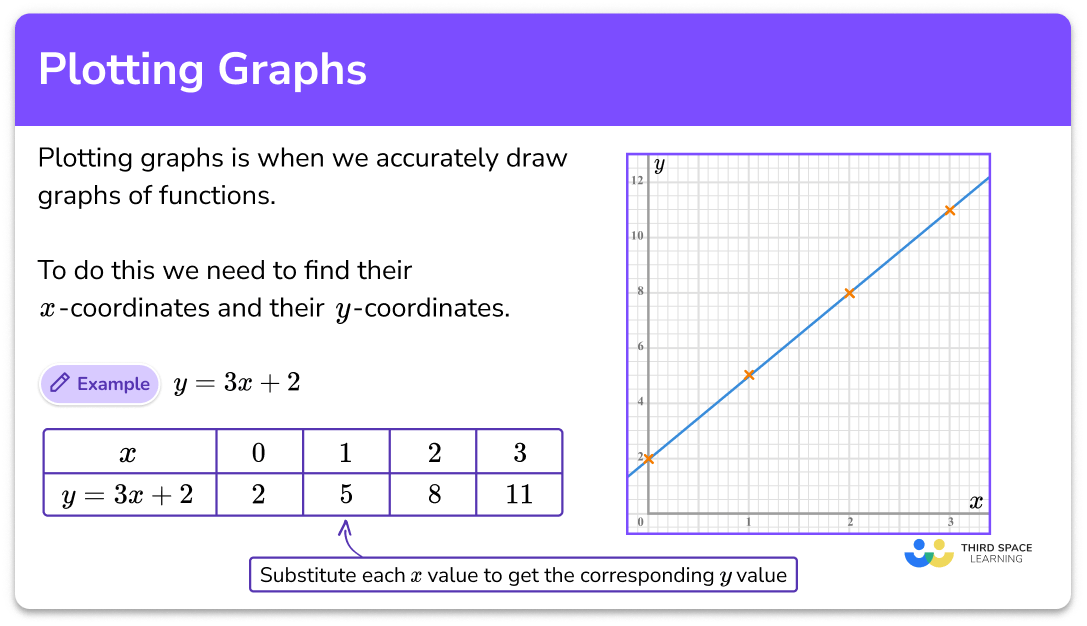
AR and VR: The New Frontier of 3D Plotting
As Augmented Reality (AR) and Virtual Reality (VR) hardware becomes more sophisticated, we are seeing the emergence of 3D data environments. Instead of looking at a 2D plot on a screen, an engineer could “walk through” a 3D scatter plot of a complex system’s architecture, identifying outliers by physically moving through the data space. While still in its infancy, 3D spatial plotting represents the next evolution in how we interact with information.
In conclusion, plotting a graph is a multifaceted discipline that sits at the intersection of technology, mathematics, and design. By mastering the available software tools, leveraging the power of programming, and adhering to the principles of visual integrity, tech professionals can transform raw data into a powerful tool for insight and innovation. As the tools continue to evolve—from simple spreadsheets to AI-driven, interactive 3D visualizations—the fundamental goal remains the same: to make the invisible visible.
aViewFromTheCave is a participant in the Amazon Services LLC Associates Program, an affiliate advertising program designed to provide a means for sites to earn advertising fees by advertising and linking to Amazon.com. Amazon, the Amazon logo, AmazonSupply, and the AmazonSupply logo are trademarks of Amazon.com, Inc. or its affiliates. As an Amazon Associate we earn affiliate commissions from qualifying purchases.