
QuickBooks has long been synonymous with small business accounting, evolving from a simple desktop application to a powerful cloud-based ecosystem. Understanding “how QuickBooks works” is to delve into the architecture and operational mechanics of a sophisticated financial management software designed to streamline complex accounting processes for businesses of all sizes. It’s not just about crunching numbers; it’s about providing a digital framework that integrates various facets of business operations, from invoicing to payroll, within a coherent, user-friendly interface. This exploration will dissect the technical underpinnings, key features, data management, and integration capabilities that define QuickBooks’ functionality.
The Core Architecture of QuickBooks
At its heart, QuickBooks operates as a comprehensive database system, meticulously designed to store, process, and retrieve financial information. Its architecture has adapted significantly over the years, mirroring advancements in computing and connectivity. Understanding this foundational structure is key to appreciating its operational efficiency.
Cloud-Based vs. Desktop Deployments
Historically, QuickBooks was a desktop-centric software, requiring installation on individual computers. This model, while still available through QuickBooks Desktop, limits accessibility and scalability. The advent of QuickBooks Online (QBO) revolutionized its deployment, transitioning to a Software-as-a-Service (SaaS) model.
-
QuickBooks Desktop: This traditional model involves local software installation. Data is stored on the user’s computer or a local server. Its functionality is robust, often offering industry-specific versions (e.g., Enterprise, Premier). The “how it works” here involves direct interaction with a locally installed program accessing local data files. Updates are manual or semi-automatic, and accessibility is tied to the physical location of the computer.
-
QuickBooks Online (QBO): This is the modern, predominant version. QBO operates entirely in the cloud, accessible via any web browser or mobile app. Data is stored on Intuit’s secure servers, offering real-time access and collaboration. The core mechanism is a web application framework, communicating with a backend database. Users interact with a responsive web interface, and all data processing happens server-side, with results displayed dynamically. This architecture allows for automatic updates, robust backup protocols, and ubiquitous access, fundamentally changing how businesses interact with their financial data. The seamless synchronization across devices is a testament to its distributed system design.
User Interface and Navigational Logic
Both desktop and online versions prioritize an intuitive user interface (UI) to simplify complex accounting tasks for non-accountants. The UI is designed around a dashboard concept, providing quick access to key financial metrics and navigational menus.
-
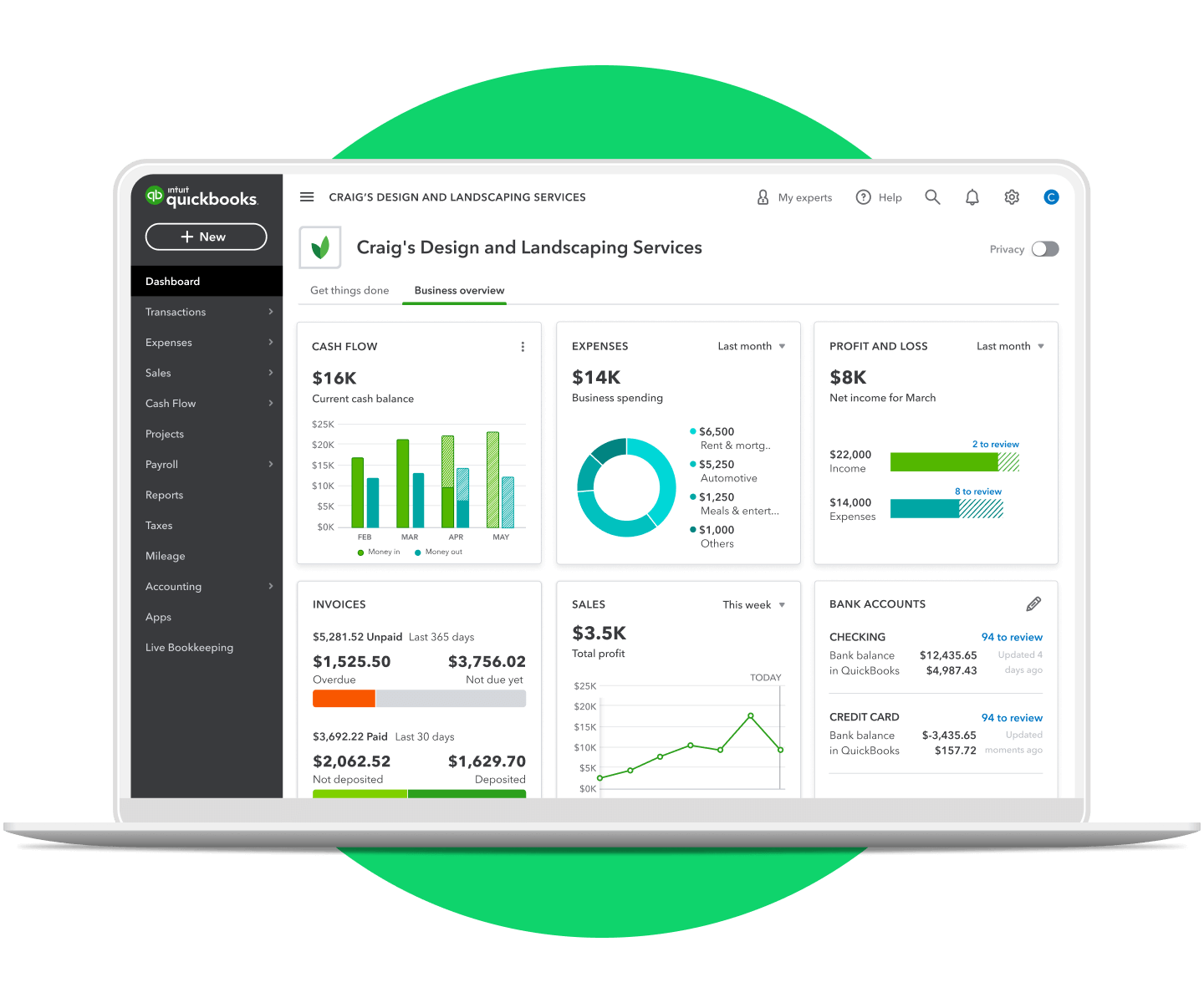
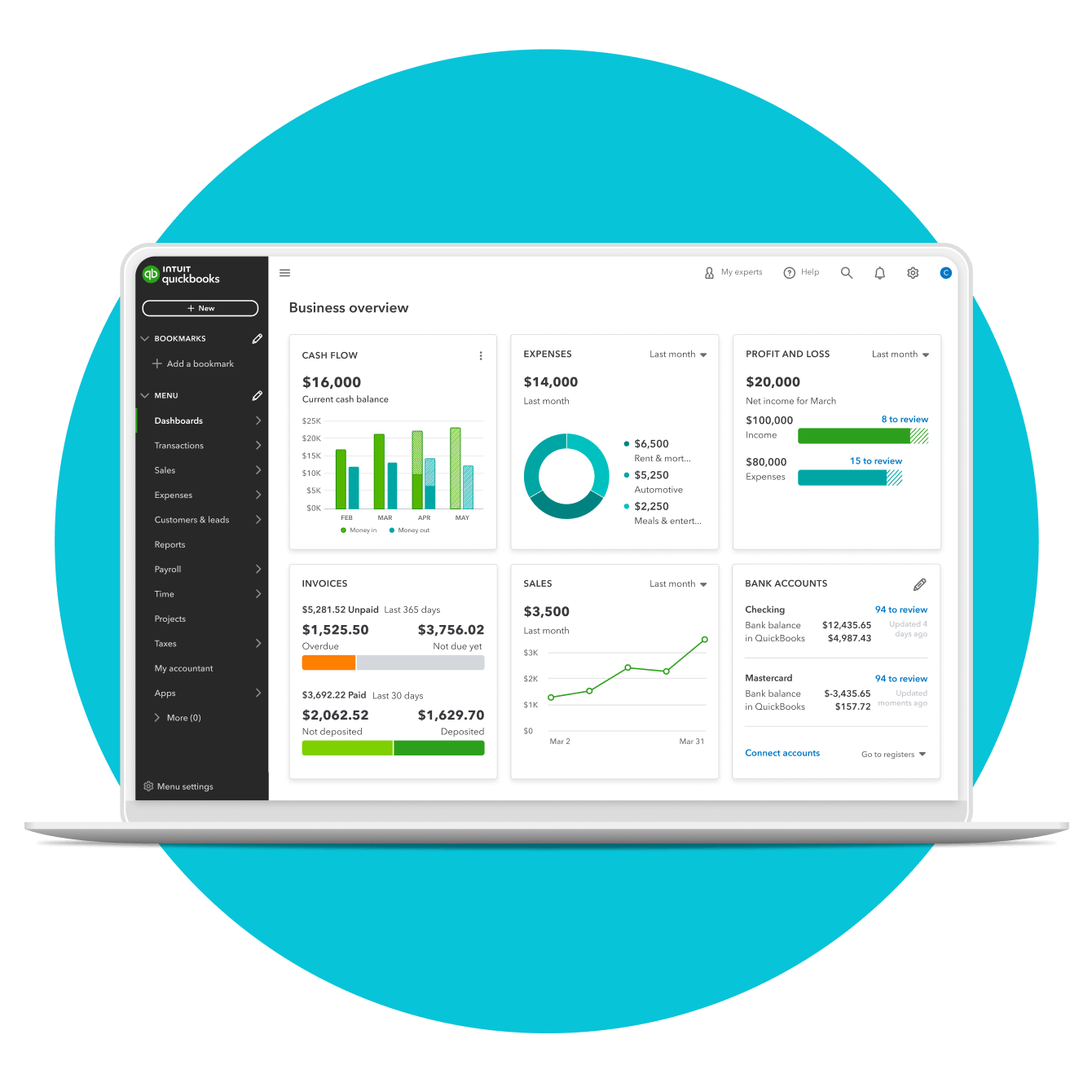
Dashboard Overview: Upon logging in, users are presented with a customizable dashboard displaying critical information like cash flow, expenses, invoices due, and profit & loss summaries. This real-time aggregation of data is powered by background processes continuously monitoring and updating financial records.
-
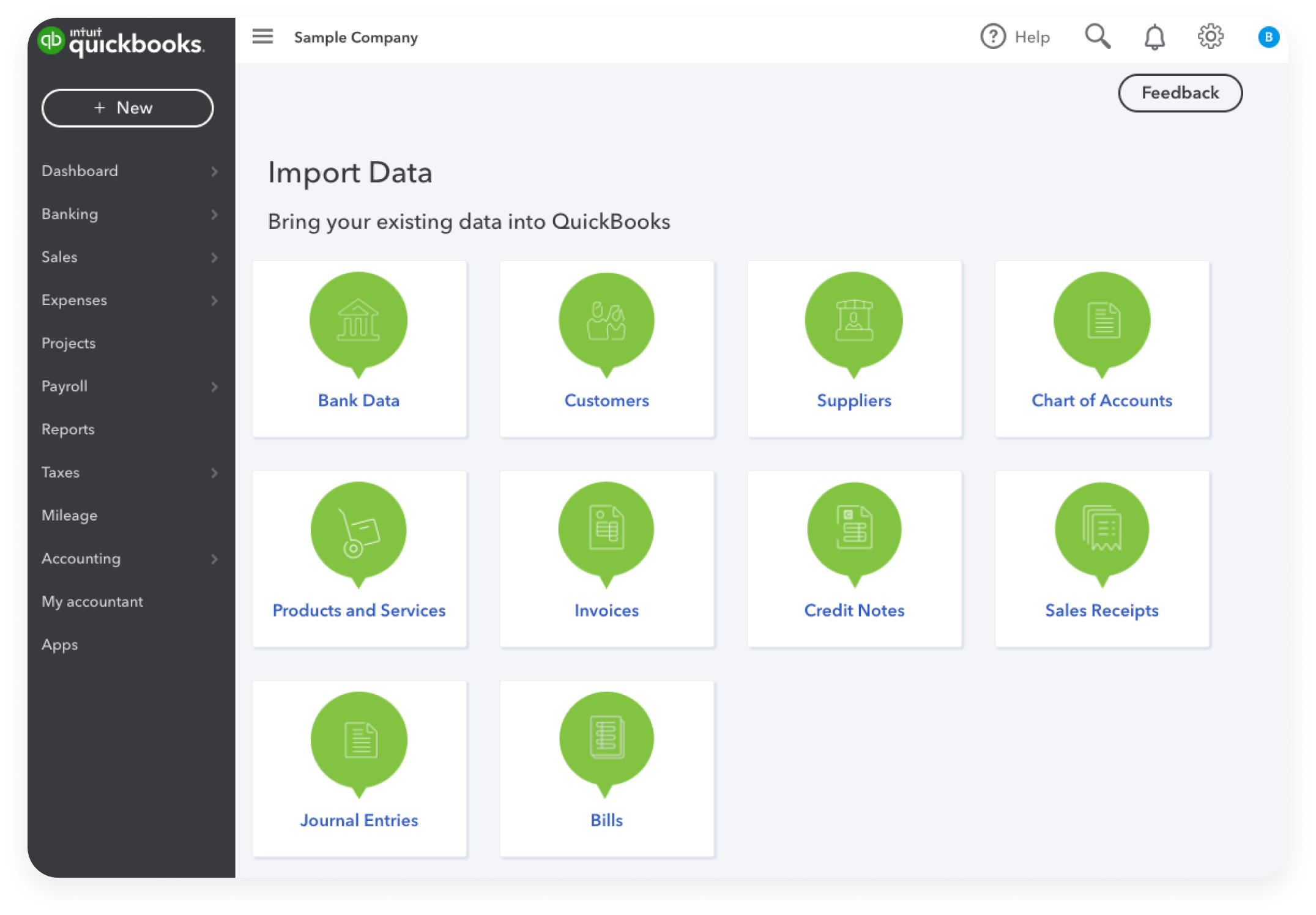
Menu-Driven Navigation: The primary interaction method involves a series of menus (often a left-hand navigation bar in QBO) categorized by function: Banking, Sales, Expenses, Payroll, Reports, etc. Each menu item expands into specific tasks or reports. The underlying logic maps these user selections to specific database queries or transaction processing modules. For instance, clicking “New Invoice” triggers a form-rendering process that interacts with customer and item databases to populate fields and record a new sales transaction.
Data Flow and Database Management
At its operational core, QuickBooks is a sophisticated database management system. Every action, from creating an invoice to reconciling an account, involves precise data input, processing, and storage.
-
Transaction-Centric Design: The fundamental unit of data in QuickBooks is the transaction. Each invoice, bill, payment, or journal entry is a distinct record within the database. These transactions are linked to various master data records (customers, vendors, items, accounts).
-
Relational Database Model: QuickBooks employs a relational database model, where different data tables (e.g., customer table, invoice table, chart of accounts table) are linked by common fields. This ensures data integrity and allows for complex queries to generate comprehensive reports. When a payment is applied to an invoice, the system updates records in both the invoice table (marking it paid) and the bank account table (reflecting the deposit), ensuring a consistent financial picture.
-
Double-Entry Accounting System: Programmatically, QuickBooks enforces the principles of double-entry accounting. Every transaction impacts at least two accounts (a debit and a credit), maintaining the accounting equation (Assets = Liabilities + Equity). The software automatically manages these debits and credits behind the scenes, ensuring the books always balance. This automated balancing act is a cornerstone of its “how it works” for accurate financial record-keeping.
Essential Features and Their Technical Implementation
QuickBooks integrates a suite of features crucial for day-to-day business operations. Each feature is a module or set of functions designed to automate and simplify specific accounting tasks.
Chart of Accounts: The Digital Ledger
The Chart of Accounts (COA) is the backbone of any accounting system, and in QuickBooks, it’s a digitally managed ledger. It’s a comprehensive list of all the accounts a business uses to record financial transactions.
-
Hierarchical Structure: Programmatically, the COA is structured hierarchically, often with parent and sub-accounts. This allows for detailed tracking of income, expenses, assets, liabilities, and equity. When a user creates a new expense, they select an appropriate account from this predefined list, and the software tags the transaction with the corresponding account ID.
-
Account Types and Rules: Each account type (e.g., bank, accounts receivable, expense) has predefined rules dictating how transactions affect it. QuickBooks’ internal logic ensures that only valid transaction types can be posted to certain accounts, preventing common accounting errors. For instance, a bank account will typically only accept deposits and withdrawals, while an expense account will only accept expense transactions.
Transaction Management: From Entry to Reconciliation
Managing transactions is where QuickBooks shines, automating much of the tedious data entry and verification.
-
Automated Data Import: A key feature, especially in QBO, is the automated import of bank and credit card transactions. QuickBooks connects securely to financial institutions (using APIs and secure data protocols like OAuth 2.0) to fetch transaction data. Its internal algorithms then categorize these transactions, often learning from user patterns or predefined rules (e.g., “Starbucks” always maps to “Meals & Entertainment”). This “bank feed” functionality dramatically reduces manual data entry.
-
Matching and Reconciliation Engine: Once transactions are imported, the software’s matching engine attempts to link them to existing entries (e.g., a payment received matching an invoice). The reconciliation feature then compares the categorized transactions in QuickBooks against the bank statement. It highlights discrepancies, enabling users to identify missing transactions or errors. The “how it works” here involves comparing imported bank data fields (amount, date, description) with internal QuickBooks transaction data, flagging potential matches or un-matched items for user review.
Invoicing and Payment Processing Integrations
Sales and receivables management are central to any business. QuickBooks offers robust tools for creating and managing invoices and integrating with payment gateways.
-
Invoice Generation and Tracking: Users can generate professional invoices from templates, populating them with customer data, item details, and terms from pre-stored lists. The system assigns a unique invoice number, tracks its status (sent, viewed, paid), and calculates due dates. Upon payment, the software automatically marks the invoice as paid and updates the accounts receivable ledger.
-
Integrated Payment Processing: QuickBooks integrates directly with various payment processors (e.g., QuickBooks Payments, PayPal, Stripe). When a customer pays an invoice online, the payment gateway securely processes the transaction, and the information is automatically transmitted back to QuickBooks, updating the invoice status and recording the deposit. This seamless flow reduces manual reconciliation and speeds up cash flow. The integration typically relies on APIs provided by the payment processors, allowing QuickBooks to send transaction requests and receive status updates.
Payroll Functionality: Automating Complex Calculations
Payroll is a complex area involving numerous calculations, tax deductions, and compliance requirements. QuickBooks offers integrated payroll services to automate this.
-
Employee Data Management: The system stores detailed employee information, including salary/wage rates, tax withholding details (W-4 data), and benefits deductions.
-
Automated Wage and Tax Calculation: When running payroll, QuickBooks’ internal engine calculates gross wages, federal, state, and local taxes, and other deductions (e.g., 401k contributions, health insurance premiums) based on programmed tax tables and user-defined rules. This involves a complex set of algorithms applying current tax laws and withholding percentages.
-
Direct Deposit and Tax Filing: The software can facilitate direct deposit of net pay to employees’ bank accounts and electronically file payroll taxes with relevant government agencies. This relies on secure electronic funds transfer (EFT) protocols and integration with tax authorities’ submission systems.
Reporting and Analytics: Transforming Data into Insights
A core strength of QuickBooks is its ability to transform raw financial data into meaningful reports and analytical insights. This is achieved through powerful report generation engines and data visualization tools.
Customizable Report Generation Engines
QuickBooks features a comprehensive reporting module that allows users to generate a wide array of financial and operational reports.
-
Pre-built Report Templates: The software comes with dozens of predefined report templates, such as Profit & Loss, Balance Sheet, Cash Flow Statement, Sales by Customer, and Expense by Vendor. These templates are essentially pre-configured database queries designed to extract and present specific sets of data in a standard format.
-
Customization Options: Users can customize these reports by applying filters (by date range, customer, account, etc.), modifying columns, and grouping data. This customization is handled by a flexible query builder that allows users to modify the parameters of the underlying database query without needing to write code. The system then re-executes the query and renders the report based on the new criteria.
-
Drill-Down Capabilities: Many reports offer “drill-down” functionality, allowing users to click on a summary number (e.g., total expenses) and view the underlying transactions that make up that total. This interactive feature is implemented by linking summary data points to more detailed sub-reports or transaction lists, providing granular visibility into financial data.
Data Visualization and Dashboard Capabilities
Beyond static reports, QuickBooks Online leverages modern data visualization techniques to present financial data in easily digestible formats.
-
Interactive Dashboards: The main dashboard and various report summaries often include charts and graphs (e.g., bar charts for expense categories, line graphs for income trends). These visuals are dynamically generated from real-time data, providing a quick snapshot of business performance.
-
Trend Analysis: By visualizing data over time, QuickBooks helps businesses identify trends, such as seasonal sales fluctuations or rising expense categories. The underlying algorithms analyze historical transaction data to plot these trends graphically, facilitating quicker decision-making.
Exporting and Integration with Other Tools
For more advanced analysis or compliance requirements, QuickBooks offers robust data export and integration features.
-
Data Export Formats: Reports and raw data can typically be exported to various formats, including CSV, Excel, and PDF. This allows users to manipulate data further in external spreadsheet programs or share reports in a non-editable format. The export functionality translates the internal database structures into standardized file formats.
-
API and Third-Party Integrations: QuickBooks provides a rich API (Application Programming Interface) that allows other software applications to securely connect and exchange data. This is crucial for integrating with CRM systems, e-commerce platforms, industry-specific tools, and advanced analytics solutions. The API acts as a bridge, defining how external applications can request information from QuickBooks (e.g., customer lists, invoice details) or send information to it (e.g., new sales orders from an e-commerce store), making it a central hub in a broader business technology ecosystem.
Security, Scalability, and Ecosystem Integration
Beyond its core accounting functions, the “how it works” of QuickBooks also encompasses its commitment to security, its ability to scale with business growth, and its vast integration ecosystem.
Data Encryption and Access Controls
Given the sensitive nature of financial data, security is paramount in QuickBooks.
-
Encryption: All data transmitted to and from QuickBooks Online (and often data at rest on servers) is protected using industry-standard encryption protocols (e.g., TLS 1.2/1.3 for data in transit, AES-256 for data at rest). This ensures that financial information remains confidential and protected from unauthorized access during transmission and storage.
-
Access Controls and User Permissions: QuickBooks employs a robust user access control system. Administrators can set granular permissions for different users, limiting their access to specific modules (e.g., a bookkeeper might have access to all accounting functions but not payroll, while a sales manager might only see sales reports). This role-based access control is managed by a permissions matrix within the database, ensuring that users can only perform actions and view data relevant to their assigned roles.
-
Multi-Factor Authentication (MFA): To prevent unauthorized logins, QuickBooks supports MFA, requiring users to verify their identity through a second device or method in addition to their password. This adds an extra layer of security, leveraging various authentication technologies.
API and Third-Party App Ecosystem
The power of QuickBooks is significantly amplified by its extensive ecosystem of third-party integrations, all facilitated by its well-documented API.
-
Developer Platform: Intuit provides a developer platform that allows external developers to build applications that seamlessly connect with QuickBooks. These apps extend QuickBooks’ functionality into areas like time tracking, inventory management, CRM, and advanced reporting.
-
Webhooks and Real-Time Data Sync: Many integrations utilize webhooks, which are automated messages sent from QuickBooks to an integrated app when a specific event occurs (e.g., a new invoice is created). This allows for real-time data synchronization between connected applications, ensuring that information across different systems is consistently up-to-date without manual intervention. This push notification mechanism is a critical technical aspect of its integrated ecosystem.
Performance and Scalability Architecture
For a software used by millions, performance and scalability are critical engineering considerations.
-
Distributed Systems: QuickBooks Online, as a cloud service, likely utilizes a distributed system architecture, spreading its computational workload across multiple servers and data centers. This ensures high availability and resilience, even during peak usage times.
-
Load Balancing and Caching: Techniques like load balancing (distributing network traffic across multiple servers) and caching (storing frequently accessed data temporarily) are employed to ensure the application remains responsive and performs efficiently, regardless of the number of concurrent users.
-
Database Optimization: Continuous database optimization, including indexing, query tuning, and sharding, is crucial to handle the vast amount of financial transaction data and ensure rapid data retrieval and processing.
In conclusion, understanding “how QuickBooks works” goes far beyond its user-facing features. It’s an insight into a sophisticated technological marvel that integrates complex accounting principles with modern software engineering. From its cloud-based architecture and intuitive UI to its robust transaction processing, comprehensive reporting, stringent security, and expansive third-party ecosystem, QuickBooks functions as a powerful digital accountant, empowering businesses with the tools to manage their finances effectively and make data-driven decisions. Its continuous evolution reflects ongoing advancements in technology, solidifying its position as an indispensable tool in the digital economy.
aViewFromTheCave is a participant in the Amazon Services LLC Associates Program, an affiliate advertising program designed to provide a means for sites to earn advertising fees by advertising and linking to Amazon.com. Amazon, the Amazon logo, AmazonSupply, and the AmazonSupply logo are trademarks of Amazon.com, Inc. or its affiliates. As an Amazon Associate we earn affiliate commissions from qualifying purchases.