
In an era increasingly defined by digital convenience and instant access, the way we interact with our financial institutions has undergone a profound transformation. Gone are the days when every banking transaction necessitated a trip to a physical branch or a lengthy phone call. Today, mobile banking applications have emerged as the primary gateway to managing our finances, offering unparalleled ease and control directly from our smartphones. Among the myriad tasks that have been digitized, ordering new checks for your PNC account is a prime example of how technology has streamlined even traditional banking needs. This guide will walk you through the seamless process of ordering checks directly through the PNC mobile app, leveraging its intuitive design and robust features to ensure a smooth and secure experience.
The Evolution of Banking: Why Mobile Apps Matter
The shift from brick-and-mortar banking to digital platforms isn’t merely a trend; it’s a fundamental paradigm change driven by technological advancements and evolving consumer expectations. Mobile banking apps, like the one offered by PNC, stand at the forefront of this evolution, redefining convenience, accessibility, and security in personal finance management. Understanding the foundational role these applications play helps contextualize why tasks such as ordering checks are now optimally performed within their digital confines.
Convenience at Your Fingertips
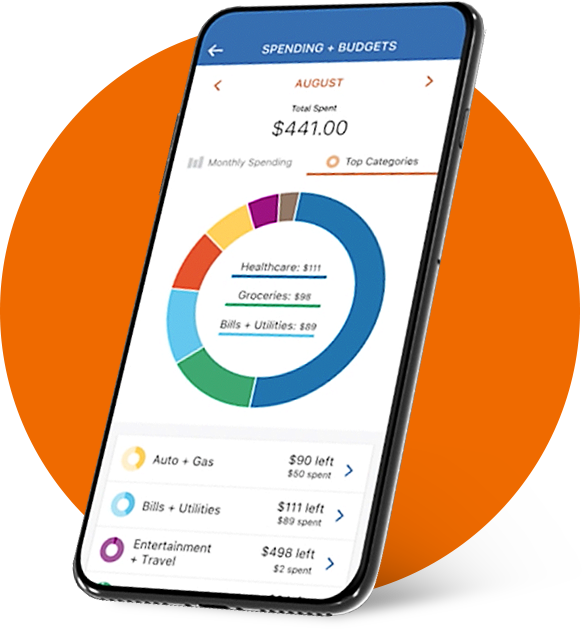
The most immediate and obvious benefit of mobile banking apps is the sheer convenience they offer. Life in the 21st century is fast-paced, and individuals require financial tools that can keep up. The PNC app allows users to manage their accounts, pay bills, transfer funds, deposit checks, and yes, order new checks, all from virtually anywhere at any time. This pervasive accessibility eliminates the geographical and temporal constraints of traditional banking, freeing up valuable time and reducing the friction associated with essential financial tasks. Whether you’re at home, commuting, or traveling, your bank is always just a tap away, ready to assist with your needs.
Enhanced Security Features
A common misconception about digital banking is that it inherently carries higher security risks. In reality, modern mobile banking apps are fortified with sophisticated security protocols that often surpass those of physical transactions. PNC, like other leading financial institutions, invests heavily in multi-layered security measures, including advanced encryption, multi-factor authentication, biometric logins (fingerprint or facial recognition), and fraud monitoring systems. When you order checks through the app, these layers of protection ensure that your personal and financial information remains confidential and secure, mitigating the risks of unauthorized access or identity theft. The digital footprint generated by app-based transactions also provides a clear audit trail, offering an additional layer of accountability and protection.
Streamlining Financial Tasks
Beyond individual transactions, mobile banking apps contribute to a more holistic and streamlined approach to financial management. By consolidating various banking services into a single, cohesive interface, they simplify the oversight of one’s financial health. For instance, the PNC app allows users to view transaction history, set up alerts, manage budgets, and even interact with customer service, all within the same ecosystem. Ordering checks through this integrated platform is just one component of a broader strategy to centralize and simplify financial interactions, reducing the cognitive load on users and making financial management less daunting. This technological integration transforms what was once a series of disparate tasks into a single, intuitive workflow, enhancing overall user experience and efficiency.
Preparing for Your Digital Check Order
Before diving into the actual steps of ordering checks on the PNC app, a brief preparation phase can ensure a smoother and more efficient process. This involves a few technical and informational checks that help preempt common issues and ensure all necessary details are at your fingertips. Adopting a proactive approach to these preliminaries contributes significantly to a hassle-free digital experience, reinforcing the app’s technological convenience.
Ensuring App Readiness
The foundation of a successful app-based transaction is a properly functioning and up-to-date application. First, confirm that you have the official PNC Mobile Banking app installed on your smartphone or tablet. Always download or update the app from official sources like the Apple App Store or Google Play Store to ensure authenticity and the latest security patches. An outdated app might lack critical features, contain bugs, or have security vulnerabilities. Furthermore, ensure your device’s operating system is up to date, as older OS versions can sometimes cause compatibility issues with newer app features. Finally, a stable internet connection (Wi-Fi or cellular data) is crucial for the app to communicate effectively with PNC’s servers, preventing interruptions during the ordering process.
Verifying Account Details
While the PNC app is designed to be intuitive, having your account details readily available or memorized can expedite the process, especially if you manage multiple accounts. Before initiating the check order, log into your PNC app and verify that you are accessing the correct checking account for which you intend to order checks. Double-check the account number and routing number if you need to input them manually, although the app usually pre-fills this information. Also, confirm your registered mailing address within the app to ensure your new checks are shipped to the correct location. This small verification step can prevent significant headaches down the line, ensuring that the technology is correctly directed.
Understanding Check Customization Options
Modern check ordering isn’t just about getting a basic set of checks; it often involves various customization options. Before you start, take a moment to consider what kind of checks you need. Do you want standard checks, or do you prefer a specific design, perhaps with a scenic background or a personal photo? Are you interested in specialized features like duplicate checks (which create a carbon copy for your records) or security checks with enhanced fraud prevention features? Do you need business checks with specific formatting? While the PNC app generally provides a streamlined interface for these choices, having a clear idea of your preferences beforehand can make navigating the customization screens much faster and more definitive. This pre-planning leverages the app’s flexibility to cater to your specific aesthetic and functional requirements.
A Step-by-Step Guide to Ordering Checks via the PNC App
With your preparations complete, you’re ready to dive into the core process of ordering checks using the PNC mobile app. This section provides a detailed, step-by-step walkthrough, designed to be easily followed by users of all technical proficiencies. Each step is broken down to ensure clarity and to highlight the intuitive design elements that make the PNC app an effective financial tool.
Logging In and Navigating to the Ordering Section
-
Launch the PNC App: Open the PNC Mobile Banking app on your smartphone or tablet.
-
Secure Login: Log in using your credentials (username and password) or biometric authentication (fingerprint/Face ID), if enabled. This ensures secure access to your accounts.
-
Select Your Account: Once logged in, you’ll typically see an overview of your accounts. Tap on the specific checking account for which you wish to order checks.
-
Find the ‘Order Checks’ Option: Look for a menu option that says “Order Checks,” “Manage Checks,” or something similar. This is often found under a “Services,” “Account Services,” or “More” menu. The exact location may vary slightly based on app updates or your device’s operating system, but it’s usually intuitively placed within the account management options.
-
Access the Ordering Portal: Tapping this option will typically redirect you to an integrated ordering portal, which might be powered by a third-party check printer partnered with PNC, but it remains seamlessly embedded within the app experience.
Customizing Your Check Details
Once you’re in the ordering portal, you’ll be guided through a series of customization options. This is where you personalize your new checks, transforming a generic utility into a reflection of your preferences.
-
Select Check Design: You’ll likely be presented with a range of check designs, from standard professional layouts to more artistic or themed options. Browse through the available choices and select your preferred design. Some apps allow you to preview how your details will look on the chosen design.
-
Choose Check Style/Quantity: This step usually involves selecting the type of checks (e.g., standard, duplicate, business) and the quantity (e.g., 100, 200, 400). Consider your usage habits to choose an appropriate quantity, balancing cost with convenience.
-
Verify Personal Information: The app will pre-fill your name, address, and account number based on your PNC records. Carefully review this information for accuracy. If any details are incorrect or need updating (e.g., a new address), there should be an option to edit them. For security purposes, some critical information might require verification or a call to customer service if edits are not directly allowed in-app.
-
Add Optional Features: You might have options to add security features, choose a specific font, or even add a logo (especially for business checks). Decide if these optional enhancements are necessary for your needs.
-
Review Pricing: As you customize, the total cost of your order, including any shipping and handling fees, will typically be updated in real-time. This transparency allows you to adjust your choices based on your budget.
Reviewing and Confirming Your Order
This is a critical stage where you double-check all your selections before finalizing the purchase. Accuracy here is paramount to avoid errors or receiving checks you didn’t intend to order.
-
Comprehensive Review: The app will present a summary of your entire order: selected design, quantity, personalization details, shipping address, and total cost. Read through every detail meticulously. This is your last chance to catch any mistakes.
-
Shipping Information: Confirm the shipping address and the estimated delivery timeframe. Standard shipping typically takes a few business days, but expedited options might be available for an additional fee.
-
Payment Method: The cost of the checks is usually debited directly from the checking account for which you are ordering them. Confirm that the correct account is selected for payment.
-
Final Confirmation: Once you are completely satisfied with all the details, proceed to confirm your order. This usually involves tapping a “Submit Order” or “Place Order” button. You might receive an in-app confirmation message or an email confirming your purchase.
Tracking Your Order Status
After placing your order, the PNC app continues to offer utility by providing avenues for tracking.
-
Confirmation Number: Make note of any order confirmation number provided by the app or in a follow-up email. This number is essential for tracking or for any inquiries with customer service.
-
In-App Tracking: Some check ordering portals integrated within banking apps offer a direct link to track your order status. You might find this under the same “Order Checks” section or within your account activity.
-
Email Updates: You may also receive email notifications from the check printer with shipping updates and a tracking link once your checks have been dispatched.
By following these structured steps, ordering checks through the PNC app transforms from a potentially complex task into a straightforward, efficient digital process, embodying the technological advancements in modern banking.
Troubleshooting Common Issues and Maximizing App Usage
Even with the most intuitive technology, users might occasionally encounter minor hurdles. Knowing how to troubleshoot common issues and understanding how to maximize the PNC app’s broader capabilities can significantly enhance your overall mobile banking experience. This section focuses on practical solutions and strategic usage, ensuring the technology serves you optimally.
App Glitches and Connectivity Solutions
While the PNC app is generally robust, occasional glitches can occur. If the app freezes, crashes, or fails to load correctly during your check ordering process:
-
Restart the App: Close the app completely and reopen it. This often resolves minor software conflicts.
-
Check Internet Connection: Ensure you have a stable Wi-Fi or cellular data connection. Try switching between them if one is problematic.
-
Clear Cache/Reinstall: For persistent issues, try clearing the app’s cache (via your device settings) or, as a last resort, uninstalling and reinstalling the app. Be sure to back up any necessary data if prompted before uninstalling.
-
Update App and OS: Ensure both your PNC app and your device’s operating system are updated to their latest versions. Developers frequently release updates that fix bugs and improve performance.
-
Contact Support: If problems persist, reach out to PNC’s customer support. They can provide specific troubleshooting steps or log the issue for resolution.
Security Best Practices for Mobile Banking
Leveraging the PNC app’s technology for financial transactions also means upholding personal security best practices.
-
Strong, Unique Passwords: Use a complex password for your PNC account and avoid reusing it across other services.
-
Enable Biometrics: Utilize fingerprint or facial recognition for quicker and more secure logins, if your device supports it.
-
Multi-Factor Authentication (MFA): Always enable MFA if offered. This adds an extra layer of security, typically requiring a code sent to your phone in addition to your password.
-
Public Wi-Fi Caution: Avoid conducting sensitive banking transactions, like ordering checks, over unsecured public Wi-Fi networks, as they can be vulnerable to eavesdropping. Use cellular data or a trusted private network instead.
-
Monitor Account Activity: Regularly review your transaction history within the app to quickly spot any unauthorized activity.
-
Keep Device Secure: Protect your smartphone with a strong passcode or biometric lock. Be wary of downloading apps from unofficial sources, as they may contain malware.
Exploring Other PNC App Features
Beyond ordering checks, the PNC app is a comprehensive financial tool. Maximizing its usage means exploring its full range of features:
-
Mobile Check Deposit: Conveniently deposit checks by simply taking photos of them with your phone.
-
Bill Pay: Set up one-time or recurring payments for your bills.
-
Transfers: Easily move money between your PNC accounts or to external accounts.
-
Zelle®: Send and receive money quickly with friends and family using just their email address or U.S. mobile phone number.
-
Budgeting Tools: Many banking apps now integrate tools to help you track spending, categorize transactions, and set budgets.
-
Alerts and Notifications: Customize alerts for specific account activities, such as low balance, large transactions, or direct deposits, helping you stay informed about your financial status.
-
ATM/Branch Locator: Quickly find the nearest PNC ATM or branch when you need physical services.
By familiarizing yourself with these various functionalities, you transform the PNC app from a single-purpose utility into a powerful, multifaceted financial management hub, fully leveraging the technological capabilities it offers.
The Future of Financial Management and the Role of Mobile Banking
The ability to order checks through a mobile app is more than just a convenience; it’s a testament to the ongoing evolution of financial technology. As we look ahead, mobile banking apps are poised to become even more integral to our financial lives, continuing to integrate new functionalities and adapt to emerging technological trends. The journey from traditional banking to the sophisticated digital platforms we use today is far from over, promising an even more interconnected and personalized financial future.
Integrating with Digital Payment Systems
While checks still hold a place in certain transactions, the broader trend in financial management is towards entirely digital payment systems. Mobile banking apps are at the forefront of this integration, seamlessly connecting traditional accounts with modern payment methods. Features like Zelle®, Apple Pay, Google Pay, and other contactless payment options are becoming standard, reducing reliance on physical cards and cash. The future will likely see even deeper integration, where managing all forms of digital payments, from cryptocurrency to tokenized transactions, will be handled through a centralized, secure mobile banking interface. Ordering checks within this advanced ecosystem will remain an option for specific needs but will sit alongside a rich array of instant, digital alternatives.

Personalizing the Banking Experience
The future of mobile banking is also heavily focused on personalization. Leveraging artificial intelligence (AI) and machine learning, apps will become even smarter, offering tailored financial advice, proactive fraud alerts, and customized savings goals based on individual spending habits and financial patterns. Imagine an app that not only tells you your balance but also suggests optimal ways to save for a down payment, predicts upcoming large expenses, or alerts you to potential overdrafts before they happen. This level of personalized insight, delivered through intuitive app interfaces, will transform banking from a reactive process into a proactive partnership, helping users make more informed and strategic financial decisions. The technological backbone of these apps will allow for unprecedented levels of customization, making each user’s financial journey truly unique and highly optimized.
In conclusion, ordering checks on the PNC app is a straightforward process that exemplifies the broader benefits of modern mobile banking: convenience, security, and efficiency. By understanding the underlying technology, preparing adequately, following the steps carefully, and leveraging the app’s full suite of features, users can take complete control of their financial management, now and into the ever-evolving digital future.
aViewFromTheCave is a participant in the Amazon Services LLC Associates Program, an affiliate advertising program designed to provide a means for sites to earn advertising fees by advertising and linking to Amazon.com. Amazon, the Amazon logo, AmazonSupply, and the AmazonSupply logo are trademarks of Amazon.com, Inc. or its affiliates. As an Amazon Associate we earn affiliate commissions from qualifying purchases.