
In an increasingly digitized world, subscription services have become an integral part of daily life, offering everything from on-demand entertainment to seamless shopping experiences. The convergence of these services, often through strategic partnerships, presents unique value propositions for consumers. One such compelling alliance is the integration of Paramount Plus with Walmart Plus, offering subscribers a potent blend of retail convenience and premium streaming entertainment. This guide delves into the specifics of this partnership, providing a comprehensive, step-by-step activation process, troubleshooting tips, and insights into maximizing your benefits within this synergistic digital ecosystem.

Understanding the Walmart Plus and Paramount Plus Synergy
The collaboration between Walmart, a retail giant, and Paramount Global, a media powerhouse, is a testament to the evolving landscape of consumer services. It represents a strategic move by both entities to enhance their respective value propositions and capture a broader audience in the competitive subscription market.
What is Walmart Plus? More Than Just Free Shipping
Walmart Plus (Walmart+) is Walmart’s answer to the modern consumer’s demand for convenience and savings. Launched as a membership program, it primarily offers unlimited free delivery from Walmart stores, often as fast as same-day, with no order minimum. Beyond this core offering, Walmart+ has strategically expanded its suite of benefits to include discounts on fuel at participating stations, mobile Scan & Go for faster in-store checkout, and early access to Black Friday deals. The inclusion of a streaming service like Paramount Plus significantly elevates its digital value, transforming Walmart+ from a purely retail-centric membership into a broader lifestyle subscription that touches both essential shopping and premium entertainment. For many, the addition of a major streaming service like Paramount+ justifies the annual fee on its own, adding substantial perceived and actual value to the Walmart+ membership. This move underscores a broader trend among retailers to bundle diverse services, creating “super apps” or comprehensive membership programs that cater to multiple consumer needs simultaneously, from groceries to entertainment.
What is Paramount Plus? A Premium Streaming Experience
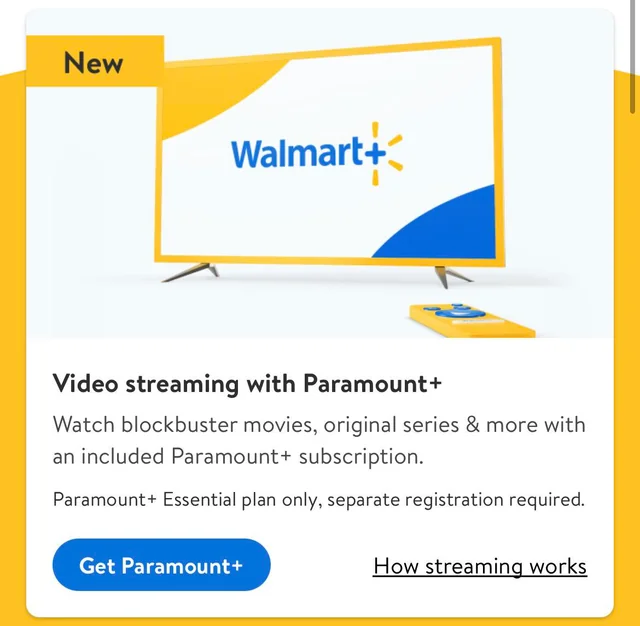
Paramount Plus is a premium streaming service from Paramount Global, offering a vast library of original series, hit movies, live sports, and breaking news. It serves as the digital home for content from CBS, Showtime, Comedy Central, MTV, Nickelodeon, BET, Smithsonian Channel, and Paramount Pictures. Subscribers gain access to a diverse range of programming, from exclusive new series like 1923 and Mayor of Kingstown to classic shows, live NFL games, UEFA Champions League soccer, and a continuously updated movie catalog. The service also features local CBS live streams and 24/7 news from CBSN. With multiple subscription tiers available directly, the inclusion of Paramount Plus as a full premium benefit (often the Essential plan, ad-supported) within Walmart+ provides access to this rich content library without an additional direct subscription cost, making it a highly attractive perk for Walmart+ members and a strategic growth driver for Paramount Plus. For users, it means having a comprehensive entertainment hub at their fingertips, spanning various genres and catering to different viewing preferences within the household.
The Strategic Partnership: Value for Subscribers
The alliance between Walmart+ and Paramount+ is a classic example of cross-industry collaboration designed to create a more compelling value proposition for consumers. For Walmart, it diversifies its membership benefits beyond retail, attracting new subscribers who might be primarily interested in streaming but will also benefit from the shopping perks. This helps foster loyalty and increases engagement with the Walmart ecosystem. For Paramount+, the partnership provides a massive new distribution channel, potentially bringing its content to millions of Walmart+ subscribers who might not have otherwise considered a standalone Paramount+ subscription. It’s a win-win: Walmart+ members get significant added value without extra cost, enhancing their overall membership experience, while Paramount+ expands its subscriber base and market reach. This strategy aligns with the broader industry trend of “super-bundling,” where companies aim to be the primary portal for multiple consumer needs, from commerce to content, ultimately offering greater convenience and perceived savings to the end-user. The partnership capitalizes on the complementary nature of services: one handles daily essentials, the other provides essential entertainment, effectively creating a more holistic and sticky digital offering.
A Step-by-Step Guide to Activating Your Paramount Plus Benefit
Activating your complimentary Paramount Plus subscription through Walmart Plus is a straightforward process, designed to integrate seamlessly into your existing digital accounts. However, a few preparatory steps and clear guidance can ensure a smooth experience.
Pre-Activation Checklist: Ensuring a Smooth Process
Before you begin the activation process, ensure you have the following:
-
Active Walmart+ Membership: Your Walmart+ subscription must be current and active. This benefit is exclusive to paying members and not available during trial periods or through other promotional Walmart+ access.
-
Internet Access: A stable internet connection is essential for the activation process and subsequent streaming.
-
Access Device: A computer, smartphone, or tablet is needed to navigate to your Walmart+ account and initiate the linking process.
-
Walmart.com Account Login: Ensure you know your login credentials for your Walmart.com account associated with your Walmart+ membership.
-
Email Address: An email address will be required to create a new Paramount Plus account or link to an existing one.
Initiating the Activation Process via Walmart+
The activation journey always begins within your Walmart+ account, as Walmart is the provider of this particular benefit.
-
Log in to your Walmart.com Account: Go to Walmart.com and log in with the credentials associated with your Walmart+ membership.
-
Navigate to Your Walmart+ Benefits Page: Once logged in, click on “Account” or your profile icon, then select “Walmart+.”
-
Locate the Paramount Plus Benefit: On your Walmart+ member page, scroll down until you find the “Paramount+ (Essential plan)” benefit. There should be a banner or a dedicated section detailing this perk.
-
Click the Activation Link: Look for a button or link that says “Activate Now,” “Get Paramount+,” or similar. Clicking this will initiate the redirection process.
Linking to Paramount Plus: Account Creation or Login
Upon clicking the activation link within your Walmart+ account, you will be redirected to the Paramount Plus website to finalize the setup.
-
Redirection to ParamountPlus.com: Your browser will automatically open a new tab or window, taking you to a specific activation page on ParamountPlus.com. This page is pre-configured to recognize that you are coming from Walmart+.
-
New Paramount+ Account: If you do not have an existing Paramount Plus account, you will be prompted to create one. This typically involves entering your name, email address, and creating a new password. No payment information should be required at this stage, as your subscription is covered by Walmart+.
-
Existing Paramount+ Account: If you already have a Paramount Plus account, you might be given the option to log in and link your existing account to the Walmart+ benefit. Crucially, if you are currently paying for a separate Paramount Plus subscription, you will need to cancel that direct subscription to avoid double-billing once your Walmart+ benefit is active. Paramount Plus will usually guide you through the process of linking your existing account and managing your previous billing. It’s often recommended to let your existing, directly billed subscription run its course, then activate through Walmart+ when it expires, or contact Paramount+ support for guidance on merging or transitioning.
-
Agree to Terms and Conditions: Review and accept Paramount Plus’s terms of service and privacy policy.
-
Confirm Activation: After creating or linking your account, you will typically see a confirmation message indicating that your Paramount Plus subscription is now active through Walmart+.
Confirmation and First Stream: Enjoying Your New Access
Once activated, you’re ready to dive into the world of Paramount Plus.
-
Download the Paramount Plus App: On your preferred streaming device (smart TV, smartphone, tablet, Roku, Fire TV, etc.), download and install the Paramount Plus application.
-
Log in to the App: Open the app and log in using the email and password you created or linked during the activation process.
-
Start Streaming: Browse the extensive library and start watching your favorite shows, movies, or live content. Your subscription status within the app should reflect that you have an active Essential plan.
Troubleshooting Common Activation Issues
While the activation process is designed to be user-friendly, technical glitches or specific account scenarios can sometimes lead to issues. Here’s how to address some common problems.
“Benefit Not Showing”: Verifying Walmart+ Eligibility
If you can’t find the Paramount Plus activation link on your Walmart+ page, consider these factors:
-
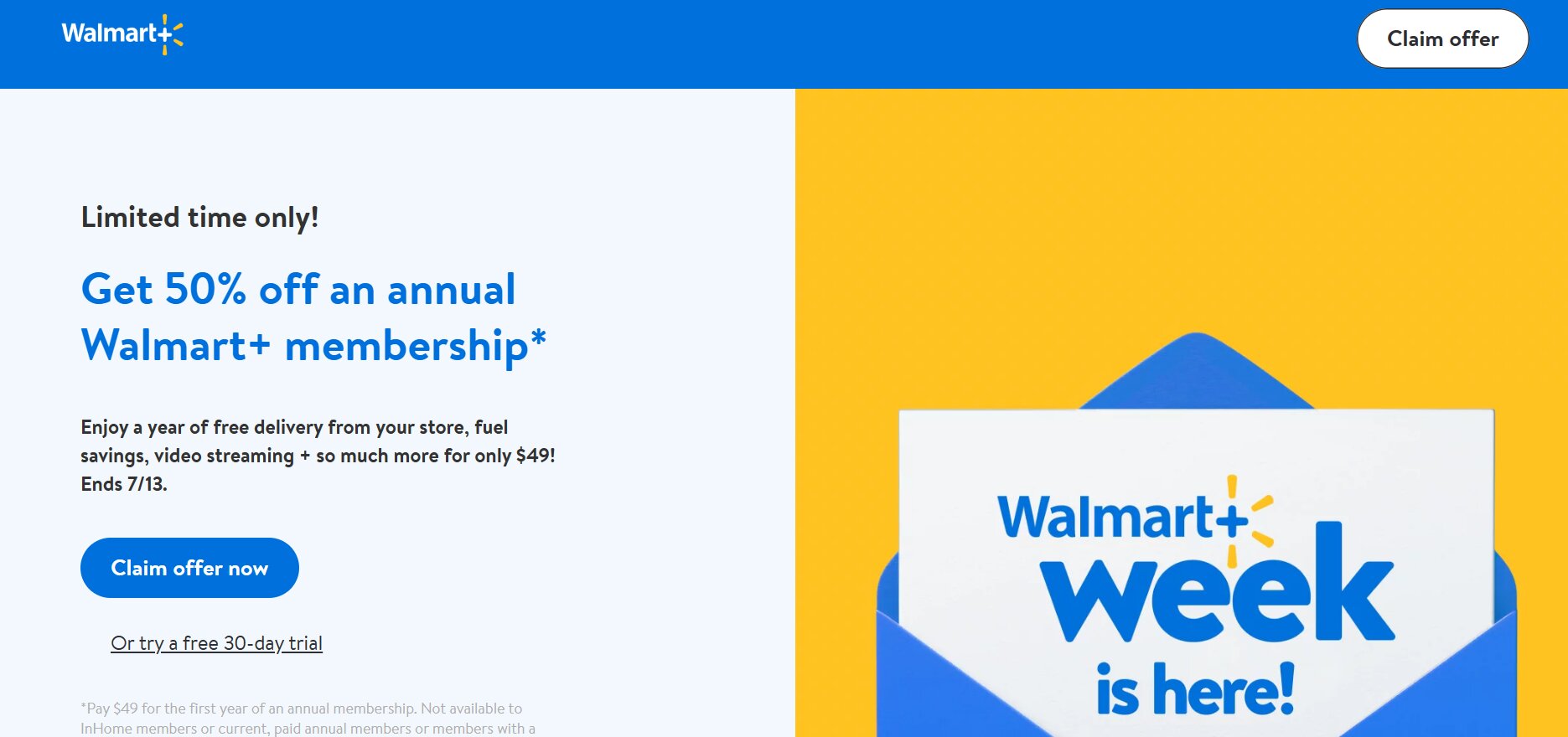
Active Membership: Double-check that your Walmart+ membership is indeed active and not in a grace period or paused state. This benefit is for active, paying members.
-
Correct Account: Ensure you are logged into the exact Walmart.com account associated with your Walmart+ membership. Some users might have multiple Walmart accounts.
-
Trial Periods: If you are currently on a Walmart+ free trial, the Paramount Plus benefit may not be available until your paid membership begins.
-
System Delays: Occasionally, it might take a few hours for a newly activated Walmart+ membership to reflect all benefits. Try again later.
“Redirect Loop or Error Message”: Browser and Cache Solutions
Technical hiccups during redirection are common and often easily resolved:
-
Clear Browser Cache and Cookies: Old data in your browser’s cache can interfere with new web sessions. Clear your browser’s cache and cookies, then try the activation process again.
-
Try a Different Browser: If you’re using Chrome, try Firefox or Edge, and vice-versa.
-
Use Incognito/Private Mode: This mode disables extensions and doesn’t use existing cookies, often resolving conflict issues.
-
Disable VPN/Ad-Blockers: Temporarily disable any VPNs or ad-blockers, as they can sometimes interfere with website redirects and tracking.
-
Try a Different Device: If you’re on a computer, try your smartphone, or vice-versa.
“Paramount Plus Account Already Active”: Managing Existing Subscriptions
This is a critical point for users who already pay for Paramount Plus directly:
-
Avoid Double Billing: If you have an existing, directly billed Paramount Plus subscription, you MUST cancel that subscription before or shortly after activating through Walmart+ to avoid being charged twice.
-
Paramount Plus Billing Cycle: Consider letting your direct subscription run to its natural end, then activate the Walmart+ benefit. This avoids pro-rated refunds or complex cancellations.
-
Linking Existing Accounts: Paramount Plus generally allows you to link your existing account. When prompted during the activation process, choose to log in to your existing account rather than creating a new one. The system should then recognize your Walmart+ benefit and manage the billing transition. If issues arise, contact Paramount Plus support.
-
Different Email Addresses: If your existing Paramount Plus account uses a different email address than the one you are trying to use for the Walmart+ benefit, you may need to either create a new Paramount+ account with the Walmart+ associated email or contact Paramount+ support to merge or transfer your subscription.
When to Contact Support: Walmart+ vs. Paramount Plus
Knowing which support channel to contact is crucial for efficient problem resolution:
-
Contact Walmart+ Support if:
-
You cannot find the Paramount Plus activation link on your Walmart+ page.
-
You are unsure if your Walmart+ membership is active or eligible.
-
You encounter issues specifically when navigating within the Walmart.com platform.
-
-
Contact Paramount Plus Support if:
-
You encounter errors after being redirected to ParamountPlus.com.
-
You have issues logging into the Paramount Plus app after activation.
-
You need assistance with managing an existing Paramount Plus direct subscription (cancellation, linking, billing inquiries).
-
You experience streaming problems or content access issues within the Paramount Plus app.
-
Maximizing Your Streaming and Shopping Experience
Once Paramount Plus is successfully activated through your Walmart+ membership, it’s time to fully leverage both services. These partnerships are designed to provide comprehensive value, and understanding how to best utilize each component will enrich your digital lifestyle.
Exploring Paramount Plus Features and Content
Paramount Plus offers a rich tapestry of content and features designed for diverse audiences:
-
Content Library: Dive into original series, blockbuster movies, classic TV shows, and content from various Paramount brands. Use the search function and curated categories to discover new favorites.
-
Profiles: Create individual profiles for family members to personalize recommendations and keep watch history separate.
-
Downloads: Download select titles to your mobile device for offline viewing, perfect for commutes or travel.
-
Live TV & Sports: Access live CBS broadcasts, including news, local programming, and major sporting events like NFL games and UEFA Champions League soccer (availability may vary by plan and region).
-
Parental Controls: Utilize robust parental control features to manage content access for younger viewers.
-
Supported Devices: Paramount Plus is available on a wide array of devices, including smart TVs, streaming sticks (Roku, Fire TV), gaming consoles, and mobile devices, ensuring you can watch anywhere, anytime.
Leveraging Other Walmart Plus Benefits
Don’t forget the other valuable perks that come with your Walmart+ membership:
-
Free Delivery from Store: Enjoy unlimited free delivery of groceries and more, often within hours. This is a significant time and money saver.
-
Free Shipping (Online): Get free shipping on most items from Walmart.com with no order minimum.
-
Member Prices on Fuel: Save money at participating Walmart, Sam’s Club, and Murphy USA fuel stations.
-
Mobile Scan & Go: Use the Walmart app to scan items as you shop in-store and pay with your phone, bypassing checkout lines.
-
Early Access to Deals: Be among the first to access special promotions, including Black Friday sales.
-
Returns from Home (InHome): In select areas, utilize the InHome service for convenient returns from your doorstep.
Optimizing Your Digital Ecosystem
Integrating Walmart+ and Paramount+ effectively into your digital life goes beyond just activation. It’s about smart management:
-
Consolidate Subscriptions: Use services like Truebill or Mint to track all your subscriptions and ensure you’re not paying for redundant services.
-
Calendar Reminders: Set calendar reminders for Walmart+ renewal dates if you plan to re-evaluate your membership annually.
-
Password Manager: Use a secure password manager to keep track of your logins for both Walmart.com and Paramount Plus.
-
App Organization: Create a dedicated folder on your smartphone or smart TV home screen for all your streaming apps for quick access.
-
Review Usage: Periodically review how often you use each service. Are you getting enough value from your Walmart+ membership beyond just Paramount+?
The Future of Subscription Bundling and Tech Integration
The partnership between Walmart+ and Paramount+ is more than just a promotional offer; it’s a window into the future of consumer technology and subscription models.
The Trend Towards “Super Bundles”
This collaboration exemplifies a growing trend towards “super bundles” – comprehensive subscription packages that combine services from different industries. Companies are realizing that offering a broader range of benefits, from retail convenience to entertainment, makes their core membership more attractive and “sticky.” This not only adds value for consumers but also helps companies like Walmart and Paramount Global deepen customer relationships and gather valuable insights into consumer behavior across multiple touchpoints. Expect to see more of these integrated offerings as businesses seek to create ecosystems that cater to every aspect of a customer’s digital life.
Implications for Consumers and Brands
For consumers, this trend means increased convenience and often significant cost savings compared to subscribing to each service individually. It simplifies billing and reduces the mental load of managing multiple accounts. However, it also means potentially being tied more closely to a single ecosystem. For brands, these partnerships are critical for customer acquisition and retention in a crowded market. They allow brands to tap into new customer segments and leverage the brand equity of their partners, while simultaneously enhancing their own brand perception as innovative and customer-centric. The data generated from such integrated services also provides unparalleled insights into cross-platform consumer behavior, enabling more personalized offers and service improvements.
Navigating a Complex Subscription Landscape
As more companies embrace bundling, the subscription landscape will become both richer and potentially more complex. Consumers will need to be discerning, evaluating which bundles offer the most genuine value for their specific needs and usage patterns. It will be crucial to understand the terms of each bundle, especially regarding cancellations and how individual components are integrated. Tools for subscription management and mindful consumption will become increasingly valuable. Ultimately, the integration of services like Paramount Plus into platforms like Walmart Plus heralds an era where technology seamlessly blends various facets of our lives, offering both unparalleled convenience and the challenge of intelligent management.
aViewFromTheCave is a participant in the Amazon Services LLC Associates Program, an affiliate advertising program designed to provide a means for sites to earn advertising fees by advertising and linking to Amazon.com. Amazon, the Amazon logo, AmazonSupply, and the AmazonSupply logo are trademarks of Amazon.com, Inc. or its affiliates. As an Amazon Associate we earn affiliate commissions from qualifying purchases.