
In an era defined by on-demand entertainment and personalized viewing experiences, premium content providers like Showtime have adapted to meet consumers where they are: online. Gone are the days when a cable subscription was the sole gateway to its acclaimed series, documentaries, and championship boxing. Today, streaming Showtime is more flexible and accessible than ever, offering a multitude of pathways to its rich library of programming. For anyone looking to cut the cord or simply enhance their digital entertainment portfolio, understanding the various streaming options for Showtime is crucial. This comprehensive guide will navigate the technological landscape of Showtime streaming, outlining the different platforms, devices, and strategies to ensure you can enjoy your favorite shows seamlessly.
Understanding Showtime’s Core Streaming Offerings
Showtime has strategically evolved its digital presence to offer both standalone access and integrated experiences, catering to different user preferences. Understanding these primary avenues is the first step in deciding how best to stream Showtime.
Showtime Standalone App
For those who desire direct access to Showtime’s entire catalog without bundling it with other services, the Showtime standalone app is the purest option. Available on a wide array of devices, this subscription provides unlimited on-demand access to all current and past Showtime series, movies, documentaries, and live TV channels. Subscribing directly through the Showtime app or website ensures you have a dedicated account focused solely on Showtime content, often with a simple monthly fee after a typical free trial period. This method is ideal for users who primarily want Showtime and prefer a streamlined experience without navigating through other service interfaces. It offers the full Showtime experience, including high-definition streaming, multiple user profiles, and the ability to download select content for offline viewing, making it a robust choice for dedicated fans.
Paramount+ with Showtime Bundle
In a significant strategic move to consolidate its streaming assets, Paramount Global, Showtime’s parent company, has increasingly integrated Showtime content into its flagship streaming service, Paramount+. This has led to the creation of the “Paramount+ with Showtime” bundle, which is fast becoming the primary way to access Showtime’s premium content alongside Paramount+’s extensive library. This bundle offers substantial value, combining all of Paramount+’s offerings – including exclusive originals, movies, and live sports – with the complete Showtime catalog. For many users, this represents the most cost-effective and content-rich option, providing a vast amount of entertainment under a single subscription. It’s particularly appealing for households looking for a broad range of programming, from family-friendly content to mature dramas, all within one app ecosystem. This integration simplifies billing and app management, providing a unified streaming experience.
Streaming Showtime Through Third-Party Platforms
Beyond Showtime’s direct offerings, numerous third-party platforms offer Showtime as an add-on or an integrated channel. These options provide flexibility, allowing users to consolidate their subscriptions under one billing umbrella or access Showtime through a preferred interface.
Live TV Streaming Services
Many live TV streaming services, designed to replicate a traditional cable experience over the internet, offer Showtime as a premium add-on channel. This allows subscribers to watch Showtime’s live feeds as well as access its on-demand library directly within their chosen live TV streaming app. Popular services that typically offer Showtime include:
-
Hulu + Live TV: Subscribers can add Showtime to their existing Hulu + Live TV plan, integrating Showtime’s live channels and on-demand content seamlessly into the Hulu interface. This is a convenient option for those already entrenched in the Hulu ecosystem.
-
YouTube TV: Similar to Hulu, YouTube TV allows for Showtime to be added as an extra. This provides access to Showtime’s live programming and a dedicated on-demand section directly through the YouTube TV app, simplifying content discovery.
-
Sling TV: Known for its customizable channel packages, Sling TV also offers Showtime as an optional premium add-on. This flexibility allows users to tailor their entertainment lineup precisely to their preferences, including Showtime’s offerings.
-
FuboTV: Primarily known for its sports content, FuboTV also supports Showtime as an add-on, expanding its entertainment scope beyond live sports to premium drama and movies.
Opting for Showtime through a live TV streaming service provides the convenience of a single app for both live television and premium on-demand content, often with a unified billing statement.
On-Demand Streaming Platforms
Several major on-demand streaming platforms allow users to subscribe to Showtime as a “channel” or “add-on” directly through their existing interface. This method is highly popular as it centralizes content discovery and billing within a platform many users already frequent.
-
Amazon Prime Video Channels: If you’re an Amazon Prime subscriber, you can add Showtime as a Prime Video Channel. This means you access all Showtime content directly within the Prime Video app, eliminating the need for a separate Showtime login. The convenience of managing all your premium subscriptions under one Amazon account is a significant draw.
-
Apple TV Channels: Apple device users can subscribe to Showtime directly through the Apple TV app. This integrates Showtime’s content into the Apple TV interface, allowing for a unified viewing experience across all Apple devices. It also supports features like family sharing and downloads for offline viewing.
-
Roku Channel Premium Subscriptions: Roku users can add Showtime as a premium subscription directly through The Roku Channel. This is particularly appealing for those who primarily use a Roku device, providing a native and streamlined way to access Showtime.
-
Hulu Add-on: Even without Hulu + Live TV, a standard Hulu subscription allows users to add Showtime as a premium channel. This provides access to Showtime’s on-demand library within the Hulu app, a convenient option for existing Hulu subscribers.
These third-party integrations simplify the streaming experience by centralizing content access and billing, often offering a cohesive user interface for discovering and watching Showtime alongside other subscribed services.
Devices Compatible with Showtime Streaming
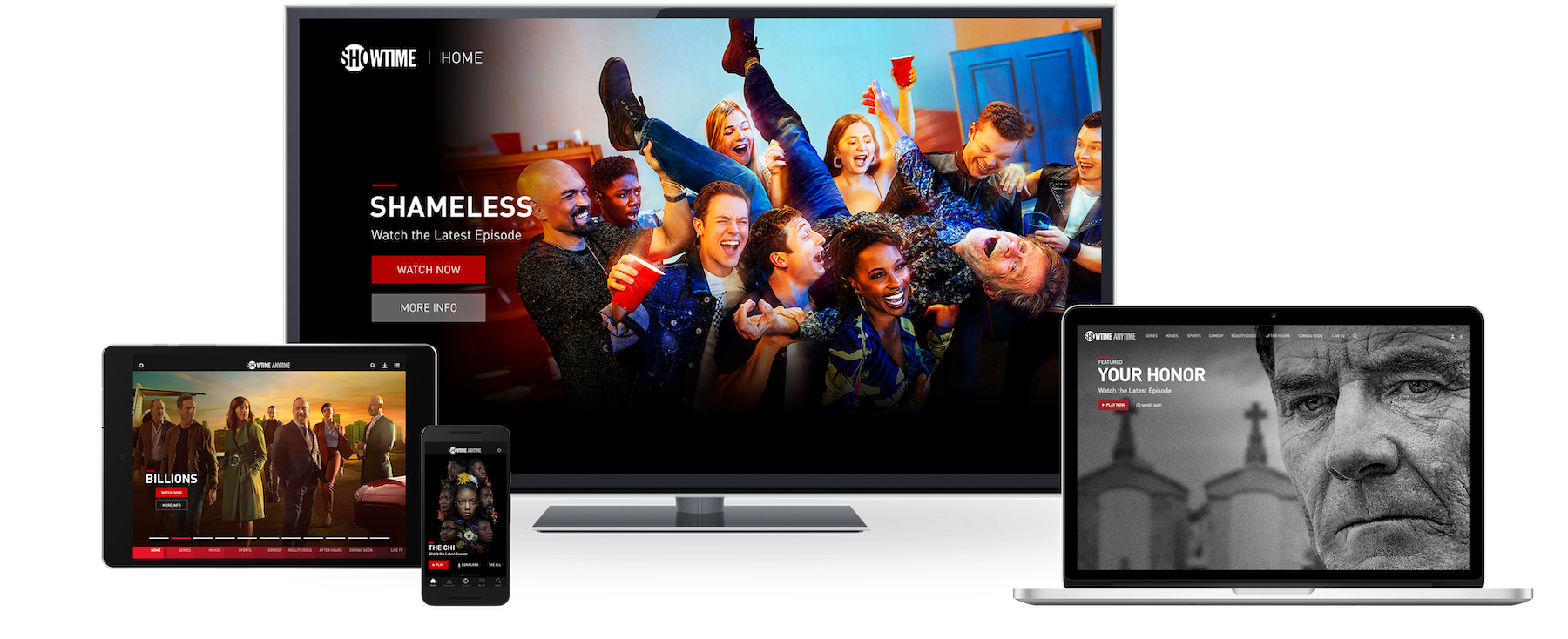
The beauty of modern streaming is its broad device compatibility, ensuring that you can watch Showtime practically anywhere, on almost any screen. From the comfort of your living room to on-the-go viewing, Showtime is designed to be accessible.
Smart TVs and Streaming Sticks/Boxes
The most common way to stream Showtime on a large screen is through smart TVs and dedicated streaming devices. The Showtime app (or the Paramount+ app with Showtime) is widely available on:
-
Roku Devices: Roku streaming sticks, boxes, and Roku-enabled smart TVs support the Showtime and Paramount+ apps, providing easy access to content.
-
Amazon Fire TV Devices: Fire TV Sticks, Fire TV Cubes, and Fire TV Edition smart TVs are fully compatible, allowing users to download and use the relevant apps.
-
Apple TV: The Apple TV streaming box seamlessly runs the Showtime and Paramount+ apps, integrating with the Apple ecosystem.
-
Google TV / Chromecast: Devices running Google TV or Chromecast with Google TV provide access to both Showtime and Paramount+ apps through the Google Play Store.
-
Samsung & LG Smart TVs: Most modern smart TVs from these manufacturers have built-in app stores that offer the Showtime and Paramount+ apps, negating the need for an external streaming device.
These devices ensure a high-quality viewing experience, often supporting 4K HDR where available, transforming your living room into a premium entertainment hub.
Mobile Devices and Tablets
For on-the-go viewing or personal use, Showtime is readily available on mobile devices and tablets.

-
iOS Devices: iPhone, iPad, and iPod Touch users can download the Showtime and Paramount+ apps from the Apple App Store.
-
Android Devices: Android smartphones and tablets can access the Showtime and Paramount+ apps via the Google Play Store.
Mobile apps offer features like downloading content for offline viewing, managing user profiles, and casting to compatible smart TVs or streaming devices, making them incredibly versatile for commuters or travelers.
Gaming Consoles
Gaming consoles have evolved into comprehensive entertainment centers, and many support Showtime streaming.
-
Xbox (One, Series X|S): Both the Showtime and Paramount+ apps are available on the Xbox family of consoles.
-
PlayStation (4, 5): PlayStation consoles also offer access to the Showtime and Paramount+ apps, expanding their utility beyond gaming.
This integration allows users to switch seamlessly between gaming and premium video content on their primary entertainment system.
Web Browsers (PC/Mac)
For those who prefer to watch on a desktop or laptop, Showtime is fully accessible via web browsers. Simply navigate to the Showtime website (or Paramount+ website) and log in with your subscription credentials. This provides a flexible viewing option for work-from-home setups, public computers, or simply for a different viewing experience. The web interface typically mirrors the app experience, offering the full content library and account management features.
Optimizing Your Showtime Streaming Experience
While accessing Showtime is straightforward, optimizing your setup can significantly enhance your viewing quality and minimize potential frustrations.
Internet Speed Recommendations
A stable and sufficiently fast internet connection is paramount for a smooth streaming experience. For standard definition (SD), a minimum of 3-5 Mbps is usually sufficient. However, for high-definition (HD) streaming, Showtime, like most services, recommends at least 5-8 Mbps. If you plan to stream in 4K Ultra HD (where available), a connection of 25 Mbps or higher is advisable. Consistent bandwidth ensures minimal buffering, clearer picture quality, and an overall more enjoyable viewing session. It’s also important to consider other devices on your network that might be consuming bandwidth simultaneously.
Troubleshooting Common Streaming Issues
Despite optimal conditions, occasional streaming issues can arise. Common problems include buffering, poor picture quality, or login difficulties.
-
Buffering: Often related to internet speed or network congestion. Try pausing the stream for a minute to let it load, reduce the streaming quality setting, or restart your router and modem.
-
Poor Picture Quality: Check your internet speed. If it’s sufficient, ensure your device and display settings are configured for the highest resolution. Sometimes, the content itself may only be available in a certain resolution.
-
Login Problems: Double-check your username and password. If you subscribed through a third-party, ensure you’re using the correct login method (e.g., “Sign in with TV provider” or “Sign in with Amazon”). Clearing your app’s cache or reinstalling it can also resolve persistent login glitches.
-
App Crashes/Freezes: Try restarting the app or your streaming device. Ensure the app is updated to its latest version, as developers frequently release bug fixes and performance improvements.
Managing Your Subscription and Account Settings
Keeping track of your Showtime subscription is key to a hassle-free experience.
-
Subscription Management: If you subscribed directly through Showtime or Paramount+, you can typically manage your subscription, update payment information, or cancel your service via their respective websites or within the app’s account settings. If you subscribed through a third-party (e.g., Amazon, Apple, Hulu), you will need to manage your subscription directly through that platform’s account settings.
-
Profile Management: Both Showtime and Paramount+ offer user profiles, allowing different members of a household to have personalized watch histories and recommendations. Ensure these are set up correctly to maximize individual viewing experiences.
-
Parental Controls: For households with children, setting up parental controls is essential. These features, usually found in account settings, allow you to restrict content based on ratings, ensuring age-appropriate viewing.
Proactive management of these settings ensures you maintain control over your viewing experience and subscription details.
Future of Showtime Streaming and Content
The streaming landscape is constantly evolving, and Showtime’s integration with Paramount+ signals a clear direction for its future.
The Paramount+ Integration and its Implications
The move to fully integrate Showtime content within Paramount+ is a strategic decision aimed at creating a more robust, value-driven streaming service. For consumers, this means a simplified subscription model where one payment grants access to a vast library, encompassing both premium dramas and a wide range of other genres, including live sports, news, and family entertainment. This consolidation also allows Paramount Global to better compete with other streaming giants by offering a highly diversified content catalog. While the standalone Showtime app may eventually be phased out or become less prominent, the content itself remains a cornerstone of the Paramount+ with Showtime offering.
What to Expect from Showtime’s Content Library
Showtime remains committed to producing high-quality, prestige programming that has long defined its brand. Viewers can continue to expect critically acclaimed dramas like “Yellowjackets,” “Billions,” and “Dexter: Original Sin,” alongside compelling documentaries and stand-up specials. The integration into Paramount+ doesn’t dilute the Showtime brand; rather, it aims to amplify its reach and ensure its premium content is readily available to a broader audience. As streaming wars intensify, Showtime’s continued investment in exclusive, must-watch series will be crucial for attracting and retaining subscribers within the unified Paramount+ ecosystem.

Conclusion
Streaming Showtime today offers unparalleled flexibility and choice, whether you opt for a direct subscription, the feature-rich Paramount+ with Showtime bundle, or integrate it as an add-on through a third-party platform. From smart TVs and gaming consoles to mobile devices and web browsers, the means to access Showtime’s critically acclaimed programming are diverse and user-friendly. By understanding the various subscription models, ensuring your devices are compatible, and optimizing your internet connection, you can unlock a world of premium entertainment tailored to your preferences. The evolution of Showtime’s streaming strategy, particularly its deep integration with Paramount+, promises an even more streamlined and value-packed experience for viewers in the years to come, ensuring that its compelling stories continue to reach audiences wherever they choose to watch.
aViewFromTheCave is a participant in the Amazon Services LLC Associates Program, an affiliate advertising program designed to provide a means for sites to earn advertising fees by advertising and linking to Amazon.com. Amazon, the Amazon logo, AmazonSupply, and the AmazonSupply logo are trademarks of Amazon.com, Inc. or its affiliates. As an Amazon Associate we earn affiliate commissions from qualifying purchases.