
In an increasingly interconnected world, the ability to conduct financial transactions seamlessly and securely online is no longer a luxury but a necessity. From shopping for goods and services to receiving payments for freelance work or managing small business finances, digital payment platforms have become the backbone of modern commerce. At the forefront of this digital revolution stands PayPal, a pioneer and perennial leader in online payment solutions.
For millions globally, a PayPal account serves as a gateway to the digital economy, simplifying complex financial interactions and offering robust protection. Whether you’re a casual online shopper, an aspiring entrepreneur, a freelancer seeking payment, or someone looking to send money to loved ones across borders, understanding how to effectively set up and utilize a PayPal account is paramount. This comprehensive guide will walk you through every step, demystifying the process and empowering you to leverage PayPal’s full suite of financial tools for your personal and business needs.
Understanding PayPal’s Core Value in the Financial Landscape
Before diving into the mechanics of account creation, it’s crucial to grasp why PayPal has become such an integral part of the global financial ecosystem. Its enduring popularity stems from a unique blend of convenience, security, and versatility that caters to a wide array of users.
More Than Just a Payment Processor: A Financial Ecosystem
Founded in 1998, PayPal revolutionized online payments by offering an alternative to traditional banking methods, which were often cumbersome and slow for internet transactions. Over two decades later, it has evolved into a comprehensive financial ecosystem. It acts as a digital wallet that allows users to link multiple payment methods – bank accounts, credit cards, debit cards – and use a single PayPal login to make purchases, send money, and receive funds without repeatedly exposing sensitive financial information. This bridge between conventional banking and the digital realm has significantly streamlined cross-border payments and fostered trust in online transactions, making it a critical tool for global finance.
Key Benefits for Personal Finance
For the individual, PayPal offers an unparalleled level of convenience and security in managing personal finances online. The speed with which payments can be made or received means less waiting and more doing. Perhaps its most celebrated feature is its robust buyer and seller protection programs, which offer a safety net for transactions. If an item doesn’t arrive or isn’t as described, PayPal’s resolution center provides a mechanism for dispute resolution, offering peace of mind that traditional cash transactions cannot. Furthermore, the ability to send money to friends and family with just an email address or phone number, both domestically and internationally, makes splitting bills or supporting loved ones effortless. It simplifies budgeting by consolidating online spending through one platform and often provides detailed transaction histories.
Powering Online Income and Side Hustles
For those engaged in the gig economy, freelancing, or running small online businesses, PayPal is an indispensable financial tool. It provides a straightforward method for receiving payments from clients worldwide, often with minimal fees compared to traditional wire transfers. Freelancers can easily generate invoices directly through PayPal, track payments, and manage their income streams. For individuals selling goods on platforms like eBay, Etsy, or through their own e-commerce sites, PayPal offers seamless integration, allowing customers to pay quickly and securely. This ease of receiving payments, coupled with its global reach, significantly lowers the barrier to entry for individuals looking to monetize their skills or hobbies online, transforming side hustles into legitimate income sources.
The Step-by-Step Process: Opening Your PayPal Account
Setting up a PayPal account is a relatively straightforward process, designed to be user-friendly while adhering to strict security and regulatory requirements. Understanding the prerequisites and following each step carefully will ensure a smooth experience.
Prerequisites for Account Creation
Before you begin, gather the following essential information and items. Having them ready will expedite the signup process:
-
Valid Email Address: This will be your primary identifier and how PayPal communicates with you.
-
Phone Number: A mobile number is required for verification purposes and two-factor authentication.
-
Bank Account or Credit/Debit Card: While not strictly necessary to open an account, linking at least one funding source is crucial for making payments, withdrawing funds, and verifying your account for full functionality.
-
Personal Identification Details: You’ll need your full legal name, current residential address, and date of birth. Depending on your country and transaction volumes, you might be asked for government-issued ID (like a driver’s license or passport) to comply with “Know Your Customer” (KYC) regulations.
Navigating the Signup Page
-
Visit the PayPal Website: Open your web browser and go to
www.paypal.com. Look for the “Sign Up” or “Open a Free Account” button, usually located in the top right corner. -
Choose Account Type: PayPal typically offers two main account types:
-
Personal Account: Ideal for individuals who want to shop online, send money to friends and family, and occasionally receive payments. This is suitable for most users.
-
Business Account: Designed for merchants, freelancers, and businesses of all sizes that need to accept payments from customers, send invoices, and access business-specific features. If you plan to regularly receive payments for goods or services, especially from multiple clients, a Business Account is recommended. You can always upgrade a Personal Account to a Business Account later if your needs change.
-
-
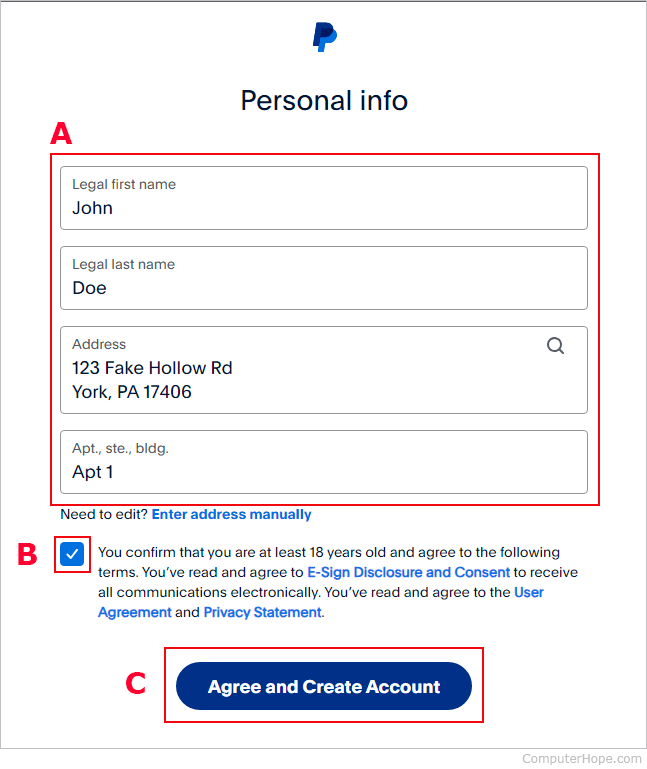
Enter Your Details: Follow the on-screen prompts to input your personal information, including your name, email address, and chosen password. Ensure your details are accurate to avoid future verification issues.
-
Agree to Terms: Read and accept PayPal’s User Agreement and Privacy Policy. It’s important to understand the terms governing your account.
-
Verify Phone Number: PayPal will send a text message with a verification code to the phone number you provided. Enter this code to confirm your number.
Verifying Your Account for Full Functionality
Account verification is a critical step for security and to lift initial transaction limits. It confirms your identity and ensures you can fully utilize all of PayPal’s features, including sending and receiving substantial amounts of money.

-
Email Verification: After signup, check your email inbox for a message from PayPal. Click the link within the email to confirm your email address. This is usually the first step to activate your account.
-
Linking a Bank Account: To link a bank account, you’ll typically provide your bank’s routing number and your account number. PayPal will then make two small deposits (micro-deposits) of a few cents into your bank account within 2-3 business days. You’ll need to log back into PayPal and enter the exact amounts of these deposits to confirm ownership of the bank account. This securely links your bank for funding your PayPal balance and withdrawing money.
-
Linking a Credit or Debit Card: You can also link a credit or debit card by providing the card number, expiration date, and security code (CVV). PayPal may make a small, temporary authorization charge to verify the card, which is usually refunded within minutes.
By completing these verification steps, you enhance your account’s security, unlock higher transaction limits, and establish reliable methods for both funding your PayPal account and withdrawing funds.
Managing Your Money with PayPal: Beyond Basic Transactions
Once your PayPal account is set up and verified, you gain access to a powerful suite of financial management tools. Understanding how to leverage these features will empower you to control your digital money effectively.
Funding Your PayPal Account and Making Payments
There are several ways to manage funds within your PayPal ecosystem. You can add money directly to your PayPal balance from your linked bank account, which is useful if you prefer to keep a specific amount designated for online spending. Alternatively, you can use a linked credit or debit card directly for purchases without funding your PayPal balance first; PayPal simply acts as a secure intermediary.
When sending money, PayPal differentiates between “sending money to friends and family” and “paying for goods or services.”
-
Friends and Family: This option is typically fee-free for the sender when using a bank account or PayPal balance within the same country, but it offers no buyer protection.
-
Goods or Services: This option incurs a small fee for the seller (usually covered by them) but provides robust buyer protection, making it the safer choice for purchases or payments to businesses/freelancers. Always ensure you select the appropriate option to benefit from or contribute to the right protection mechanisms.
Receiving Payments and Withdrawing Funds
Receiving money through PayPal is as simple as providing your linked email address to the sender. Whether you’re a freelancer getting paid by a client, receiving reimbursement from a friend, or selling an item, the funds typically appear in your PayPal balance almost instantly.
When it’s time to access your funds, you have several options:
-
Transfer to Bank Account: The most common method. You can initiate a transfer from your PayPal balance to your linked bank account. Standard transfers are usually free and take 1-3 business days.
-
Instant Transfer: For a small fee, PayPal offers instant transfers to eligible debit cards or bank accounts, allowing you to access your money within minutes.
-
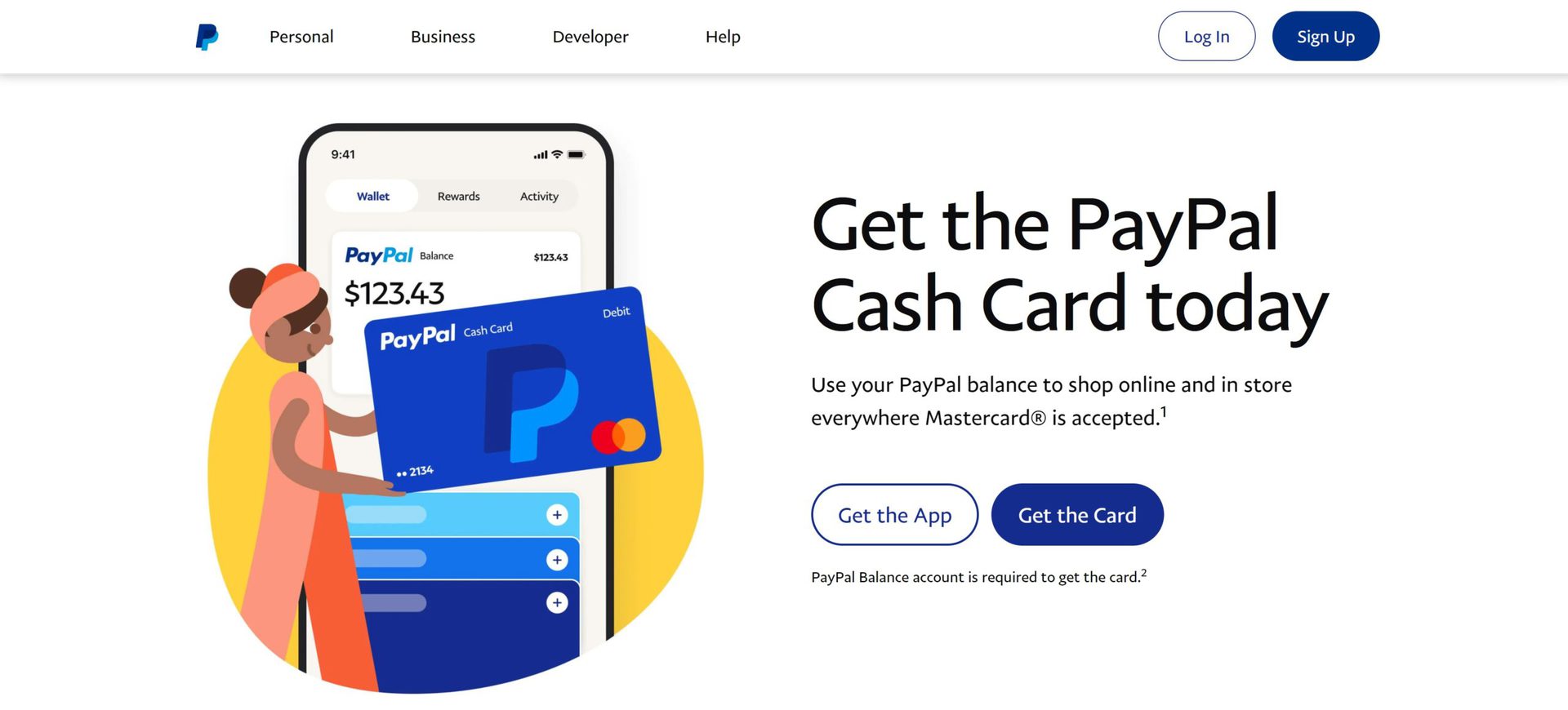
Spend directly: Your PayPal balance can be used to make online purchases wherever PayPal is accepted, or you can use a PayPal Debit Card if you have one.
Exploring Additional Financial Tools and Features
PayPal has expanded far beyond simple payment processing, offering a range of financial tools to cater to diverse needs:
-
Invoicing: Business and freelance account holders can create and send professional invoices directly through PayPal, track payment statuses, and send reminders. This streamlines accounting and client management.
-
PayPal Credit: For eligible users, PayPal offers credit lines that can be used for purchases at participating merchants, often with promotional financing options. This acts as a revolving credit account, managed directly through PayPal.
-
Donations: Non-profit organizations and individuals can easily set up donation buttons or links, making it simple for supporters to contribute financially.
-
Cryptocurrency: In select regions, PayPal allows users to buy, sell, and hold certain cryptocurrencies directly within their accounts, integrating digital assets into their financial platform.
-
QR Code Payments: For in-person transactions, PayPal supports QR code payments, offering a touch-free way to send or receive money locally.
Security, Best Practices, and Troubleshooting for Financial Peace of Mind
While PayPal offers robust security features, user diligence plays a crucial role in safeguarding your financial information. Adopting best practices and knowing how to troubleshoot common issues will ensure a secure and smooth experience.
Safeguarding Your Financial Information
The security of your PayPal account directly impacts your personal finance.
-
Strong, Unique Passwords: Always use a complex password that is unique to your PayPal account. Avoid using easily guessable information or passwords you use for other online services. Consider a password manager.
-
Two-Factor Authentication (2FA): Enable 2FA immediately. This adds an extra layer of security by requiring a code from your phone (or an authenticator app) in addition to your password during login. Even if someone obtains your password, they cannot access your account without your phone.
-
Recognizing Phishing Attempts and Scams: Be vigilant against phishing emails or messages designed to trick you into revealing your login credentials. PayPal will never ask for your password or full financial details via email. Always check the sender’s email address and hover over links before clicking. If in doubt, log directly into your PayPal account via their official website.
-
Secure Browsing: Only access PayPal on secure, trusted networks. Avoid logging into your account on public Wi-Fi networks without a VPN, and always log out after use, especially on shared or public computers.
Understanding Fees and International Transactions
While many PayPal services are free, particularly for personal transactions within the same country, it’s essential to understand where fees may apply to effectively manage your money:
-
Goods and Services Payments: Sellers typically pay a percentage fee plus a fixed fee on each transaction received for goods or services.
-
International Transactions: Sending or receiving money internationally often incurs currency conversion fees and sometimes cross-border transaction fees, which can vary based on the countries involved and the payment method used.
-
Instant Transfers: As mentioned, instant transfers to bank accounts or debit cards usually come with a small fee.
Always review PayPal’s fee structure on their official website for the most current and specific details relevant to your region and transaction type. Being aware of these costs allows you to factor them into your financial planning.
What to Do If Things Go Wrong
Even with precautions, issues can sometimes arise. Knowing how to react can protect your funds:
-
PayPal’s Resolution Center: If you encounter a problem with a purchase (e.g., item not received, significantly not as described) or an unauthorized transaction, file a dispute through PayPal’s Resolution Center. This formal process allows PayPal to investigate and mediate a solution.
-
Contacting Customer Support: For issues that cannot be resolved through the Resolution Center or require direct assistance, reach out to PayPal’s customer support. They can be contacted via phone, email, or live chat, with contact details usually found in the “Help” or “Contact Us” section of their website.
-
Monitoring Your Account: Regularly check your PayPal transaction history for any unauthorized activity. Report suspicious transactions immediately.
In conclusion, establishing a PayPal account is more than just setting up another online profile; it’s about gaining access to a powerful financial tool that enhances convenience, security, and flexibility in the digital age. By following the steps outlined in this guide, understanding its diverse features, and adhering to best practices for security and financial management, you empower yourself to navigate the complexities of online transactions with confidence. From making secure purchases and sending money to loved ones, to efficiently receiving online income and managing business finances, PayPal stands as an indispensable partner in your personal financial journey.
aViewFromTheCave is a participant in the Amazon Services LLC Associates Program, an affiliate advertising program designed to provide a means for sites to earn advertising fees by advertising and linking to Amazon.com. Amazon, the Amazon logo, AmazonSupply, and the AmazonSupply logo are trademarks of Amazon.com, Inc. or its affiliates. As an Amazon Associate we earn affiliate commissions from qualifying purchases.