
The evolution of in-car entertainment has transitioned from simple analog radio waves to sophisticated digital ecosystems. For many drivers, satellite radio remains the gold standard for long-distance travel, offering uninterrupted service across geographical boundaries where traditional FM signals fail. SiriusXM provides a vast array of content, but not every vehicle comes equipped with the necessary hardware from the factory. Fortunately, modern technology offers multiple pathways to integrate this service into your vehicle, ranging from hardware installations to seamless software-based streaming solutions.
Navigating these options requires an understanding of your car’s existing technical architecture. Whether you are driving a vintage model with a simple head unit or a modern vehicle with a complex infotainment system, there is a technical workaround available. This guide explores the most effective methods to add SiriusXM to your car, focusing on hardware integration, software applications, and the technical nuances of signal optimization.
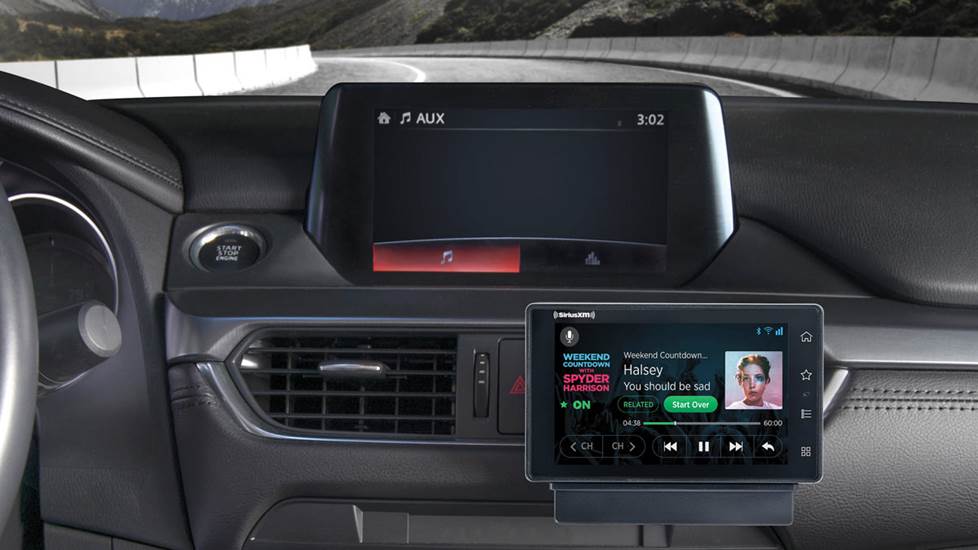
Hardware-Based Solutions: Installing Dedicated Satellite Tuners
For those who want a dedicated satellite experience without relying on a smartphone or a cellular data plan, hardware-based solutions are the most reliable. These methods involve installing a physical receiver that communicates directly with the SiriusXM satellite constellation.
The Standalone Satellite Radio Receiver
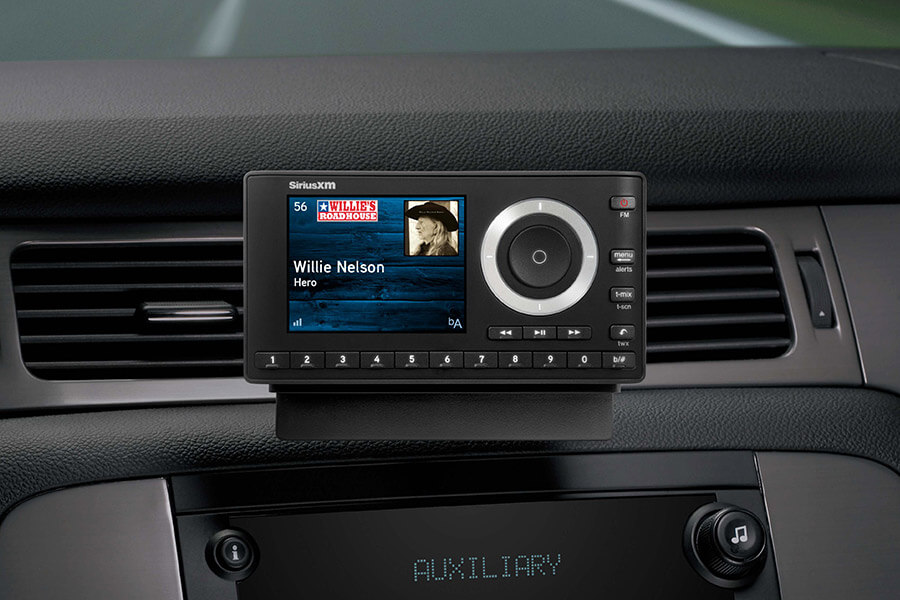
The most common hardware solution is the “Dock & Play” radio, such as the SiriusXM Onyx series. These devices consist of a standalone tuner and a mounting cradle. The tech works by capturing the Satellite Digital Audio Radio Service (SDARS) signal via an external antenna and processing it through the device’s internal DAC (Digital-to-Analog Converter). The audio is then sent to your car’s stereo via an auxiliary cable or a built-in FM transmitter.
Standalone receivers are ideal for users who frequently switch between vehicles or for those with older cars that lack modern connectivity features. The primary technical challenge with these units is cable management—ensuring the power lead, antenna wire, and audio output are neatly routed to avoid interference with vehicle controls.
Integration via Aftermarket Head Units
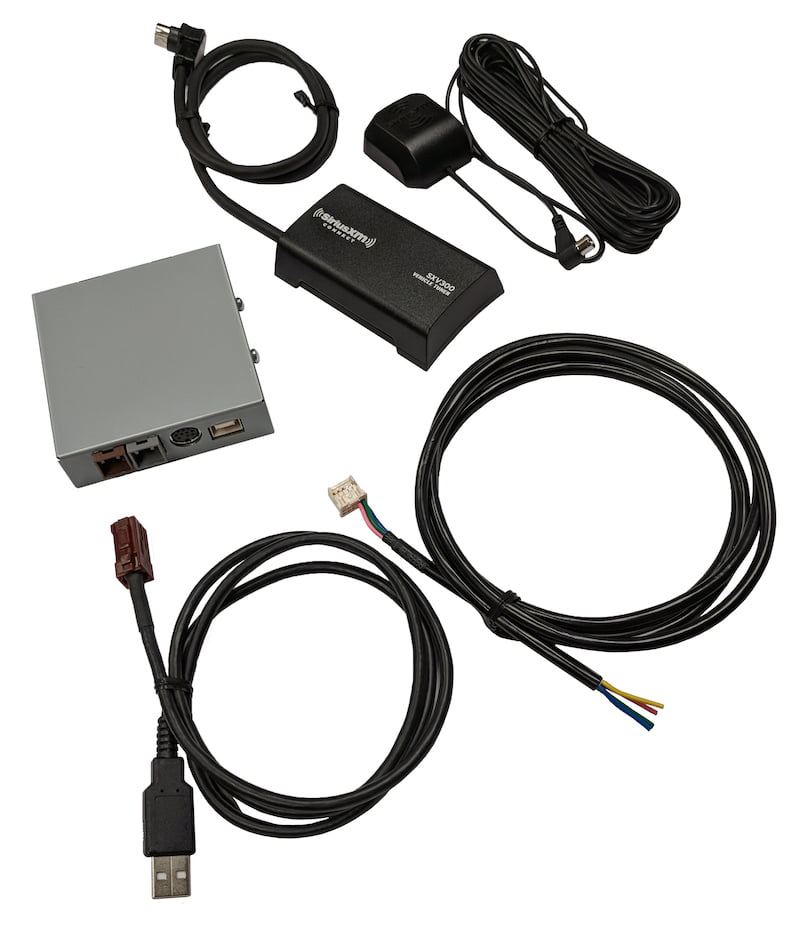
If you are looking for a cleaner, more integrated look, replacing your factory radio with a “SiriusXM-Ready” aftermarket head unit from brands like Alpine, Kenwood, or Pioneer is a superior technical route. These units feature a dedicated port for the SXV300V1 Connect Vehicle Tuner.
This tuner is a small, hideaway module that plugs directly into the back of the head unit. The advantage here is that the SiriusXM interface is controlled directly through the car’s touchscreen or physical buttons, providing a factory-installed feel. The metadata, including artist names, song titles, and channel logos, is rendered natively on the display, and features like “TuneMix” or “Replay” are handled by the head unit’s processor.
Integrating with Older Systems via FM Modulators
In scenarios where a vehicle lacks an auxiliary input and you do not wish to replace the head unit, a hardwired FM modulator is the most effective technical workaround. Unlike wireless FM transmitters, which are prone to atmospheric interference and signal “bleed-in” from local stations, a hardwired modulator interrupts the vehicle’s antenna line. It injects the SiriusXM audio signal directly into the FM tuner at a specific frequency (usually 88.1 or 88.3 MHz), ensuring a clean, static-free audio path.
App-Based Integration: Utilizing Modern Connectivity Features
As vehicle infotainment systems have become more sophisticated, software-based integration has become a popular and often more cost-effective way to add SiriusXM. This approach bypasses the need for dedicated satellite hardware by utilizing the vehicle’s existing data-sharing capabilities.
Leveraging Apple CarPlay and Android Auto
For vehicles manufactured within the last decade, Apple CarPlay and Android Auto are the most powerful tools for adding SiriusXM. If your car supports these platforms, you do not need a satellite tuner at all. By installing the SiriusXM app on your smartphone and connecting it to your car’s USB port or wireless interface, the app’s interface is mirrored onto your vehicle’s screen.
This method utilizes the phone’s LTE or 5G connection to stream content. Technically, this offers several advantages over traditional satellite reception:
-
Higher Fidelity: Streaming often provides a higher bitrate than the compressed satellite signal, resulting in better audio quality.
-
On-Demand Content: The app allows users to access a vast library of on-demand shows and podcasts that are not available via the traditional satellite broadcast.
-
UI Customization: The software interface is regularly updated by SiriusXM developers, ensuring the user experience remains modern without requiring hardware upgrades.
Bluetooth and Auxiliary Input Workarounds
For vehicles that have Bluetooth or an AUX port but lack CarPlay/Android Auto, the smartphone app remains the primary driver. In this configuration, the phone acts as the tuner and the car acts as the output peripheral. While this lacks the integrated screen controls of more advanced systems, it is the most accessible entry point.
From a technical standpoint, users should be aware of the “handshake” protocols in Bluetooth connections. Using a high-quality Bluetooth codec (like AAC or aptX, if supported) will ensure that the audio quality does not degrade significantly during the wireless transmission from the phone to the head unit.
Managing Data Consumption and Streaming Quality
When using the app-based method, understanding data throughput is essential. The SiriusXM app allows users to toggle between different streaming qualities (Normal, High, and Maximum). High-quality streaming can consume approximately 115MB per hour. For users with limited data plans or those driving in areas with spotty cellular coverage, the “Maximum” setting may lead to buffering or excessive data charges. Conversely, in urban environments with 5G infrastructure, the app-based method often outperforms satellite tuners, which can suffer from “signal shadowing” caused by tall buildings and tunnels.
Factory Upgrades and Hidden Tech: Activating Pre-Wired Systems
Many modern vehicles are sold without a SiriusXM subscription but are “pre-wired” or equipped with the necessary hardware from the factory. In these cases, adding the service is a matter of software activation or minor hardware additions rather than a full installation.
Checking for “Satellite Ready” Status
Many manufacturers include a “SAT” button on the dashboard even if the satellite tuner module was not purchased as an option. This often indicates that the vehicle’s wiring harness includes the necessary connections for an OEM (Original Equipment Manufacturer) tuner. Technical enthusiasts can often source these OEM modules from salvage yards or specialized retailers and plug them into the existing harness, allowing the factory radio to recognize and control the satellite service as if it were installed on the assembly line.
Aftermarket Interface Modules
For vehicles that are not “satellite-ready” but have advanced infotainment screens, companies like VAIS Technology and iSimple offer integration modules. These devices are designed to “spoof” the car’s computer system. They plug into the vehicle’s CAN bus (Controller Area Network) or USB media port and convince the car that the SiriusXM tuner is a factory-installed component or a high-capacity USB drive. This allows the driver to use steering wheel controls and factory touchscreens to navigate satellite channels without modifying the dashboard’s aesthetics.
Updating Firmware for Enhanced Compatibility
When integrating new hardware or using the latest smartphone apps, keeping the vehicle’s firmware updated is a critical tech step. Manufacturers frequently release “Over-the-Air” (OTA) updates or dealer-installed firmware patches that improve Bluetooth stability and smartphone mirroring compatibility. If you experience glitches when using the SiriusXM app through your car’s screen, the first technical troubleshooting step should be checking for a software update for the vehicle’s infotainment system.
Optimizing the User Experience: Antenna Placement and Signal Tech
Regardless of the method chosen, the quality of the SiriusXM experience is heavily dependent on signal integrity. Understanding the physics of how these signals are received can help in optimizing the installation.
The Science of Satellite Signal Line-of-Sight
SiriusXM operates on the S-band spectrum (2.3 GHz). Because these waves have a relatively short wavelength, they require a clear line-of-sight to the satellites or terrestrial repeaters. In a hardware installation, the antenna must be placed on the highest point of the vehicle, usually the roof, with no metallic obstructions. The antenna itself is magnetic and uses the car’s metal roof as a “ground plane” to improve reception.
Internal vs. External Antenna Mounts
While professional installers prefer external mounting, some users attempt to place the antenna on the dashboard to avoid running wires outside. Technically, this is suboptimal. Modern windshields often contain metallic tints or heating elements (IR-reflective glass) that can attenuate the S-band signal by up to 20dB, leading to frequent dropouts. For the best tech performance, the antenna should always have an unobstructed view of the sky.
Troubleshooting Interference in Urban Canyons
In major cities, SiriusXM utilizes terrestrial repeaters to supplement the satellite signal. If you find that your service drops out specifically in downtown areas, it may be a sign of a failing antenna or a tuner that is struggling to hand off the signal from the satellite to the terrestrial repeater. Ensuring that your hardware is properly grounded and that the antenna cable is not pinched or kinked is vital for maintaining the high-speed data stream required for digital audio.
By choosing the right combination of hardware and software, any driver can modernize their vehicle with the expansive capabilities of SiriusXM. Whether through a high-tech aftermarket head unit or the streamlined efficiency of a smartphone app, the integration of satellite radio represents a significant upgrade in vehicle connectivity and entertainment technology.
aViewFromTheCave is a participant in the Amazon Services LLC Associates Program, an affiliate advertising program designed to provide a means for sites to earn advertising fees by advertising and linking to Amazon.com. Amazon, the Amazon logo, AmazonSupply, and the AmazonSupply logo are trademarks of Amazon.com, Inc. or its affiliates. As an Amazon Associate we earn affiliate commissions from qualifying purchases.