
SiriusXM has revolutionized in-car audio entertainment, offering a vast array of channels spanning music, news, talk, sports, and exclusive content, all without the static or geographical limitations of traditional terrestrial radio. For many drivers, the idea of having this expansive universe of audio available on every journey is incredibly appealing. However, the path to bringing SiriusXM into your vehicle isn’t always immediately clear, especially with various car models, technologies, and subscription options available. This guide delves into the technicalities and practical steps involved, ensuring you can enjoy commercial-free music and compelling programming no matter where the road takes you.
Understanding the SiriusXM In-Car Ecosystem
Before diving into the “how-to,” it’s essential to grasp the fundamental ways SiriusXM delivers its content and how these methods integrate with your car’s audio system. This understanding will help you choose the most suitable path for your specific vehicle and listening preferences.
The Core Offering: Satellite Radio Technology
At its heart, SiriusXM is a satellite radio service. This means its signals are broadcast from satellites orbiting Earth, received by a small antenna, and then processed by a compatible receiver. This technology provides unparalleled coverage across North America, from urban centers to remote highways, largely unaffected by terrain or local radio interference. The key components for this method are a satellite antenna and a dedicated SiriusXM tuner, which can be factory-installed in your vehicle or added aftermarket. This is the traditional and most robust way to experience SiriusXM in a car, offering a consistent signal quality independent of cellular networks.
Beyond Satellite: Streaming and App Integration
While satellite radio is the cornerstone, SiriusXM has significantly expanded its reach through digital streaming. Subscribers typically gain access to the SiriusXM app, which allows them to stream all the satellite channels, plus thousands of On Demand shows and podcasts, over an internet connection. This streaming capability opens up new avenues for in-car listening, especially for vehicles equipped with modern infotainment systems or for users who prefer to leverage their smartphone data. Integrating the app into your car means you’re relying on your phone’s cellular data or your car’s built-in Wi-Fi hotspot, offering flexibility but also introducing dependencies on network coverage and data plans.
Your Car’s Built-In SiriusXM Readiness
Many modern vehicles come with SiriusXM functionality pre-installed, offering the most seamless path to activation. Understanding if your car is “SiriusXM Ready” is the first step for many drivers.
Factory-Installed Receivers: The Easiest Path
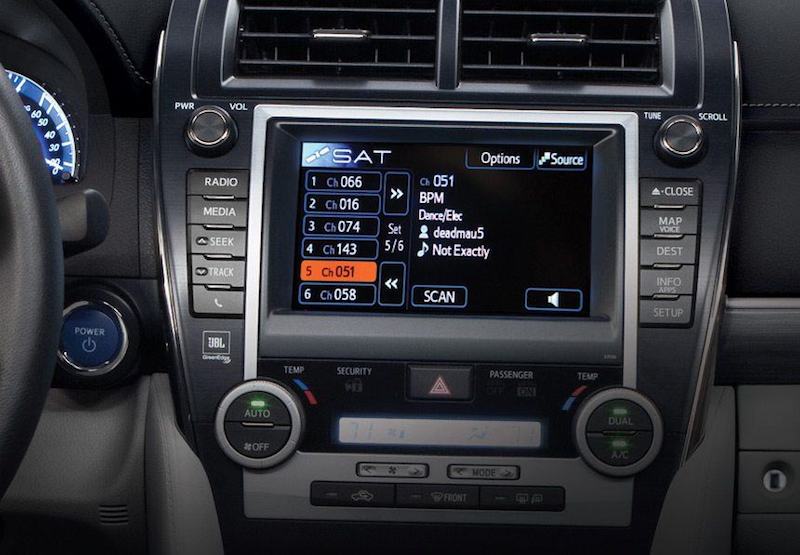
The most straightforward way to get SiriusXM in your car is if it already has a factory-installed satellite radio receiver. Most vehicles manufactured in the last decade, particularly those in higher trim levels, often include this feature. When you purchase or lease such a vehicle, the satellite radio hardware is already integrated into your car’s dashboard infotainment system, complete with a discreet antenna, usually on the roof. This setup requires no additional equipment or installation; it’s simply a matter of activating a subscription.
Checking Your Car’s Compatibility
Determining if your car has a built-in SiriusXM receiver is usually simple.
-
Look for the SiriusXM logo: Check your car’s radio display, often in the audio source menu (e.g., AM/FM/AUX/USB/SAT). If you see “SAT” or “SiriusXM,” your car likely has the hardware.
-
Tune to Channel 0: On your car’s satellite radio tuner, try tuning to channel 0 (or channel 184 for SiriusXM Preview). If your radio displays the SiriusXM logo, channel number, and potentially a message about subscribing, it has a receiver. Channel 0 typically plays a welcome message and displays the radio’s unique ID.
-
Check your VIN: SiriusXM offers a tool on their website where you can enter your Vehicle Identification Number (VIN) to check for factory-installed compatibility.
-
Consult your owner’s manual: Your car’s manual will detail all installed features, including satellite radio.
If your car confirms the presence of a receiver, you’re halfway there.
Activating a Pre-Installed Service
Once you’ve confirmed your car has a built-in SiriusXM receiver, activation is usually a quick process:
-
Retrieve your Radio ID: Tune your car’s satellite radio to Channel 0. The Radio ID (or ESN) is an 8- to 12-digit number displayed on your radio screen. You’ll need this for activation.
-
Visit the SiriusXM website or call customer service: Go to the “Activate My Radio” section on SiriusXM’s website or call their activation line. You’ll enter your Radio ID and choose a subscription plan.
-
Drive outside: After activation, drive your car to an open area away from tall buildings or dense tree cover. The activation signal typically takes a few minutes to be received by your car’s antenna, unlocking your chosen channels. During this time, keep your radio tuned to one of the preview channels (e.g., 184 or 1) or a specific channel you subscribed to.
Many new and certified pre-owned vehicles come with a free trial period, allowing you to experience the service before committing to a paid subscription.
Retrofitting SiriusXM into Older or Non-Compatible Vehicles
What if your car doesn’t have a factory-installed SiriusXM receiver? Don’t worry, there are several robust options to bring satellite radio into almost any vehicle, though they may require a bit more effort or a minor installation.
Standalone Satellite Radio Tuners (Aftermarket Kits)
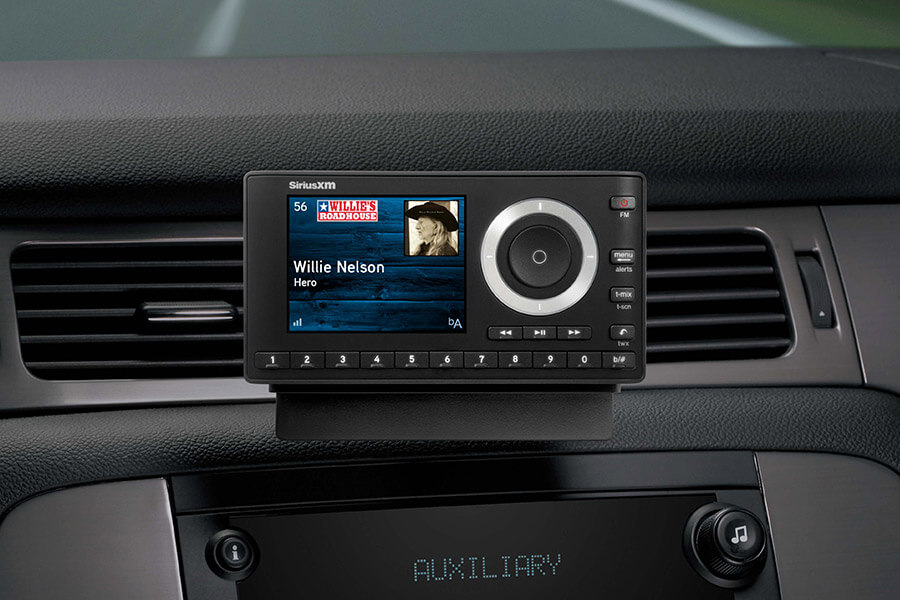
This is the most common solution for non-compatible vehicles. Aftermarket SiriusXM kits typically include:
-
A standalone receiver/tuner: A small device with a display and controls.
-
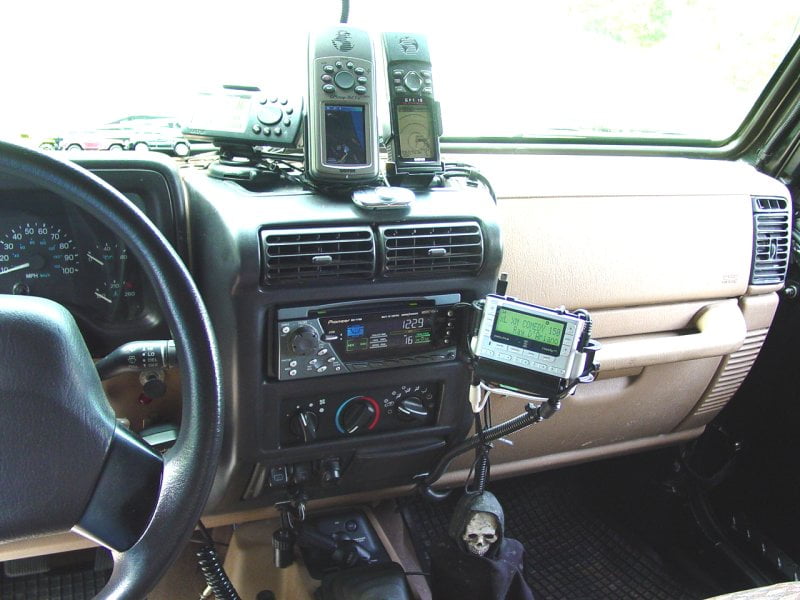
A magnetic antenna: This attaches to the exterior of your car (usually the roof) and connects to the receiver.
-
Power adapter: Plugs into your car’s 12V (cigarette lighter) outlet.
-
Audio output options: To connect the tuner to your car’s stereo.
Popular brands for these kits include SiriusXM’s own “Onyx” series. These kits are relatively easy to install and provide a dedicated SiriusXM experience, complete with channel browsing and display.
FM Modulators and AUX/USB Connectivity
Once you have an aftermarket tuner, you need a way to get its audio into your car’s sound system.
-
FM Modulators: Most standalone tuners come with a built-in FM transmitter. This broadcasts the SiriusXM audio on a low-power FM frequency (e.g., 88.1 FM) that you can then tune your car’s regular FM radio to. While convenient, FM modulation can sometimes suffer from interference, especially in urban areas with many local radio stations.
-
AUX Input: If your car has an auxiliary (AUX) input jack (a small 3.5mm headphone jack), this is often the best audio connection method for an aftermarket tuner. It provides a direct, high-quality audio signal, avoiding FM interference. You’ll typically need a 3.5mm audio cable to connect the tuner to your car’s AUX port.
-
USB Input: Some aftermarket tuners and car stereos can connect via USB, which can provide both power and audio, and sometimes even control. This is less common for simple aftermarket kits but might be an option with more advanced car stereo upgrades.
Professional Installation Services
While many drivers can install aftermarket SiriusXM kits themselves, some prefer professional help. An authorized installer can:
-
Hardwire the power: Instead of using the 12V outlet, they can tap into your car’s electrical system for a cleaner, hidden power supply.
-
Mount the tuner cleanly: They can often integrate the tuner more seamlessly into your dashboard or console.
-
Install a wired FM modulator: For cars without AUX, a wired FM modulator (which connects directly to your car’s antenna input) provides better sound quality and less interference than a wireless one.
-
Integrate with existing systems: For advanced car stereos, they might be able to integrate the SiriusXM tuner more deeply, allowing control through steering wheel buttons or the car’s built-in display.
Professional installation ensures a clean look, optimal performance, and avoids any potential damage to your vehicle.
Leveraging Your Smartphone for In-Car SiriusXM
For those who prefer a less permanent solution, or whose primary listening device is their smartphone, the SiriusXM app offers a robust alternative. This method relies on your phone’s capabilities and your car’s infotainment features.
The SiriusXM App: A Versatile Solution
Every SiriusXM subscription (except for some very basic “streaming only” plans) typically includes access to the SiriusXM app. This app transforms your smartphone or tablet into a portable SiriusXM receiver, allowing you to stream all the channels from your subscription, plus a vast library of On Demand content.
-
Features: The app includes features like personalized stations, the ability to restart shows from the beginning, and access to exclusive online-only content.
-
Requirements: You’ll need a smartphone with a data plan (or Wi-Fi access) and the ability to connect to your car’s audio system.
Connecting Your Phone to Your Car’s Audio System
To listen to the SiriusXM app through your car’s speakers, you have several common connectivity options:
-
Bluetooth: Most modern cars (and aftermarket head units) have Bluetooth audio streaming. Simply pair your phone with your car’s Bluetooth system, select “Bluetooth audio” as the source on your car’s stereo, and start playing SiriusXM from the app. This is a wireless and convenient option.
-
USB: Many cars have USB ports that can connect to your smartphone. For Apple CarPlay and Android Auto-compatible vehicles, plugging in your phone via USB will often launch the respective car interface, where the SiriusXM app can be accessed and controlled directly through your car’s touch screen. Even without CarPlay/Android Auto, some USB connections can act as an audio input and charge your phone.
-
AUX Input: Similar to aftermarket tuners, if your car has an AUX input, you can use a 3.5mm audio cable to connect your phone’s headphone jack (or a USB-C/Lightning to 3.5mm adapter) directly to your car’s stereo for a clean audio signal.
Data Consumption and Streaming Quality Considerations
Using the SiriusXM app in your car relies on your phone’s cellular data. While SiriusXM streaming isn’t excessively data-heavy compared to video, continuous listening can add up.
-
Data Usage: Streaming at standard quality might consume around 60-80 MB per hour. High-quality streams could use more. If you have an unlimited data plan, this might not be a concern. For limited plans, monitor your usage.
-
Cellular Coverage: Streaming quality and reliability are entirely dependent on your phone’s cellular reception. In areas with poor or no signal, the stream will buffer or drop, which is a key difference from satellite radio, which works independently of cellular networks.
-
Car’s Wi-Fi Hotspot: If your car has a built-in Wi-Fi hotspot (which usually requires its own data plan), you can connect your phone to it, offloading data usage from your personal cellular plan and potentially providing a more stable connection.
Subscription Tiers and Managing Your Service
Regardless of how you access SiriusXM, managing your subscription is a crucial part of the experience. SiriusXM offers various plans, and understanding them helps you choose the right fit.
Exploring Different Subscription Plans
SiriusXM offers a range of subscription packages tailored to different listening habits and budgets. These often include:
-
Satellite Radio Only Plans: Focused solely on the in-car satellite radio experience, often with tiered channel access (e.g., Music & Entertainment, Platinum).
-
Streaming Only Plans: Access to the SiriusXM app on any device, but no satellite radio access. This is ideal for those who primarily listen via smartphone or smart speakers.
-
All Access Plans (SiriusXM Platinum/All Access): The most comprehensive plans, combining both in-car satellite radio and full access to the streaming app. These typically offer the largest channel lineup and On Demand content.
It’s important to compare features like channel lineups, On Demand access, and whether it includes both car and streaming to pick the best value for your needs. Promotions and trial offers are frequently available, especially for new activations.
Activating and Transferring Subscriptions
As mentioned, activation for a new service or trial is straightforward via their website or customer service. If you’re transferring service from an old car to a new one, or from one receiver to another, SiriusXM often allows this process, though there might be a small transfer fee or a requirement to start a new contract. Always contact customer service for specific instructions on transfers. You’ll need the Radio ID of your new receiver.
Troubleshooting Common Issues
While generally reliable, you might encounter minor issues:
-
“No Signal” or “Acquiring Signal”: For satellite radio, ensure your antenna has a clear view of the sky. Tall buildings, tunnels, or dense tree cover can temporarily block the signal. Check for loose antenna connections.
-
“Subscription Updated” or “Refresh Radio”: If your service suddenly stops, or you upgrade your plan and new channels aren’t appearing, you might need to “refresh” your radio. This can be done online via your SiriusXM account or by calling customer service. They send a refresh signal to your radio.
-
Streaming Buffering/Poor Quality: For app users, this usually indicates poor cellular data reception or a slow internet connection. Try moving to an area with better signal, restarting the app, or checking your phone’s data connection.
-
Sound Quality Issues (FM Modulator): If using an FM modulator, try tuning to a different, unused FM frequency to avoid local radio interference.
Getting SiriusXM in your car offers a world of entertainment, making every commute, road trip, or errand more enjoyable. By understanding the different technologies and options available, you can choose the method that best suits your vehicle and lifestyle, ensuring you’re always connected to the content you love.
aViewFromTheCave is a participant in the Amazon Services LLC Associates Program, an affiliate advertising program designed to provide a means for sites to earn advertising fees by advertising and linking to Amazon.com. Amazon, the Amazon logo, AmazonSupply, and the AmazonSupply logo are trademarks of Amazon.com, Inc. or its affiliates. As an Amazon Associate we earn affiliate commissions from qualifying purchases.