
The modern digital landscape, with its plethora of streaming services, apps, and convenient online shopping, has undoubtedly enriched our lives. However, this convenience often comes with a hidden cost: an intricate web of subscriptions that can silently drain your bank account. Few experiences are as frustrating and perplexing as discovering an unexplained charge on your statement, especially when it pertains to a service you believe you don’t actively use or didn’t authorize. For many, “Why am I being charged for Prime Video?” is a question born from such a moment of financial scrutiny and alarm.
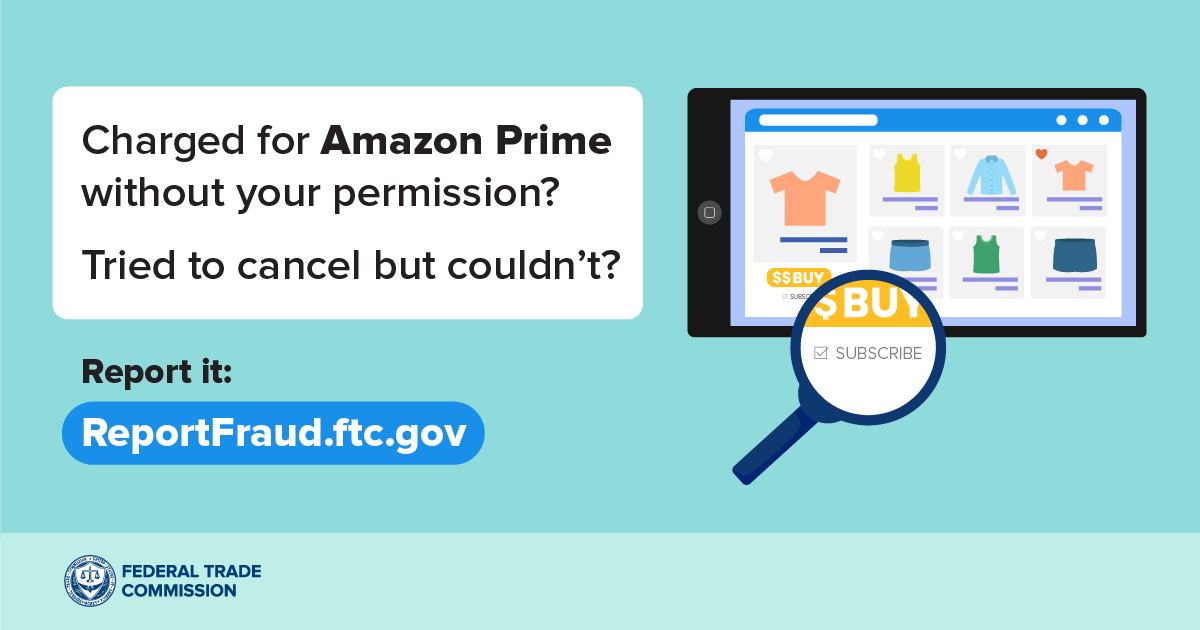
This isn’t merely a question about a single streaming service; it’s a window into broader challenges of personal finance management in the digital age. Unexpected charges for services like Prime Video can stem from a variety of sources, from forgotten free trials to inadvertent sign-ups, and even account misuse. Understanding the intricacies of digital billing, diligently tracking your financial commitments, and proactively managing your subscriptions are crucial skills for maintaining a healthy financial life. This article will guide you through the maze of Prime Video billing, help you identify the root cause of these charges, and equip you with the knowledge and tools to resolve the issue and prevent future financial surprises, firmly within the realm of personal financial health and management.
The Labyrinth of Digital Subscriptions: Understanding Prime Video Billing
Amazon’s ecosystem is vast and interconnected, offering immense value but also creating potential confusion when it comes to billing for its various services. Understanding the nuances of how Prime Video is offered and charged is the first step in demystifying any unexpected debit. Often, what appears as a direct charge for “Prime Video” might actually be linked to a broader Amazon service or a specific type of content.
Amazon Prime vs. Prime Video Standalone: Differentiating Your Charges
One of the most common sources of confusion stems from the relationship between Amazon Prime and Prime Video. Amazon Prime is a comprehensive subscription service that offers a multitude of benefits, including expedited shipping, access to Prime Music, Prime Reading, and, crucially, Prime Video. If you have an active Amazon Prime membership, the “Prime Video” component is bundled into that overall annual or monthly fee. Therefore, a charge appearing as “Amazon Prime” or “AMZN Prime” on your statement implicitly includes Prime Video access.
However, in some regions, or through specific promotions, it is possible to subscribe to Prime Video as a standalone service, independent of a full Amazon Prime membership. This typically offers only the video streaming benefits at a lower monthly cost than a full Prime subscription. Furthermore, within Prime Video itself, there are additional layers of financial commitment:
-
Channel Subscriptions: Prime Video allows you to subscribe to various third-party channels (e.g., HBO, Showtime, Starz) directly through its platform. These are separate monthly charges that appear distinct from your core Prime Video or Amazon Prime fee, often listed as “AMZN Prime Video Channels” followed by the channel name.
-
Rentals and Purchases: Unlike content included with your subscription, individual movies or TV show seasons can be rented or purchased à la carte. These are one-time transaction charges, not recurring subscriptions, and will appear on your statement as distinct purchases rather than ongoing fees.
Understanding these distinctions is vital in pinpointing precisely what you’re being charged for. An “AMZN” charge could be for Prime, a specific channel, or a rental/purchase.
Trial Periods and Automatic Renewals: The Double-Edged Sword of Convenience
Free trials are a ubiquitous marketing strategy designed to let consumers experience a service before committing financially. Amazon Prime, Prime Video standalone, and many of its associated channels frequently offer free trial periods, typically lasting 7, 14, or 30 days. The catch, however, is almost always in the fine print: unless explicitly canceled before the trial period ends, these services automatically convert into paid subscriptions.
This automatic renewal mechanism is a primary culprit for unexpected charges. It’s easy to sign up for a trial, forget about it amidst daily life, and then be surprised when the first monthly or annual charge hits your account weeks later. Many consumers fall into this trap, inadvertently accumulating multiple subscriptions that they no longer use or even remember initiating. The convenience of a seamless transition from trial to paid service becomes a financial burden when not actively managed.
Unauthorized Access and Family Sharing Pitfalls: Unseen Expenditures
Another significant, albeit less common, source of unexpected Prime Video charges can be unauthorized access or misunderstandings within shared accounts.
-
Family Sharing: While Amazon allows household sharing of Prime benefits, including Prime Video, each adult in the household typically maintains separate payment methods and ordering permissions. However, if a child or another family member has access to your account details or a linked device, they might inadvertently (or intentionally) rent, purchase, or subscribe to additional channels without your direct knowledge.
-
Account Compromise: Though less frequent, a compromised Amazon account can lead to fraudulent charges. If your account credentials have been exposed, an unauthorized user could access your Prime Video account to make purchases or subscribe to channels, with the charges appearing on your linked payment method. Strong passwords and two-factor authentication are critical safeguards against such scenarios.
-
Gift Cards/Promotional Balances: Sometimes, a previous gift card balance or promotional credit might have covered an initial charge, leading you to believe a service was free. Once that balance is depleted, the charges automatically fall back onto your linked payment method, causing unexpected debits.
Understanding these varied pathways to an active subscription or charge is fundamental to effectively diagnosing why your bank statement reflects a Prime Video-related cost.
Identifying the Source: Your Financial Detective Work
Once you’ve encountered an unexpected charge, the next crucial step is to become a financial detective. Amazon provides several tools within your account to scrutinize past transactions and active subscriptions, allowing you to pinpoint the exact source of the charge. This methodical approach will prevent wasted time and enable a swift resolution.
Scrutinizing Your Bank/Credit Card Statements: Decoding the Merchant Name
Your bank or credit card statement is the frontline of your financial investigation. Look for the exact wording of the charge. Amazon transactions typically appear with specific descriptors that can offer immediate clues:
-
“AMZN Prime” / “Amazon Prime”: This usually indicates a charge for the full Amazon Prime membership, which includes Prime Video.
-
“AMZN Prime Video” / “Prime Video”: This could be a standalone Prime Video subscription or potentially a channel subscription within Prime Video.
-
“AMZN.COM/BILL” / “Amazon.com”: These are more general descriptors and might cover a wide range of Amazon purchases, including digital content, physical goods, or various subscriptions.
-
“AMZN Prime Video Channels [Channel Name]”: This clearly indicates a subscription to a specific premium channel within Prime Video.
-
“AMZN Digital Services” / “AMZN Mktpl US”: These are broad terms that often encompass digital purchases like rentals, purchases of movies/TV shows, or even Kindle books and app purchases.
Note the date of the transaction and the exact amount. Cross-referencing these details with your Amazon account history is paramount. If the charge is completely unfamiliar or differs significantly from typical Amazon phrasing, it could indicate a scam or unauthorized use not directly linked to your legitimate account, requiring immediate action with your bank.
Navigating Your Amazon Account for Subscription Details: The Digital Paper Trail
Amazon’s website is your primary resource for managing all aspects of your account, including subscriptions and digital purchases.
-
“Memberships & Subscriptions”: Log in to your Amazon account. Under “Account & Lists,” navigate to “Memberships & Subscriptions.” This section provides a comprehensive overview of all your active Amazon subscriptions, including Amazon Prime (if applicable), Prime Video standalone, and any third-party channels you’ve subscribed to through Prime Video. Each listing will show the renewal date and cost. This is often the quickest way to find an active, forgotten subscription.
-
“Digital Orders”: Also under “Account & Lists,” select “Digital Orders.” This section specifically lists all your digital purchases, including movie rentals, movie/TV show purchases, Kindle ebooks, and app purchases. If the unexpected charge is a one-time fee rather than a recurring subscription, it will likely appear here, detailing what content was purchased and on what date.
-
“Prime Membership”: If you suspect the charge is for full Amazon Prime, go to “Account & Lists” and then “Prime Membership.” This page will confirm your Prime status, the next billing date, and the amount.
By systematically reviewing these sections, you can usually identify the specific service, channel, or content that corresponds to the charge on your bank statement.
Reviewing Purchase History and Rental Charges: Distinguishing Recurring from One-Off
It’s critical to differentiate between a recurring subscription charge and a one-time purchase or rental. A subscription will have a consistent amount and regular billing cycle (e.g., monthly, annually). A rental or purchase, however, will be a single transaction on a specific date.
-
Within “Digital Orders,” you’ll see every movie rental or purchase made via Prime Video. Each entry will show the title, date of purchase, and the amount charged.
-
If you find a one-off charge here that you don’t recognize, consider if anyone else with access to your account or devices might have made the purchase. Amazon allows you to view the device used for certain purchases, which can be helpful.
This distinction is important because the resolution steps differ significantly: you cancel a subscription, but you might request a refund for an unauthorized one-time purchase.
Checking Linked Accounts and Devices: Who Else Has Access?
Finally, review which devices are authorized to access your Prime Video account.
-
Go to “Account & Lists” -> “Content & Devices” -> “Devices.” Here, you can see all devices registered to your Amazon account, which includes those that can access Prime Video. If you see unfamiliar devices, it’s a strong indication of potential unauthorized access.
-
Consider any family members, roommates, or friends who might have had access to your TV, tablet, or computer where you’re signed into Amazon. Sometimes, an innocent click by another user can lead to an unintended rental or subscription.

By diligently going through these steps, you should be able to identify the exact service or item causing the charge, paving the way for effective resolution.
Taking Action: Resolving and Preventing Unwanted Charges
Once you’ve identified the source of the unwanted Prime Video charge, the next step is to take concrete action. This involves not only stopping the current charges but also implementing measures to prevent similar issues from recurring, securing your financial well-being in the long term.
Canceling Unwanted Subscriptions and Memberships: Stopping the Bleed
The most direct way to stop recurring charges is to cancel the offending subscription.
-
For Amazon Prime:
-
Go to “Account & Lists” -> “Prime Membership.”
-
Look for “Manage Membership” or “End Membership.”
-
Follow the prompts to confirm your cancellation. Amazon may offer you a partial refund depending on your usage of Prime benefits.
-
-
For Prime Video Standalone or Prime Video Channels:
-
Go to “Account & Lists” -> “Memberships & Subscriptions.”
-
Find the specific Prime Video subscription or channel you wish to cancel.
-
Click “Manage Subscription” or “Cancel Subscription” next to the relevant item.
-
Follow the on-screen instructions to complete the cancellation. You typically retain access until the end of the current billing cycle.
-
Always ensure you receive a confirmation email for your cancellation. If you are canceling during a free trial, make sure it’s done before the trial period officially ends to avoid any charges.
Requesting Refunds for Erroneous Charges: Reclaiming Your Funds
If you were charged for a service you didn’t use, subscribed to inadvertently, or believe to be fraudulent, you may be eligible for a refund. Amazon’s refund policies vary slightly depending on the service:
-
Amazon Prime: If you haven’t used any Prime benefits (like streaming Prime Video, using free shipping, or accessing Prime Music) since your last charge, you are typically eligible for a full refund. If you’ve used some benefits, you might get a partial refund. Contact Amazon Customer Service directly to request this.
-
Prime Video Channels: If you’ve been charged for a channel you immediately canceled or haven’t used, Amazon may offer a refund. Again, direct contact with customer service, explaining the situation, is the best approach.
-
Rentals/Purchases: If a movie or TV show was rented/purchased accidentally or by an unauthorized user, and it hasn’t been watched, you might be eligible for a refund. Go to “Digital Orders,” find the item, and look for an option to “Cancel Order” or “Request Refund.” If not available, contact customer service.
When contacting Amazon Customer Service (via chat or phone is often most effective), be prepared with your account details, the exact charge amount, and the date it appeared on your statement. Clearly explain why you believe the charge is erroneous.
Strengthening Account Security and Parental Controls: Future-Proofing Your Finances
Prevention is always better than cure. To avoid future unwanted charges:
-
Enable Two-Factor Authentication (2FA): This adds an extra layer of security, requiring a code from your phone in addition to your password when logging in from a new device. This significantly reduces the risk of unauthorized account access.
-
Set Up a Purchase PIN: Within Prime Video settings, you can create a PIN that must be entered before any content can be purchased or rented. This is invaluable, especially in households with children or shared devices.
-
Review Authorized Devices Regularly: Periodically check your “Content & Devices” section to ensure only recognized devices are linked to your account. Remove any unfamiliar or unused devices.
-
Secure Payment Methods: Consider using a virtual credit card or a specific payment method with spending limits for subscriptions, making it harder for unauthorized charges to go through unchecked.
Disputing Charges with Your Bank/Credit Card Provider: The Final Recourse
If you’ve exhausted all avenues with Amazon and believe the charge is still fraudulent or that you are legitimately owed a refund that Amazon refuses, your financial institution is the next point of contact.
-
Contact Your Bank/Credit Card Company: Explain the situation, providing all the details of your attempts to resolve it with Amazon.
-
Initiate a Chargeback: Your bank can initiate a chargeback, which reverses the transaction. Be aware that this is a serious step and should only be taken after failing to resolve the issue directly with the merchant. Providing clear documentation of the charge and your communication with Amazon will strengthen your case.
-
Monitor Your Account: After disputing a charge, closely monitor your statements to ensure the reversal is processed and no further unauthorized charges appear.
This comprehensive approach allows you to not only resolve immediate financial discrepancies but also build a more secure and controlled digital spending environment.
Beyond Prime Video: Holistic Strategies for Subscription Management
The “Why am I being charged for Prime Video?” question is often a symptom of a larger, systemic challenge in personal finance: the proliferation of digital subscriptions. As consumers, we’re constantly bombarded with tempting offers for convenience, entertainment, and productivity tools, many of which come with recurring monthly or annual fees. Effectively managing these financial commitments is crucial for maintaining a healthy budget and achieving long-term financial goals.
The Hidden Cost of Digital Convenience: Understanding “Subscription Creep”
The allure of a low monthly fee – often less than a cup of coffee – makes individual subscriptions seem insignificant. However, the cumulative effect of multiple subscriptions, a phenomenon often dubbed “subscription creep,” can quietly erode a significant portion of your disposable income. A $5 streaming service, a $10 productivity app, a $15 fitness program, and a $7 gaming pass can quickly add up to $37 per month, or nearly $450 annually, for services you might not fully utilize.
Many consumers underestimate their total monthly subscription spend, leading to a distorted view of their actual financial commitments. This “death by a thousand small cuts” can derail budgeting efforts, prevent savings, and leave individuals wondering where their money goes. Recognizing this aggregate cost is the first step toward effective management.
Implementing a Subscription Audit Routine: Your Financial Health Check-up
Just as you might regularly clean your physical space, a routine “subscription audit” is essential for your financial hygiene. This involves setting aside time, perhaps once a quarter or twice a year, to review all your recurring charges.
-
Gather All Statements: Collect bank statements, credit card statements, and any PayPal or digital wallet transaction histories from the past few months.
-
List Every Recurring Charge: Go through each statement line by line and list every recurring charge, no matter how small. Note the merchant, the amount, and the frequency.
-
Categorize and Evaluate: For each subscription, ask yourself:
-
Do I actively use this service?
-
Do I derive significant value from it?
-
Is there a cheaper alternative, or a way to get similar benefits for free?
-
Could I temporarily pause or cancel it and resubscribe later if needed?
-
Is this subscription part of a bundle that offers better value elsewhere?
-
-
Take Action: Cancel or downgrade any services that don’t pass your value test. Consolidate where possible. This proactive approach ensures you’re only paying for what you truly use and value.
This routine not only saves money but also instills greater financial awareness and discipline.
Leveraging Financial Tools for Tracking Subscriptions: Automated Oversight
Manually tracking subscriptions can be tedious, especially if you have many. Fortunately, numerous financial tools and apps are designed to simplify this process:
-
Budgeting Apps (e.g., Mint, YNAB, Personal Capital): Many popular budgeting apps automatically categorize transactions from linked bank accounts and credit cards, making it easy to see all your recurring subscriptions at a glance. They often provide dashboards that highlight your total monthly subscription spend.
-
Dedicated Subscription Management Apps (e.g., Truebill, Rocket Money): These specialized apps go a step further. They not only identify and list your subscriptions but also offer features to help you cancel them directly through the app, negotiate lower bills, or even request refunds for unused services. They act as a centralized hub for all your recurring financial commitments.
-
Credit Card Company Features: Some credit card providers offer their own spending insights tools that categorize transactions and can highlight recurring charges, providing another layer of oversight.
Integrating one of these tools into your financial workflow can transform subscription management from a daunting task into an automated, insightful process, giving you greater control over your money.

The ‘Unsubscribe’ Mindset: Prioritizing Financial Health
Ultimately, managing unexpected charges like those for Prime Video is about cultivating an “unsubscribe mindset.” This means approaching every new digital service or trial with a degree of healthy skepticism and a default inclination towards minimizing recurring costs.
-
Question Every “Free Trial”: Before signing up, assume it will automatically convert to a paid service and make a mental (or actual) note to cancel it before the trial ends if you don’t intend to keep it.
-
Prioritize Value Over Convenience: While convenience is appealing, always weigh it against the actual financial value. Is a service truly indispensable, or is it just “nice to have”?
-
Budget for Subscriptions: Allocate a specific portion of your budget for entertainment and digital services, treating it as a fixed expense. If a new subscription pushes you over that limit, something else needs to be cut.
-
Educate Yourself: Stay informed about how different digital services bill, their refund policies, and how to manage your account settings.
By adopting this proactive and financially conscious approach, the question “Why am I being charged for Prime Video?” transforms from a moment of panic into a solvable financial puzzle, empowering you to maintain control over your expenditures and ensure your money aligns with your priorities.
In an age where digital convenience often translates to recurring financial commitments, mastering the art of subscription management is no longer optional; it’s a critical component of robust personal finance. Unraveling an unexpected Prime Video charge is a valuable lesson, offering a practical pathway to greater financial vigilance, informed decision-making, and ultimately, peace of mind regarding your digital spending.
aViewFromTheCave is a participant in the Amazon Services LLC Associates Program, an affiliate advertising program designed to provide a means for sites to earn advertising fees by advertising and linking to Amazon.com. Amazon, the Amazon logo, AmazonSupply, and the AmazonSupply logo are trademarks of Amazon.com, Inc. or its affiliates. As an Amazon Associate we earn affiliate commissions from qualifying purchases.