
The transition from a traditional consumer to a digital-first power user often begins with the activation of a centralized service hub. Amazon Prime represents one of the most sophisticated examples of a multi-platform digital ecosystem, integrating logistics, streaming media, cloud storage, and automated purchasing into a single user identity. Activating this service is not merely a matter of clicking a button; it involves a series of technical configurations across various hardware and software environments to ensure seamless cross-device synchronization and data security.
As software architecture evolves, the process of onboarding new users has become increasingly streamlined, yet it remains multifaceted. Whether you are navigating the desktop interface, a mobile application, or a third-party streaming device, understanding the technical nuances of activation is essential for optimizing your digital experience.
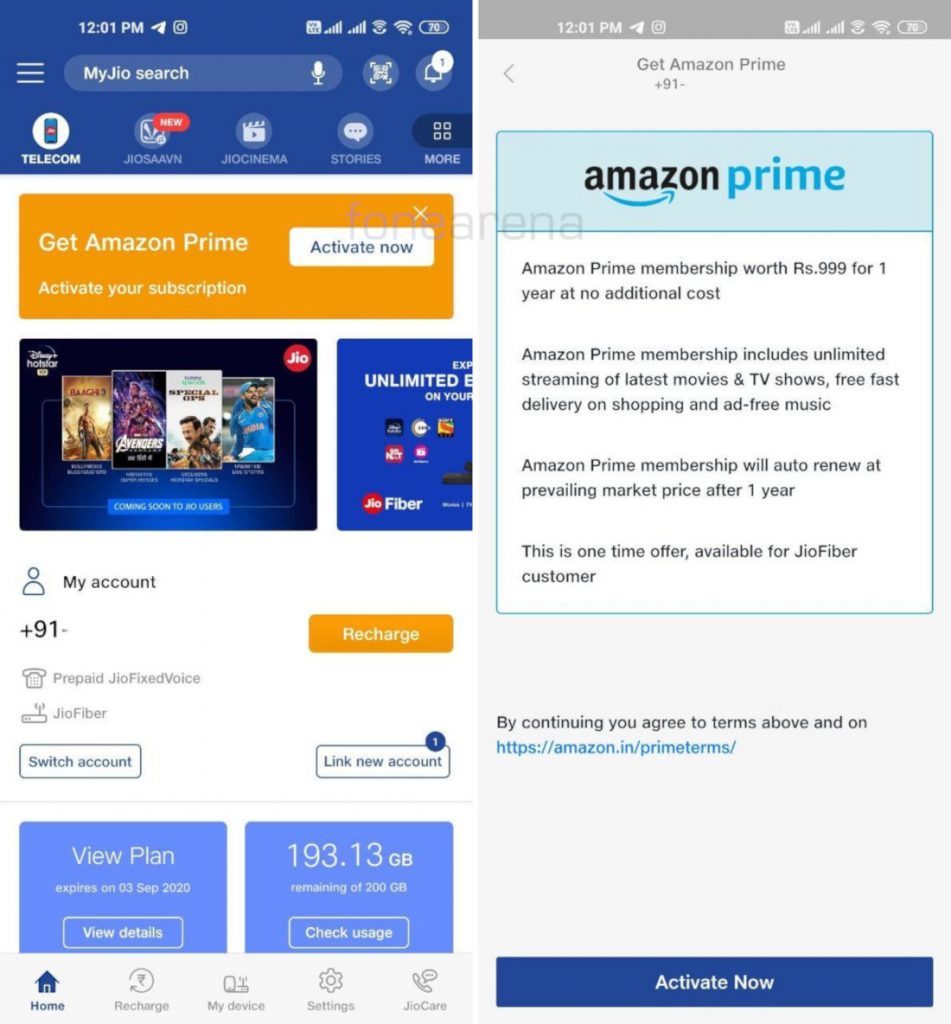
Navigating the Onboarding Process Across Multiple Platforms
The initial activation of Amazon Prime serves as the bridge between a standard user account and a premium digital suite. This process is handled through Amazon’s proprietary authentication servers, which validate subscription credentials and propagate access rights across the entire software stack.
Desktop and Web Browser Activation
For most users, the journey begins on the web interface. To activate the service, one must navigate to the primary navigation bar and locate the “Prime” or “Account & Lists” dropdown menu. From a technical standpoint, this interface interacts with the backend subscription management API.
Upon selecting a membership tier—be it monthly or annual—the system initiates a secure handshake with the integrated payment gateway. Once the transaction is verified, the user’s account metadata is updated with a “Prime-active” flag. This flag is crucial; it triggers the removal of shipping cost algorithms on eligible items and unlocks the gate for digital content libraries. It is recommended to clear your browser’s cache or refresh your session cookies immediately after activation to ensure that all UI elements update to reflect the new membership status.
Mobile Integration: iOS and Android
Activating and managing Prime via mobile applications requires a different set of interactions. On both iOS and Android platforms, the Amazon app functions as a container for various web-view and native components.
-
Authentication: Ensure you are running the latest version of the Amazon Shopping app. Outdated firmware or software versions can lead to synchronization errors during the activation phase.
-
In-App Navigation: Access the user profile tab (often represented by a person icon). Under “Your Account,” the “Manage Prime Membership” section allows for real-time status updates.
-
App Permissions: For a full activation experience, ensure the app has permissions for “Notifications” and “Location Services.” This allows the software to provide accurate delivery tracking and regional content availability for Prime Video.
Smart TVs and Streaming Hardware
The most complex activation often occurs on secondary hardware like Roku, Apple TV, or built-in Smart TV interfaces. These devices use a specific “Register Device” protocol. After installing the Prime Video app, users are typically presented with a six-digit alphanumeric code.
To complete the activation, you must visit a specific URL (typically amazon.com/mytv) on a separate authenticated device and enter the code. This process, known as “Device Pairing,” creates a secure token that allows the hardware to access your encrypted media stream without requiring a manual password entry every time the app is launched.
Optimizing the Digital Suite: Beyond Basic Activation
Once the core membership is active, the next step in the tech-savvy user’s journey is configuring the auxiliary apps that comprise the Prime ecosystem. Amazon Prime is not a monolithic application; it is a constellation of specialized software services.
Configuring Prime Video for High-Definition Playback
The Prime Video interface is a data-intensive environment. Activation is only the first step; optimization is the second. Within the settings of the Prime Video app, users should navigate to “Streaming Quality.”
Depending on your hardware’s GPU capabilities and your network’s bandwidth, you can select between “Good,” “Better,” and “Best” (often 4K UHD). From a technical perspective, activating “Auto-Download” for offline viewing on mobile devices is a critical move for users with limited data plans. This utilizes background data transfer protocols to cache content during periods of high-speed Wi-Fi connectivity, ensuring low-latency playback regardless of external network conditions.

Amazon Music and High-Fidelity Audio
For those activating the audio component of Prime, the focus shifts to bitrates. The Amazon Music app allows users to toggle between standard compression and HD audio (where available). Activating the “Hands-Free” mode via Alexa integration requires the app to have persistent microphone access, which is managed through the device’s operating system settings. This integration utilizes voice-recognition APIs to process natural language commands, turning the smartphone or smart speaker into a voice-controlled media server.
Cloud Synchronization with Amazon Photos
One of the most overlooked technical benefits of Prime activation is the unlimited full-resolution photo storage. Activating this requires the installation of the Amazon Photos app and the toggling of “Auto-Save.”
This feature functions similarly to other cloud-native storage solutions, utilizing end-to-end encryption to move local image files to Amazon’s S3 (Simple Storage Service) buckets. By activating “Folder Sync” on a desktop, users can create a mirrored environment where local backups are automatically digitized and accessible from any Prime-authenticated device globally.
Advanced Configuration and Security Protocols
With the activation of a premium service comes an increased need for digital hygiene and security. Because a Prime account often contains stored payment methods and personal data, securing the activation is paramount.
Securing Your Digital Identity with Two-Factor Authentication (2FA)
A critical step in the activation process should be the implementation of Two-Factor Authentication. By navigating to the “Login & Security” section of the account settings, users can link their activation to a physical device or a TOTP (Time-based One-Time Password) application like Google Authenticator or Authy. This adds a cryptographic layer of security, ensuring that even if account credentials are compromised, the digital ecosystem remains locked to unauthorized parties.
Managing Multiple Profiles and Parental Controls
The modern Prime activation allows for the creation of multiple user profiles under a single primary account. This is particularly useful for tailoring the machine-learning algorithms that drive “Recommended for You” sections.
From a technical standpoint, each profile maintains its own unique database of watch history and preferences. Furthermore, activating “Parental Controls” allows account holders to set PIN-based restrictions on digital purchases and content ratings. This utilizes a local-level encryption key that prevents younger users from bypassing restrictions on shared hardware like tablets or living room TVs.
Troubleshooting Common Activation and Connectivity Barriers
Even with a streamlined UI, technical hurdles can arise during the activation sequence. Understanding how to diagnose these issues is key to maintaining a functional digital environment.
Resolving Error Codes and Login Failures
Most activation errors are the result of “Handshake Failures” between the client-side application and the server-side database. If an “Invalid Token” or “Connection Timed Out” error occurs, the first step is to verify the system clock on your device. Most security certificates require the device time to be synchronized with Global Atomic Time to validate the encrypted connection.
If the activation remains stuck in a “Processing” loop, it often indicates a conflict with an existing VPN or Proxy server. Amazon’s content delivery networks (CDNs) often flag non-residential IP addresses to prevent geographical spoofing. Temporarily disabling these network layers usually allows the activation scripts to execute correctly.
Optimizing Network Performance for Prime Services
For a smooth experience post-activation, users should evaluate their Quality of Service (QoS) settings on their home router. Prioritizing traffic to devices running Prime services can significantly reduce jitter and buffering. In high-density environments, switching from a 2.4GHz to a 5GHz (or 6GHz in Wi-Fi 6E models) frequency can provide the necessary throughput for 4K streaming and high-speed cloud syncing.

The Future-Proofed Digital Identity
Activating Amazon Prime is more than just gaining access to expedited shipping; it is the act of initializing a comprehensive software suite that interacts with almost every aspect of the modern digital life. From the cloud-based logic of Alexa to the sophisticated streaming algorithms of Prime Video, the activation process is the gateway to a highly personalized and efficient user experience.
As Amazon continues to integrate AI and machine learning deeper into its software architecture, the activation of these services will likely become even more automated. However, the core principles of device pairing, secure authentication, and cross-platform synchronization will remain the foundation of the tech enthusiast’s toolkit. By following these technical guidelines, users ensure that their membership is not just active, but optimized for the highest levels of performance and security in an increasingly connected world.
aViewFromTheCave is a participant in the Amazon Services LLC Associates Program, an affiliate advertising program designed to provide a means for sites to earn advertising fees by advertising and linking to Amazon.com. Amazon, the Amazon logo, AmazonSupply, and the AmazonSupply logo are trademarks of Amazon.com, Inc. or its affiliates. As an Amazon Associate we earn affiliate commissions from qualifying purchases.