
In an increasingly digitized world, streaming services have become the cornerstone of modern entertainment. Among the titans of this industry, Amazon Video stands out, offering a vast library of movies, TV shows, documentaries, and exclusive originals. For many, unlocking this treasure trove of content is intuitive, but for others, navigating the various platforms, features, and technical nuances can present a challenge. This comprehensive guide aims to demystify the process, providing a professional, insightful, and engaging roadmap on how to effectively watch Amazon Video, ensuring you get the most out of your digital entertainment experience. From understanding the different facets of Amazon’s video offerings to optimizing your viewing setup, we’ll delve into the technological aspects that empower seamless streaming.
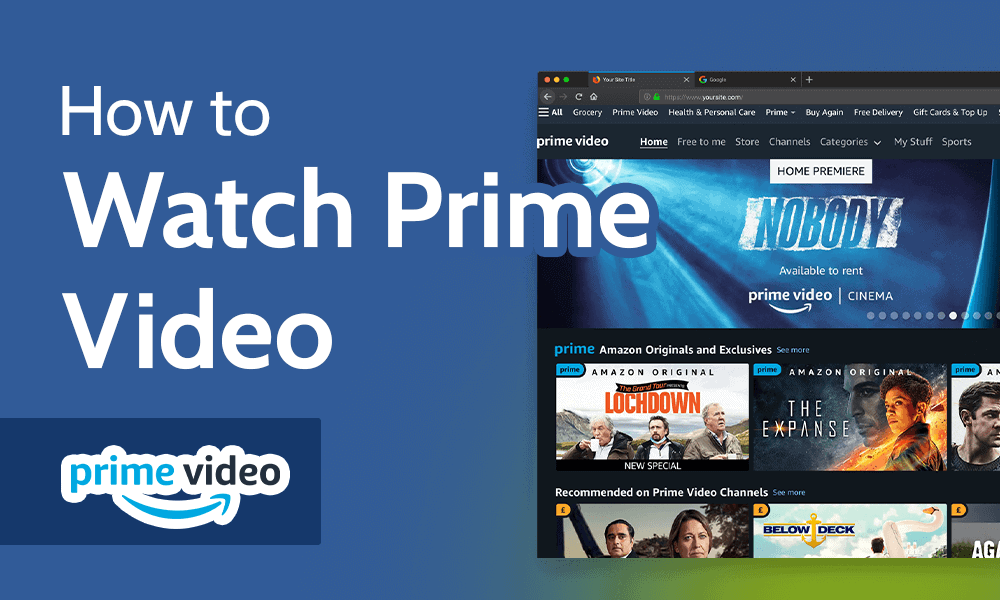
Understanding Amazon Video: What You Need to Know
Before diving into the mechanics of watching, it’s crucial to understand the ecosystem of Amazon’s video services. Amazon doesn’t offer a singular “Amazon Video” service; rather, it’s a conglomerate of different content access models, primarily anchored by Amazon Prime Video. Grasping these distinctions is the first step towards a frictionless viewing journey.
Amazon Prime Video vs. Amazon Freevee vs. Rental/Purchase
At its core, Amazon Prime Video is the subscription-based streaming service included with an Amazon Prime membership. This grants subscribers access to a substantial catalog of movies, TV series, and acclaimed Amazon Originals at no additional cost beyond their Prime subscription. Prime Video’s library is dynamic, with titles rotating in and out, but it consistently hosts premium content that rivals other major streaming platforms.
Amazon Freevee (formerly IMDb TV) is Amazon’s ad-supported free streaming service. It offers a selection of movies and TV shows completely free of charge, requiring only a free Amazon account to watch. The key difference here is the presence of advertisements during playback, mirroring traditional broadcast television. Freevee’s content library often includes popular titles, making it an excellent option for those looking to enjoy quality entertainment without a subscription fee.
Beyond these two subscription/ad-supported models, Amazon also provides an extensive rental and purchase store. Here, users can buy or rent individual movies and TV show seasons or episodes, often including new releases that are not yet available on Prime Video or Freevee. This à la carte model allows viewers to access specific content outside of any subscription, with purchased titles often remaining in their digital library indefinitely. Understanding which category a desired piece of content falls into will dictate your access method and any associated costs.
Essential Requirements for Accessing Content
Regardless of whether you’re using Prime Video, Freevee, or renting/purchasing, certain fundamental technical requirements must be met to access Amazon Video content.
Firstly, an Amazon account is indispensable. For Prime Video, this account must be linked to an active Amazon Prime membership. For Freevee and rentals/purchases, a standard free Amazon account is sufficient. This account serves as your digital identity, managing your subscriptions, purchases, viewing history, and preferences across all Amazon services.
Secondly, a stable and sufficiently fast internet connection is paramount. Streaming video, especially in high definition (HD) or Ultra High Definition (UHD/4K), is data-intensive. Amazon recommends a minimum download speed of 1 Mbps for standard definition (SD), 3.5 Mbps for HD, and 15 Mbps for 4K Ultra HD. A fluctuating or slow connection will inevitably lead to buffering, degraded video quality, and a frustrating viewing experience. Wired connections (Ethernet) generally offer more stability than Wi-Fi, though modern Wi-Fi networks (especially Wi-Fi 5 or 6) are usually robust enough for most streaming needs.
Lastly, a compatible device is required. Amazon Video boasts broad compatibility across a myriad of devices, from dedicated streaming hardware to everyday electronics. This leads us to our next major section.
Exploring the Content Library
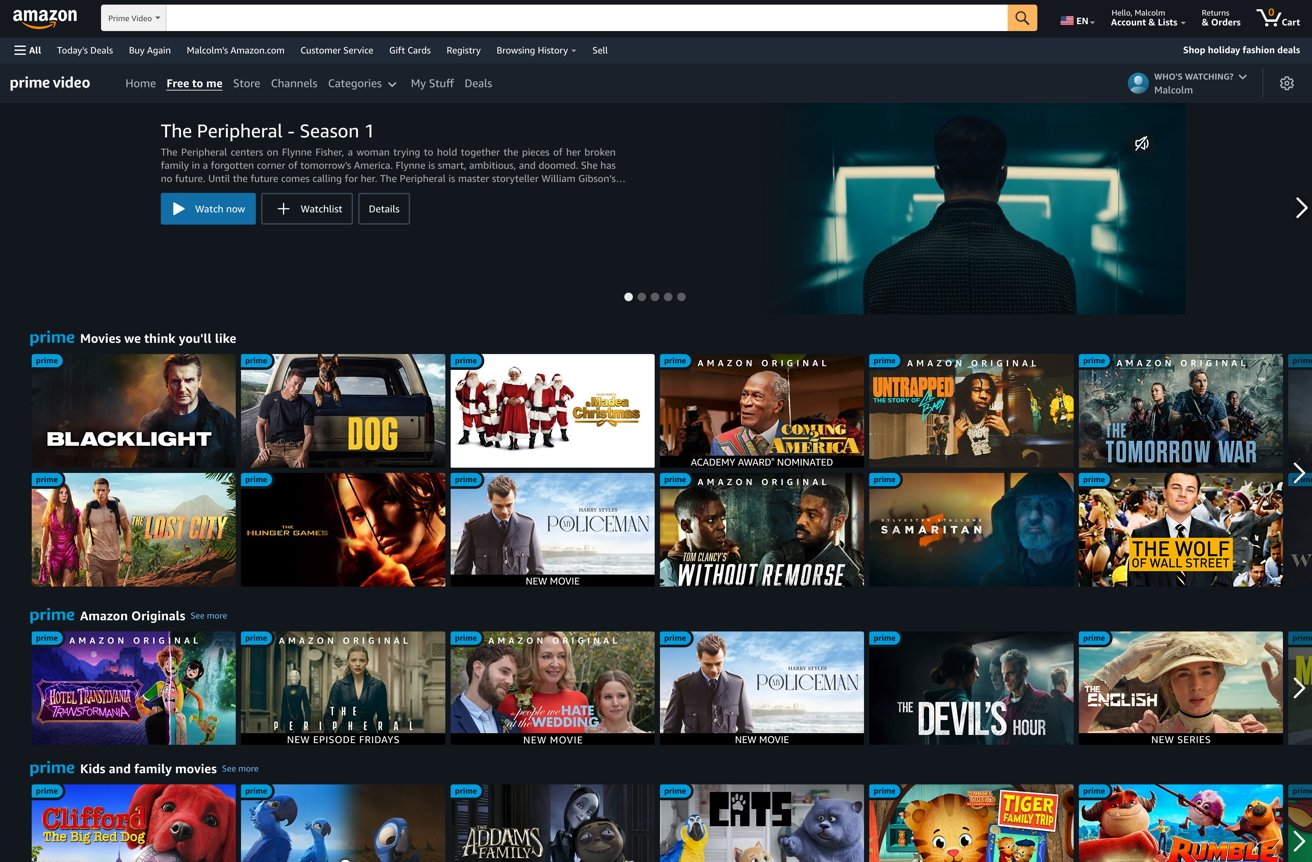
Navigating the vast content library is made intuitive through Amazon’s user interface. On most platforms, content is organized by genre, popularity, new releases, and personalized recommendations. Users can search for specific titles, actors, or directors, and filter results by content type (movies, TV shows), resolution (HD, 4K), and whether it’s included with Prime, available for rent/purchase, or on Freevee. Taking the time to explore these categorization and filtering options will significantly enhance your ability to discover new content tailored to your interests.
Accessing Amazon Video on Your Preferred Devices
One of Amazon Video’s greatest strengths is its ubiquitous presence across a multitude of devices. Whether you prefer the big screen of your living room TV or the portability of a smartphone, Amazon has ensured a robust application or web interface for almost every major platform.
Watching on Smart TVs and Streaming Sticks
For the quintessential home theater experience, Smart TVs are often the go-to. Most modern smart TVs from manufacturers like Samsung, LG, Sony, Vizio, and Panasonic come with the Amazon Prime Video app pre-installed or readily available for download from their respective app stores. The process typically involves launching the app and logging in with your Amazon account credentials. The app interfaces are generally optimized for TV screens, offering easy navigation with your TV remote.
Streaming sticks and boxes like Amazon’s own Fire TV Stick, Roku devices, Apple TV, and Google Chromecast are also incredibly popular. These devices plug into your TV’s HDMI port and provide a dedicated interface for streaming apps.
-
Fire TV Devices: As Amazon’s proprietary hardware, Fire TV devices offer the most integrated experience. The Prime Video app is built-in, and content from Freevee, rentals, and purchases is seamlessly integrated into the user interface and search results.
-
Roku Devices: Roku offers a vast channel store, where the Amazon Prime Video app can be easily found and installed. Once installed, log in with your Amazon account.
-
Apple TV: The Prime Video app is available in the Apple TV App Store. It offers a sleek interface consistent with the Apple ecosystem.
-
Google Chromecast: While not having a native app in the traditional sense, Chromecast allows you to “cast” content from the Amazon Prime Video app on your smartphone, tablet, or Chrome web browser to your TV.
Streaming via Web Browsers
For laptop and desktop users, accessing Amazon Video is as simple as opening your preferred web browser. Navigate to primevideo.com or amazon.com/primevideo and log in with your Amazon account. The web interface offers full functionality, including browsing, searching, managing profiles, and streaming content. For optimal performance, ensure your browser is up to date, and consider clearing your browser’s cache and cookies periodically, especially if you encounter performance issues. Using an ad-blocker may interfere with Freevee playback, so you might need to disable it for that service.
Using Mobile Apps (Smartphones, Tablets)
The Amazon Prime Video app is available for download on both iOS (Apple App Store) and Android (Google Play Store and Amazon Appstore) devices. These apps are highly optimized for touch interfaces and offer a feature-rich experience. Beyond streaming, the mobile apps are particularly useful for:
-
Downloading Content: A key feature that allows users to download movies and TV episodes for offline viewing. This is invaluable for travel or situations with limited internet access.
-
Picture-in-Picture (PiP): Many mobile devices support PiP, allowing you to continue watching video in a small window while using other apps.
-
Casting: Integrated casting features allow you to send content to compatible smart TVs or Chromecast devices.
Gaming Consoles and Other Smart Devices
Amazon Video also extends its reach to popular gaming consoles. The Prime Video app is available for PlayStation (PS4, PS5), Xbox (Xbox One, Xbox Series X/S). These apps offer a robust streaming experience, often leveraging the console’s processing power for smooth playback. Additionally, some cable set-top boxes, smart displays (like Amazon Echo Show devices), and even select car entertainment systems may offer access to Amazon Video, further broadening your viewing options.
Enhancing Your Viewing Experience: Tips and Features
Watching Amazon Video is more than just pressing play. The platform offers a suite of features designed to personalize and enhance your viewing, from optimizing video quality to interactive content overlays.
Managing Video Quality and Data Usage
Amazon Prime Video automatically adjusts video quality based on your internet speed, aiming to provide the best possible experience without interruption. However, you can manually control this, especially useful if you have data caps or a slower connection.
-
On Mobile: Within the Prime Video app settings, you can specify download quality (Good, Better, Best) and streaming quality for Wi-Fi and mobile data. Lowering the quality can significantly reduce data consumption.
-
On Web/TV Apps: During playback, you often have an option (look for a gear or settings icon) to select video quality, typically ranging from SD to HD or 4K. Choosing a lower resolution will consume less bandwidth.
Utilizing Subtitles, Audio Descriptions, and Alternate Audio
Accessibility is a key focus. Amazon Video provides comprehensive options for subtitles, closed captions, and audio descriptions.
-
Subtitles/Closed Captions: Available for most content, these can be customized in terms of size, color, and font on many devices. They are crucial for the hearing impaired or for watching content in a foreign language.
-
Audio Descriptions: For the visually impaired, audio descriptions narrate key visual elements of a scene, providing context that might otherwise be missed.
-
Alternate Audio Tracks: Many titles offer multiple audio tracks, particularly for different languages or surround sound formats (e.g., 5.1 Dolby Digital). These can be selected from the audio settings during playback.
Creating and Managing Profiles
For households with multiple viewers, user profiles are indispensable. Each profile can maintain its own watch history, personalized recommendations, and watchlists, preventing content from one family member’s tastes from influencing another’s. You can create up to six user profiles (one primary and five secondary) within a single Amazon account. This feature also allows for distinct parental control settings for each child’s profile.
Downloading Content for Offline Viewing
As mentioned, this feature is a game-changer for mobile users. Available exclusively on the Prime Video mobile app (iOS and Android), users can download a vast selection of movies and TV episodes to watch without an internet connection. The amount of content you can download is subject to device storage and content licensing restrictions, but it’s an excellent way to prepare for long flights, commutes, or areas with unreliable Wi-Fi. Downloads can typically be set to expire after a certain period, aligning with content licensing agreements.
Engaging with X-Ray and Bonus Features
Amazon’s exclusive X-Ray feature is a unique overlay that provides real-time information about what you’re watching. Powered by IMDb, X-Ray displays details about actors on screen, the music playing, trivia, and even behind-the-scenes photos and videos. Simply tap on your screen (mobile/tablet) or press the up arrow on your remote (Fire TV/Smart TV) to activate X-Ray. Many Amazon Originals also include Bonus Features, such as deleted scenes, bloopers, and making-of documentaries, accessible from the title’s detail page.
Troubleshooting Common Playback and Technical Issues
Even with the best technology, occasional glitches can occur. Knowing how to troubleshoot common issues can save you time and frustration, getting you back to your entertainment quickly.
Resolving Buffering and Streaming Problems
Buffering (the video pausing to load) and poor streaming quality are almost always related to internet connectivity.
-
Check Your Internet Connection: Run a speed test (e.g., speedtest.net) to verify your download speed meets Amazon’s recommendations.
-
Restart Your Router/Modem: A simple reboot can often resolve network congestion or minor connectivity issues.
-
Reduce Network Congestion: If multiple devices are using the internet simultaneously (e.g., gaming, large downloads), pause these activities.
-
Move Closer to Your Wi-Fi Router: For Wi-Fi connections, distance and obstacles can degrade signal strength.
-
Try a Wired Connection: If possible, connect your streaming device directly to your router via an Ethernet cable for maximum stability.
-
Lower Video Quality: Manually reduce the streaming quality in the Prime Video app settings if your internet speed is consistently borderline.
Addressing Login and Account Access Difficulties
Issues logging in or accessing your content often stem from account-related problems.
-
Verify Credentials: Double-check your Amazon email and password. Ensure caps lock isn’t accidentally on.
-
Password Reset: If forgotten, use the “Forgot Password” option on Amazon’s website.
-
Check Prime Membership Status: For Prime Video, ensure your Prime membership is active and hasn’t expired or been paused.
-
Clear App Cache/Browser Data: For apps, go to your device’s app settings and clear the Prime Video app’s cache and data. For browsers, clear cache and cookies. This can resolve corrupted data that prevents login.
-
Update the App: Ensure your Prime Video app is updated to the latest version, as older versions might have login bugs.
Device Compatibility and App Update Solutions
Ensuring your device and app are up-to-date is crucial for optimal performance and security.
-
Update Your Device’s Operating System: Whether it’s a smart TV, streaming stick, smartphone, or tablet, regularly check for and install OS updates. These often include performance enhancements and bug fixes.
-
Update the Prime Video App: Check your device’s app store (Google Play, Apple App Store, Roku Channel Store, Fire TV Appstore) for any available updates to the Prime Video app. Auto-updates are often enabled by default but it’s good to manually check if issues arise.
-
Reinstall the App: As a last resort, uninstalling and then reinstalling the Prime Video app can resolve deeply embedded software glitches.
Contacting Amazon Support for Advanced Issues
If you’ve exhausted all basic troubleshooting steps and are still experiencing persistent issues, it’s time to contact Amazon Customer Service. They have dedicated support teams for Prime Video and technical issues. You can usually find contact options (chat, phone, email) through the Amazon website’s help section. Be prepared to provide details about your device, the nature of the problem, and the troubleshooting steps you’ve already taken.
Maximizing Your Amazon Video Subscription: Beyond the Basics
Amazon Video is more than just a place to watch movies; it’s a comprehensive entertainment platform with features that extend its value far beyond basic streaming. Leveraging these additional functionalities can significantly enrich your overall experience.
Exploring Channels and Add-ons
Beyond the content included with Prime, Amazon Prime Video acts as a hub for Prime Video Channels. These are optional, à la carte subscriptions to other streaming services that you can add directly through your Amazon account. Examples include Max, Paramount+, Starz, and Showtime. Subscribing through Amazon means you pay a single bill and access all your subscribed channels directly within the Prime Video app, simplifying your streaming landscape. This consolidation can be a significant convenience, reducing the need to juggle multiple apps and logins.
Gifting Prime Video and Digital Content
Did you know you can share the joy of Amazon Video with others? You can gift an Amazon Prime membership, which includes Prime Video access, for various durations. Additionally, purchased movies and TV show episodes/seasons can often be gifted as digital content to other Amazon users. This makes for a convenient and highly relevant present for the entertainment enthusiast in your life, providing immediate access to premium content or a subscription.
Parental Controls and Family Settings
For households with children, robust parental controls are essential. Amazon Video offers comprehensive parental control settings that allow you to restrict content based on age ratings (e.g., G, PG, PG-13, R, NC-17, or custom ratings) and require a PIN for playback of restricted titles or for making purchases. These settings can be configured for individual profiles, ensuring that children only access age-appropriate content. Furthermore, you can prevent accidental purchases by enabling a PIN requirement for all transactions, a crucial feature for families.
Discovering New Content Through Recommendations
Amazon’s powerful recommendation engine is constantly working to suggest content you might enjoy. Based on your watch history, ratings, and genre preferences, the platform curates personalized lists of movies and TV shows. Actively rating content you watch and exploring the “Recommended for You” sections can open doors to new favorites you might not have discovered otherwise. The more you interact with the platform, the smarter its recommendations become, tailoring your viewing experience to your evolving tastes.
In conclusion, watching Amazon Video is a versatile and enriching experience, made accessible across a multitude of devices and enhanced by a suite of powerful features. By understanding the different content models, ensuring your technical setup is optimal, leveraging the platform’s advanced functionalities, and knowing how to troubleshoot common issues, you can unlock the full potential of Amazon’s vast entertainment library. Embrace the technology, dive into the content, and enjoy a seamless streaming journey tailored to your preferences.
aViewFromTheCave is a participant in the Amazon Services LLC Associates Program, an affiliate advertising program designed to provide a means for sites to earn advertising fees by advertising and linking to Amazon.com. Amazon, the Amazon logo, AmazonSupply, and the AmazonSupply logo are trademarks of Amazon.com, Inc. or its affiliates. As an Amazon Associate we earn affiliate commissions from qualifying purchases.