
Amazon has long transcended its origins as an online bookstore, evolving into a colossal tech conglomerate that significantly shapes how we consume digital entertainment. “Amazon TV” isn’t merely a single app or channel; it’s a sprawling ecosystem encompassing a vast library of movies, TV shows, live content, and originals accessible through various services and devices. From blockbuster films and critically acclaimed series to ad-supported free content and premium rentals, Amazon offers a multifaceted viewing experience designed to cater to diverse tastes and preferences.
Navigating this extensive landscape, however, can sometimes feel overwhelming. Understanding the different components of the Amazon TV offering, knowing which devices support them, and mastering the features available are crucial steps to maximizing your entertainment enjoyment. This guide dives deep into the technological aspects of accessing and optimizing your Amazon TV experience, ensuring you’re equipped with all the knowledge needed to unlock a world of content right at your fingertips. We’ll explore the core services, the essential gadgets, the setup processes, and the advanced features that make Amazon TV a formidable player in the streaming wars.

Understanding the Amazon TV Ecosystem
At the heart of “Amazon TV” lies a sophisticated digital infrastructure that brings a wealth of content to millions globally. This ecosystem is carefully segmented to offer different types of access and content, ensuring there’s something for everyone, whether you’re a subscriber, a casual viewer, or simply looking for the latest cinematic release.
Amazon Prime Video: The Core Experience
Amazon Prime Video stands as the cornerstone of Amazon’s premium streaming services, inherently linked to an Amazon Prime membership. For a single subscription fee, Prime members gain access to an expansive catalog of movies, television series, and a burgeoning collection of Amazon Originals. These exclusive productions, ranging from critically acclaimed dramas like “The Marvelous Mrs. Maisel” to epic fantasies such as “The Lord of the Rings: The Rings of Power,” are a significant draw, differentiating Prime Video from its competitors. Beyond these exclusives, the service provides a rotating selection of licensed content, offering a fresh array of options regularly. The convenience of Prime Video being bundled with shipping benefits, music streaming, and other perks makes it a compelling value proposition, particularly for loyal Amazon customers.
Freevee: Free, Ad-Supported Entertainment
A distinct, yet integrated, component of the Amazon TV family is Freevee (formerly IMDb TV). This service operates on an entirely different model: it’s absolutely free to watch, supported by advertisements. Freevee provides a curated collection of movies and TV shows, including some original content, without requiring any subscription. Its library is diverse, often featuring popular movies and classic TV series, making it an excellent option for those seeking quality entertainment without an additional monthly cost. Freevee is seamlessly integrated into the Amazon Prime Video app and Fire TV devices, making it easy to discover and access alongside subscribed content. This strategic integration broadens the overall “Amazon TV” offering, catering to viewers who prefer an ad-supported model over a subscription.
Renting and Purchasing Digital Content
Beyond the subscription and free tiers, Amazon offers an extensive digital storefront where users can rent or purchase individual titles. This model allows access to the very latest cinematic releases, often available on Amazon TV shortly after their theatrical runs or even simultaneously for premium video-on-demand. Users can buy digital copies of movies and TV show seasons, adding them permanently to their Amazon video library, or rent them for a limited viewing window (typically 30 days to start watching, and 48 hours once playback begins). This option significantly expands the available content beyond what’s included in Prime Video or Freevee, providing a robust platform for consumers to acquire specific titles they wish to own or view immediately, regardless of their subscription status. This transactional video-on-demand (TVOD) service ensures that Amazon TV can truly be a one-stop shop for all digital video consumption.
Essential Devices for Streaming Amazon TV
The accessibility of Amazon TV is one of its greatest strengths, supported across an impressive array of hardware. From Amazon’s proprietary devices to third-party smart TVs and mobile gadgets, the ecosystem is designed for ubiquitous access.
Amazon Fire TV Devices: The Native Experience
For the most integrated and optimized Amazon TV experience, Amazon’s Fire TV devices are unparalleled. The product line includes various options:
-
Fire TV Stick: Available in multiple versions (Lite, standard, 4K, 4K Max), these HDMI dongles plug directly into your TV, transforming any display into a smart TV. They offer intuitive navigation, access to a plethora of apps, and increasingly powerful processors for smooth streaming. The 4K and 4K Max models support Ultra HD and HDR content, delivering stunning visual fidelity.
-
Fire TV Cube: This premium device combines the functionality of a Fire TV Stick with an Echo smart speaker. It offers hands-free Alexa voice control, not just for content playback but also for managing smart home devices, making it a central entertainment and smart home hub.
-
Fire TV Smart TVs: Integrated directly into certain television brands (like Amazon’s own Omni and 4-Series, as well as models from Toshiba and Insignia), these TVs come with the Fire TV interface built-in. This eliminates the need for an external streaming device, offering a streamlined and seamless user experience from the moment you power on your TV.
The primary advantage of Fire TV devices is their deep integration with the Amazon ecosystem, featuring Alexa voice control, personalized recommendations, and a user-friendly interface that prioritizes Amazon content alongside other streaming services.
Smart TVs and Gaming Consoles
Beyond Amazon’s own hardware, the Amazon Prime Video app is widely available on most modern smart TVs and gaming consoles, offering broad compatibility.
-
Smart TVs: Leading manufacturers such as Samsung, LG, Sony, Vizio, and Panasonic include the Amazon Prime Video app as a standard offering on their smart TV platforms. Users can simply download the app from the TV’s app store, sign in, and start watching. This leverages existing home entertainment setups without the need for additional hardware.
-
Gaming Consoles: Popular gaming systems like PlayStation (PS4, PS5) and Xbox (Xbox One, Xbox Series X/S) also host the Prime Video app. For many, their gaming console doubles as their primary media center, making it a convenient way to access Amazon TV content while seamlessly switching between gaming and streaming.
These platforms provide a robust way to experience Amazon TV in living rooms, utilizing the powerful processing capabilities of the consoles and the high-quality displays of modern smart TVs.
Mobile Devices and Web Browsers
For on-the-go viewing or desktop access, Amazon TV is readily available through mobile apps and web browsers.
-
Smartphones and Tablets: Dedicated Amazon Prime Video apps are available for both iOS (Apple App Store) and Android (Google Play Store, Amazon Appstore). These apps offer a full-featured experience, including browsing, playback, and download options for offline viewing. This ensures that your Amazon TV library is always with you, whether you’re commuting, traveling, or just relaxing away from your main screen.
-
Web Browsers: On personal computers (PCs) and Macs, Amazon TV content can be accessed directly through a web browser by visiting Amazon.com/video. This provides the full interface for browsing, managing your library, and streaming, offering flexibility for those who prefer to watch on their computer monitors or laptop screens. Casting options from mobile browsers to compatible devices like Chromecast or Fire TV further enhance versatility.
This broad device support underscores Amazon’s commitment to making its vast content library accessible across virtually any screen, ensuring that users can watch “Amazon TV” wherever and whenever they choose.
Setting Up and Navigating Your Amazon TV Experience
Getting started with Amazon TV is generally straightforward, but a few technical considerations and navigation tips can significantly enhance your viewing pleasure. From initial setup to mastering the interface, understanding these steps ensures a smooth and enjoyable streaming journey.
Initial Setup and Account Linking
The first step to accessing Amazon TV content is typically downloading the Amazon Prime Video app on your chosen device. This process varies slightly by platform but generally involves:
-
Locating the App: Search for “Amazon Prime Video” in your device’s app store (e.g., Google Play Store, Apple App Store, Roku Channel Store, Fire TV Appstore, Smart TV app portal).
-
Downloading and Installing: Once found, download and install the app.
-
Signing In: Open the app and you’ll be prompted to sign in with your Amazon account credentials (email and password). If you have an Amazon Prime membership, your Prime Video benefits will automatically be linked.
-
Device Registration (Fire TV specific): For Amazon Fire TV devices, the initial setup process often involves registering the device to your Amazon account, which might require entering a code displayed on your TV screen into a web browser on another device.
-
Managing Profiles: Amazon TV supports user profiles, allowing multiple household members to have personalized watchlists, recommendations, and viewing histories. Set these up during the initial configuration or later in the app’s settings to tailor the experience for everyone.
Mastering the User Interface
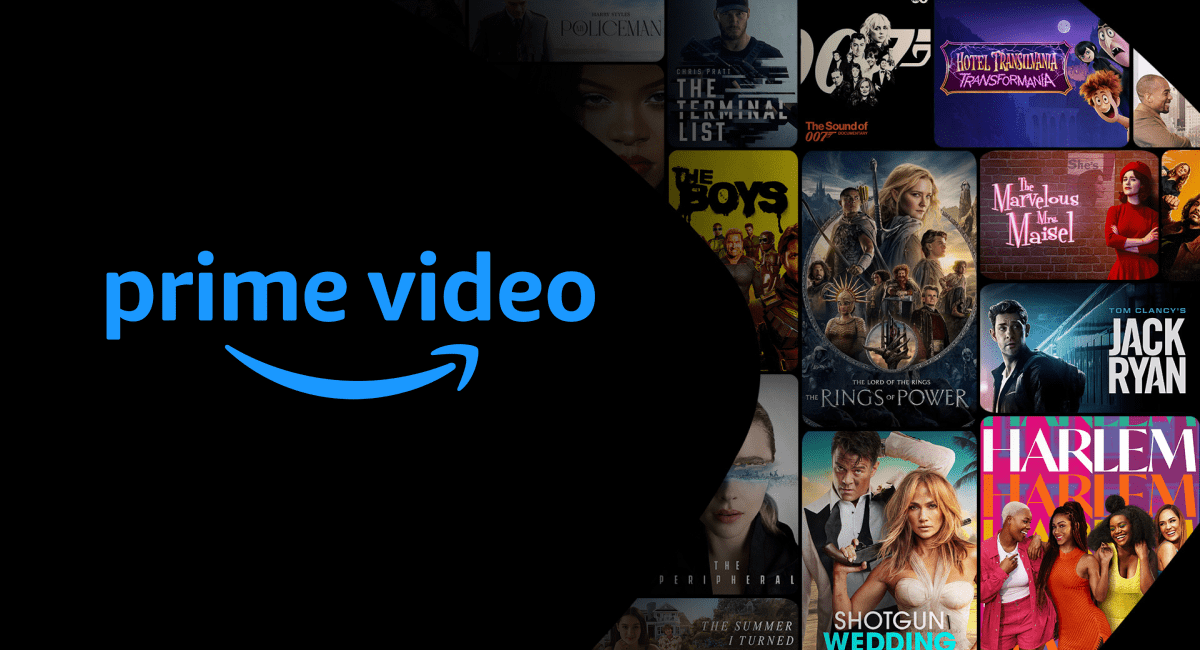
The Amazon Prime Video interface, while rich in features, can be navigated efficiently with a few key pointers:
-
Home Screen Navigation: The home screen typically showcases recommended titles, new releases, and various categories. Use the directional controls on your remote or touch gestures on mobile to scroll through different rows and sections.
-
Search Functionality: A robust search feature is essential for finding specific titles. Look for the magnifying glass icon. On Fire TV devices and mobile apps, voice search (via Alexa) is particularly powerful, allowing you to simply speak the title, genre, or even actors’ names to find content.
-
Watchlist Management: The “Watchlist” feature allows you to save titles you want to watch later, similar to a queue. Regularly manage this list to keep track of your desired content.
-
Viewing History: Amazon keeps a record of what you’ve watched, which is useful for resuming shows or revisiting favorites. You can typically access this through your profile.
-
Settings and Preferences: Dive into the settings menu to customize your experience. Here you can adjust parental controls, manage subtitle preferences, check data usage settings (especially important for mobile streaming), and link or unlink devices. Parental controls are particularly crucial for families, allowing you to restrict content based on ratings and requiring a PIN for purchases.
Optimizing Your Viewing Quality
Achieving the best possible picture and sound quality for Amazon TV involves a combination of hardware capabilities and network conditions:
-
Internet Speed Requirements: For standard definition (SD), a minimum of 1-2 Mbps is recommended. For high definition (HD), 3-5 Mbps is advisable, while 4K Ultra HD streaming demands a stable connection of at least 15-25 Mbps. A faster, more stable internet connection minimizes buffering and ensures crisp visuals.
-
Device Compatibility: To enjoy 4K UHD, HDR (High Dynamic Range), or Dolby Vision content, your streaming device and television must both support these technologies. Check your device specifications and TV settings to ensure compatibility.
-
Audio Settings: For immersive sound, ensure your audio system (soundbar, receiver, or TV speakers) supports formats like Dolby Digital 5.1 or Dolby Atmos, which many Amazon Originals utilize. Adjust the audio output settings on your streaming device accordingly.
-
Troubleshooting Common Issues: If you experience buffering, blurry video, or app crashes, try these basic troubleshooting steps:
-
Restart your streaming device.
-
Close and reopen the Amazon Prime Video app.
-
Check your internet connection speed.
-
Restart your modem and router.
-
Ensure your app and device firmware are up to date.
-
By systematically setting up your devices, familiarizing yourself with the interface, and optimizing your technical configurations, you can transform your Amazon TV experience into a seamless and high-quality entertainment hub.
Advanced Features and Tips for Power Users
For those looking to move beyond basic streaming, Amazon TV offers a suite of advanced features designed to deepen engagement and provide greater control over the viewing experience. These tools and functionalities cater to users who want more flexibility, information, and customization.
Offline Viewing and Downloads
One of the most appreciated features for mobile users is the ability to download select titles for offline viewing. This is particularly useful for travelers, commuters, or anyone with limited data plans or unreliable internet access.
-
Availability: While not all titles are available for download due to licensing restrictions, a significant portion of the Prime Video library can be saved.
-
How to Download: Within the Prime Video app on iOS and Android devices, look for a “Download” icon (usually an arrow pointing downwards) next to the episode or movie.
-
Storage Considerations: Downloads consume device storage, so monitor your available space. You can often choose the download quality (good, better, best) to balance file size with video quality.
-
Managing Downloads: The app typically has a “Downloads” section where you can view, manage, and delete downloaded content to free up space. Downloads usually have an expiration period, after which they need to be re-downloaded.
X-Ray Integration: Dive Deeper into Content
Amazon’s exclusive X-Ray feature, powered by IMDb, is a truly insightful enhancement for film and TV enthusiasts. It provides contextual information about what you’re watching in real-time.
-
What it is: During playback, X-Ray allows you to instantly see details about the actors on screen, the music playing in a scene, trivia, bonus content, and even character biographies.
-
How to Access: On most devices, simply pausing the video or tapping the screen (on mobile) will bring up the X-Ray overlay. On Fire TV devices, pressing up on the directional pad often activates it.
-
Uses: It’s perfect for identifying that familiar face, discovering a new favorite song, or learning behind-the-scenes facts without interrupting your viewing flow by grabbing a separate device.
Managing Parental Controls and Profiles
For households with multiple viewers, especially children, robust parental controls and personalized profiles are indispensable.
-
Setting Up Profiles: Create individual profiles for each family member via the Prime Video app or website. This allows for personalized recommendations and watchlists.
-
Content Restrictions: Within the settings of each profile or the main account, you can set parental controls to restrict content based on age ratings (e.g., G, PG, PG-13, R). This prevents younger viewers from accessing inappropriate material.
-
PIN Protection: Implement a PIN for purchases and/or for accessing restricted content. This adds an extra layer of security, ensuring that accidental or unauthorized viewing of mature content or purchases are prevented.
Connecting with External Devices and Casting
Extending your Amazon TV experience to other devices in your home or while on the go offers even greater flexibility.
-
Bluetooth Audio: Most Fire TV devices and smart TVs allow you to connect Bluetooth headphones or speakers directly. This is ideal for private listening or enhancing audio quality without a full home theater setup.
-
Casting/Screen Mirroring: While Amazon’s ecosystem doesn’t natively support Google Chromecast for direct casting from the Prime Video app (unless via certain Android devices to a Chromecast, or specific Smart TVs with built-in Chromecast support), Fire TV devices offer their own screen mirroring capabilities. You can mirror your compatible smartphone or tablet screen directly to a Fire TV, displaying any content, including Amazon TV, on the big screen. The web browser on a PC can also be cast to a compatible device.
These advanced features empower users to customize, control, and deepen their interaction with Amazon TV, transforming a passive viewing experience into an active and personalized entertainment journey.
Future Trends in Amazon TV and Streaming Technology
The streaming landscape is in a constant state of evolution, driven by technological advancements and shifting consumer expectations. Amazon TV, as a major player, is at the forefront of these innovations, continually enhancing its platform and exploring new frontiers in content delivery and user interaction.
The Evolution of Content Delivery
The quest for higher fidelity and more immersive viewing experiences continues to shape content delivery.
-
Growth of 4K and 8K Streaming: While 4K Ultra HD is now common, 8K resolution is slowly emerging. As display technology improves and internet speeds become even faster, Amazon TV is likely to expand its 8K content offerings, pushing the boundaries of visual clarity.
-
Spatial Audio and Immersive Experiences: Technologies like Dolby Atmos and DTS:X are becoming more prevalent, offering multi-dimensional soundscapes that place viewers “inside” the action. Amazon is investing in these spatial audio formats for its original content, creating more engaging auditory experiences.
-
Interactive Content Trends: While still niche, interactive storytelling, where viewers make choices that influence the narrative, is an area of exploration for streaming platforms. Amazon has experimented with this format (e.g., “choose your own adventure” style shows), hinting at a future where viewing can be a more participative experience.
AI and Personalization
Artificial intelligence (AI) is fundamental to modern streaming, and its role is only set to grow, making the Amazon TV experience more intuitive and tailored.
-
Sophisticated Recommendation Algorithms: AI powers Amazon’s recommendation engine, learning from your viewing habits, ratings, and even the time of day you watch to suggest increasingly relevant content. Future iterations will likely incorporate even more nuanced behavioral data to predict preferences with greater accuracy.
-
Alexa’s Role in Content Discovery and Control: Alexa, Amazon’s AI voice assistant, is already deeply integrated into Fire TV devices. Its capabilities will expand to offer more intelligent search, content suggestions based on mood or context, and seamless hands-free control over the entire streaming interface, turning verbal commands into complex content navigation.
-
Predictive Viewing Habits: AI could eventually predict what users want to watch even before they search for it, curating a personalized homepage that feels uniquely responsive to individual tastes, minimizing decision fatigue.
Integration with the Smart Home Ecosystem
Amazon’s broader vision involves a seamlessly connected home, and Fire TV devices are central to this strategy.
-
Seamless Control via Smart Speakers and Displays: Fire TV devices, especially the Fire TV Cube, already allow control through Alexa smart speakers. This integration will deepen, enabling more sophisticated commands and cross-device functionality within the smart home.
-
Cross-Device Continuity: Imagine starting a show on your Fire TV, pausing it, and automatically resuming on an Echo Show or tablet, with your personalized settings following you. This level of continuity across Amazon devices is a key future trend.
-
The Role of Fire TV in a Connected Home: Fire TV devices are evolving beyond mere streamers to become central hubs for smart home management. They can display security camera feeds, control smart lights, and act as visual interfaces for your connected devices, making the TV screen a dynamic dashboard for your entire smart home.
The future of Amazon TV promises an even more personalized, immersive, and integrated entertainment experience. By leveraging cutting-edge technology and anticipating consumer needs, Amazon continues to solidify its position as a dominant force in the ever-evolving world of digital streaming.
Conclusion
The journey through the “Amazon TV” ecosystem reveals a comprehensive and technologically advanced platform designed to bring a vast world of entertainment directly into your living room, or indeed, into the palm of your hand. From the premium offerings of Amazon Prime Video and the free, ad-supported content of Freevee, to the expansive library of rentable and purchasable titles, Amazon has meticulously built a multi-tiered content delivery system.
Understanding the diverse range of compatible devices—from the tightly integrated Fire TV sticks and smart TVs to ubiquitous smart TVs, gaming consoles, and mobile devices—is key to unlocking this content. Beyond mere access, mastering the technical aspects of setup, navigation, and optimization ensures a high-quality viewing experience, whether you’re streaming in stunning 4K UHD with immersive sound or simply enjoying a quick watch on your smartphone. The availability of advanced features like offline downloads, the insightful X-Ray integration, robust parental controls, and seamless connectivity with other devices further enhances the platform’s versatility, empowering users to tailor their entertainment consumption to their exact preferences.
As technology continues its rapid advancement, Amazon TV remains at the forefront, pushing boundaries with trends like higher resolution streaming, sophisticated AI-driven personalization, and deeper integration within the smart home ecosystem. By embracing these technological facets, users can not only watch Amazon TV but truly immerse themselves in a dynamic, ever-evolving landscape of digital entertainment, making it an indispensable part of the modern media consumption experience.
aViewFromTheCave is a participant in the Amazon Services LLC Associates Program, an affiliate advertising program designed to provide a means for sites to earn advertising fees by advertising and linking to Amazon.com. Amazon, the Amazon logo, AmazonSupply, and the AmazonSupply logo are trademarks of Amazon.com, Inc. or its affiliates. As an Amazon Associate we earn affiliate commissions from qualifying purchases.