
In the modern financial landscape, the ability to manage assets through a centralized digital hub is no longer a luxury—it is a necessity for efficient personal finance management. Chase Bank has consistently positioned its mobile application as a leader in the fintech space, offering users a robust platform to monitor spending, pay bills, and manage rewards. However, the true utility of the app is unlocked only when your accounts are properly integrated. Whether you have just received a brand-new Sapphire Preferred card or you are looking to consolidate your existing accounts for better visibility, knowing how to add and manage your credit cards within the Chase app is the first step toward financial optimization.
This guide provides a deep dive into the technical and strategic process of card integration, ensuring that your digital wallet is secure, functional, and aligned with your long-term financial goals.
Streamlining Your Financial Ecosystem with Mobile Integration
The shift from physical wallets to digital interfaces represents more than just a convenience; it reflects a fundamental change in how we interact with money. By adding your credit card to the Chase app, you are not simply digitizing a piece of plastic; you are creating a real-time data feed that allows for more precise budgeting and fraud detection.
When a card is integrated into the Chase ecosystem, the user gains access to a suite of tools designed to maximize the value of every dollar spent. This includes real-time push notifications for transactions, which act as an immediate defense against unauthorized charges. Furthermore, the integration allows for seamless participation in the Chase Ultimate Rewards program, where users can track point accrual and redeem rewards for travel, gift cards, or statement credits directly from their mobile device.
In a broader sense, mobile integration facilitates the practice of “active banking.” Instead of reviewing a paper statement at the end of the month, users can monitor their debt-to-income ratios and credit utilization in real-time. For those juggling multiple credit lines, having every Chase card visible in a single dashboard is essential for maintaining a clear picture of one’s total financial health.
Step-by-Step Instructions: Adding and Activating Your Card
The process of adding a credit card to the Chase app is designed to be intuitive, yet it requires specific steps to ensure that security protocols are met. Whether you are adding a Chase-issued card or linking an external account for a holistic view of your finances, the following steps will guide you through the process.
Adding a New Chase Credit Card
If you have recently opened a new account, the card may automatically appear in your app if it is linked to your Social Security number. However, if it does not, or if you need to manually trigger the activation, follow these steps:
-
Log in to the Chase Mobile App: Ensure you are using the most updated version of the app from the Apple App Store or Google Play Store to ensure all security patches are active.
-
Navigate to the Profile Icon: Usually located in the top right corner of the home screen, this menu contains your personal settings and account management options.
-
Select “Manage Account”: Within this menu, you will find options for account linking and card management.
-
Find the “Add a Card” or “Link Account” Option: If the card is a Chase product, the system will often recognize the pending activation. You will be prompted to enter the last four digits of the card number and verify your identity through a One-Time Passcode (OTP) sent via SMS or email.
-
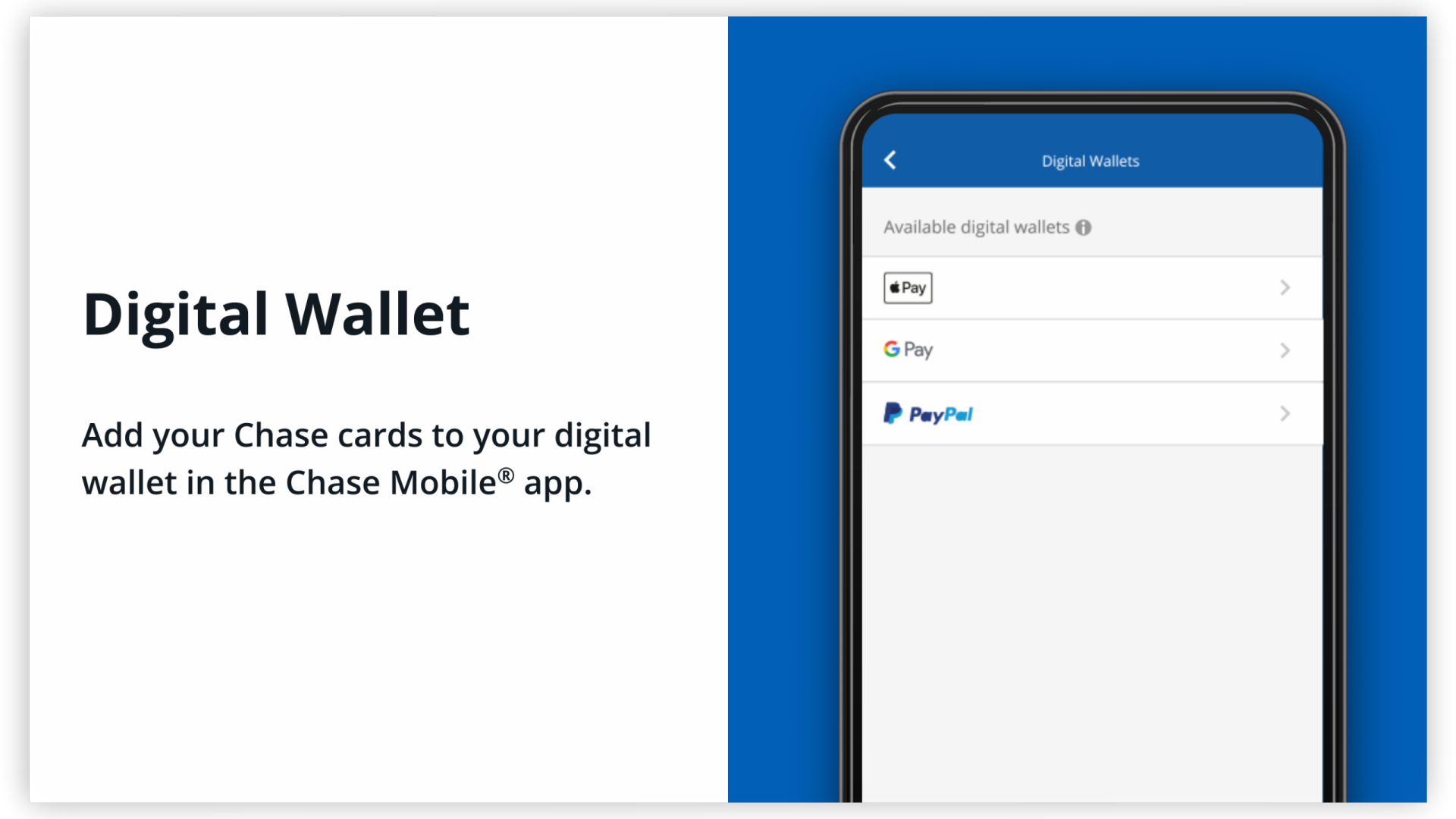
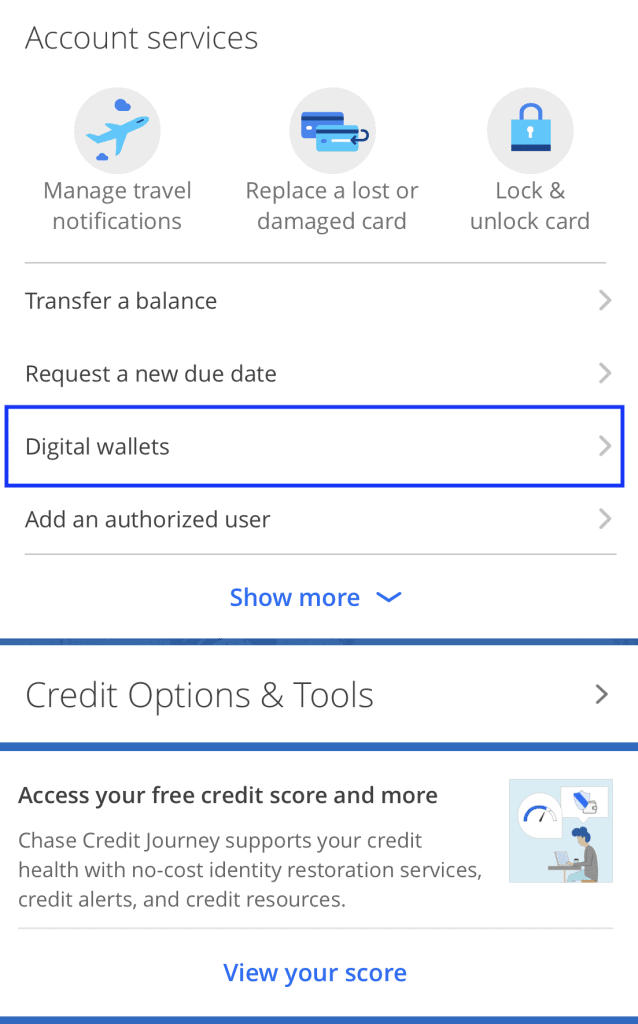
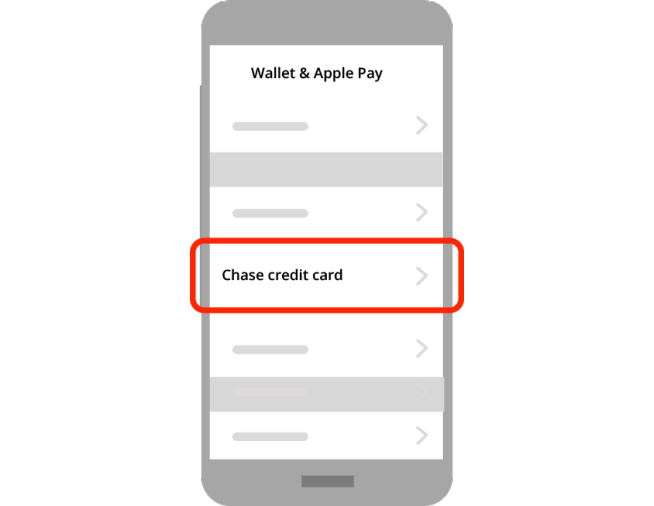
Verify via Digital Wallet: For many users, the primary goal is to use the card with Apple Pay or Google Pay. Within the card’s specific menu in the app, look for “Open Wallet” or “Add to Digital Wallet.” This creates a secure tokenization link between Chase and your phone’s hardware.
Troubleshooting Common Integration Issues
Occasionally, users may encounter hurdles when attempting to sync their cards. One common issue is a mismatch in contact information. If the phone number on file does not match the device you are using, the multi-factor authentication (MFA) process will fail.
Another frequent roadblock is the “Card Not Eligible” error. This often occurs if the card has been flagged for a security review or if it is a secondary authorized user card that has not yet been granted full digital access by the primary account holder. In these instances, a brief call to Chase customer service or a visit to a local branch is required to verify the account’s standing.
Expanding the View: Linking External Cards and Accounts
A truly sophisticated approach to personal finance involves viewing all liabilities and assets in one place. Chase offers a feature called “Linked Accounts” (often powered by third-party aggregators like Plaid) that allows you to see credit card balances from other institutions—such as American Express, Citi, or Capital One—directly within the Chase app.
The Benefits of Aggregation
By adding non-Chase cards to your dashboard, you can track your total credit utilization across all issuers. This is a critical metric for your credit score. Seeing all due dates in one interface also significantly reduces the risk of missed payments and the resulting late fees.
To link an external card:
-
Scroll to the bottom of your account list on the home screen and select “Link external accounts.”
-
Search for your other financial institution.
-
Log in using the credentials for that specific bank.
-
Authorize Chase to have “read-only” access to the transaction data.
This integration does not allow Chase to move money from your external accounts without further authorization, but it provides a “birds-eye view” of your net worth and spending habits across the entire financial spectrum.
The Security Infrastructure of the Chase Mobile App
When adding sensitive financial information to an app, security is the paramount concern. Chase utilizes several layers of protection to ensure that your credit card data remains confidential and secure from interceptive attacks.
Tokenization and Encryption
When you add your credit card to the Chase app or sync it with a mobile wallet, the app does not store your actual card number on the device. Instead, it uses a process called “tokenization.” A unique digital identifier (a token) is created for that specific device. If a merchant’s database is breached, the token is useless to hackers because it cannot be used to recreate the original card number.
Biometric Security and MFA
The Chase app leverages the hardware security of modern smartphones, including FaceID, TouchID, and Android’s fingerprint sensors. By requiring biometric authentication every time the app is opened, Chase ensures that even if a physical device is lost or stolen, the financial data within remains inaccessible. Furthermore, any high-risk action—such as adding a new card or changing a mailing address—requires multi-factor authentication, providing an additional hurdle for bad actors.
Optimizing Your Personal Finances via the Chase Dashboard
Adding your card to the app is only the beginning. To truly master your money, you must leverage the analytical tools that Chase provides once the card data is flowing into the system.
Utilizing Chase Credit Journey
One of the most powerful features available once your card is added is “Chase Credit Journey.” This tool provides a free VantageScore 3.0 credit score and a full breakdown of your credit report. By monitoring this regularly, you can see how your spending on your newly added card affects your score. You can also use the “Credit Score Simulator” to see how paying down your balance or opening a new line of credit might impact your financial standing in the future.
Spend Tracking and Budgeting
The “Spending & Budgeting” tool automatically categorizes your transactions into groups like “Groceries,” “Entertainment,” and “Utilities.” For the disciplined investor or the household budgeter, this data is invaluable. It allows you to identify “lifestyle creep” and pinpoint areas where you can reduce expenses to increase your monthly savings or investment contributions.
Managing Rewards Strategically
For users of the Chase Sapphire or Freedom suites, the app is the command center for the “Chase Trifecta” strategy. By adding all your cards to the app, you can easily see which card offers the best rewards for specific categories (e.g., 5% back on gas vs. 3% back on dining). You can also move points between accounts instantly, consolidating your rewards to book high-value travel through the Chase Travel portal.
In conclusion, adding a credit card to the Chase app is a foundational step in modern financial management. It bridges the gap between traditional banking and the high-speed world of digital finance. By following the proper integration steps, maintaining rigorous security habits, and utilizing the app’s advanced analytical tools, you transform a simple credit card into a powerful instrument for wealth building and financial clarity. Whether you are focused on maximizing travel points or simply keeping a closer eye on your monthly overhead, the Chase app serves as the essential interface for your journey toward financial independence.
aViewFromTheCave is a participant in the Amazon Services LLC Associates Program, an affiliate advertising program designed to provide a means for sites to earn advertising fees by advertising and linking to Amazon.com. Amazon, the Amazon logo, AmazonSupply, and the AmazonSupply logo are trademarks of Amazon.com, Inc. or its affiliates. As an Amazon Associate we earn affiliate commissions from qualifying purchases.