
In an era where digital transactions have become the standard for consumer behavior, the physical credit card is increasingly taking a backseat to its digital counterpart. Whether you are shopping online and don’t have your wallet nearby, or you are setting up a recurring payment for a new subscription service, knowing how to access your Chase credit card number online is an essential skill for modern financial management. Chase, as one of the largest financial institutions in the world, has invested heavily in its digital infrastructure to provide users with secure and streamlined access to their account details.
This guide explores the specific steps required to retrieve your card information, the security protocols protecting that data, and the broader context of how digital card access fits into a comprehensive personal finance strategy.
The Shift Toward Digital-First Banking
The necessity of viewing a credit card number online is a byproduct of the “digital-first” movement in personal finance. For decades, the physical plastic card was the sole repository of the 16-digit Primary Account Number (PAN), the expiration date, and the Card Verification Value (CVV). However, as mobile wallets like Apple Pay and Google Pay have gained prominence, and as e-commerce has eclipsed traditional retail in many sectors, the physical card has become a secondary tool.
Chase has adapted to this shift by enhancing its mobile app and web portal to act as a comprehensive command center for cardholders. Being able to access your card details digitally is not just about convenience; it is about financial agility. It allows for immediate action—such as adding a card to a new device or making an emergency purchase—without the latency of waiting for a physical card to be mailed or retrieved from a safe.
Step-by-Step: Viewing Your Chase Card Number via the Mobile App
The Chase Mobile app is the most efficient way to interact with your account. Chase has designed the interface to balance accessibility with rigorous security. While the bank does not always display the full 16-digit number in plain text on every screen for security reasons, there are specific pathways to retrieve or utilize your card information.
1. Authentication and Security Entry
Before you can view any sensitive data, you must log in to the Chase Mobile app. Use biometric authentication (FaceID or Fingerprint) if available, as this provides a higher layer of security than a simple passcode. Once logged in, you will see your account dashboard listing all your Chase credit cards, such as the Sapphire Preferred, Freedom Unlimited, or Ink Business cards.
2. Navigating to Account Services
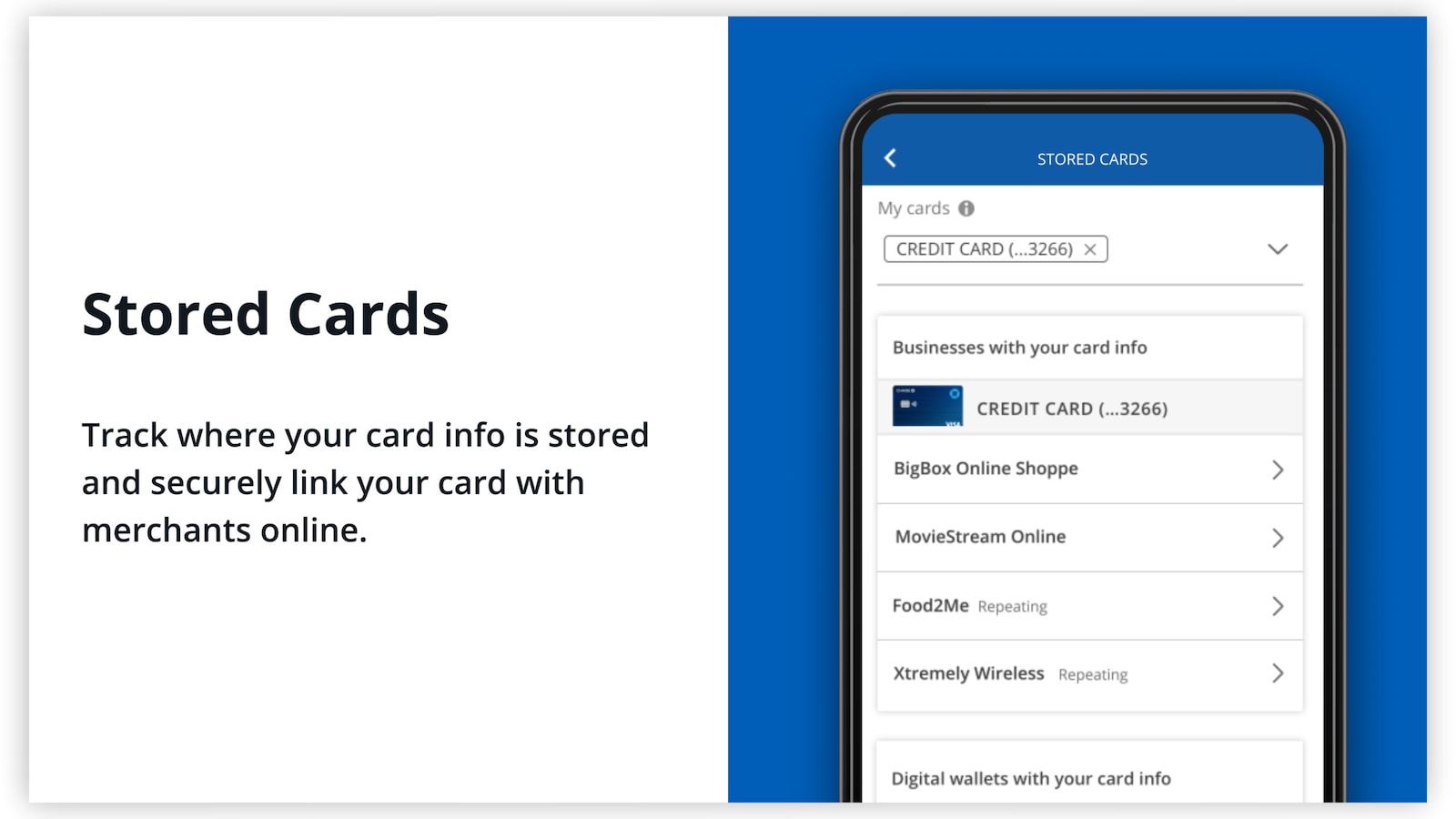
Select the specific credit card account you need the information for. This will open the account summary page, showing your current balance and recent transactions. Scroll down to the “Account services” section. Within this menu, you will often find options such as “Digital wallets” or “Stored cards.”
3. Using the Digital Wallet Feature
If you specifically need to use your card for online shopping rather than just seeing the number, Chase’s integration with digital wallets is the most secure method. By selecting “Add to Digital Wallet,” you can push your card information directly to Apple Pay or Google Pay. This allows you to bypass the need to manually type in the 16-digit number, as the wallet stores a “tokenized” version of your card that is actually more secure than the original number.
4. Viewing Card Details Directly
For many users, Chase has introduced a “Card Details” or “Show Card Info” feature within the app. By clicking this, you may be prompted for an additional security verification (such as a one-time passcode sent to your phone). Once verified, the app will display the full 16-digit number, expiration date, and CVV for a limited time. This is particularly useful for manual entries on websites that do not support digital wallets.
Accessing Information via Chase Online Banking (Web Browser)
If you prefer using a desktop or laptop, the Chase website provides a robust platform for account management. The process for viewing card details on the web is similar but features different navigation patterns.
1. Secure Login and Dashboard
Visit the official Chase website and enter your credentials. Ensure that the URL begins with “https://” and that you see the padlock icon, indicating a secure connection. After logging in, you will be presented with your financial overview.
2. Card Management Tools
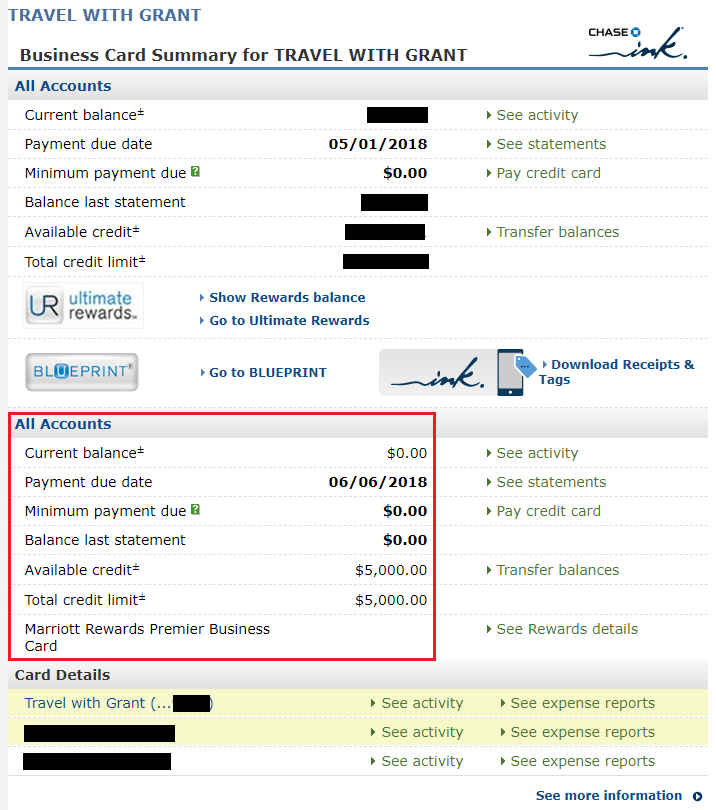
Click on the credit card account you wish to view. Look for the “More…” menu or the “Account Services” tab. Chase frequently updates its user interface, but sensitive card information is typically housed under “Manage Account” or “Card Benefits.”
3. Understanding the Limitations of the Web Portal
For security purposes, Chase sometimes limits the visibility of the full 16-digit number on web browsers compared to the mobile app. This is because web browsers are often more susceptible to “form-grabbing” malware or screen-recording software. If the full number is not visible, the portal will usually offer a way to link the card to major retailers (like Amazon or PayPal) directly, which accomplishes the same goal of facilitating a purchase without needing the physical card.
The Security Framework: Protecting Your Digital Data
Accessing a credit card number online naturally raises concerns about cybersecurity. Chase employs several layers of defense to ensure that your 16-digit number does not fall into the wrong hands. Understanding these protocols is vital for any consumer concerned with their financial security.
Multi-Factor Authentication (MFA)
Chase utilizes MFA as a primary defense. Even if someone gains access to your username and password, they cannot view your card number without a second form of verification. This usually involves a code sent via SMS or email, or a push notification to your registered mobile device. This “something you have” (your phone) combined with “something you know” (your password) creates a formidable barrier against unauthorized access.
Data Encryption and Masking
When you view your card details, the data is encrypted in transit using industry-standard TLS (Transport Layer Security). Furthermore, Chase employs data masking—showing only the last four digits of a card until a high-trust verification event occurs. This prevents casual observers from seeing your information if you happen to have your app open in a public place.
Tokenization
One of the most important concepts in modern financial tech is tokenization. When you use the “Add to Digital Wallet” feature, Chase does not share your actual card number with the merchant. Instead, it generates a unique, one-time-use “token.” Even if the merchant’s database is breached, the hackers only get the token, which is useless for any other transaction. This makes digital card access via wallets significantly safer than using the physical card number itself.
Best Practices for Managing Your Digital Card Details
To maximize the benefits of online card access while minimizing risk, cardholders should adopt a proactive approach to their digital financial hygiene.
1. Avoid Public Wi-Fi for Sensitive Tasks
Never attempt to view your credit card number or log into your banking app while connected to a public, unsecured Wi-Fi network (such as those in coffee shops or airports). Hackers can use “man-in-the-middle” attacks to intercept the data being sent to and from your device. Use a cellular connection or a trusted Virtual Private Network (VPN) if you must access financial data on the go.
2. Regularly Update the Chase Mobile App
Software updates are not just about new features; they frequently include critical security patches that address newly discovered vulnerabilities. Ensure that your Chase app is set to update automatically.
3. Monitor Account Activity Frequently
Digital access makes it easier than ever to monitor your spending. Set up real-time alerts for every transaction made on your account. If you see a charge you don’t recognize, you can lock your card immediately through the app. This instant “freeze” capability is one of the greatest advantages of digital banking, allowing you to stop fraud in its tracks before it escalates.
4. Utilize Virtual Account Numbers When Available
While Chase primarily focuses on digital wallet integration, some business accounts and specific card products allow for the creation of virtual account numbers. These are temporary numbers tied to your main account that can be used for specific merchants or one-time purchases, adding an extra layer of insulation for your primary credit line.

Conclusion: The Future of Cardless Finance
The ability to see your Chase credit card number online is more than a simple convenience; it represents the ongoing evolution of the relationship between consumers and their money. As we move closer to a truly cardless society, the digital interfaces provided by institutions like Chase will become our primary touchpoints for all financial activity.
By mastering the tools available within the Chase ecosystem—from the mobile app’s “Card Details” feature to the sophisticated security of digital tokens—you empower yourself to manage your finances with greater speed and security. As long as you follow the established security protocols and leverage the advanced features of modern banking apps, the digital world offers a safer and more efficient environment for your financial life than the physical wallet ever could.
aViewFromTheCave is a participant in the Amazon Services LLC Associates Program, an affiliate advertising program designed to provide a means for sites to earn advertising fees by advertising and linking to Amazon.com. Amazon, the Amazon logo, AmazonSupply, and the AmazonSupply logo are trademarks of Amazon.com, Inc. or its affiliates. As an Amazon Associate we earn affiliate commissions from qualifying purchases.